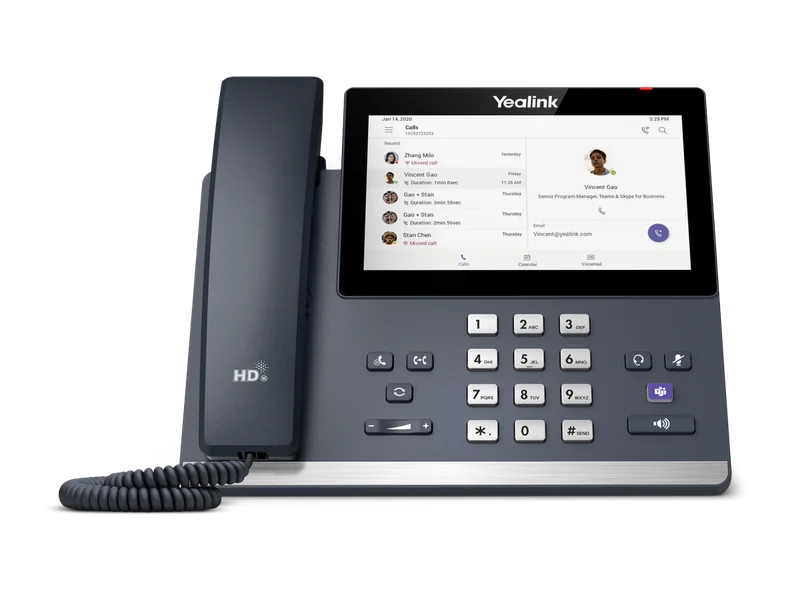
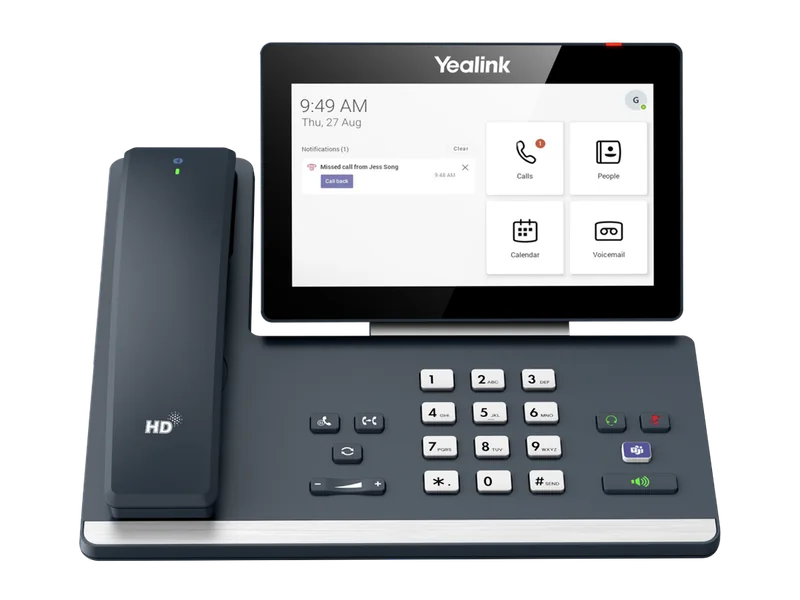
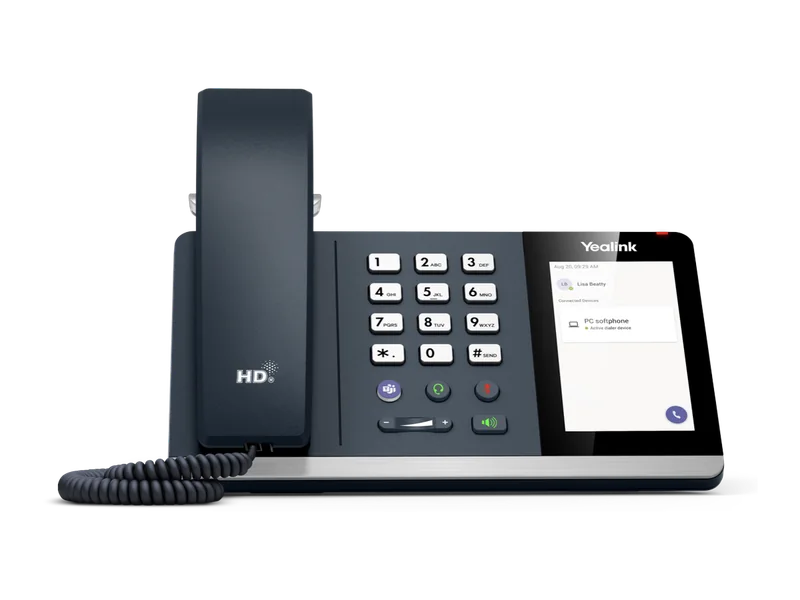
Yealink's current Microsoft Teams phones are the MP E2 range, which runs Android 15 on Microsoft's Device Ecosystem Platform (MDEP). The MP52 E2 is the low-cost common-area phone with a 2.4-inch screen and physical keys. The MP54 E2 is the standard desk phone with a 4-inch touch screen. The new MP55 E2 adds 10 LED line keys for reception and contact centres. The MP56 E2 moves to a 7-inch touch screen and takes up to three EXP50 modules, and the MP58-WH E2 adds the cordless BTH58 Bluetooth handset. Around them sit the MP45 USB phone, the CP965 Teams conference phone and the new rugged MP66W Wi-Fi handset. For Zoom Phone, Yealink makes Zoom editions of the MP54 E2, MP56 E2 and MP58-WH E2, and many T-series SIP and DECT phones are Zoom-certified.
Quick pick: MP54 E2 for most Teams desks, MP55 E2 for reception, MP56 E2 for managers, MP58-WH E2 for executives, MP52 E2 for corridors and lunchrooms, MP45 for hot desks with a laptop. ARC IP Networks stocks the Teams range in Australia: genuine Yealink stock with the full manufacturer's warranty, delivered Australia-wide. Zoom editions and the MP66W are supplied on request: call 1300 100 440.
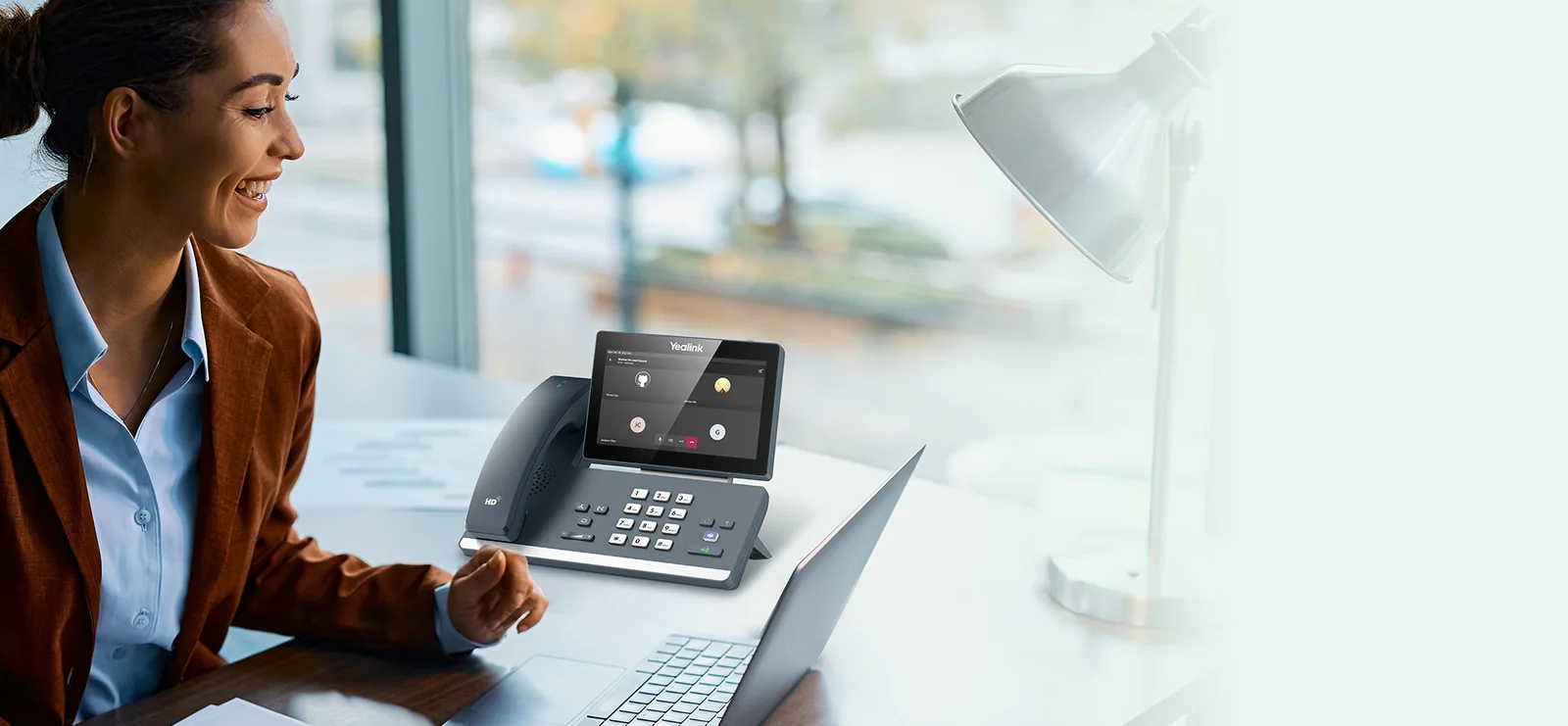
The Yealink Teams phone range at a glance
Every MP E2 desk phone shares Yealink's Optima HD audio with AI noise cancellation, a hearing-aid-compatible magnet handset, dual Gigabit Ethernet with PoE, and support for both Microsoft and Yealink device management. The differences are the screen, the keys, the handset and the wireless options.
| Model | In one line | Best for |
|---|---|---|
| MP52 E2 | 2.4" colour screen, physical keys, no touch screen | Corridors, lunchrooms, labs, classrooms and other common areas |
| MP54 E2 | 4" touch screen, Teams button, Wi-Fi and Bluetooth 5.2 | The standard Teams desk phone for most staff |
| MP55 E2 | New. 4.3" screen with 10 LED line keys and physical hold/transfer/redial keys | Reception, front desks and contact-centre team leaders |
| MP56 E2 | 7" touch screen, USB-C, up to 3 EXP50 modules | Managers, busy reception desks and shared offices |
| MP58-WH E2 | 7" adjustable touch screen with the BTH58 Bluetooth handset | Executives and anyone who walks while they talk |
| MP45 | USB phone for a PC running Teams, 4" touch screen | Hot desks and laptop users who want a real handset |
| MP66W | New. Rugged IP67 Wi-Fi 6E Teams handset (on request) | Warehouses, retail floors, hospitals and factories |
| CP965 Teams | Teams conference phone, 12+1 microphones, 6 m pickup | Medium to large meeting rooms |
Model positioning summarised from Yealink's Teams Phones product pages and official datasheets.
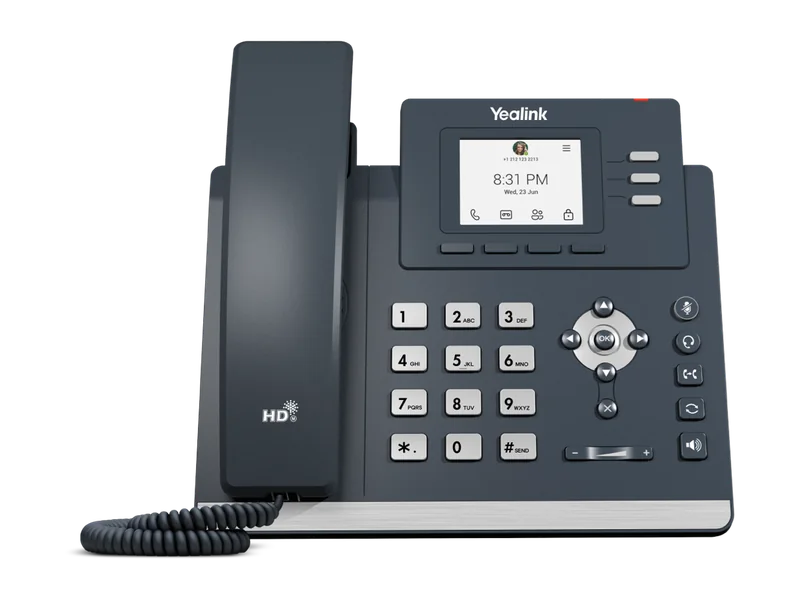
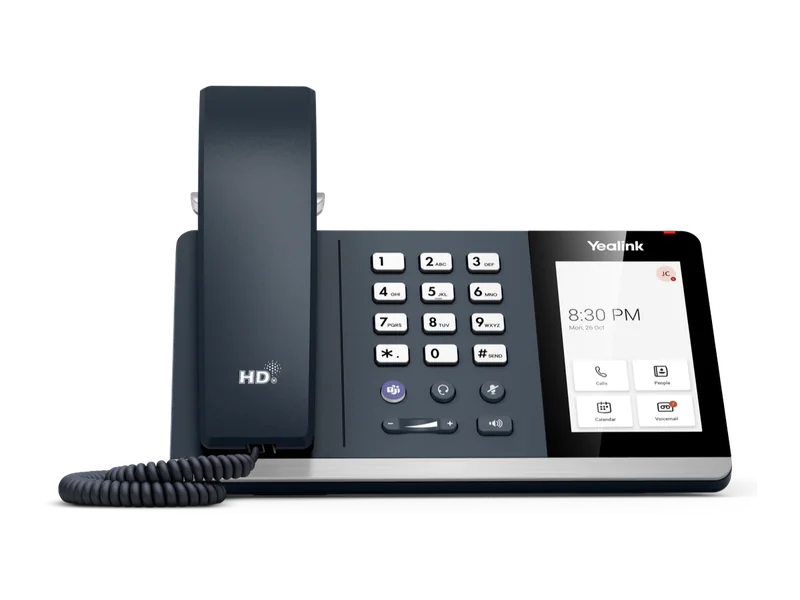
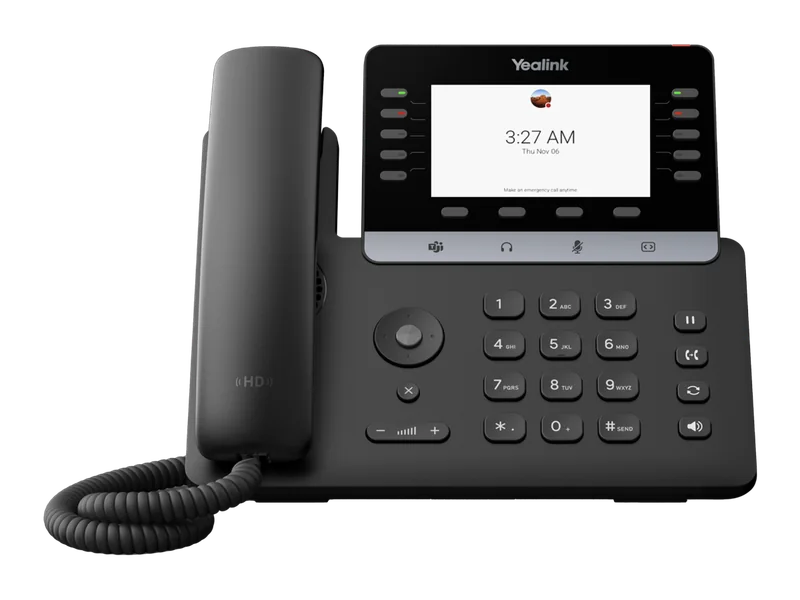
What's new in the Yealink Teams range
If you last looked at Yealink Teams phones a year or two ago, three things have changed:
- Android 15 and MDEP. The current MP E2 phones run Android 15 and are built on the Microsoft Device Ecosystem Platform (MDEP), Microsoft's own Android-based platform for Teams devices. Yealink says MDEP uses Microsoft public key infrastructure and hardware-based attestation to secure enrolment, which makes zero-touch deployment more practical for IT teams and MSPs.
- A line-key Teams phone. The new MP55 E2 brings 10 LED line keys and physical hold, transfer and redial buttons to Teams, so receptionists don't have to give up the button-first workflow they know from SIP phones.
- A rugged cordless Teams handset. The new MP66W puts Teams on an IP67, drop-resistant Wi-Fi 6E handset for staff who are never at a desk.
Every Teams-edition MP E2 datasheet also lists a Teams & SIP Hybrid mode. Yealink describes it as a way to use Teams and SIP calling on the same phone. Check that your SIP platform supports it before you rely on it in a rollout.
Yealink MP E2 Teams phones: specifications compared
Swipe the table sideways to compare all models →
| Feature | MP52 E2 | MP54 E2 | MP55 E2 | MP56 E2 | MP58-WH E2 |
|---|---|---|---|---|---|
| Screen | 2.4" 320 x 240 colour, non-touch | 4" 800 x 480 touch, 5-point multi-touch | 4.3" 480 x 272 colour, non-touch | 7" 1024 x 600 touch, 5-point multi-touch | 7" 1024 x 600 touch, tilts up to 48° |
| Keys | Dial pad, navigation keys, transfer button | Dial pad, dedicated Teams button | 10 LED line keys, hold, transfer, redial and speaker keys, Teams touch button | Dial pad, dedicated Teams button | Dial pad, dedicated Teams button |
| Operating system | Android 15 (MDEP) | Android 15 (MDEP) | Android 15 (MDEP) | Android 15 | Android 15 (MDEP) |
| Handset in the box | Corded, magnet, HAC | Corded, magnet, HAC | Corded, magnet, HAC | Corded, magnet, HAC | BTH58 Bluetooth wireless |
| Wi-Fi | No | Dual-band 2.4/5 GHz | Dual-band Wi-Fi 6 | Dual-band 2.4/5 GHz | Dual-band 2.4/5 GHz |
| Bluetooth | No | 5.2 | 5.0 | 5.2 | 5.2 |
| Ethernet | Dual Gigabit | Dual Gigabit | Dual Gigabit | Dual Gigabit | Dual Gigabit |
| PoE (802.3af class 3) | 2.3 to 6.0 W | 2.3 to 6.8 W | 1.8 to 7.0 W | 2.3 to 6.0 W | 3.3 to 7.6 W |
| USB | 1 x USB-A | 1 x USB-A | 1 x USB-A | 1 x USB-A, 1 x USB-C | 2 x USB-A, 1 x USB-C |
| EXP50 expansion modules | No | No | No (10 line keys built in) | Up to 3 | Up to 3 |
| Audio | Optima HD, AI noise cancellation | Optima HD, AI noise cancellation | Optima HD, AI noise cancellation, Acoustic Shield | Optima HD, AI noise cancellation | Optima HD, AI noise cancellation |
| Hybrid mode (Teams + SIP) | Yes | Yes | Yes | Yes | Yes |
Figures from Yealink's official MP E2 Teams datasheets. PoE draw is the range Yealink publishes. The MP56 E2 datasheet lists Android 15 without naming MDEP.
Teams-native phones or SIP phones on Teams?
There are two ways to put a Yealink phone on Microsoft Teams. A Teams-native phone (the MP series) runs Microsoft's own Teams app. It shows your Teams calendar, contacts, voicemail and meetings, you sign in with your Microsoft 365 account, and you manage it from the Teams admin centre. A SIP phone (the T series) can reach Teams through Microsoft's SIP Gateway, but only selected models are supported and you get basic calling with no Teams screen.
If your users live in Teams, buy MP series. If Teams is one of several platforms, or you run 3CX or a hosted PBX for some staff, a T-series SIP phone such as the new T8 Series is the more flexible choice.
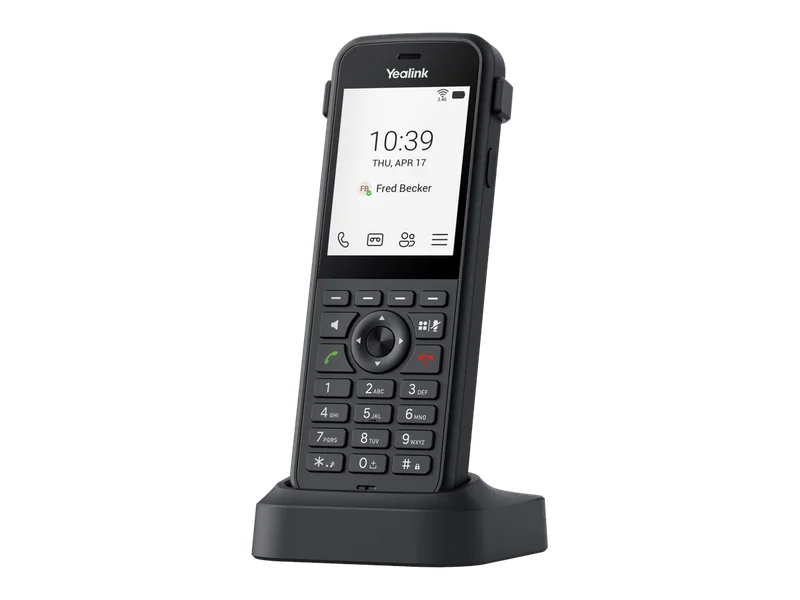
MP52 E2: the common-area Teams phone
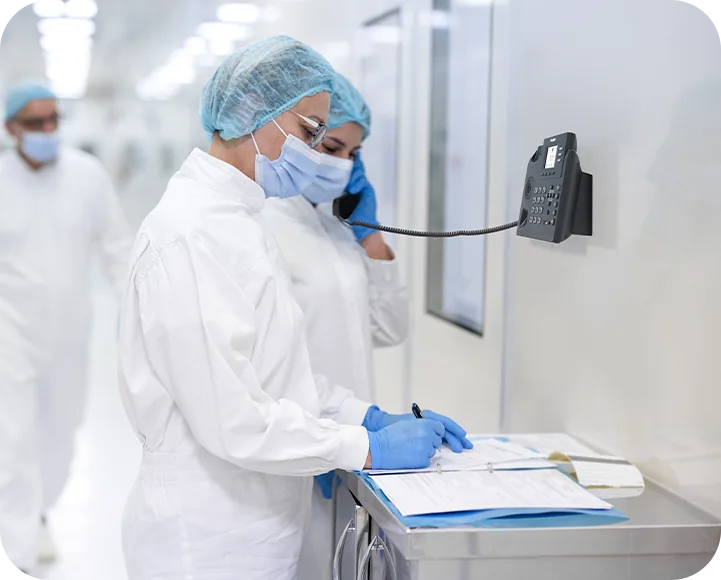
The MP52 E2 is the lowest-cost way onto Teams. It has a 2.4-inch colour screen with physical navigation keys instead of a touch screen. Yealink designed it for shared spaces, where a touch screen gets smudged, knocked or poked at. It supports Microsoft's Common Area Phone mode and is wall mountable, so it suits hospital corridors, school staffrooms, lunchrooms, laboratories and building lobbies. There's no Wi-Fi or Bluetooth, but a USB-A port takes a USB headset.
For a common-area phone, licence it with a Teams Shared Devices licence rather than a user licence (see licensing below).
MP54 E2: the standard Teams desk phone
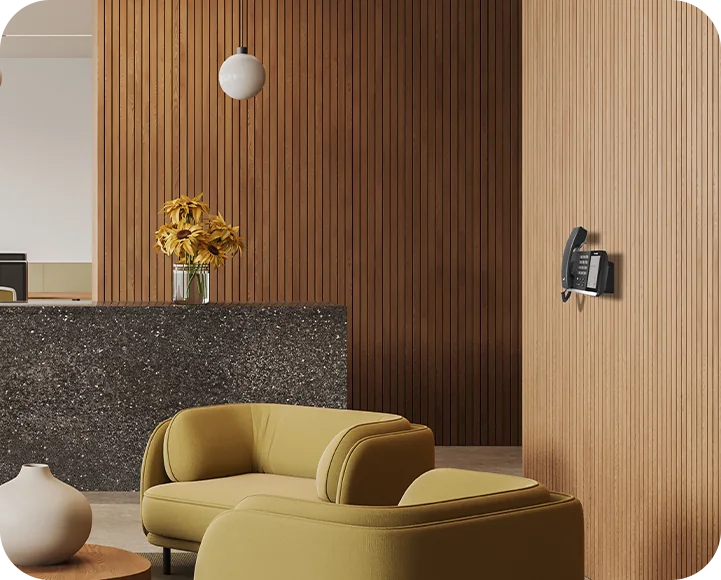
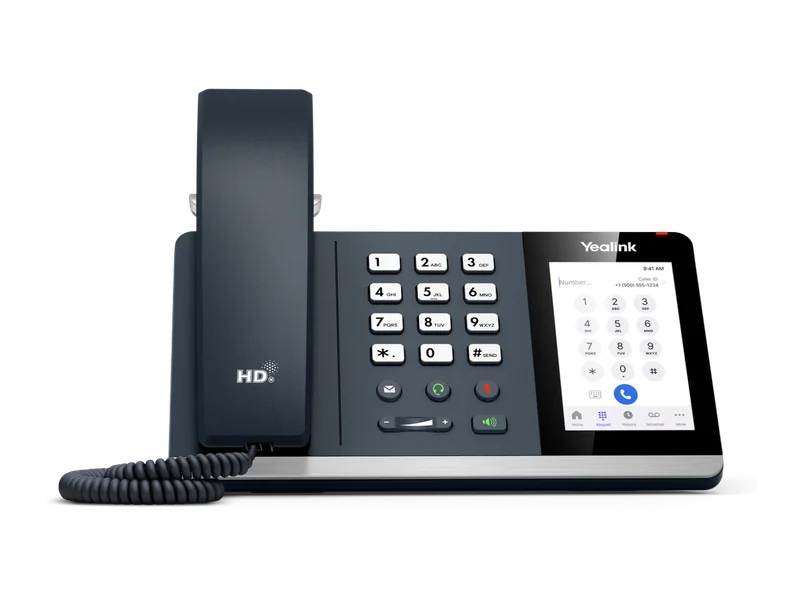
The MP54 E2 is the phone most Australian offices should start with. Its 4-inch 800 x 480 touch screen shows the Teams calling interface, presence, voicemail and meeting join, and a dedicated Teams button takes you straight into Teams. It has built-in Bluetooth 5.2 and dual-band Wi-Fi, so staff can pair a Bluetooth headset and walk away from the desk mid-call, or put the phone on a desk with no data point. The stand has two angles (45° and 53°), and the datasheet lists hot desking and Common Area Phone mode.
MP55 E2: line keys come to Teams
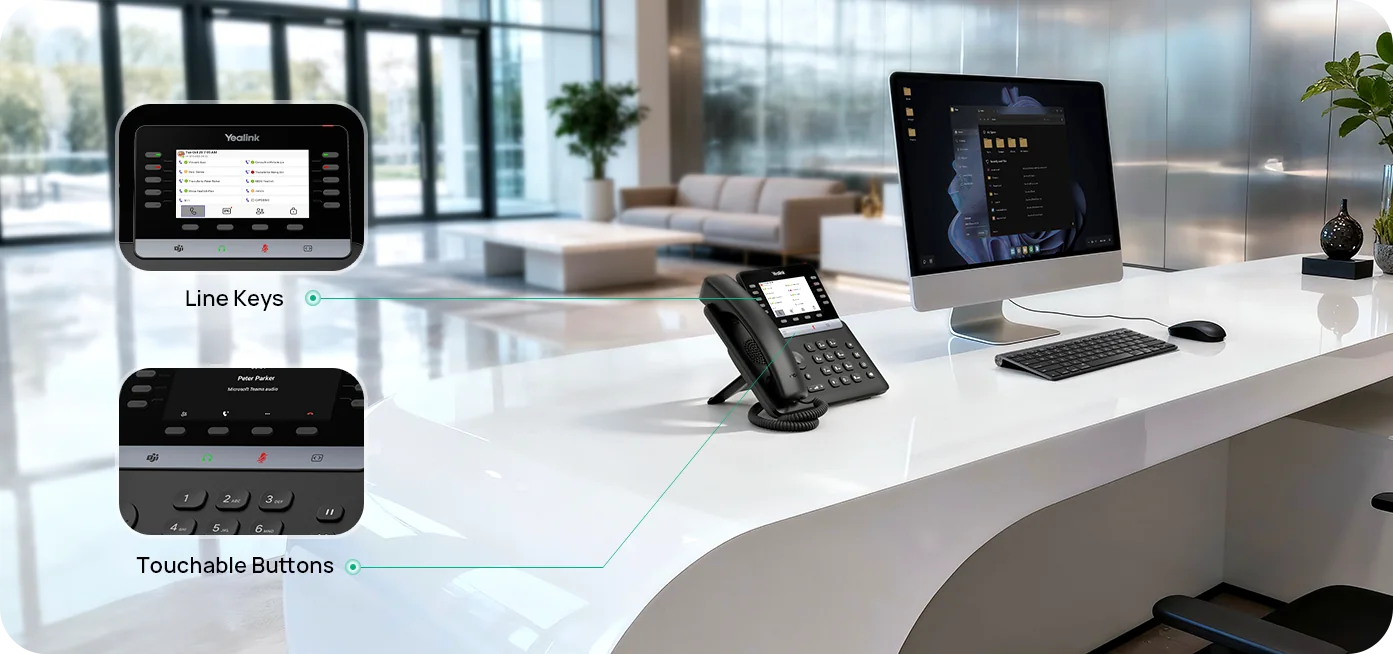
The MP55 E2 is new to the range, and Yealink calls it a purpose-built phone for vertical industries. It pairs a 4.3-inch colour screen with 10 line keys with LEDs, four physical feature keys (hold, transfer, redial and speakerphone) and four touch buttons for Teams, headset, mute and page. Receptionists can see who's busy and transfer by feel, without hunting through a touch menu.
Its datasheet specifies dual-band Wi-Fi 6 (the other MP E2 datasheets list dual-band Wi-Fi without naming the generation), and it adds Yealink's Acoustic Shield to AI noise cancellation. That suits front counters, medical and dental reception, and contact-centre team leaders. A wall-mount bracket is optional.
MP56 E2: the 7-inch Teams phone
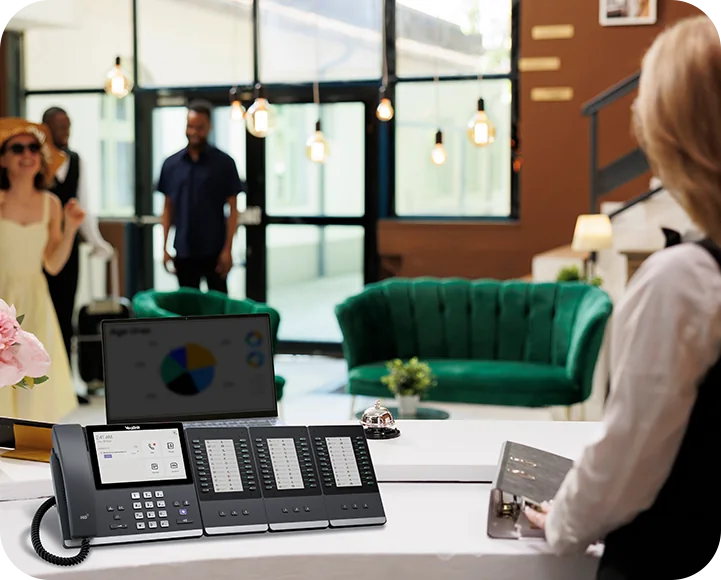
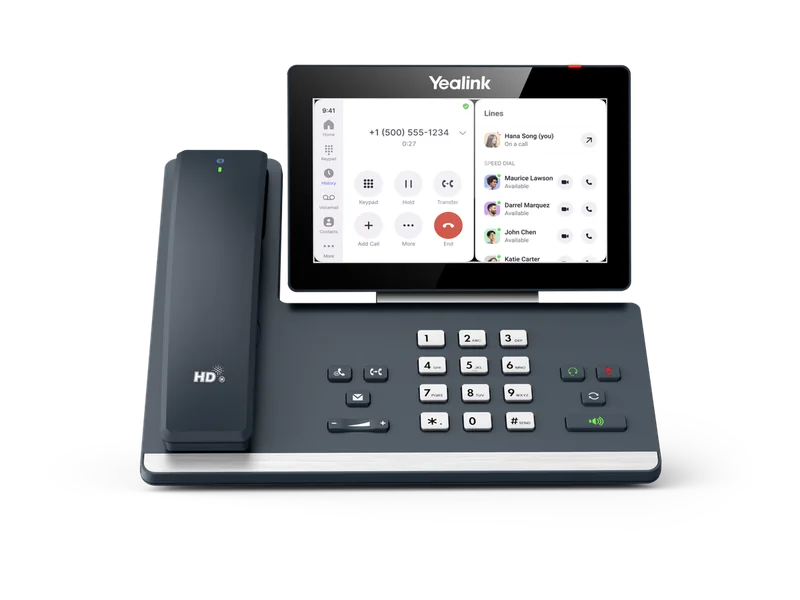
The MP56 E2 moves to a 7-inch 1024 x 600 touch screen, with room for the Teams calendar, contacts and call controls at once. It adds a USB-C port (device mode) next to the USB-A port, and it takes up to three EXP50 expansion modules. That makes it a strong Teams reception console for medical centres, real estate offices and corporate front desks that monitor many extensions. Datasheet features include Exchange calendar integration, scheduling Teams meetings from the phone, Group SimRing and hot desking.
MP58-WH E2: the executive phone with a Bluetooth handset
The MP58-WH E2 ships with the BTH58 Bluetooth wireless handset in place of a curly cord. Yealink quotes a range of about 10 metres from the phone, and up to 17 hours of talk time and 46 hours of standby for the BTH58. Partners and directors can pick up the handset and walk to the window or a filing cabinet while the call carries on.
The 7-inch screen tilts up to 48°. The phone has two USB-A ports and USB-C, supports up to three EXP50 modules, and adds a Boss/Admin feature for executive assistants who answer and screen calls. It's the top of the range and the natural replacement for an MP58 or T58A Teams phone.

MP45: the USB Teams phone for hot desks
The MP45 is not a network phone. It plugs into a PC or laptop running Microsoft Teams over USB, takes its power from the cable, needs no drivers, and works as the handset and speakerphone for the Teams client. It has a 4-inch 480 x 800 touch screen, a full dial pad, a dedicated Teams button and keys for mute, headset, speaker, hold and redial. A 2.5 mm jack drives an optional busylight.
Because the PC does the calling, there's no extra device to license or patch, which makes the MP45 popular for hot desks, classrooms and hybrid staff who dock a laptop a few days a week.
MP66W: a rugged Wi-Fi Teams handset
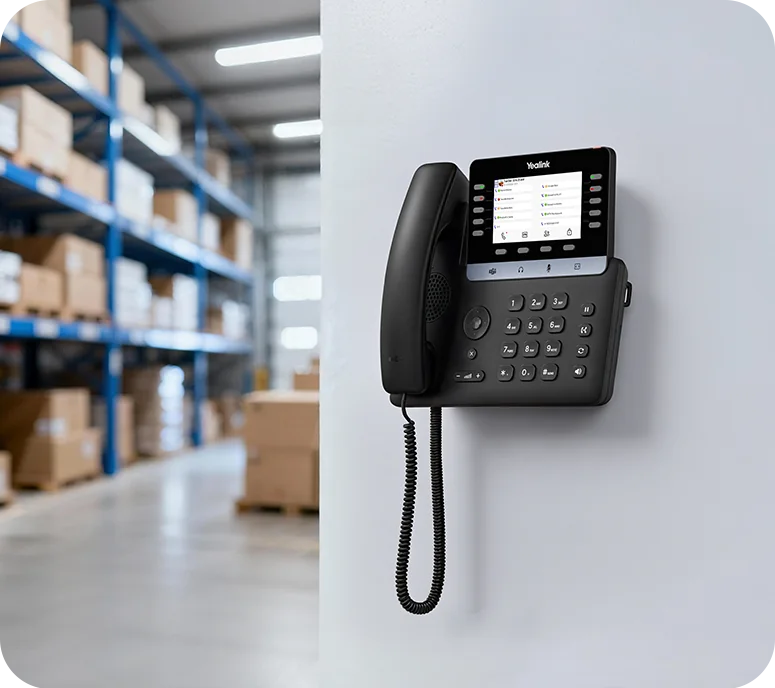
The MP66W is Yealink's new cordless Teams phone for people who are never at a desk. It's rated IP67 for dust and water, survives drops of up to 1.8 metres, and has an antibacterial body that resists chemical cleaning. It runs Teams natively on Android 15 (MDEP) with a 2.8-inch colour screen and a programmable side key.
It connects over tri-band Wi-Fi 6E with 802.11k/v/r fast roaming (Yealink lists 6 GHz support as "coming soon"), pairs Bluetooth 5.3 headsets, and charges by USB-C or its cradle. The 3000 mAh battery is rated for up to 8 hours of talk and 80 hours of standby. Picture warehouses, retail floors, hospital wards, manufacturing plants and site offices.
The MP66W isn't in our online shop yet. It is supplied on request: call 1300 100 440.

CP965 Teams: the conference phone
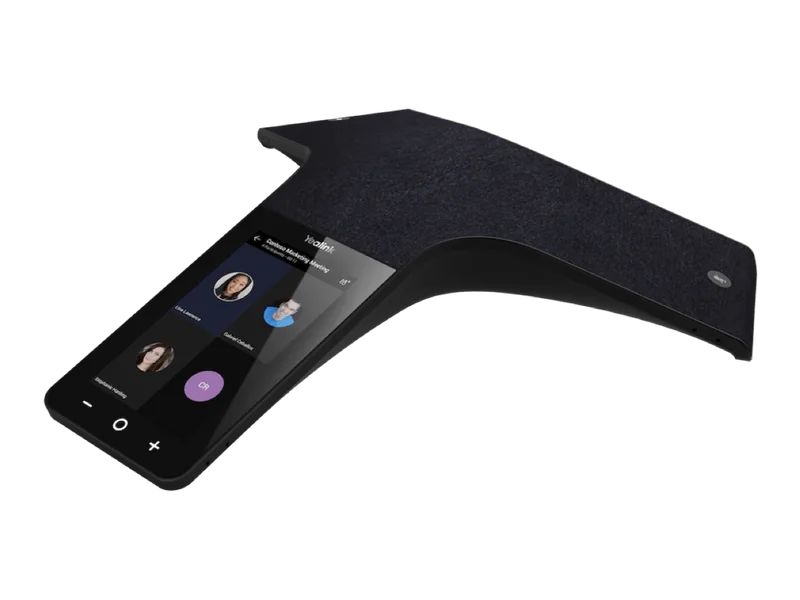
For meeting rooms that need audio rather than video, the CP965 Teams edition brings the Teams interface to the table on a 5-inch 720 x 1280 touch screen (Android 12). It has 12 microphones plus one for noise cancellation, picking up voices 360° up to 6 metres, with a 5 W speaker. It shows the room's Outlook calendar for one-touch join, connects by Wi-Fi or PoE (802.3af class 4), and is managed like the desk phones.
Comparing it with the CP925, CP930W and CP935W? See our Yealink conference phones comparison.
Licences and calling in Australia
A Teams phone needs two things on the Microsoft side:
- A Teams Phone licence on the user. It's included in some Microsoft 365 and Office 365 plans and is an add-on for others. Common-area phones such as the MP52 E2 in a lunchroom use a Teams Shared Devices licence instead.
- A way to reach the public phone network. In Australia that's Microsoft Calling Plans, Operator Connect through a participating Australian carrier, or Direct Routing through a certified session border controller (SBC) to your existing SIP trunk.
Before go-live, set an emergency address for each site in the Teams admin centre so 000 calls carry the right location, and test it. If you're moving numbers from an NBN phone service or another provider, allow time for the port. We can help you work out what your tenant needs before you order.
Deployment, management and security
Every MP E2 phone supports Microsoft's device management (the Teams admin centre) and Yealink's own YDMP / YMCS platforms, plus Yealink's Redirection and Provisioning Service (RPS). An MSP can ship phones straight to a branch office in Perth or Townsville and have them provision on first boot. On the security side, the datasheets list TLS 1.3, IEEE 802.1X, WPA2/WPA3 and AES-encrypted configuration files.
If your IT provider works to the ACSC Essential Eight, central firmware updates through the Teams admin centre or YMCS make it much easier to keep phones patched. MDEP's hardware-backed enrolment also helps.
PoE and the network
Every MP E2 desk phone is an IEEE 802.3af class 3 PoE device with a dual-port Gigabit switch, so a PC can share the phone's data point. By Yealink's figures the phones draw about 2 to 7.6 W, so a standard PoE switch powers a full floor with headroom. The CP965 Teams is class 4. Put voice on its own VLAN with QoS, and check that Microsoft's Teams network requirements are met for each site. Our guide to running Yealink phones on UniFi and MikroTik networks covers PoE budgets, VLANs and QoS.
Teams or Zoom? Yealink's Zoom phone editions
If your business runs on Zoom Phone rather than Teams, Yealink covers that too. There are two routes.
Zoom-native touch phones: MP54 E2, MP56 E2 and MP58-WH E2 Zoom editions
Yealink makes Zoom editions of the MP54 E2, MP56 E2 and MP58-WH E2. They have similar hardware to the Teams editions: 4-inch or 7-inch touch screens, a magnet HAC handset (the BTH58 Bluetooth handset on the MP58-WH E2), Bluetooth 5.2, dual-band Wi-Fi and dual Gigabit PoE. They run the Zoom user interface on Android 13, with Exchange calendar integration and one-touch meeting join, and you manage them through Zoom Device Management (ZDM) or Yealink YDMP.
Teams and Zoom editions are separate models, so order the edition that matches your platform. The Zoom editions aren't in our online shop. They're supplied on request: call 1300 100 440.
| Type | Models | Good for |
|---|---|---|
| Zoom-native touch phones | MP54 E2 Zoom, MP56 E2 Zoom, MP58-WH E2 Zoom (on request) | Zoom-first offices that want the Zoom interface on the desk |
| Entry SIP desk phones | SIP-T31G, SIP-T31P, SIP-T33G | Hot desks, lunchrooms, warehouses |
| Mid-range SIP desk phones | SIP-T43U, SIP-T46U | General office desks |
| Premium SIP desk phones | SIP-T53, SIP-T53W, SIP-T54W, SIP-T57W, SIP-T58W Pro | Managers, reception, Bluetooth headset users |
| DECT cordless | W56H, W59R, W80, W90 | Retail floors, warehouses, aged care, multi-cell sites |
| Conference phone | CP965 | Meeting rooms |
Models as listed on Yealink's Zoom Phones page. Check firmware and feature support with Zoom before rollout.
Zoom-certified SIP and DECT phones
Yealink also lists a wide range of standard SIP and DECT phones as Zoom Phone devices, from the T3 and T4 Series to the T5 Series, DECT handsets and the CP965. Zoom provisions these as SIP endpoints, so you get reliable calling with a familiar button layout, but not the full Zoom touch interface. They're also the better choice if you might move platforms later, because the same phone can be re-provisioned to 3CX or a hosted PBX.
Teams or Zoom? Choose the platform first. If you already pay for Microsoft 365 and staff meet in Teams, Teams Phone with an MP E2 phone keeps everything in one place. If Zoom Meetings is your standard and you want Zoom Phone, take a Zoom edition MP E2 for the native experience or a Zoom-certified T-series phone to keep your options open.
Which Yealink Teams phone for which Australian workplace?
| Workplace | Our pick | Why |
|---|---|---|
| General office desks | MP54 E2 | Touch screen Teams interface, Wi-Fi and Bluetooth, low PoE draw |
| Medical, dental and allied health reception | MP55 E2 | Physical line keys and transfer button, Acoustic Shield for a busy waiting room |
| Corporate or hotel reception console | MP56 E2 + EXP50 | 7" screen plus up to 3 expansion modules for busy lamps |
| Law firm, accounting or executive offices | MP58-WH E2 | BTH58 Bluetooth handset, Boss/Admin for assistants |
| Hospital corridors, labs, school staffrooms, lunchrooms | MP52 E2 (wall-mounted) | No touch screen to damage, Common Area Phone mode |
| Hot desks and hybrid staff with laptops | MP45 | USB plug-and-play with the Teams client |
| Warehouses, retail floors, hospital wards, factories | MP66W (on request) | IP67, 1.8 m drop rating, Wi-Fi 6E roaming |
| Boardrooms and medium to large meeting rooms | CP965 Teams | 12+1 microphones, 6 m pickup |
| Zoom-first businesses | MP E2 Zoom editions or Zoom-certified T-series | Native Zoom interface, or SIP flexibility |
ARC IP Networks recommendations based on Yealink's published specifications.
Upgrading from an older Yealink Teams phone?
| If you have | Consider | What the E2 model brings |
|---|---|---|
| MP52 | MP52 E2 | Android 15 on MDEP, AI noise cancellation, Hybrid mode |
| MP54 | MP54 E2 or MP55 E2 | Android 15 on MDEP, Bluetooth 5.2 and Wi-Fi (MP54 E2), or line keys and Wi-Fi 6 (MP55 E2) |
| MP56 | MP56 E2 | Android 15, USB-C, up to 3 EXP50 modules. The WMB-MP56 bracket is listed for both |
| MP58 or T58A Teams | MP58-WH E2 | BTH58 Bluetooth handset, 48° tilting 7" screen, two USB-A ports |
| T55A or T56A Teams | MP54 E2 or MP56 E2 | Current Android 15 Teams platform on MDEP |
| MP50 USB phone | MP45 | USB plug-and-play with a 4" touch screen and busylight jack |
Upgrade mapping is an ARC IP Networks suggestion. Check Microsoft's certified device list and your tenant settings before a full rollout.
Teams headsets and meeting rooms
Most Yealink headsets come in an MS version with a Teams button that answers, mutes and raises a hand without touching the PC. Examples are the WH63 E2 MS DECT headset, the BH76 Plus MS Bluetooth headset and the UH37 MS wired USB headset. See our Yealink headsets guide for the full line-up.
For video meeting rooms, Yealink's MeetingBar range runs Microsoft Teams Rooms or Zoom Rooms. Read the MeetingBar A40 review, our overview of Yealink meeting room solutions, and the BYOD solution explainer for rooms where guests bring their own laptop.
Mixing Teams phones with a SIP phone system
Many Australian businesses run Teams for office staff and keep a SIP platform such as 3CX or a hosted PBX for reception, call queues, warehouses or a DECT system. Yealink covers both: MP E2 phones on Teams, and T-series and DECT phones on SIP, all from one supplier under one warranty. Your provider can link the two platforms, for example through Direct Routing. If you're still choosing a phone brand for a UniFi site, see Yealink vs UniFi Talk.
Yealink Teams phones and accessories in stock at ARC IP Networks
Live Australian pricing (inc. GST) and stock levels are on each product page.
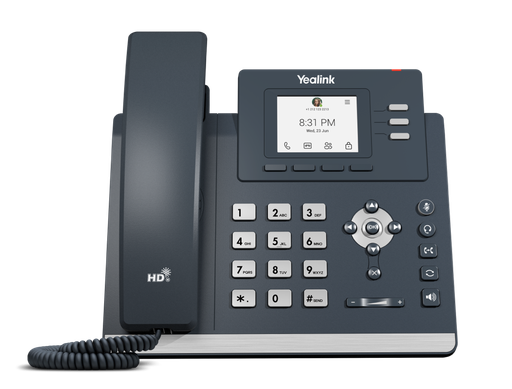
2.4" colour screen, physical keys, Android 15 (MDEP). The common-area and lunchroom Teams phone.
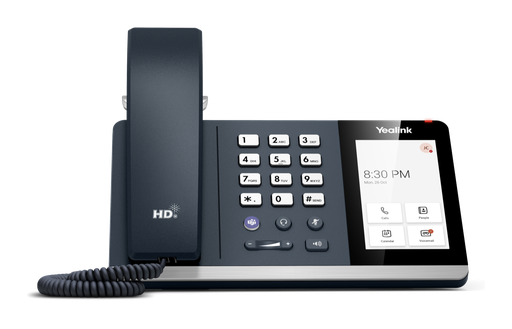
4" touch screen, Teams button, Wi-Fi and Bluetooth 5.2. The standard Teams desk phone.
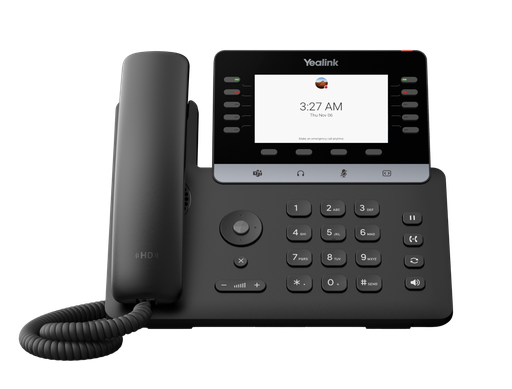
New. 4.3" screen, 10 LED line keys, Wi-Fi 6 and Bluetooth. Teams for reception and contact centres.
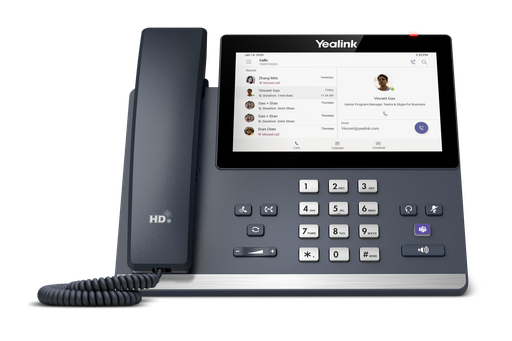
7" touch screen, USB-C, up to 3 EXP50 modules. For managers and busy desks.
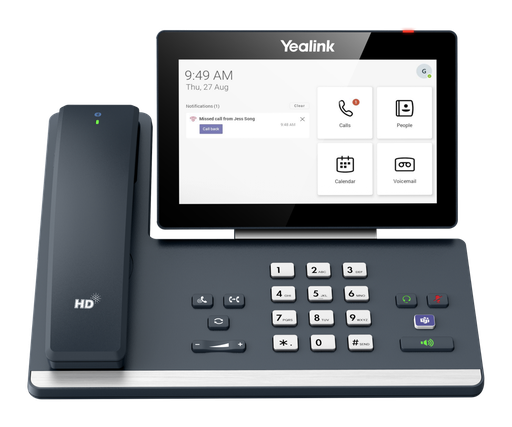
7" tilting touch screen with the BTH58 Bluetooth wireless handset.
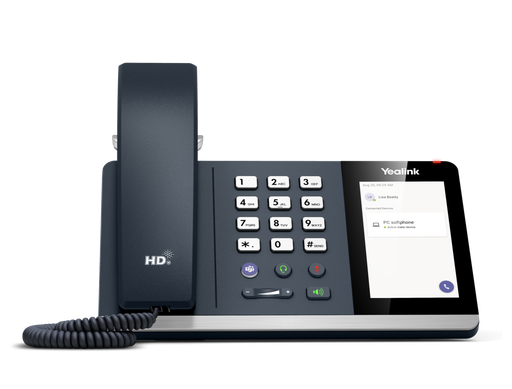
USB phone for a PC running Teams, 4" touch screen, busylight jack. Built for hot desks.
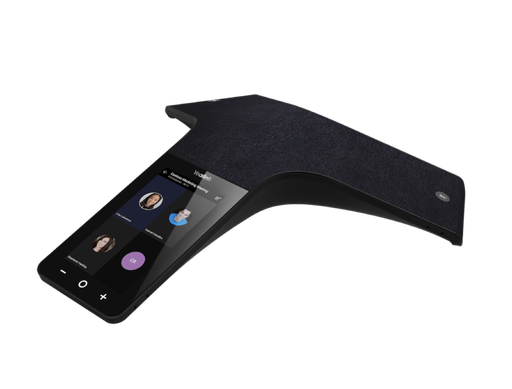
Teams conference phone with 12+1 microphones, 6 m pickup and a 5" touch screen.
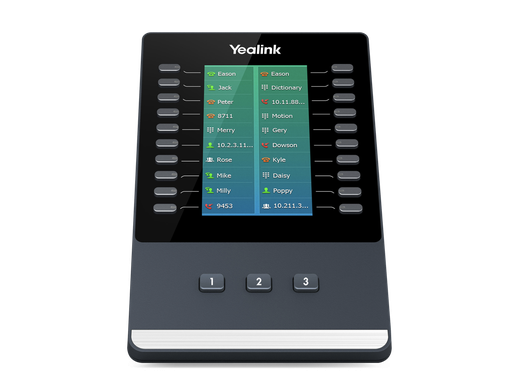
4.3" colour module with 20 keys x 3 pages. Up to three on the MP56 E2 and MP58-WH E2.
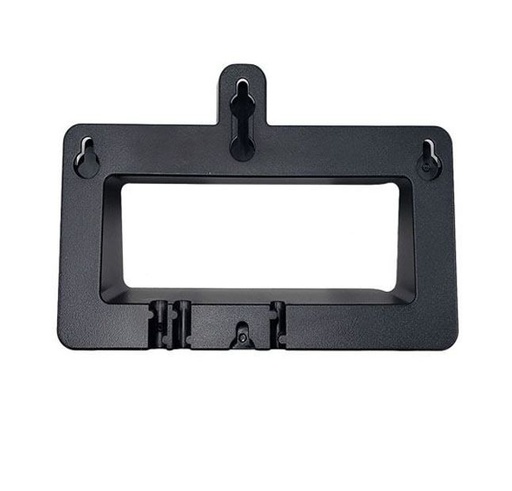
Wall-mount bracket listed for the MP56 and MP56 E2 Teams phones.
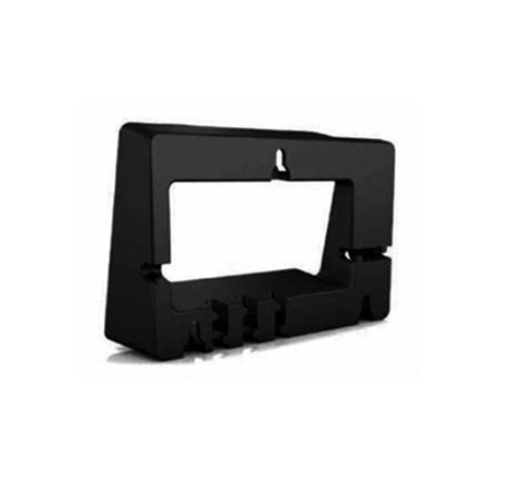
Wall-mount bracket listed for the MP50, MP54 and MP45. Ask us to confirm fit for E2 models.
Zoom-certified Yealink SIP phones in stock
Stocked SIP phones that Yealink lists for Zoom Phone. Zoom-edition MP E2 phones are supplied on request: call 1300 100 440.
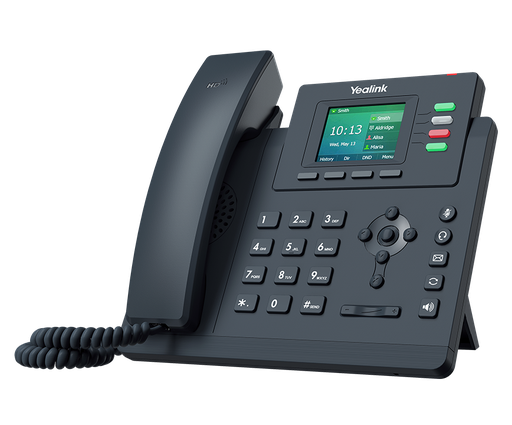
Entry colour-screen SIP phone on Yealink's Zoom Phones list. Good for hot desks and lunchrooms.
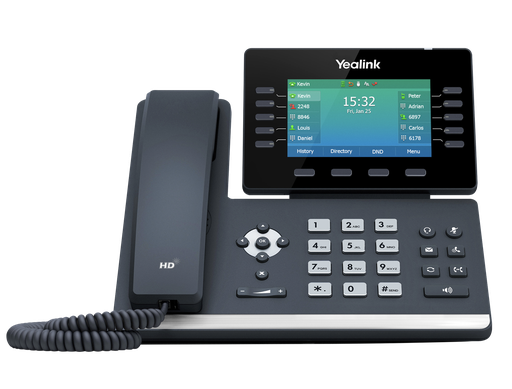
4.3" colour screen, built-in Wi-Fi and Bluetooth. Zoom-certified, and also works with 3CX and hosted PBX.
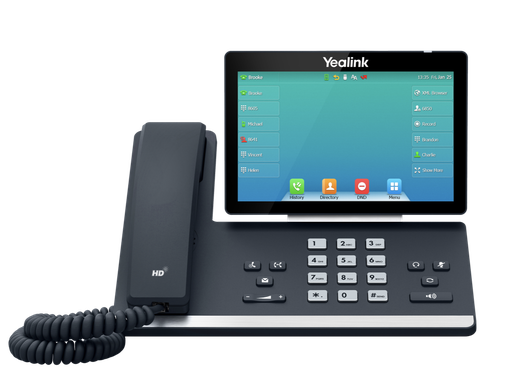
7" touch screen SIP phone with Wi-Fi and Bluetooth, on Yealink's Zoom Phones list.
Common questions
Straight answers from the ARC IP Networks team. Last reviewed October 2026.
For most desks, the Yealink MP54 E2: a 4-inch touch screen, a dedicated Teams button, Bluetooth 5.2 and dual-band Wi-Fi on Android 15. Choose the MP55 E2 for line keys at reception, the MP56 E2 for a 7-inch screen and expansion modules, the MP58-WH E2 for a Bluetooth wireless handset, and the MP52 E2 for common areas.
The MP54 E2 has a 4-inch touch screen. The MP55 E2 has a 4.3-inch non-touch screen with 10 LED line keys, physical hold, transfer and redial keys, and Wi-Fi 6. The MP56 E2 has a 7-inch touch screen, a USB-C port and supports up to three EXP50 expansion modules.
The MP E2 phones now run Android 15 and are built on the Microsoft Device Ecosystem Platform (MDEP). Yealink has also added the MP55 E2, a Teams phone with 10 line keys, and the MP66W, a rugged IP67 Wi-Fi 6E Teams handset.
Each user needs a Microsoft Teams Phone licence, which is included in some Microsoft 365 plans and an add-on in others. You also need a calling service: Microsoft Calling Plans, Operator Connect through a participating Australian carrier, or Direct Routing. Common-area phones use a Teams Shared Devices licence.
Yes. Yealink makes Zoom editions of the MP54 E2, MP56 E2 and MP58-WH E2, which run the Zoom interface on Android 13. Many Yealink SIP and DECT phones are also on its Zoom Phones list, including the T31G, T33G, T43U, T46U, T54W, T57W, W56H and CP965. ARC IP Networks stocks the SIP models and supplies the Zoom editions on request.
Selected Yealink SIP phones can connect to Teams through Microsoft's SIP Gateway for basic calling. For the full Teams experience, with calendar, meeting join and Teams admin centre management, choose a Teams-native MP E2 phone.
All MP E2 desk phones are IEEE 802.3af class 3 PoE devices with dual Gigabit Ethernet. The MP54 E2, MP56 E2 and MP58-WH E2 have dual-band Wi-Fi and Bluetooth 5.2, and the MP55 E2 has Wi-Fi 6. The MP52 E2 is wired only.
The MP45 is a USB desk phone for Microsoft Teams. It plugs into a PC or laptop running Teams, takes its power from USB and needs no drivers. It has a 4-inch touch screen, a full dial pad and a dedicated Teams button, so it suits hot desks and hybrid workers.
The MP66W is a rugged cordless Microsoft Teams handset. It is IP67-rated, survives 1.8 m drops and uses tri-band Wi-Fi 6E with fast roaming. Its battery is rated for up to 8 hours of talk time. ARC IP Networks supplies it on request.
ARC IP Networks stocks the Yealink MP52 E2, MP54 E2, MP55 E2, MP56 E2, MP58-WH E2, MP45 and CP965 Teams edition as genuine Australian stock with the full manufacturer's warranty. It delivers Australia-wide, issues a GST tax invoice on every order, and offers trade and project pricing to installers, MSPs and IT providers. Order online at arcip.com.au or call 1300 100 440.
Moving your phones to Teams or Zoom?
Tell us how many desks, which platform you use and who sits on reception. We will match the right Yealink model to each role, check stock and quote it as one order with Australia-wide delivery and trade pricing for installers and MSPs.
Related Yealink guides
- Yealink T8 Series Compared: T85W vs T87W vs T88W vs T88W Pro vs T88V Pro
- Yealink Conference Phones Compared: CP925, CP930W, CP935W and CP965
- Best Yealink Headsets in Australia: WH63, WH64, WH66, BH71, BH76 and UH37 Explained
- Yealink BYOD Solution Explained: USB BYOD, Smart BYOD and Pro BYOD
- Yealink Phones vs UniFi Talk Phones: Which Suits a UniFi Site in Australia?
- Best Yealink IP Phones in Australia: 2026 Buying Guide