The Yealink T8 Series is Yealink's newest range of SIP desk phones, sitting above the familiar T5 Series. It has five models. The SIP-T85W is the button-first option, with a 5.5-inch colour screen and 12 physical line keys. The SIP-T87W adds a 7-inch touch screen with 84 one-touch keys. The SIP-T88W moves to Android 13 with a sharper 7-inch 1024 x 600 touch screen. The SIP-T88W Pro adds a cordless BTH88 Bluetooth handset, and the SIP-T88V Pro adds a 5 MP camera for video calls. Every model has Wi-Fi 6, Bluetooth 5.0, dual Gigabit Ethernet, PoE, AI noise cancellation, a red emergency button and Yealink's "Three Rings" security design.
Quick pick: the T85W suits reception and busy desks, the T87W suits managers who want a touch screen, the T88W Pro suits executives who pace while they talk, and the T88V Pro suits anyone who wants face-to-face calls without a PC. ARC IP Networks stocks all five in Australia: genuine Yealink stock with the full manufacturer's warranty, delivered Australia-wide.

The T8 family at a glance
All five T8 phones share the same slim chassis, invisible hinge, antimicrobial finish and Wi-Fi 6 / Bluetooth 5.0 radios. The differences come down to four things: screen, keys, operating system and handset or camera.
| Model | In one line | Best for |
|---|---|---|
| SIP-T85W | 5.5-inch colour screen, 12 physical LED line keys | Reception, front desks, call-heavy staff who like real buttons |
| SIP-T87W | 7-inch 800 x 480 touch screen, 84 one-touch keys | Team leaders and managers who monitor many colleagues |
| SIP-T88W | Android 13, 7-inch 1024 x 600 touch screen, corded handset | Power users who want Android apps on the desk |
| SIP-T88W Pro | T88W with the BTH88 Bluetooth handset in the box | Executives and anyone who walks while they talk |
| SIP-T88V Pro | T88W Pro plus a 5 MP camera with privacy shutter | Directors, remote-team leads, doctors and lawyers who want video on the desk |
Model positioning summarised from Yealink's T8 Series product pages and datasheets.
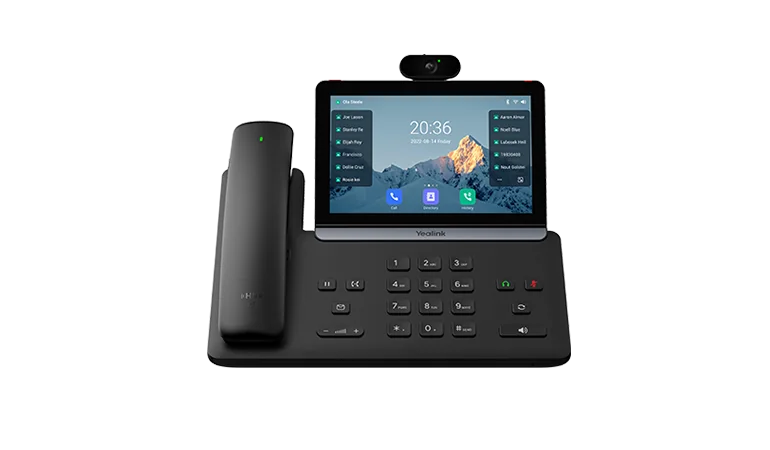
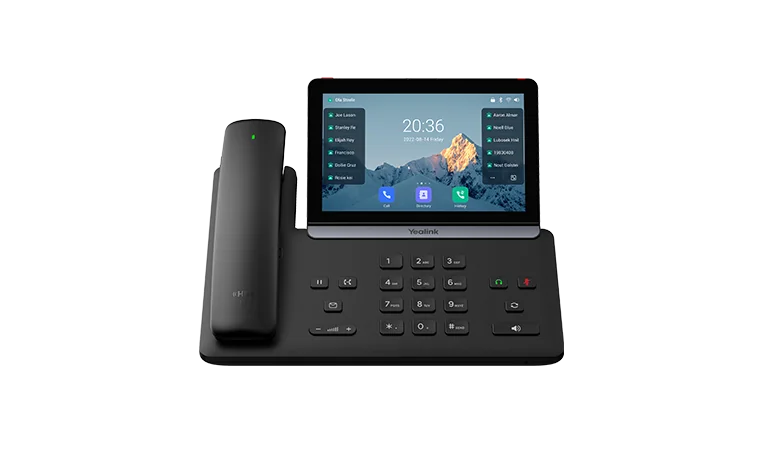
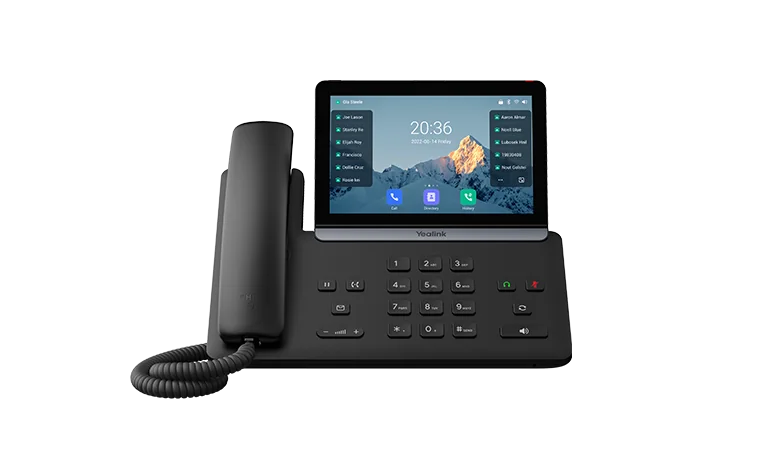
Yealink T8 Series specifications compared
Swipe the table sideways to compare all models →
| Feature | T85W | T87W | T88W | T88W Pro | T88V Pro |
|---|---|---|---|---|---|
| Screen | 5.5" 960 x 480 colour | 7" 800 x 480 touch | 7" 1024 x 600 touch, 5-point multi-touch | 7" 1024 x 600 touch, 5-point multi-touch | 7" 1024 x 600 touch, 5-point multi-touch |
| Screen tilt | One stand angle | One stand angle | Adjustable, 30° | Adjustable, 30° | Adjustable, 30° |
| Keys | 12 LED line keys (60 DSS over 5 pages) | 84 one-touch DSS keys | 84 one-touch DSS keys | 84 one-touch DSS keys | 84 one-touch DSS keys |
| Operating system | Yealink firmware | Yealink firmware | Android 13 | Android 13 | Android 13 |
| Third-party Android apps | No | No | Yes | Yes | Yes |
| Handset in the box | Corded | Corded | Corded (BTH88 optional) | BTH88 Bluetooth | BTH88 Bluetooth |
| Camera | No | No | No | No | 5 MP, 720p30, privacy shutter |
| SIP accounts | 16 | 16 | 16 | 16 | 16 |
| Wi-Fi | Wi-Fi 6, dual-band | Wi-Fi 6, dual-band | Wi-Fi 6, dual-band | Wi-Fi 6, dual-band | Wi-Fi 6, dual-band |
| Bluetooth | 5.0 | 5.0 | 5.0 | 5.0 | 5.0 |
| Ethernet | Dual Gigabit | Dual Gigabit | Dual Gigabit | Dual Gigabit | Dual Gigabit |
| PoE draw (Yealink figures) | 1.5 to 2.4 W | 2.4 to 3.3 W | 2.8 to 5.4 W (802.3af class 3) | 2.8 to 5.4 W (802.3af class 3) | 2.8 to 5.4 W (802.3af class 3) |
| USB | USB-A + USB-C | USB-A + USB-C | USB-A + USB-C | USB-A + USB-C | USB-A + USB-C |
| EXP55 expansion module | Supported | Supported | Up to 3 | Up to 3 | Up to 3 |
| Audio | AI noise cancellation, Acoustic Shield, 3 W speaker | AI noise cancellation, Acoustic Shield, 3 W speaker | AI noise cancellation, Acoustic Shield, 3 W speaker | AI noise cancellation, Acoustic Shield, 3 W speaker | AI noise cancellation, Acoustic Shield, 3 W speaker |
| DECT handsets via DD10K | Up to 4 | Up to 4 | Up to 4 | Up to 4 | Up to 4 |
Figures from Yealink's official T8 Series datasheets. Power is shown as the range Yealink publishes for PoE operation.
Design: slimmer, cleaner, built for shared desks
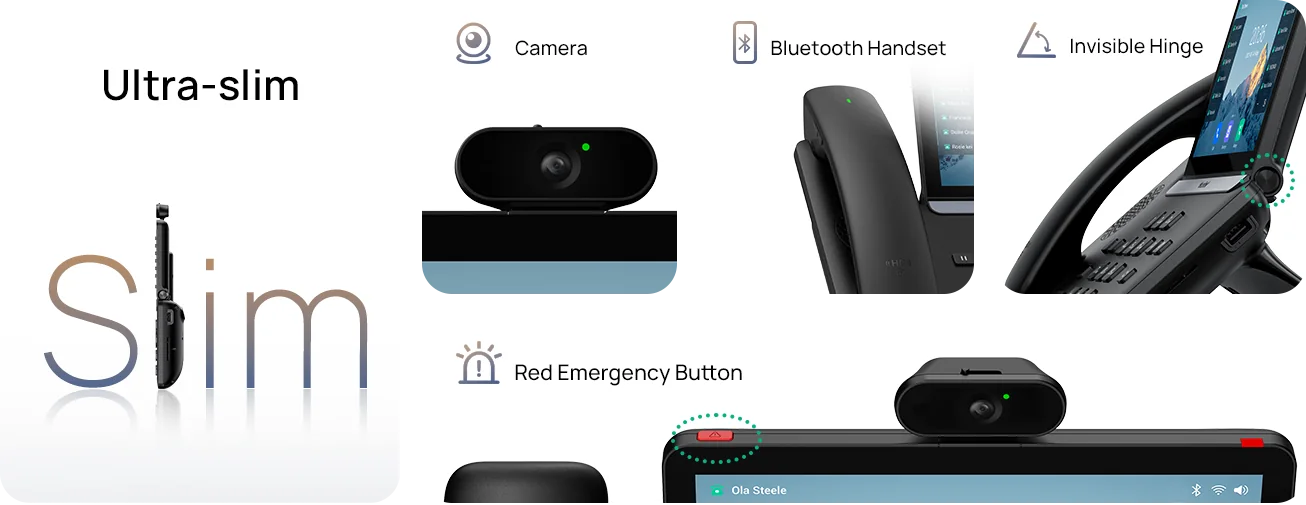
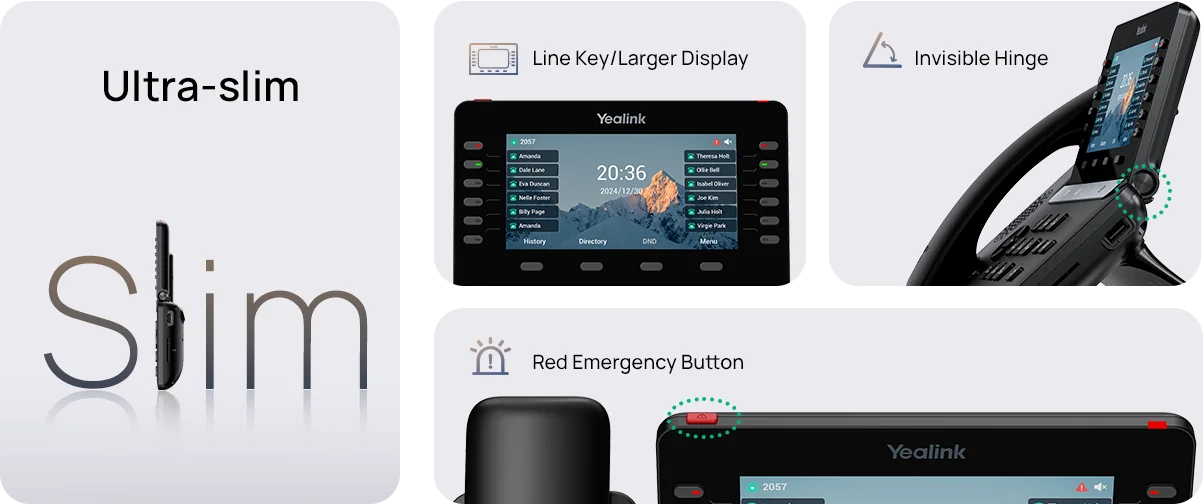
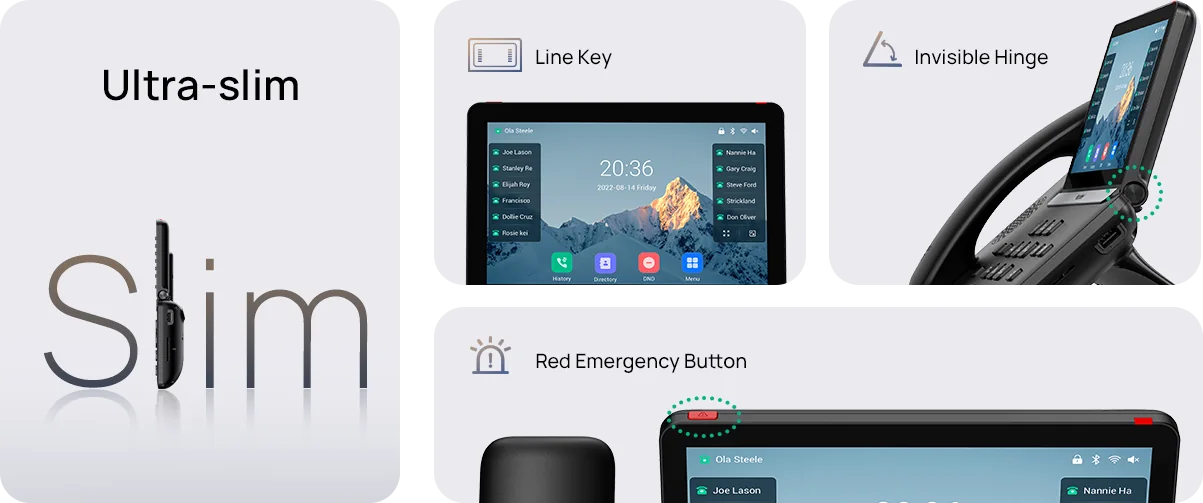
Yealink rebuilt the T8 from the ground up. The body is slimmer than the T5 Series, the hinge is hidden, and the phones use antimicrobial materials. That last point matters in Australian medical and dental practices, aged care and hot-desking offices, where one phone can pass through several hands a day. Every model also has a red emergency button that can be programmed to alert reception, security or a nominated number.
If you program the emergency key to dial 000, test it with your hosted PBX or SIP provider first and confirm the site's emergency address is registered correctly.
Buttons or touch: T85W vs T87W
This is the first real decision. The T85W keeps 12 physical line keys with red/green LEDs next to a 5.5-inch screen, with up to 60 keys across five pages. Receptionists can see who is on a call and transfer by feel, without looking down. The T87W moves the keys onto a 7-inch touch screen with 84 one-touch keys, which suits supervisors watching a large team's busy lamps on one screen.
Neither model runs Android. That's often a good thing for IT, because there's less to patch and nothing for staff to install.
Android 13 on the desk: the T88 trio
The T88W, T88W Pro and T88V Pro run Android 13 on a sharper 1024 x 600 screen with five-point multi-touch and a 30° tilt. Yealink bundles email, calendar, browser, file manager and recorder apps. The phones also support third-party Android apps and Yealink's SDK, which opens up CRM pop-ups, intercom and door-phone apps, and custom dashboards. Door-phone preview and one-button open are built in, which is handy for offices behind a secure ground-floor entry.
The T88 can also act as a Wi-Fi access point, and it can place analogue PSTN calls through the optional CPN10 box.
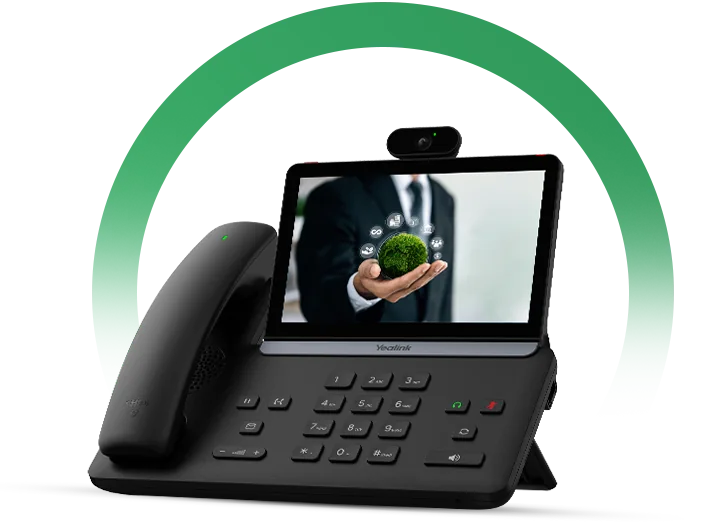
The BTH88 Bluetooth handset: why the Pro models matter
The T88W Pro and T88V Pro ship with the BTH88 Bluetooth handset instead of a curly cord. You can lift it and walk to the filing cabinet, the whiteboard or the window while the call carries on. For the standard T88W the BTH88 is an optional extra. If you already know you want cordless, buy the Pro, because it works out cheaper than adding the handset later.
Video on the desk: SIP-T88V Pro
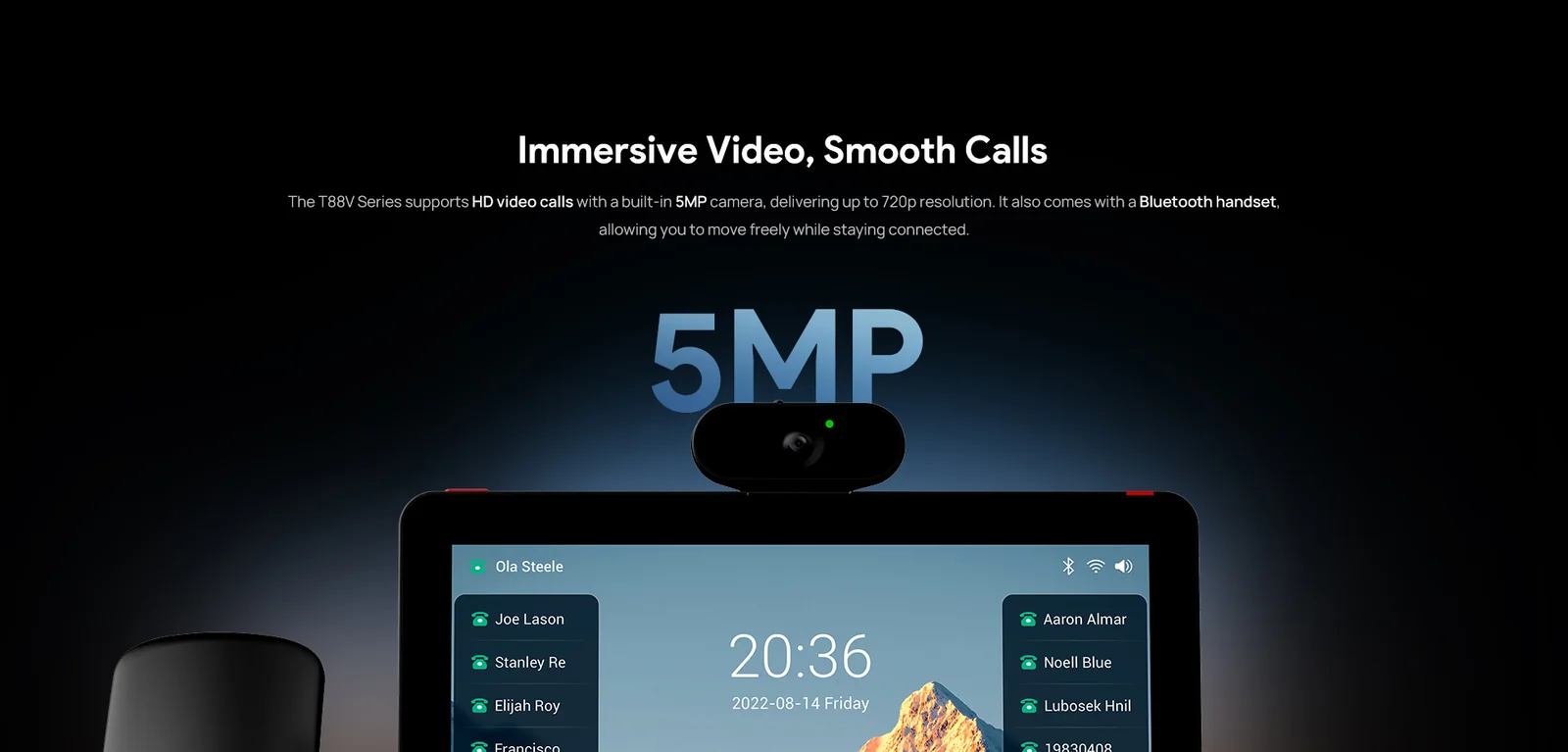
The T88V Pro adds a 5 MP camera with an adjustable 47° tilt, a 75° field of view, a physical privacy shutter and a recording LED. It delivers 720p30 H.264 video calls and conferences of up to 3 video parties plus 7 audio parties. Teams split between Perth, Brisbane and a client site in Hobart get face-to-face calls on a SIP platform, with no PC or webcam needed.
Wi-Fi 6 and Bluetooth 5.0 on every model
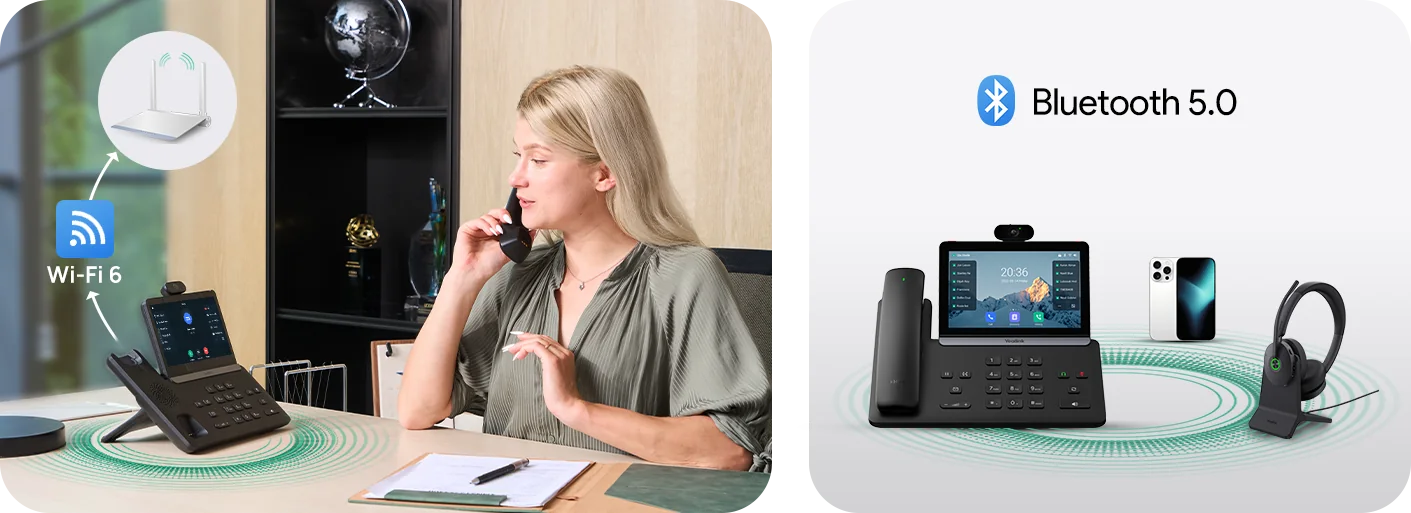
Every T8 phone has dual-band Wi-Fi 6 (802.11ax) with WPA3. That's useful in heritage-listed buildings, short-term leases and pop-up project offices, where running new data cabling is slow or not allowed. Bluetooth 5.0 pairs a headset and a mobile at the same time, and close-to-pair gets a Yealink headset connected in seconds.
On a wired network, the dual Gigabit ports let the phone pass the network through to the PC. PoE draw is low, at roughly 2 to 5.4 W per phone by Yealink's figures, so a standard 802.3af switch handles a full floor comfortably. See our guide to running Yealink phones on UniFi and MikroTik networks for VLAN and QoS settings.
Security: Yealink's Three Rings
Yealink built the T8 around three layers of protection:
- Core Ring (device integrity): Trusted Execution Environment, secure boot verification, and encrypted, signed firmware.
- Shield Ring (network protection): 802.1X authentication, WPA3, and protection against script injection and cross-site attacks.
- Guard Ring (transmission security): TLS 1.3, SRTP media encryption, and AES-256 encrypted configuration files.
If your IT provider works to the ACSC Essential Eight, signed firmware plus central patching through Yealink's YMCS or YDMP platform makes the phones much easier to keep up to date. For law firms, accountants and health providers handling personal information, encrypted calls are a sensible default.
Audio: AI noise cancellation for open-plan offices
Every T8 has AI noise cancellation and Yealink's Acoustic Shield, which together cut keyboard clatter, coffee machines and the colleague on speaker two desks over. A 3 W speaker gives a louder, fuller speakerphone than the T5 Series. The handset is hearing-aid compatible, and the phones support HD voice with the G.722 wideband codec.
Reception consoles: adding the EXP55
Busy front desks can add the Yealink EXP55, a 5.5-inch colour expansion module with 78 programmable keys. The T88 models take up to three EXP55 modules; the T85W and T87W also support it. Pair a T85W with an EXP55 for a reception console with physical keys that rivals a traditional switchboard.
Yealink headsets connect over USB, Bluetooth or EHS, and the DD10K dongle turns any T8 into a base for up to four DECT handsets.
Which T8 phone for which Australian workplace?
| Workplace | Our pick | Why |
|---|---|---|
| Medical, dental and allied health reception | T85W + EXP55 | Physical keys for fast transfers, antimicrobial surfaces, emergency button |
| Law firm or accounting partner office | T88W Pro | Bluetooth handset, Android calendar and email, encrypted calls |
| Directors and remote-team leads | T88V Pro | Video calls without a laptop, privacy shutter |
| Contact-centre or sales team leader | T87W | 84 on-screen BLF keys to watch the whole team |
| Real estate office or showroom front counter | T85W | Simple, durable, Wi-Fi 6 if the counter has no data point |
| Heritage building or short-lease office | Any T8 over Wi-Fi 6 | No new cabling needed |
| Secure-entry building | T88W or T88W Pro | Door-phone preview and one-button open |
ARC IP Networks recommendations based on Yealink's published specifications.
Upgrading from the T5 Series?
The T8 sits above the T5 Series in Yealink's line-up, so the upgrade path is straightforward:
| If you have | Consider | What you gain |
|---|---|---|
| SIP-T53W / T54W | SIP-T85W | Wi-Fi 6, Bluetooth 5.0, 3 W speaker, AI noise cancellation, slimmer body |
| SIP-T57W | SIP-T87W | Bigger key count (84), Wi-Fi 6, USB-C, AI noise cancellation |
| SIP-T58W / T58W Pro | SIP-T88W or T88W Pro | Android 13, sharper screen, Bluetooth handset on the Pro |
| SIP-T58W with camera or VP59 | SIP-T88V Pro | 5 MP camera with privacy shutter, Android 13, BTH88 handset |
Upgrade mapping is an ARC IP Networks suggestion. Check feature support with your PBX or hosted platform before a full rollout.
Comparing against the current range? Read our T53W vs T54W vs T57W comparison and the Best Yealink IP Phones in Australia 2026 guide.
Does the T8 work with my phone system?
The T8 Series is a family of open SIP phones. Each phone supports 16 SIP accounts and works with 3CX, FreePBX/Asterisk, Broadsoft-based hosted platforms and the hosted PBX and SIP trunk services offered by Australian NBN and business-voice providers. For mass deployment, Yealink supports auto-provisioning over HTTPS, PnP, TR-069, Zero-Sp-Touch and its YMCS cloud platform, so an MSP can ship phones straight to site and have them register on first boot.
The T8 is not a native Microsoft Teams phone. For Teams Phone, see our guide to Yealink's MP-series Teams phones.


The Yealink T8 Series in stock at ARC IP Networks
Live Australian pricing (inc. GST) and stock levels are on each product page.
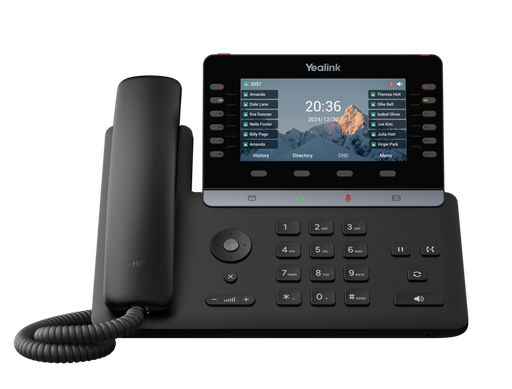
5.5" colour screen, 12 physical LED line keys, Wi-Fi 6, Bluetooth 5.0. The reception and front-desk workhorse.
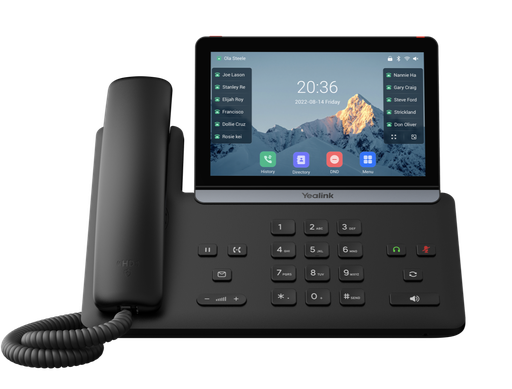
7" touch screen with 84 one-touch keys, Wi-Fi 6, Bluetooth 5.0. Built for team leaders and managers.
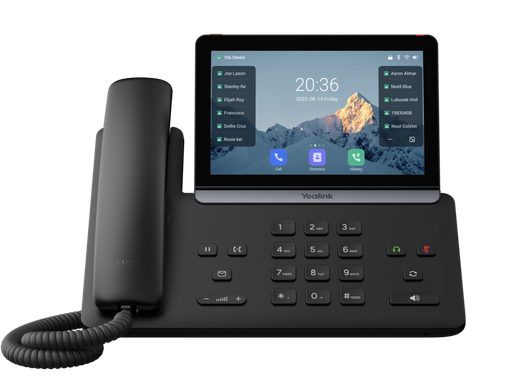
Android 13, 7" 1024 x 600 touch screen, corded handset, supports up to 3 EXP55 modules.
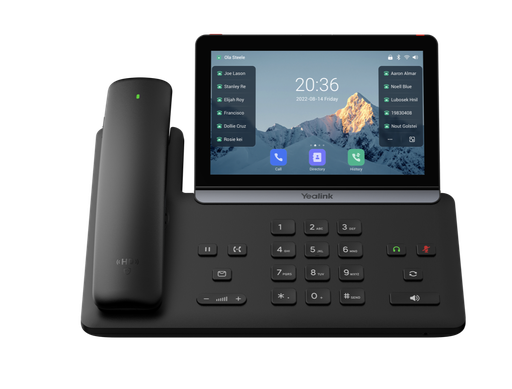
T88W with the BTH88 Bluetooth handset in the box. Walk and talk.
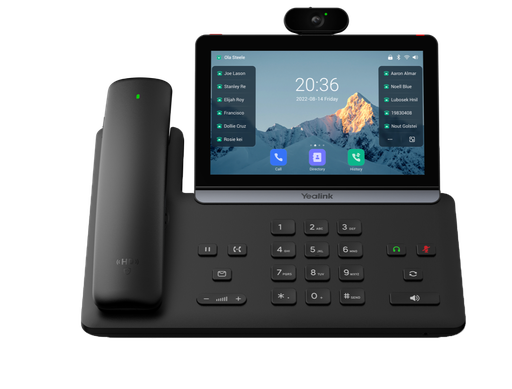
Android 13 video phone with 5 MP camera, privacy shutter and BTH88 handset.
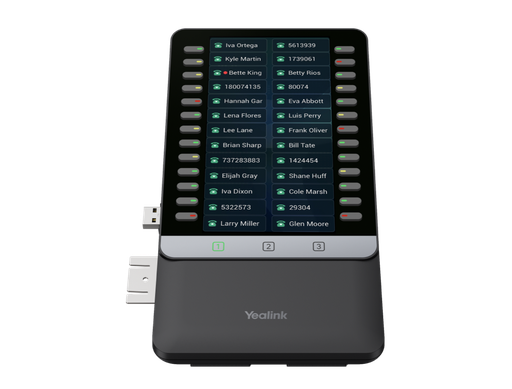
5.5" colour expansion module with 78 programmable keys for T7 and T8 phones.
Common questions
Straight answers from the ARC IP Networks team. Last reviewed October 2026.
Yealink's newest range of SIP desk phones, positioned above the T5 Series. It has five models: SIP-T85W, SIP-T87W, SIP-T88W, SIP-T88W Pro and SIP-T88V Pro. All five share a slim design with an invisible hinge, antimicrobial materials, a red emergency button, Wi-Fi 6, Bluetooth 5.0, dual Gigabit Ethernet, AI noise cancellation and Yealink's Three Rings security.
The T85W has a 5.5-inch colour screen with 12 physical LED line keys. The T87W has a 7-inch 800 x 480 touch screen with 84 one-touch keys. The T88W runs Android 13 on a sharper 7-inch 1024 x 600 multi-touch screen with a 30-degree tilt and supports third-party Android apps and up to three EXP55 expansion modules.
All three run Android 13 on the same 7-inch screen. The T88W ships with a corded handset, with the BTH88 Bluetooth handset available as an option. The T88W Pro ships with the BTH88 Bluetooth handset. The T88V Pro adds a 5 MP camera with a privacy shutter for 720p video calls.
Yes. All T8 models run on Power over Ethernet. Yealink lists the T88 models as IEEE 802.3af class 3 with a PoE draw of about 2.8 to 5.4 W, and the T85W and T87W draw even less, so a standard PoE switch powers a full office comfortably.
Yes. Every T8 model has built-in dual-band Wi-Fi 6 (802.11ax) with WPA3, so phones can go on desks without a data point. This helps in heritage buildings, short leases and temporary project offices.
Yes. The T8 phones are standard SIP phones with 16 SIP accounts. They work with 3CX, FreePBX/Asterisk, Broadsoft-based platforms and Australian hosted PBX and SIP trunk providers, and they support HTTPS auto-provisioning, PnP, TR-069 and Yealink YMCS for zero-touch rollouts.
No. The T8 Series is a SIP phone range. For native Microsoft Teams Phone, Yealink makes the MP-series Teams phones such as the MP54, MP56 and MP58 E2.
The SIP-T85W, ideally with one or more EXP55 expansion modules. Its physical LED line keys let receptionists see who is busy and transfer calls quickly without looking at a touch screen.
ARC IP Networks stocks the SIP-T85W, SIP-T87W, SIP-T88W, SIP-T88W Pro, SIP-T88V Pro and the EXP55 expansion module as genuine Australian stock with the full manufacturer's warranty. It delivers Australia-wide, issues a GST tax invoice on every order, and offers trade and project pricing to installers, MSPs and IT providers. Order online at arcip.com.au or call 1300 100 440.
Rolling out the T8 across your office?
Tell us how many desks, which phone system you use and who sits on reception. We will match the right T8 model to each role, check stock and quote it as one order with Australia-wide delivery and trade pricing for installers and MSPs.
Related Yealink guides
- Best Yealink IP Phones in Australia: 2026 Buying Guide
- Yealink T53W vs T54W vs T57W: Which Prime Business Phone Should You Buy?
- Running Yealink Phones on Ubiquiti UniFi and MikroTik Networks: PoE Budgets, VLANs and QoS
- Yealink Phones for Medical and Dental Practices in Australia
- Yealink Phones for Law Firms and Accounting Practices in Australia
- Yealink vs Grandstream: Which IP Phone Brand Is Better for Australian Businesses?
- Yealink T7 Series Compared: T73U vs T73W vs T74U vs T74W vs T77U