Yealink makes two Wi-Fi phones: the AX83H and the AX86R. Both are cordless SIP handsets that connect straight to your Wi-Fi, with no DECT base station. Both have dual-band Wi-Fi 6, 802.11k/v/r fast roaming, Bluetooth 5.0, a 2.4-inch colour screen and 4 SIP accounts. The AX83H is the slim business handset for offices, shops and front desks: 126 g, with up to 9 hours talk time. The AX86R is the ruggedised model. It is rated IP67, survives a 1.8 m drop, resists chemical cleaning, and adds a red emergency button with automatic alarms, a push-to-talk key and up to 13 hours talk time.
Quick pick: the AX83H suits offices, retail floors, hotels and school front offices. The AX86R suits warehouses, hospitals, aged care, factories, mine camps and anyone working alone. If your Wi-Fi isn't built for voice, a DECT system may be the better choice (see below). ARC IP Networks stocks both in Australia: genuine Yealink stock with the full manufacturer's warranty, delivered Australia-wide.

AX83H vs AX86R at a glance
The two handsets share the same Wi-Fi 6 radio, roaming support, screen, SIP features and management tools. The differences come down to toughness, safety features, battery and weight.
| Model | In one line | Best for |
|---|---|---|
| Yealink AX83H | Slim 126 g business Wi-Fi 6 handset, 2000 mAh battery, up to 9 h talk | Offices, retail floors, hotels, clinics, school front offices |
| Yealink AX86R | IP67 rugged Wi-Fi 6 handset, 1.8 m drop, emergency button, alarms, PTT, up to 13 h talk | Warehouses, hospitals, aged care, factories, mine camps, lone workers |
Positioning summarised from Yealink's AX83H and AX86R datasheets and product pages.
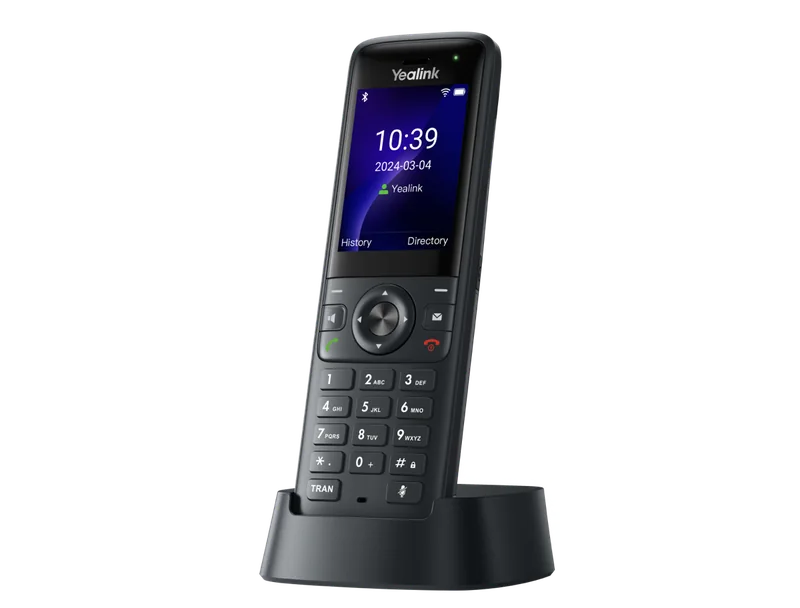
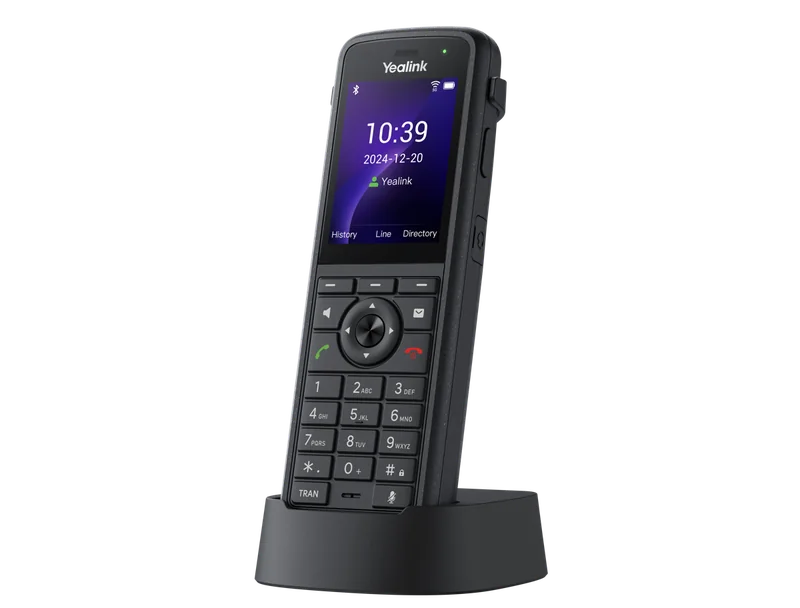
Yealink AX83H vs AX86R specifications
Swipe the table sideways to see both models →
| Feature | AX83H | AX86R |
|---|---|---|
| Type | Business Wi-Fi handset | Ruggedised Wi-Fi handset |
| Screen | 2.4" 240 x 320 colour TFT | 2.4" 240 x 320 colour TFT |
| Wi-Fi | Wi-Fi 6 (802.11ax), dual-band 2.4/5 GHz | Wi-Fi 6 (802.11ax), dual-band 2.4/5 GHz |
| Roaming | 802.11k/v/r | 802.11k/v/r |
| Wi-Fi QoS | DSCP (ToS), 802.11e/WMM | DSCP (ToS), 802.11e/WMM |
| Bluetooth | 5.0, for headsets | 5.0, for headsets |
| SIP accounts | 4 | 4 |
| Conferencing | Local 5-way | Local 5-way |
| Audio | HD voice, smart noise cancellation, full-duplex speakerphone, HAC | Adds dual noise-cancelling microphones and Acoustic Shield |
| Keys | 2 soft keys, 6 function keys, navigation | 3 soft keys, 6 function keys, navigation, volume, Alarm key, PTT key |
| Emergency | Emergency call | Red emergency button and automatic alarm |
| Ingress protection | Not specified | IP67 |
| Safe drop height | Not specified | 1.8 m |
| Hygiene | Not specified | Antibacterial design, chemical cleaning resistant |
| Battery | 2000 mAh | 3100 mAh Li-ion, 3.7 V, 11.47 Wh |
| Talk / standby (lab data) | Up to 9 h / 200 h | Up to 13 h / 300 h |
| Charging | Cradle or USB-C | Cradle or USB-C |
| Ports | 3.5 mm headset jack, USB-C | 3.5 mm headset jack, USB-C |
| Security | SRTP, TLS 1.3, WPA3, 802.1X, OpenVPN, secure boot | SRTP, TLS 1.3, WPA3, 802.1X, OpenVPN, secure boot |
| Management | Auto-provisioning, PnP, TR-069, YDMP/YMCS | Auto-provisioning, PnP, TR-069, YDMP/YMCS |
| Operating temperature | 0 to 40 °C | 0 to 40 °C |
| Size | 151.0 x 49.5 x 21 mm | 160.1 x 55.3 x 25.85 mm |
| Weight (handset) | 126 g | 218 g |
| In the box | Handset, charger cradle, battery, belt clip, power adapter | Handset, charger cradle, battery, belt clip, power adapter |
Figures from Yealink's official AX83H and AX86R datasheets. "Not specified" means Yealink's datasheet gives no rating for that model. Battery times are Yealink laboratory figures.
Wi-Fi handset, DECT or desk phone?
Before you choose between the AX83H and AX86R, check that a Wi-Fi phone is the right tool at all. Wi-Fi handsets are excellent when the site already has good, well-managed Wi-Fi. They struggle when the Wi-Fi was designed only for laptops.
Swipe the table sideways to compare all three →
| Factor | Wi-Fi handset (AX83H / AX86R) | DECT (W70B, W80, W90) | Desk phone |
|---|---|---|---|
| Extra infrastructure | None if Wi-Fi covers the site | DECT base station(s), plus repeaters or multi-cell for large sites | Data point and PoE at each desk |
| Coverage | Follows your Wi-Fi, including other buildings on the same network | Follows the DECT bases and repeaters | Fixed to the desk |
| Radio spectrum | Shared with laptops, scanners and guests | Dedicated to voice, no competing data traffic | Wired |
| Best when | Enterprise Wi-Fi with roaming and QoS is already in place | Wi-Fi is patchy, busy or consumer-grade | Staff sit at a desk most of the day |
| Watch out for | Coverage gaps, slow roaming, congested 2.4 GHz | Base-station capacity and handover on multi-cell | No mobility |
General comparison by ARC IP Networks. Check capacity and coverage for your site with us.
In short: if your Wi-Fi is designed for voice, an AX handset saves you a separate DECT network. If it isn't, or you can't control it (a shared tenancy, say), DECT is the safer choice. Our Yealink DECT phones comparison covers the W70B, W73P, W76P, W56H and rugged W57R and W59R, and the W78P and W79P Pro guide explains when to go multi-cell.
Is your Wi-Fi ready for voice?
A laptop can pause for half a second while it changes access point. A phone call can't. Both AX handsets support 802.11k, 802.11v and 802.11r roaming and WMM / DSCP voice priority, but the access points have to support and enable them too. Before rolling out Wi-Fi phones on an Australian site, check:
- Coverage for voice, not just data. Plan for a strong 5 GHz signal (a common design target is around -67 dBm) everywhere staff take calls: stairwells, cool-room corridors, loading docks, car parks and the far end of the ward. Overlap neighbouring cells so the handset always has a next access point to move to.
- Fast roaming turned on. Enable 802.11r (fast BSS transition), 802.11k (neighbour reports) and 802.11v (BSS transition management) on the voice SSID. Test it with WPA3 and 802.1X, because some older controllers handle fast roaming differently on enterprise security.
- Voice traffic prioritised. Put phones on their own SSID and VLAN, mark voice as DSCP EF (46), and make sure WMM is on so it maps into the voice queue over the air.
- 5 GHz where possible. The 2.4 GHz band is crowded in shopping centres and apartment blocks. Some voice deployments also avoid DFS channels, because a radar detection forces an access point to change channel mid-call.
- Walk-test before go-live. Make a call and walk the whole site, including lifts, back-of-house and outdoor areas, before you sign off.
For step-by-step VLAN, QoS and PoE settings on Ubiquiti UniFi and MikroTik networks, see running Yealink phones on UniFi and MikroTik networks.
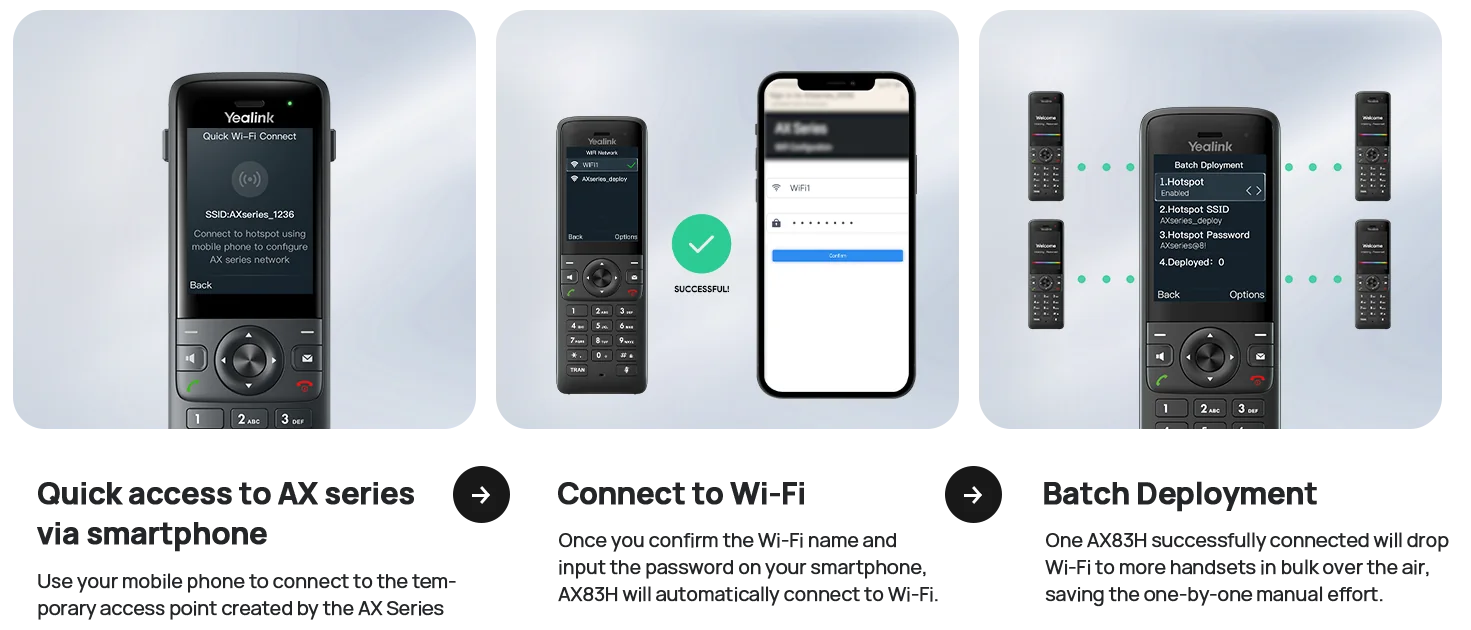
Yealink also makes Wi-Fi setup quick. You can configure the first handset from a smartphone, then share the Wi-Fi settings over the air to the rest of the batch. After that, the handsets auto-provision over HTTPS, PnP or TR-069, or through Yealink YMCS / YDMP, so an MSP can manage firmware and settings for every site from one console.
AX83H: the business Wi-Fi handset
The AX83H is the one to choose when staff need to move around but don't work in harsh conditions. It weighs just 126 g and measures 151 x 49.5 x 21 mm, so it sits comfortably in a shirt pocket or on the supplied belt clip. Its 2000 mAh battery gives up to 9 hours talk and 200 hours standby by Yealink's laboratory figures, which covers a normal shift. It charges in the supplied cradle or by USB-C.
Calls use Yealink's HD voice with smart noise cancellation, and the handset supports a local five-way conference, call park, pickup, intercom and multicast paging. A Bluetooth 5.0 headset frees the hands of staff who answer calls while picking stock or serving customers.


AX86R: ruggedised for hard workplaces
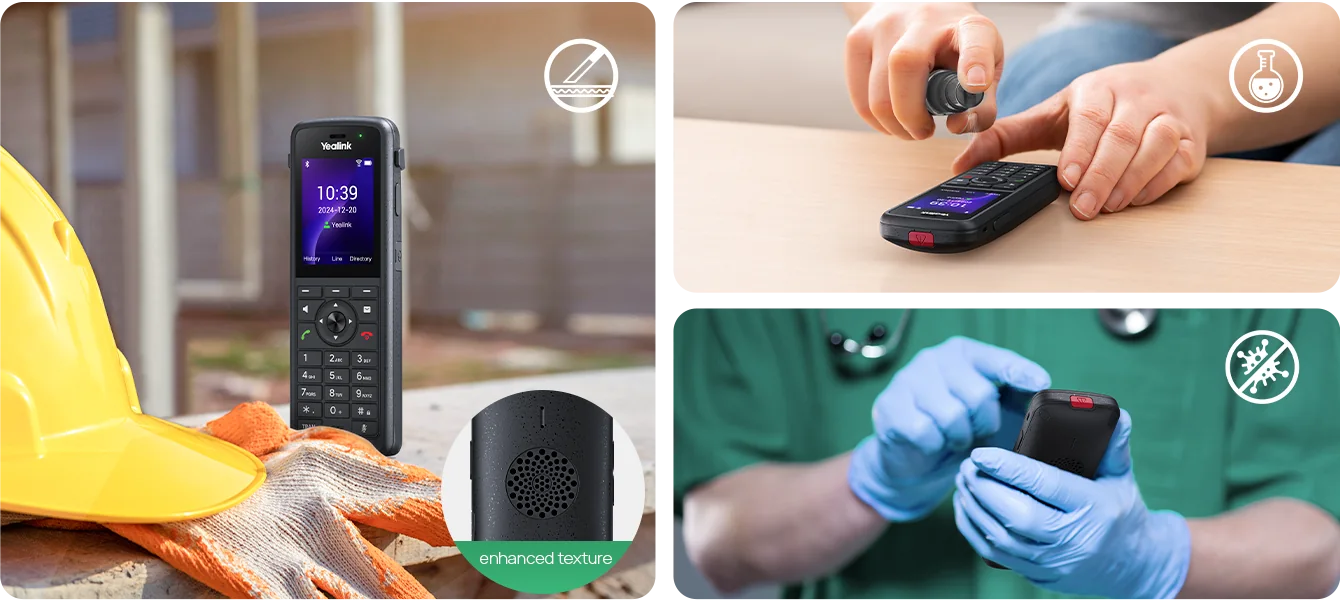
The AX86R is a sealed, tougher handset. Yealink's datasheet rates it IP67 against dust and water, with a 1.8 m safe drop height. The body is antibacterial and resistant to chemical cleaning, which matters in hospitals and aged care, where handsets are wiped down between shifts. A textured, non-slip grip helps when hands are gloved or wet.
The bigger 3100 mAh battery gives up to 13 hours talk and 300 hours standby (laboratory data), which suits long and double shifts. Audio steps up too: dual noise-cancelling microphones and Yealink's Acoustic Shield help callers hear you over forklifts, conveyors and ward alarms. The trade-off is size and weight: 160.1 x 55.3 x 25.85 mm and 218 g.
IP67 covers dust and temporary immersion in water. It is not a rating for high-pressure washdown. Both handsets are specified for 0 to 40 °C, so they are not for freezer rooms or for leaving on a ute dashboard in a Pilbara summer.

Lone-worker and emergency features
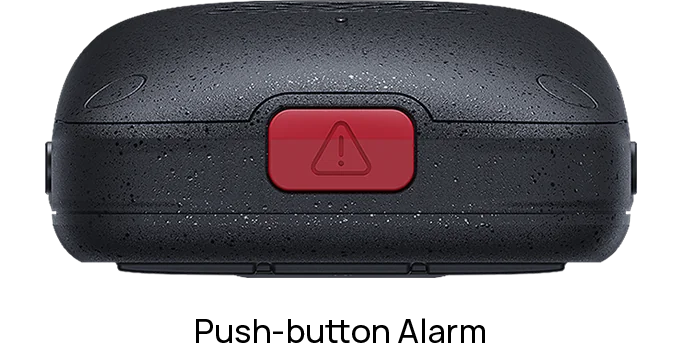
This is the biggest functional gap between the two models. The AX83H can make an emergency call like any phone. The AX86R adds a red emergency button and automatic alarms. On its product page, Yealink lists push-button, no-movement, man-down and running alarms. A dedicated push-to-talk (PTT) key also lets a team talk instantly, walkie-talkie style, without dialling.
Under Australian WHS laws, employers must manage the risks of remote or isolated work, and that includes having an effective way for workers to call for help. A security guard on night patrol, a cleaner in a plant room, or a carer doing a night round at an aged care home are typical examples. The AX86R can be part of that system. Configure where its alarms go (a supervisor, a group or a monitored number) and test the alarm path regularly.
An alarm handset supports your WHS risk controls but doesn't replace them. If you program a key to dial 000, test it with your hosted PBX or SIP provider and confirm the emergency address for each site is registered correctly.
If your site has no reliable Wi-Fi, the same lone-worker features are available on rugged DECT. See our guide to rugged DECT with lone-worker alarms for construction sites, quarries and mine camps.
Battery and charging
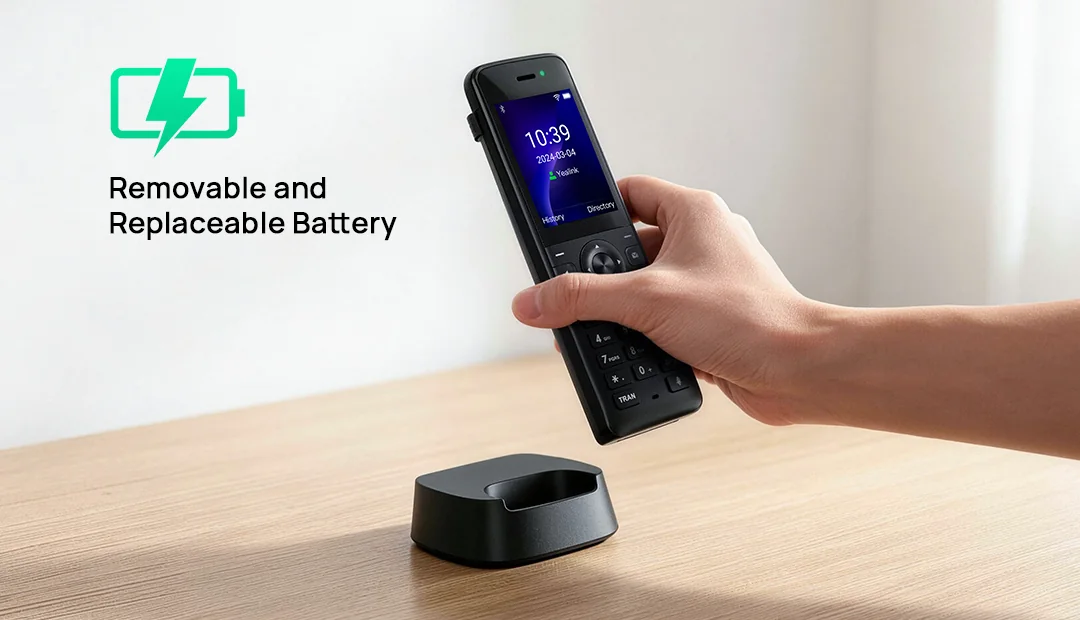
Both handsets come with a charging cradle, battery, belt clip and power adapter, and both also charge over USB-C (Yealink notes the USB-C cable isn't in the box). For 24/7 operations such as hospitals, distribution centres and security, plan a rack of cradles at the staff base so handsets swap at shift change rather than running flat. The AX86R's 3100 mAh battery (up to 13 hours talk) gives more headroom than the AX83H's 2000 mAh (up to 9 hours talk).
Security on both models
Both handsets support WPA3 (including WPA3-Enterprise), 802.1X, TLS 1.3, SRTP encrypted voice, AES-256 encrypted configuration files and secure boot. That lets IT providers working to the ACSC Essential Eight keep phones on an authenticated, segmented network. Health providers and others handling personal information under the Privacy Act get encrypted calls by default.
Which Wi-Fi phone for which Australian workplace?
Swipe the table sideways to see why →
| Workplace | Our pick | Why |
|---|---|---|
| Warehouses and distribution centres | AX86R | Drop and dust protection, Acoustic Shield over forklifts, PTT for team leads |
| Hospitals, day surgeries and clinics | AX86R for wards, AX83H for admin | Chemical cleaning resistant, antibacterial, emergency button |
| Aged care and disability accommodation | AX86R | Emergency and man-down alarms for night staff, wipe-down body |
| Retail floors and showrooms | AX83H | Light and pocketable, Bluetooth headset for hands-free service |
| Supermarket back-of-house and loading docks | AX86R | Survives drops and spills, long battery for long shifts |
| Mine camps and accommodation villages | AX86R for site and maintenance staff, AX83H for camp admin | Rugged plus lone-worker alarms; works across camp Wi-Fi |
| Schools and campuses | AX83H for office and roaming staff, AX86R for grounds and maintenance | Reach staff anywhere on the school Wi-Fi |
| Hotels, clubs and venues | AX83H | Duty managers and concierge stay reachable on the guest-grade enterprise Wi-Fi |
| Factories and food processing | AX86R | IP67, cleaning resistant, noise suppression (not for high-pressure washdown) |
ARC IP Networks recommendations based on Yealink's published specifications.
Moving from DECT or older handsets?
| If you have | Consider | Why |
|---|---|---|
| W56H or W73H on a W70B, Wi-Fi is enterprise-grade | AX83H | Drop the DECT bases and use the Wi-Fi you already maintain |
| W57R or W59R rugged DECT, Wi-Fi covers the site | AX86R | IP67 plus alarms, without separate DECT infrastructure |
| DECT that keeps dropping on a large multi-building site | AX83H / AX86R on existing enterprise Wi-Fi, or W80/W90 multi-cell DECT | Choose by which network you can extend more easily |
| Mobile phones used as work phones on site | AX83H or AX86R | Business extension, no personal number shared, central management |
| Patchy or consumer-grade Wi-Fi | Stay with DECT (W73P, W79P Pro) | Fix the Wi-Fi first, or keep voice on its own radio |
Upgrade mapping is an ARC IP Networks suggestion. Check your Wi-Fi with a walk-test before switching.
Does it work with my phone system?
The AX83H and AX86R are open SIP handsets with 4 SIP accounts each. They work with 3CX, FreePBX/Asterisk, Broadsoft-based hosted platforms and the hosted PBX and SIP trunk services offered by Australian NBN and business-voice providers, and they register directly to the PBX over Wi-Fi with no base station in between. Yealink's product pages also list Microsoft SIP Gateway support, which lets organisations on Teams Phone use the handsets as basic Teams calling devices. Check your tenant and region with us before rolling out.
For retail chains rolling out one kit per store, see Yealink phones for retail chains and multi-site businesses.
Yealink Wi-Fi phones and DECT alternatives at ARC IP Networks
Live Australian pricing (inc. GST) and stock levels are on each product page.
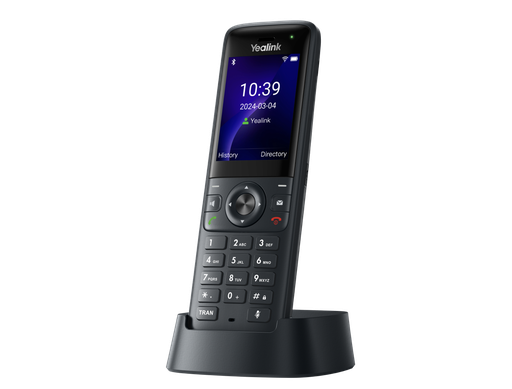
Slim 126 g Wi-Fi 6 business handset, 802.11k/v/r roaming, Bluetooth 5.0, up to 9 h talk.
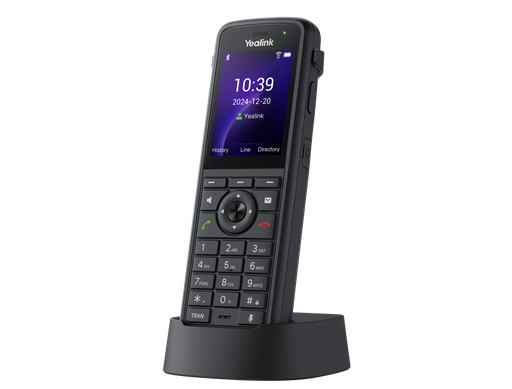
IP67, 1.8 m drop, emergency button and alarms, PTT key, up to 13 h talk.
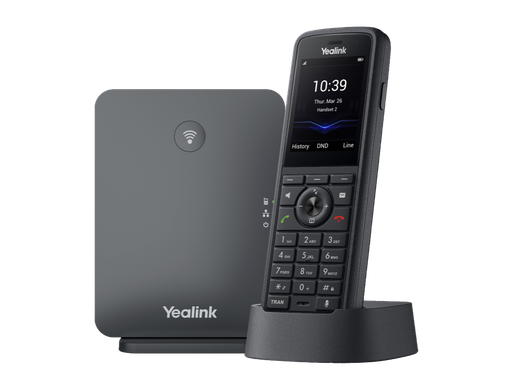
W70B base plus W59R Pro handset: a complete rugged DECT kit in one box.
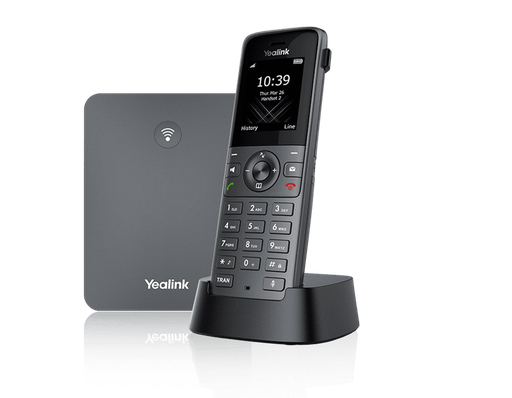
Entry-level office DECT system for sites without voice-grade Wi-Fi.
Common questions
Straight answers from the ARC IP Networks team. Last reviewed October 2026.
Both are Wi-Fi 6 SIP handsets with 802.11k/v/r roaming, Bluetooth 5.0, a 2.4-inch colour screen and 4 SIP accounts. The AX83H is a slim 126 g business handset with a 2000 mAh battery and up to 9 hours talk. The AX86R is ruggedised: IP67, a 1.8 m safe drop, antibacterial and chemical cleaning resistant, with a red emergency button, automatic alarms, a PTT key and a 3100 mAh battery giving up to 13 hours talk.
Yealink rates the AX86R IP67, which means it is dust-tight and protected against temporary immersion in water. It also has a 1.8 m safe drop height. IP67 is not a rating for high-pressure washdown. Yealink doesn't publish an IP rating for the AX83H.
Yes. The AX86R has a red emergency button and automatic alarms. Yealink lists push-button, no-movement, man-down and running alarms, which makes it suitable for lone and isolated workers. The AX83H supports emergency calls but has no alarm key.
No. The AX83H and AX86R connect directly to your Wi-Fi access points and register to your SIP phone system. You need enterprise-grade Wi-Fi with good coverage, 802.11k/v/r fast roaming and WMM/DSCP voice priority for reliable calls.
Choose Wi-Fi handsets when your site already has well-designed enterprise Wi-Fi with roaming and QoS, because you avoid a separate DECT network. Choose DECT, such as the Yealink W73P or W79P Pro, when Wi-Fi is patchy, congested or outside your control, because DECT uses dedicated spectrum for voice.
By Yealink's laboratory figures, the AX83H's 2000 mAh battery gives up to 9 hours talk and 200 hours standby, and the AX86R's 3100 mAh battery gives up to 13 hours talk and 300 hours standby. Both charge in the supplied cradle or over USB-C.
Yes. They are standard SIP handsets with 4 SIP accounts and work with 3CX, FreePBX/Asterisk, Broadsoft-based platforms and Australian hosted PBX and SIP trunk providers. They support HTTPS auto-provisioning, PnP, TR-069 and Yealink YMCS/YDMP, and Yealink lists Microsoft SIP Gateway support.
The AX86R. It is antibacterial and resistant to chemical cleaning, rated IP67, and has an emergency button with man-down and no-movement alarms for night staff. The AX83H suits administration and reception areas.
ARC IP Networks stocks the Yealink AX83H and AX86R as genuine Australian stock with the full manufacturer's warranty. It delivers Australia-wide, issues a GST tax invoice on every order, and offers trade and project pricing to installers, MSPs and IT providers. Order online at arcip.com.au or call 1300 100 440.
Planning Wi-Fi phones for your site?
Tell us about the site, your Wi-Fi, your phone system and who works alone. We'll recommend AX83H, AX86R or DECT for each role, check stock and quote it as one order, with Australia-wide delivery and trade pricing for installers and MSPs.
Related Yealink guides
- Yealink Cordless DECT Phones in Australia: W70B, W73P, W76P, W56H, W57R and W59R Compared
- Running Yealink Phones on Ubiquiti UniFi and MikroTik Networks: PoE Budgets, VLANs and QoS
- Yealink Phones for Construction Sites, Quarries and Mine Camps: Rugged DECT with Lone-Worker Alarms
- Yealink Phones for Hospitality and Aged Care in Australia
- Yealink Phones for Schools and Childcare Centres in Australia
- Yealink W78P and W79P Pro Explained: Premium and Rugged DECT