Yealink's DECT wireless headsets come in three tiers. The WH62 is the essential headband model (mono or dual), and the WH63 E2 is the light convertible model you wear on the ear, over the head or on a neckband. The WH64 adds three noise-cancelling microphones and Bluetooth 5.2 in the headset, so one headset covers the desk phone, the PC and your mobile. The WH68 is the premium dual-ear model, with hybrid active noise cancellation (ANC) and six microphones. The WH66 and WH67, and the newer WH64 Workstation and WH68 Workstation, swap the plain base for a 4-inch touch-screen base with a speakerphone and a USB hub. The WH64 Hybrid and WH68 Hybrid drop the base altogether for a pocket-sized USB DECT dongle plus Bluetooth.
Quick pick: WH63 E2 for reception and light all-day wear, WH64 for most office and hybrid staff, WH68 for noisy open-plan floors and contact centres, a Workstation model for managers who want a touch console and speakerphone, and a Hybrid for staff who take the headset home. Every model comes in a Microsoft Teams (MS) or UC edition. ARC IP Networks stocks the range in Australia: genuine Yealink stock with the full manufacturer's warranty, delivered Australia-wide.

The Yealink DECT headset range at a glance
Every WH model uses DECT, the same cordless technology as a DECT phone, so the headset talks to its own base (or dongle) on a band reserved for voice. That gives far more range than Bluetooth and no fight with the office Wi-Fi. The models differ in how you wear them, what the base does, whether the headset also has Bluetooth and how much noise they block.
| Model | In one line | Best for |
|---|---|---|
| WH62 | Essential headband, mono or dual, 160 m | Budget desk-phone users |
| WH63 E2 | Convertible mono headset (16 g), 185 m range | Reception and medical front desks |
| WH64 | Mono or dual, 3 mics, DECT + Bluetooth 5.2 | Most office and hybrid staff |
| WH64 Hybrid | WH64 headset with a WDD60 USB dongle instead of a base | Laptop users who move around |
| WH64 Workstation | WH64 on a 4" touch-screen base with speakerphone | Team leaders and managers |
| WH66 | Headband on a 4" touch-screen base | Existing WH66 fleets |
| WH67 | Convertible headset on the 4" touch-screen base | Executive assistants |
| WH68 | Dual-ear, hybrid ANC, 6 mics, DECT + Bluetooth 5.3 | Noisy open-plan floors, contact centres |
| WH68 Hybrid | WH68 headset with a WDD60 dongle instead of a base | Hybrid workers who want ANC |
| WH68 Workstation | WH68 on the 4" touch-screen Workstation | Executives and power users |
Model positioning summarised from Yealink's product pages and datasheets.
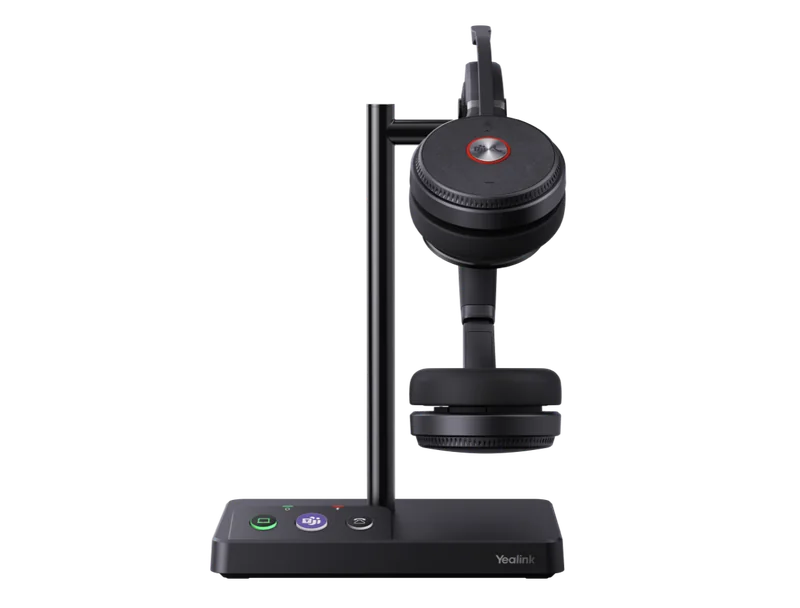
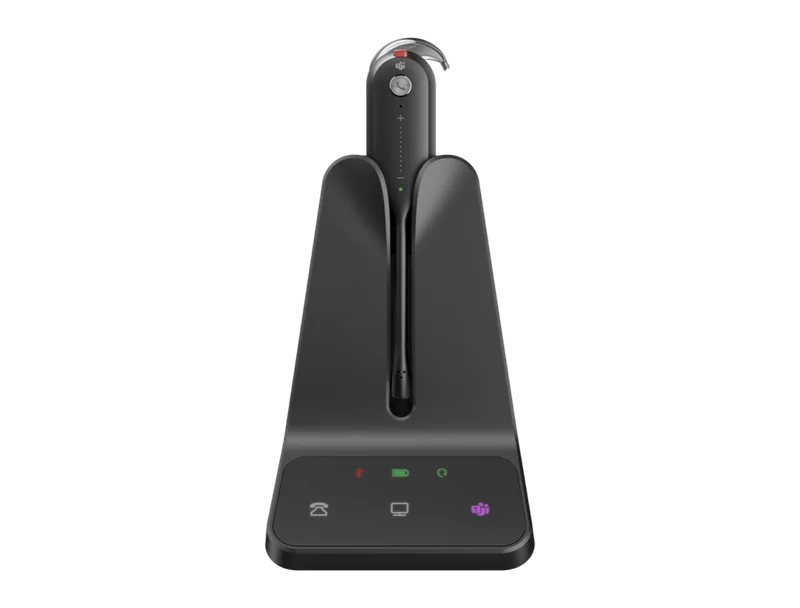
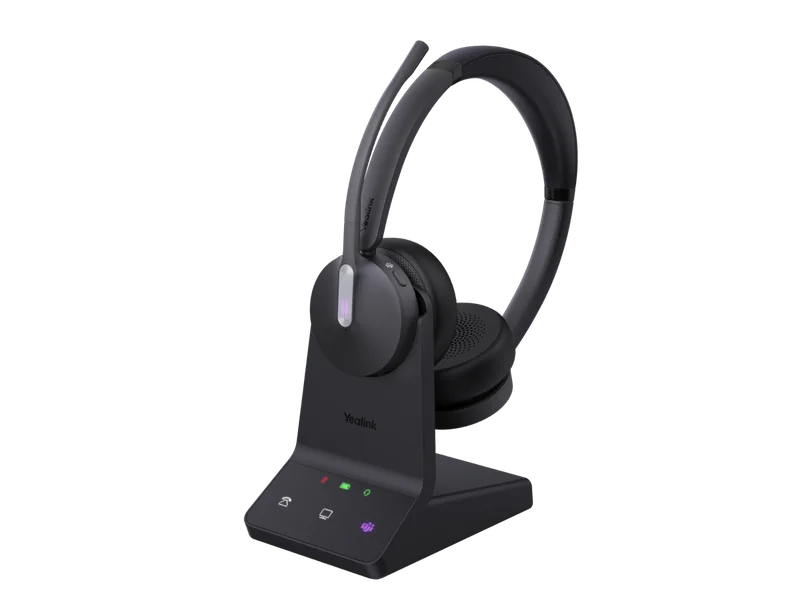
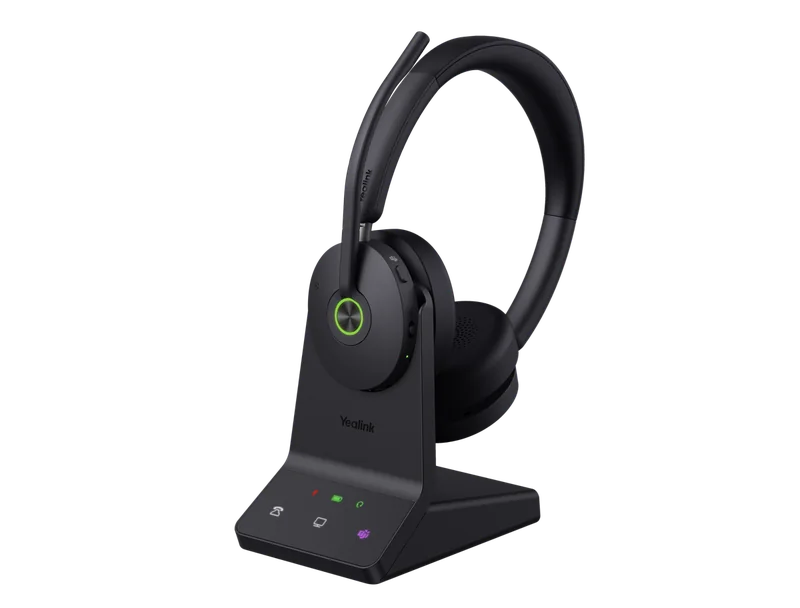
Yealink WH62, WH63 E2, WH64, WH66, WH67 and WH68 specifications
These are the base-station models. The Hybrid and Workstation versions follow in the next table.
Swipe the table sideways to compare all models →
| Feature | WH62 | WH63 E2 | WH64 | WH66 | WH67 | WH68 |
|---|---|---|---|---|---|---|
| Wearing style | Headband, mono or dual | Convertible mono: ear hook, headband, ear tips (neckband optional) | Headband, mono or dual | Headband, mono or dual | Convertible mono: ear hook, headband, neckband included | Headband, dual (stereo) only |
| Base | Charging stand with ringer | Cradle with ringer and multi-device call control | WHB640 base, charging stand | 4" 480 x 800 touch screen, speakerphone, 2-port USB 3.0 hub | 4" 480 x 800 touch screen, speakerphone, 2-port USB 3.0 hub | WHB680 base with ringtone and call control |
| DECT range (open space) | Up to 160 m | Up to 185 m | Up to 185 m | Up to 160 m | Up to 120 m | Up to 185 m |
| Bluetooth | No | No | In headset, Bluetooth 5.2, 50 m | In base, Bluetooth 4.2, 2 devices | In base, Bluetooth 4.2, 2 devices | In headset, Bluetooth 5.3, 50 m |
| Microphones | 2 (Acoustic Shield) | 2 (Acoustic Shield) | 3 MEMS (Acoustic Shield 2.0) | 2 (Acoustic Shield) | 2 (Acoustic Shield) | 6 MEMS (Acoustic Shield 3.0) |
| Active noise cancellation | No | No | No | No | No | Hybrid ANC, ambient mode |
| Talk time | 13 h mono, 14 h dual | 8 h | DECT 14 h mono, 16 h dual; Bluetooth 26 h / 32 h | 13 h mono, 14 h dual | 8 h | DECT 16 h; Bluetooth 32 h |
| Charging time | 2.5 h | 2 h | 1.5 h | 2.5 h | 2.5 h | 1.5 h |
| Busylight | On headset + BLT60 port | BLT60 port | Dual-sided on headset + BLT60 port | On headset + BLT60 | On headset + BLT60 | Dual busylights + BLT60 port |
| Headset weight | 80 g mono, 127 g dual | 16 g (no accessories) | 92 g mono, 151 g dual | 80 g mono, 127 g dual | 19 g | 155 g |
| Non-Yealink desk phones | Telephone cable TC-WH62/WH63 | Telephone cable or EHS62 | Telephone cable or EHS62 | USB to Yealink phones; check with us | USB to Yealink phones; check with us | Telephone cable or EHS62 |
| Secure DECT | Step C, 128-bit | Step C | Step C, 128-bit | Step C, 128-bit | Step C, 128-bit | Step C |
| Hearing protection | EN50332 + AU G616 | EN50332 + AU G616 | EN50332 + AU G616 | EN50332 + AU G616 | EN50332 + AU G616 | EN50332 + AU G616 |
Figures from Yealink's official datasheets. DECT range is Yealink's open-space maximum; walls, glass and lift cores reduce it. Telephone-cable support for WH62 is from the TC-WH62/WH63 cable listing.
Hybrid and Workstation versions
The Hybrid and Workstation versions use the same WH64 or WH68 headset. What changes is what it connects to.
Swipe the table sideways to compare all models →
| Feature | WH64 Hybrid | WH68 Hybrid | WH64 Workstation | WH68 Workstation |
|---|---|---|---|---|
| Connects through | WDD60 USB-A DECT dongle (no base) | WDD60 dongle + USB-A to USB-C adapter (no base) | 4" 480 x 800 touch-screen Workstation | 4" 480 x 800 touch-screen Workstation |
| Headset | Mono or dual, 3 MEMS mics | Dual, 6 MEMS mics, hybrid ANC | Mono or dual, 3 MEMS mics, no ANC | Dual, 6 MEMS mics, hybrid ANC |
| DECT range | Up to 150 m | Up to 150 m | Up to 185 m | Up to 185 m |
| Bluetooth (headset) | 5.2, 1 mobile, 50 m | 5.3, 50 m | 5.3, 50 m | 5.3, 50 m |
| Talk time | DECT 14 h mono / 16 h dual; Bluetooth 26 h / 32 h | DECT 16 h; Bluetooth 32 h | DECT 14 h / 16 h; Bluetooth 26 h / 32 h | DECT 16 h; Bluetooth 32 h |
| Charging | 1.5 h, optional BHC70 stand | 1.5 h, optional BHC74 stand | 1.5 h; 15 min fast charge to 40% | 1.5 h; 15 min fast charge to 40% |
| Speakerphone / hub | No | No | Yes; USB hub with 2 x USB-A + 1 x USB-C | Yes; USB hub with 2 x USB-A + 1 x USB-C |
| Weight | Dongle 4.5 g; headset 92 g / 151 g | Dongle 4.5 g; headset 155 g | Workstation 532 g; headset 92 g / 151 g | Workstation 548 g; headset 155 g |
From Yealink's WH64 Hybrid, WH68 Hybrid, WH64 Workstation and WH68 Workstation datasheets.
Three tiers: essential, convertible and premium
Essential: WH62. A simple, proven headband headset with a ringer on the base and two micro-USB ports, so one base serves the PC and a Yealink desk phone at the same time with no EHS adapter. Range is up to 160 m and talk time up to 14 hours on the dual version. It's the budget pick when you already have a Yealink phone on every desk. The WH62 isn't listed in our online shop at the moment, so call us for availability.
Convertible: WH63 E2 and WH67. A tiny 16 to 19 g mono headset that clips into an ear hook, a headband, ear tips or a neckband. Light, cool in a Queensland summer and kind to glasses wearers. The trade-off is battery: 8 hours of talk time, which is fine for reception but tight for a full contact-centre shift. The E2 refresh lifted range to 185 m and moved the base to USB-C.
Premium: WH64 and WH68. Larger headbands with much bigger batteries (up to 16 hours in DECT mode and 32 hours over Bluetooth), Bluetooth built into the headset and better microphones. The WH64 uses three microphones with Acoustic Shield 2.0. The WH68 goes to six microphones with Acoustic Shield 3.0 plus hybrid ANC for what you hear. Yealink says the WH68 meets Microsoft's Open Office requirements for noisy spaces.
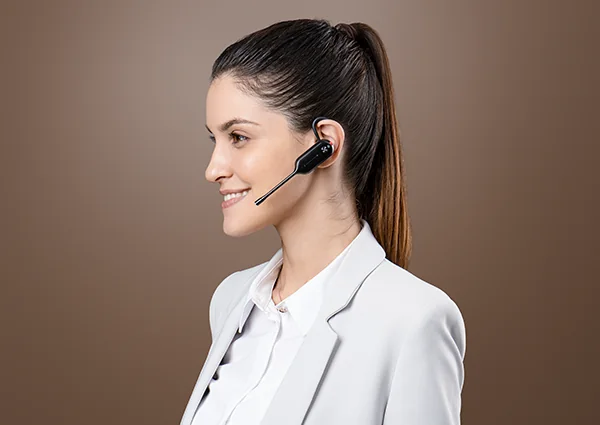
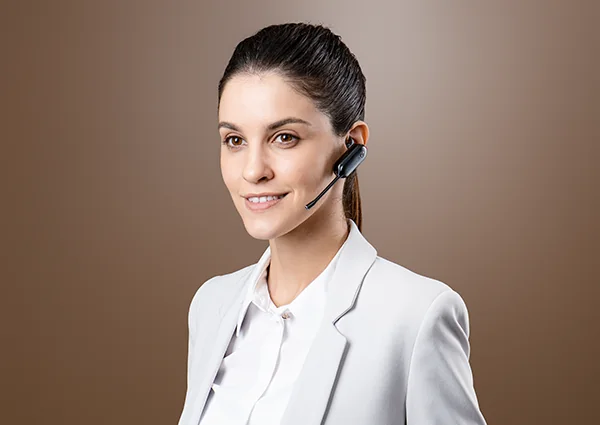
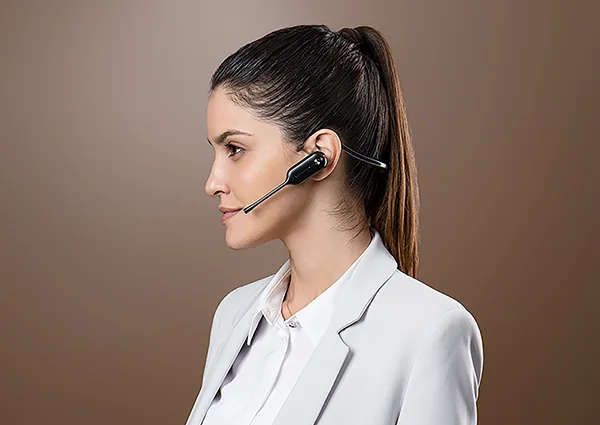
Convertible wear: WH63 E2 and WH67
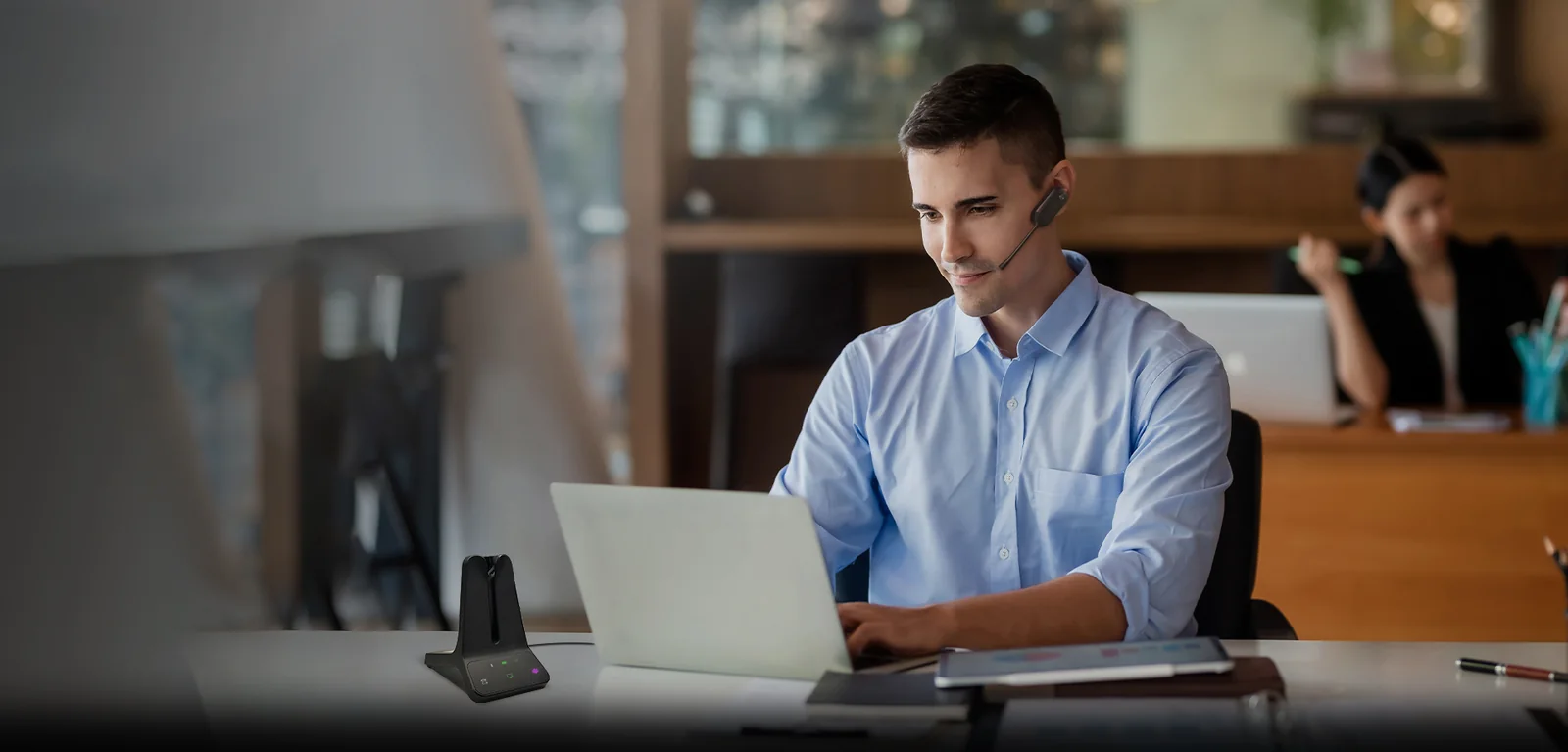
Convertible headsets suit people who take short, frequent calls and stand up a lot: medical and dental receptionists, school front offices, real estate property managers and legal secretaries. The WH63 E2 ships with ear tips, an ear hook and a headband. The YHA-NB neckband is optional, and the WH67 includes one. The PAK-WH63/67 portable kit adds a WDD60 dongle, a charging cable and a case, so the same headset also works from a laptop at home.

Mono or dual?
Mono (one ear) keeps the other ear open to the room. Reception, retail counters, pharmacies and anyone who needs to hear a colleague or a customer at the counter should go mono. Dual (both ears) blocks more of the room and gives stereo for training videos and Teams meetings, which suits open-plan floors and contact centres. Yealink marks this in the model code: M for mono and D for dual (for example WH64-M-UC or WH64-D-MS). The WH63 E2 and WH67 are mono only. The WH68 is dual only.
Desk phone, PC and mobile: what connects to what
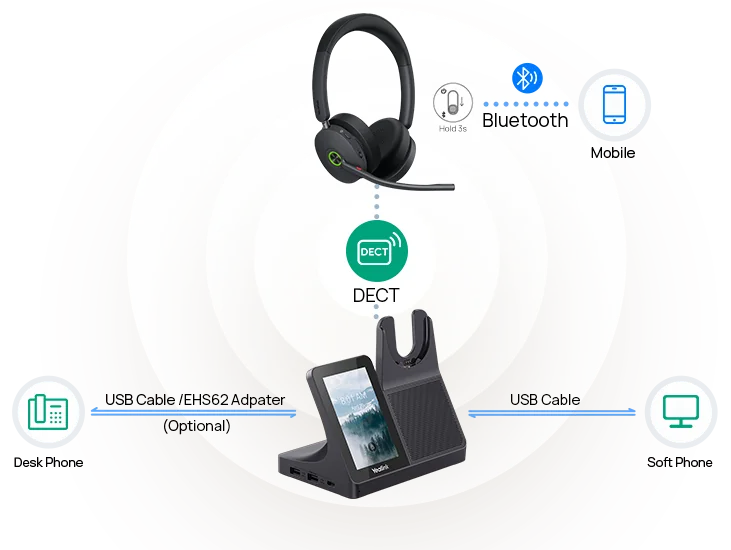
Every base connects to a PC by USB and to a Yealink IP phone by USB, so call control (answer, end, mute, volume) works from the headset without an adapter. The WH64 and WH68 also have Bluetooth in the headset itself. Pair your mobile once and you can take a mobile call on the same headset, even away from the base. The WH66 and WH67 put Bluetooth 4.2 in the base instead, for up to two Bluetooth devices.
Using a WH headset with a non-Yealink desk phone
Plenty of Australian offices still run Cisco, Avaya, Poly, Mitel or Unify handsets on an older on-premises PBX. Yealink's WH bases plug into the phone's headset port with a telephone cable:
- TC-WH64/WH65/WH68 for the WH63 E2, WH64 and WH68 (and the Workstation versions)
- TC-WH62/WH63 for the WH62 and the original WH63
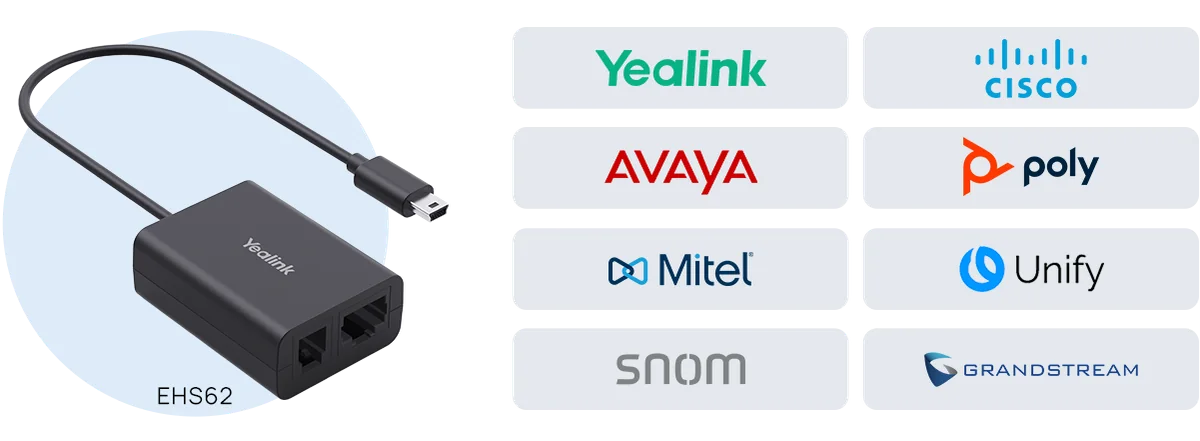
To answer and hang up from the headset (not just talk), add the EHS62 electronic hook switch adapter. Yealink lists it for Yealink, Cisco, Avaya, Poly, Mitel, Unify, snom and Grandstream phones. Tell us the phone model and we'll confirm the right cable before you order.
Touch-screen bases: WH66, WH67 and the new Workstation models
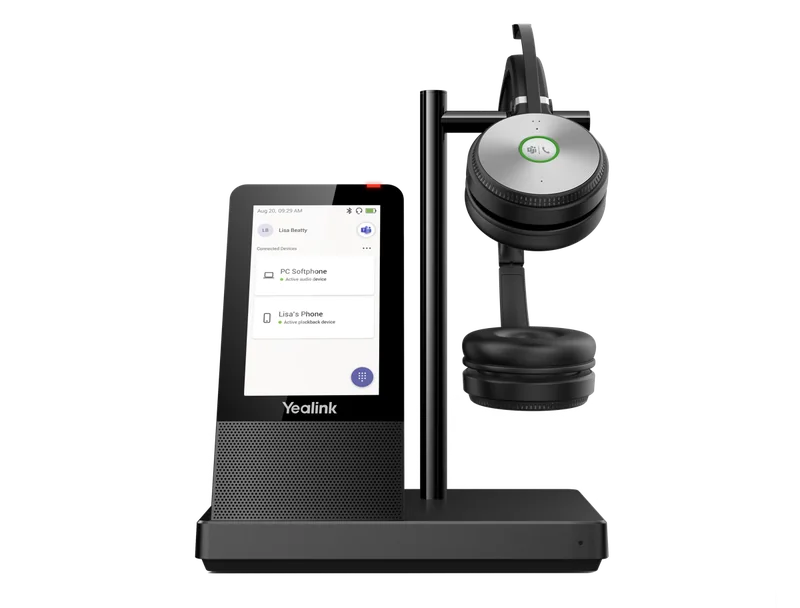
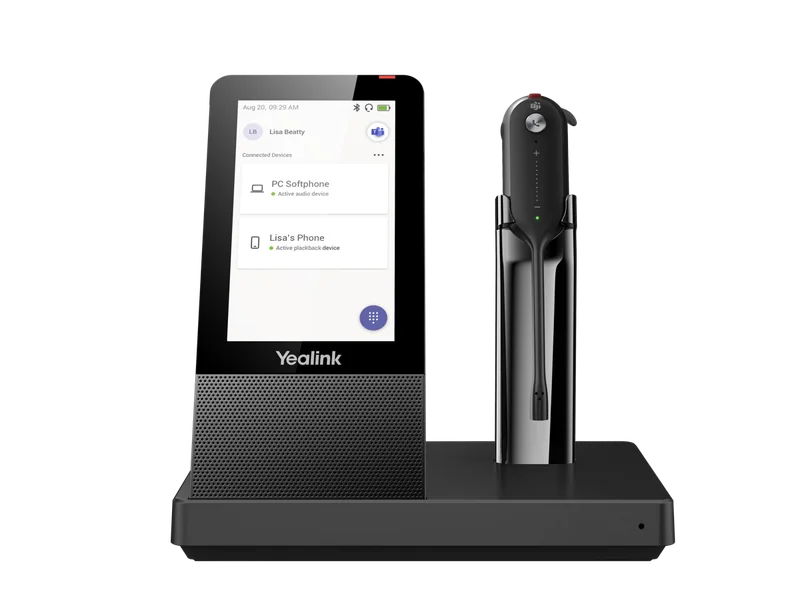
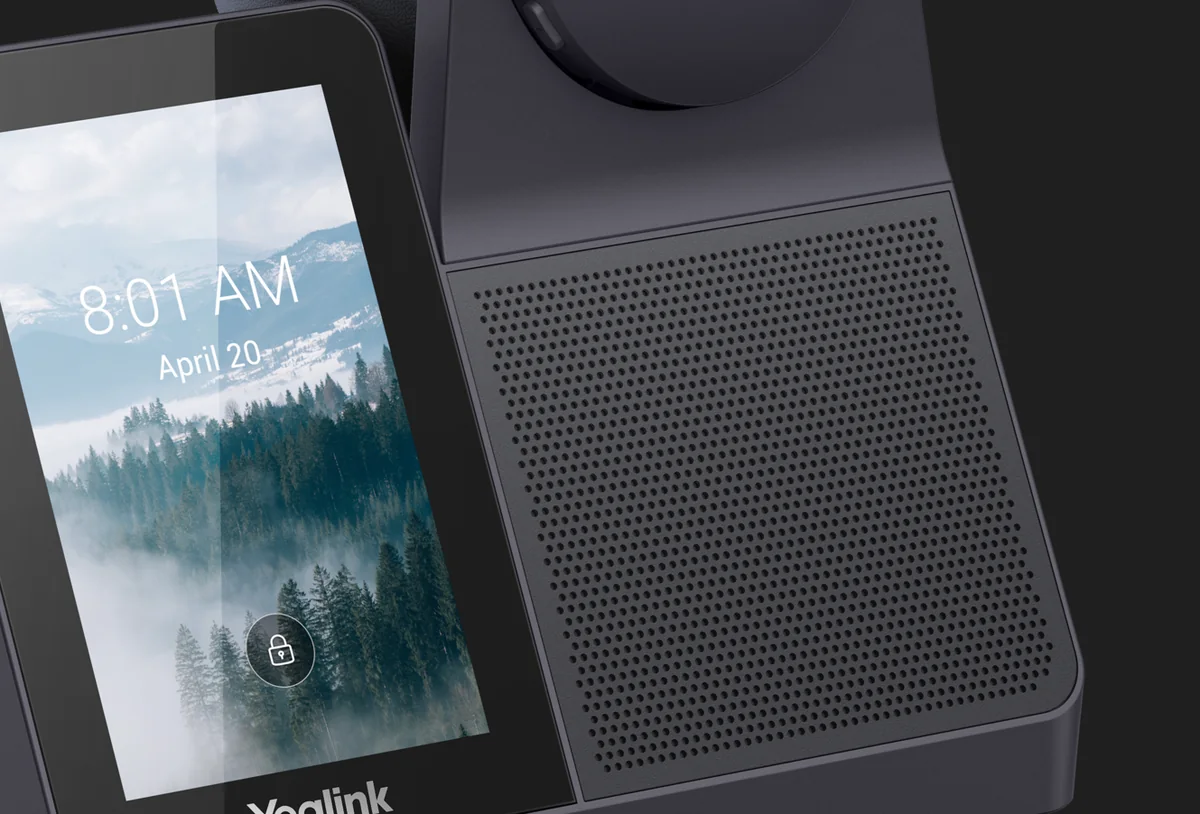
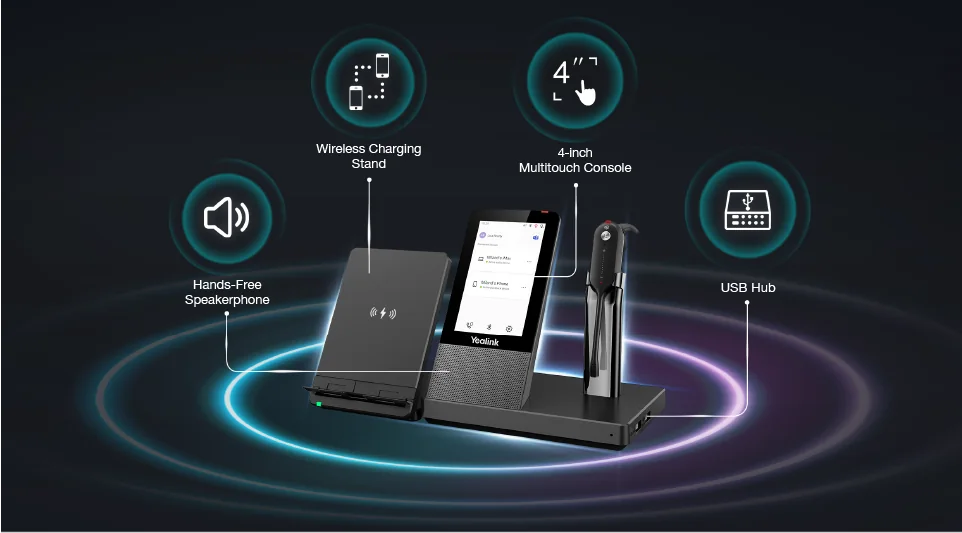
The WH66 and WH67 turned the base into a desk console: a 4-inch 480 x 800 touch screen for calls and contacts, a speakerphone (4 W speaker) so you can take the headset off for a quick huddle, and a 2-port USB 3.0 hub for the PC. The optional WHC60 Qi charging stand clips on to charge a mobile wirelessly.
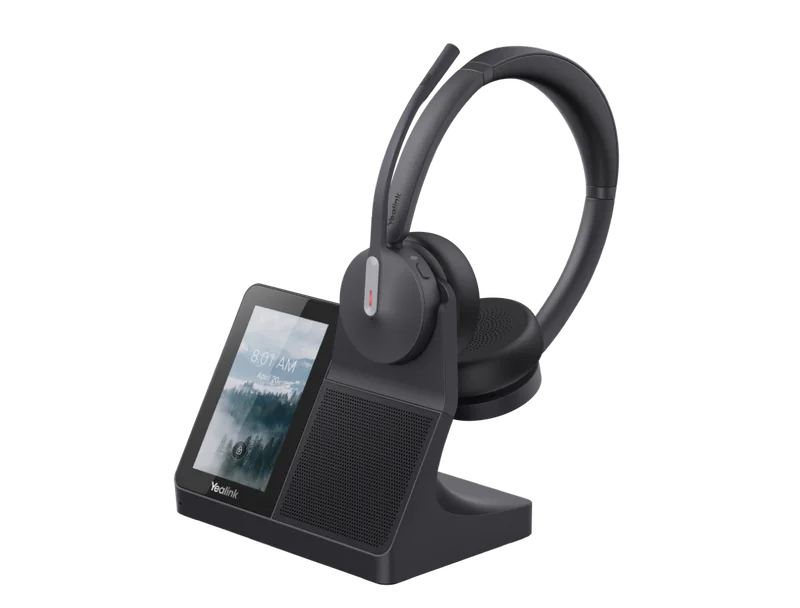
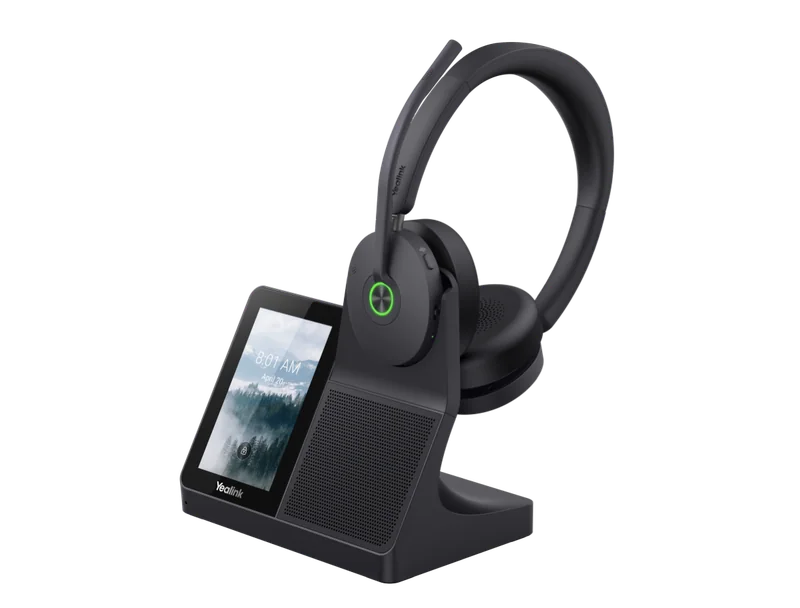
The newer WH64 Workstation and WH68 Workstation bring the same idea to the current headsets. You get the 4-inch touch screen, a speakerphone and a USB hub (two USB-A and one USB-C) on a base that also has Yealink's long 185 m DECT range. The headset fast-charges to 40% in 15 minutes. If you're buying a touch-screen base today, we suggest a Workstation model. You get Bluetooth in the headset, a bigger battery and, on the WH68 Workstation, ANC.
Hybrid models: no base, just a dongle
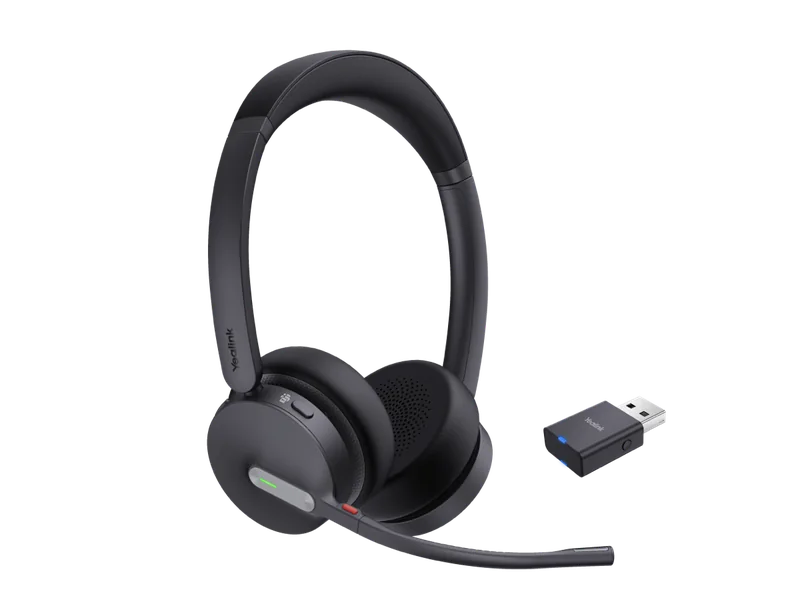
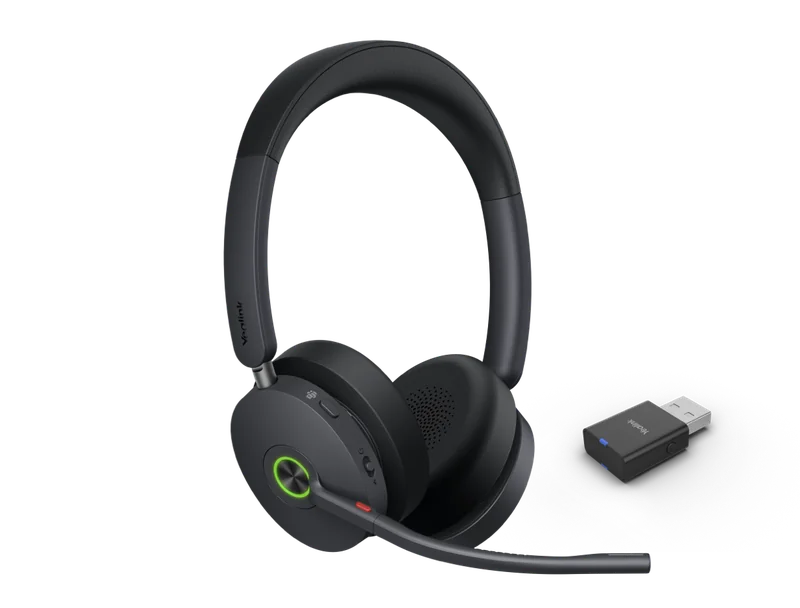
"Hybrid" is Yealink's name for a WH64 or WH68 headset sold with a thumb-sized WDD60 USB DECT dongle instead of a base. Plug the dongle into a laptop and you get DECT range (up to 150 m) to the PC. Bluetooth in the headset covers your mobile. It all fits in the carry case, so it suits people who split the week between a Parramatta office, home and client sites. You can add a desk charging stand later: the BHC70 for WH64 Hybrid or the BHC74 for WH68 Hybrid.
If the user also has a desk phone, choose a base or Workstation model instead. The base gives you a phone port, a ringer and a cradle that charges the headset every time it's put down.
Teams (MS) or UC edition?
Most WH models come in two editions with the same hardware. The MS edition is certified for Microsoft Teams and has a Teams button that opens Teams and handles Teams calls and notifications. The UC edition works with other softphones and platforms: 3CX, Zoom, Webex, hosted PBX softphones from Australian providers, and Yealink desk phones.
If your organisation runs Teams Phone, as many Australian enterprises, universities and government agencies now do, buy MS. If calls go through 3CX, a hosted PBX or a SIP desk phone, buy UC. Both editions connect to a Yealink desk phone by USB.
Range and density in Australian open-plan offices and contact centres
Yealink quotes up to 185 m for the WH63 E2, WH64, WH68 and Workstation models, 160 m for the WH62 and WH66, 150 m for the Hybrid dongles and 120 m for the WH67. Those are open-space figures. Concrete lift cores, fire doors and low-E glass in a typical CBD tower bring the real figure down a lot, but most users only need to reach the kitchen or a meeting room.
Density matters more than range on a busy floor. DECT runs on its own band, away from the office Wi-Fi and Bluetooth, so a floor of 60 headsets doesn't slow the network or drop calls when the Wi-Fi is busy. Yealink designed the WH63 E2 and WH64 Hybrid for high-density deployment. For rollouts of more than about 50 seats on one floor, we suggest a short pilot pod before the full order. It's quick and cheap, and it shows how the floor behaves at peak.
Two Australian details:
- Buy Australian stock. Yealink builds WH headsets for two DECT bands: 1880 to 1900 MHz (used in Australia) and 1920 to 1930 MHz (US). A grey import may be the wrong band for Australia.
- Acoustic shock protection. Every WH model has hearing protection to EN50332 and the Australian G616 acoustic safety guideline, plus daily noise-exposure limiting. That matters for WHS in contact centres.
The WH68's training mode can also conference a second headset onto one base, so a team leader can listen in and coach on a live call. For a full contact-centre kit with wired seats too, see our call-centre headsets and phones guide.
Comfort, battery and busylights
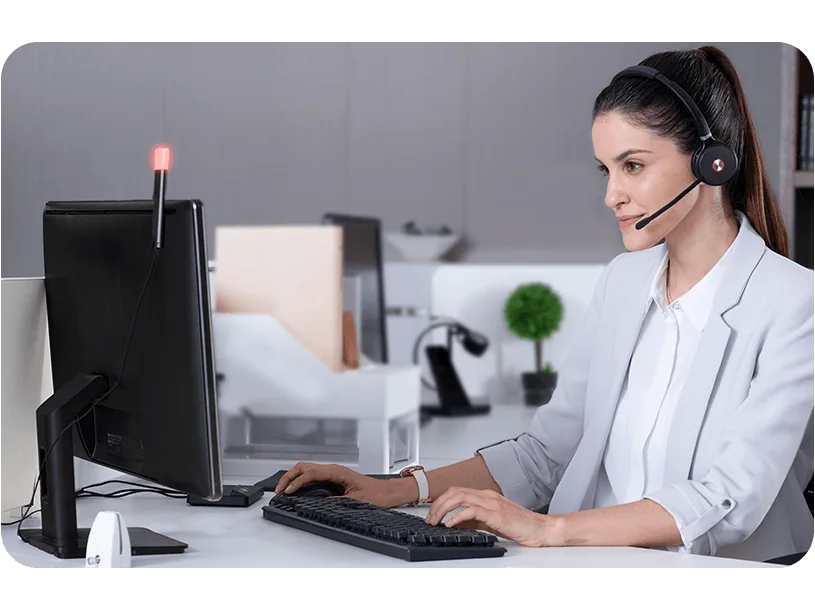
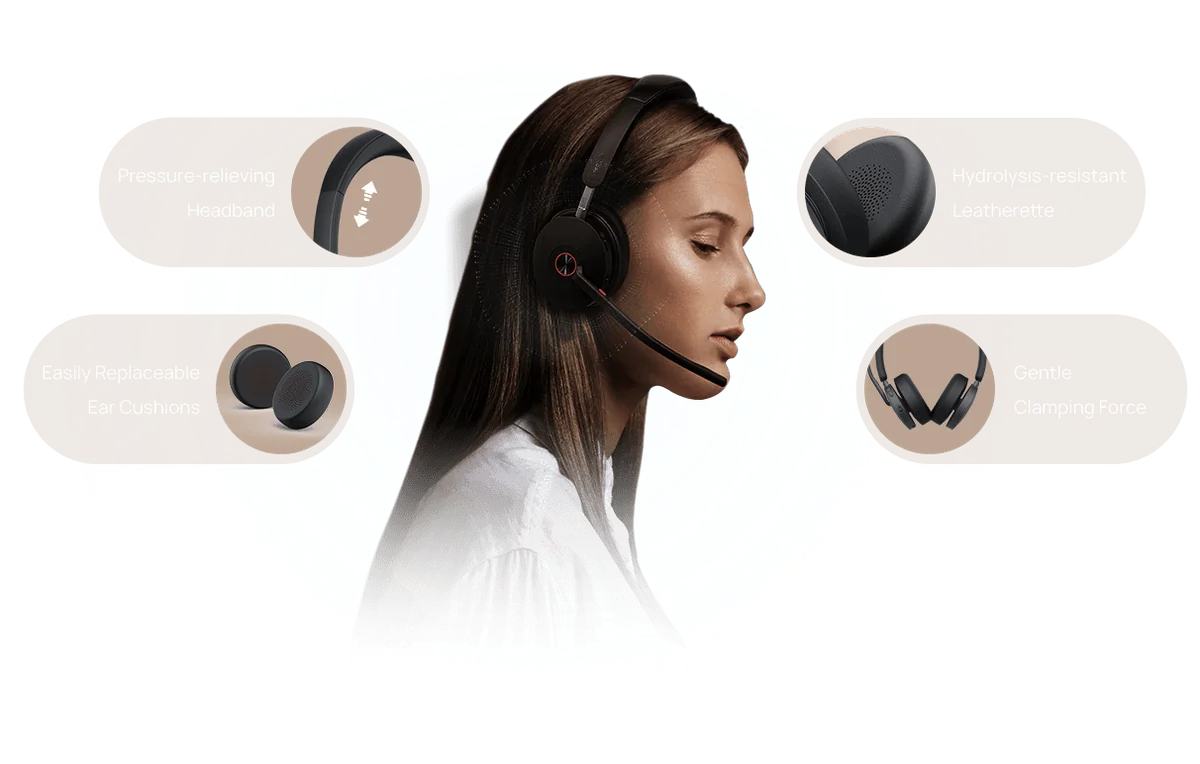
For an eight-hour shift, battery and weight matter most. The WH64 and WH68 give up to 16 hours in DECT mode, so they last two full days, and they recharge in 1.5 hours. The convertible WH63 E2 and WH67 trade battery (8 hours) for a headset that weighs under 20 g. All models have a busylight: a red light on the headset (dual-sided on the WH64 and WH68) and a port for the desk-mounted BLT60 busylight. That cuts the "are you on a call?" interruptions in open-plan offices. The WH64 and WH68 ear cushions are replaceable, which helps when several people share a headset.
Which Yealink DECT headset for which Australian workplace?
| Workplace | Our pick | Why |
|---|---|---|
| Medical, dental and allied health reception | WH63 E2 UC | Light, mono, one ear free for patients at the counter; USB to a Yealink phone |
| Contact centre, inbound sales | WH68 (MS or UC) | Hybrid ANC and 6 microphones on a loud floor; 16 h talk time; training mode for coaching |
| Contact-centre team leader | WH68 Workstation | Touch console, speakerphone for huddles, walk the floor up to 185 m |
| Teams-first enterprise or government office | WH64 MS (mono or dual) | Teams-certified, desk phone + PC + mobile on one headset |
| Law firm or accounting practice | WH64 Workstation | Speakerphone and touch console; 128-bit Secure DECT |
| Hybrid worker, home two days a week | WH64 Hybrid or WH68 Hybrid | No base to carry, just the WDD60 dongle and the carry case |
| Warehouse office, showroom or trades yard office | WH64 dual | Long DECT range and Bluetooth for the work mobile |
| Executive assistant | WH67 or WH64 Workstation | Light convertible headset or a full console with speakerphone |
ARC IP Networks recommendations based on Yealink's published specifications.
Upgrading from an older WH headset?
| If you have | Consider | What you gain |
|---|---|---|
| WH62 | WH64 | Bluetooth 5.2 in the headset, 3 microphones, 185 m range, faster 1.5 h charging |
| WH63 (original) | WH63 E2 | 185 m range (from 120 m), USB-C base, multi-device call control |
| WH66 | WH64 Workstation | Bluetooth in the headset, longer battery, fast charge, USB-C hub |
| WH64 in a loud room | WH68 | Hybrid ANC, 6 microphones, Acoustic Shield 3.0 |
| WH63 Portable or WH62 Portable | WH64 Hybrid | Bluetooth for the mobile and longer battery, still with the WDD60 dongle |
Upgrade mapping is an ARC IP Networks suggestion. Check feature support with your platform before a full rollout.
This post replaces our earlier WH62 vs WH63 vs WH64 vs WH66 and WH67 overview, adding the WH68, Hybrid and Workstation models. To compare DECT with Bluetooth and wired headsets, see the Best Yealink Headsets in Australia guide.
Does it work with my phone system?
Yealink desk phones: every WH base connects by USB to Yealink T3, T4, T5 and T8 Series phones with USB ports, with full call control. Microsoft Teams: choose the MS edition; it works with Teams on a PC and with Yealink's MP-series Teams phones. 3CX, Zoom and hosted PBX softphones: choose the UC edition. Other brands' desk phones: use the telephone cable, plus the EHS62 for remote answer and hang-up.
Yealink DECT headsets in stock at ARC IP Networks
Live Australian pricing (inc. GST) and stock levels are on each product page.
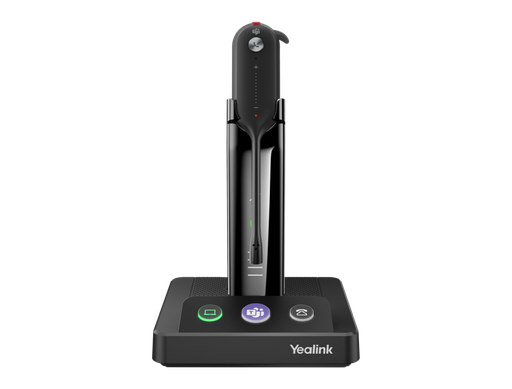
Convertible mono DECT headset, 185 m range, ear hook, headband or ear tips. Also in a Teams edition.
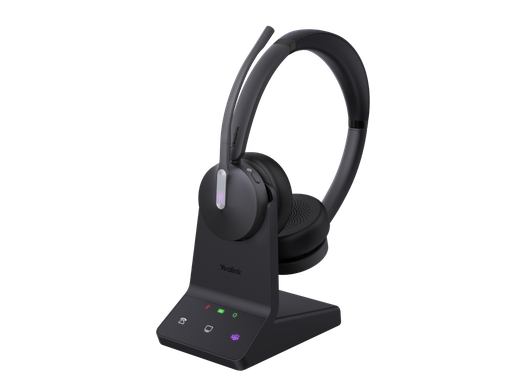
Dual-ear DECT + Bluetooth 5.2 headset, 3 microphones, up to 16 h DECT talk time. Mono and UC editions available.
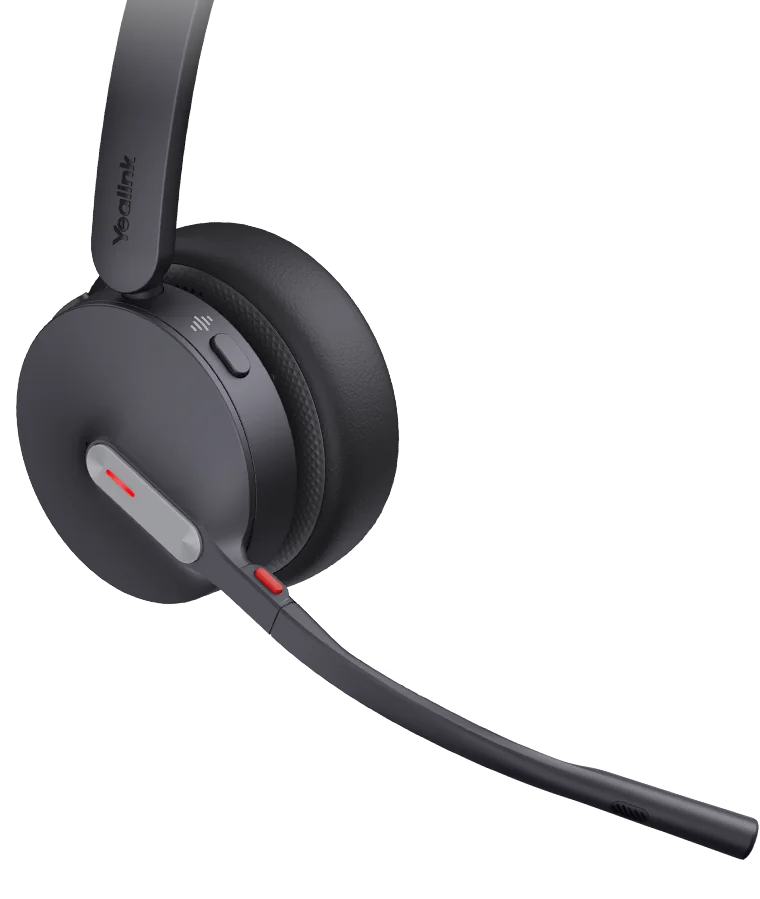
WH64 mono headset with the WDD60 USB DECT dongle instead of a base. Built for hybrid work.
WH64 headset on the 4" touch-screen Workstation with speakerphone and USB hub. Mono version available.
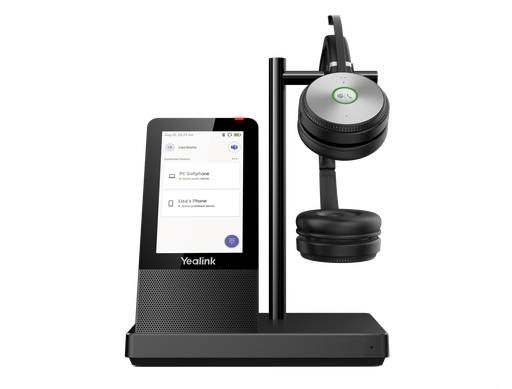
Headband DECT headset on a 4" touch-screen base with speakerphone and USB 3.0 hub. Check stock on the product page.
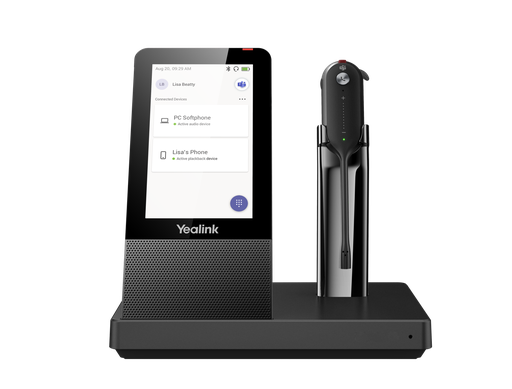
Convertible headset on the 4" touch-screen base with speakerphone; neckband included.
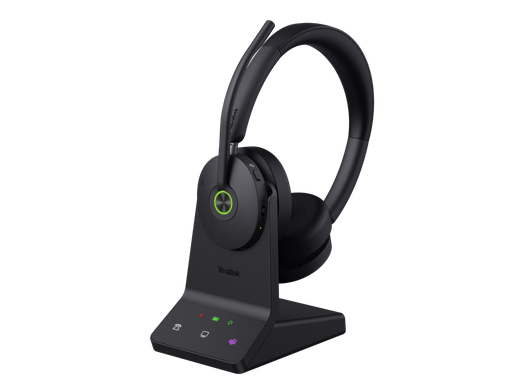
Premium dual-ear DECT + Bluetooth 5.3 headset with hybrid ANC and 6 microphones. UC edition available.
WH68 ANC headset with the WDD60 dongle and a desk charging stand. No base needed.
WH68 ANC headset on the 4" touch-screen Workstation with speakerphone and USB hub.
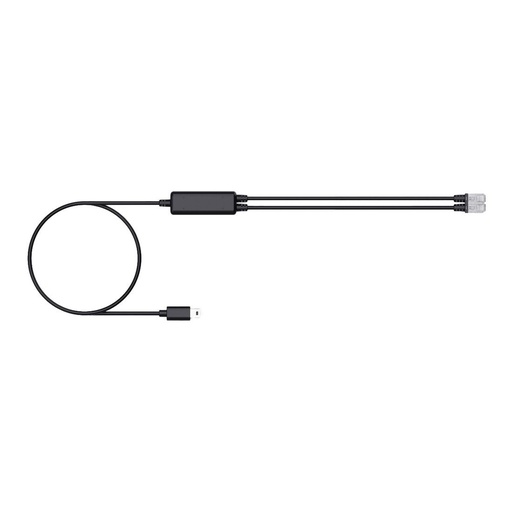
Connects the base to Cisco, Avaya, Poly, Mitel, Unify and Grandstream desk phones.
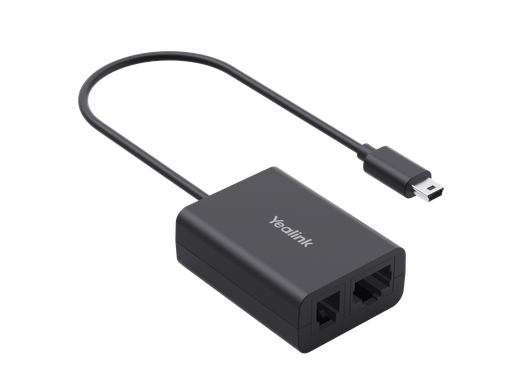
Remote answer and hang-up from the headset on supported third-party desk phones.
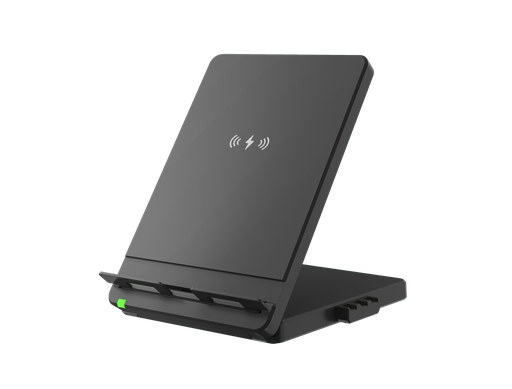
Wireless mobile charging stand that attaches to the WH66 and WH67 touch-screen base.
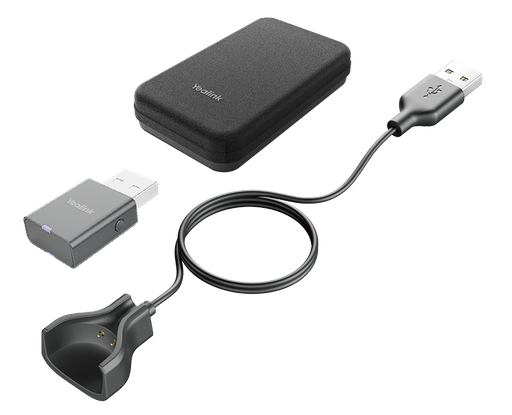
WDD60 dongle, charging cable and carry case to use a convertible headset away from the base.
Common questions
Straight answers from the ARC IP Networks team. Last reviewed October 2026.
The WH62 is an essential headband headset with a basic base. The WH63 E2 is a light convertible mono headset. The WH64 adds three microphones and Bluetooth 5.2 in the headset for desk phone, PC and mobile. The WH68 is the premium dual-ear model with hybrid active noise cancellation and six microphones. The WH66 (headband) and WH67 (convertible) sit on a 4-inch touch-screen base with a speakerphone and USB hub.
All three use the same WH64 DECT and Bluetooth headset. The WH64 comes with the WHB640 base for a PC and desk phone. The WH64 Hybrid has no base; it uses a WDD60 USB DECT dongle and Bluetooth for a mobile. The WH64 Workstation uses a 4-inch touch-screen base with a speakerphone and a USB hub with two USB-A ports and one USB-C port.
The WH68 family: the WH68, WH68 Hybrid and WH68 Workstation. They have hybrid ANC plus six MEMS microphones with Acoustic Shield 3.0. The WH62, WH63 E2, WH64, WH66 and WH67 use noise-cancelling microphones but do not have ANC for the listener.
Buy the MS version if your organisation uses Microsoft Teams Phone. It is Teams-certified and has a Teams button. Buy the UC version for 3CX, Zoom, hosted PBX softphones and Yealink desk phones. The hardware is otherwise the same.
Yes. Every base connects to a PC and a Yealink IP phone by USB. The WH64 and WH68 also have Bluetooth in the headset for a mobile, and the WH66 and WH67 have Bluetooth in the base. Non-Yealink desk phones connect with the Yealink telephone cable and, for remote answer and hang-up, the EHS62 adapter.
Yealink quotes up to 185 m for the WH63 E2, WH64, WH68 and Workstation models, 160 m for the WH62 and WH66, 150 m for the WH64 and WH68 Hybrid dongles, and 120 m for the WH67. These are open-space figures; walls and lift cores reduce them indoors.
Talk time is up to 16 hours in DECT mode and 32 hours over Bluetooth on the dual WH64 and WH68, and 14 hours on the WH62 and WH66 dual. The convertible WH63 E2 and WH67 give up to 8 hours. The WH64 and WH68 recharge in about 1.5 hours.
For a noisy floor, the WH68 with hybrid ANC and six microphones, or the WH64 dual for tighter budgets. Team leaders benefit from a WH68 Workstation. For fixed agent seats that never leave the desk, a wired Yealink UH34 is often the more economical choice.
Yes, when you buy Australian stock. Australia uses the 1880 to 1900 MHz DECT band, and every WH model includes acoustic shock protection to the Australian G616 guideline. ARC IP Networks supplies genuine Australian Yealink stock with the full manufacturer's warranty.
ARC IP Networks stocks the Yealink WH63 E2, WH64, WH64 Hybrid, WH64 Workstation, WH66, WH67, WH68, WH68 Hybrid and WH68 Workstation, plus telephone cables, EHS62 adapters and spares, as genuine Australian stock with the full manufacturer's warranty. Order at arcip.com.au or call 1300 100 440 for volume and trade pricing.
Rolling out DECT headsets across your floor?
Tell us how many seats, which phone system and desk phones you use, and who needs a mobile on the same headset. We will match the right WH model and edition to each role, include cables and spares, and quote it as one order with Australia-wide delivery.
Related Yealink guides
- Yealink WH62 vs WH63 vs WH64 vs WH66 and WH67: Choosing a DECT Office Headset
- Best Yealink Headsets in Australia: WH63, WH64, WH66, BH71, BH76 and UH37 Explained
- Yealink Headsets and Phones for Call Centres and Inbound Sales Teams in Australia
- Yealink BH71 vs BH72 vs BH76: Which Bluetooth Headset for Office, Hybrid and Field Staff
- Yealink UH34, UH34 Lite, UH34 SE and UH37 Wired Headsets for Call Centres and Hot Desks
- Yealink Microsoft Teams Phones in Australia: MP52, MP54, MP56 and MP58 Compared