How do I get internet and Wi-Fi to a shed, granny flat, workshop or another building on my property in Australia?
If you can trench a cable, do it: Ethernet for short runs, fibre for long ones. Otherwise use a point-to-point wireless bridge: two directional radios with clear line of sight, sized to your distance and speed, plus a switch or outdoor access point at the far end. Buy Australian-compliant gear; it runs under the ACMA's LIPD class licence.
What are my options for getting internet to a shed or second building?
There are three ways to do it, and which one suits you depends mostly on distance, what is in between, and how much speed you need at the far end.
| Option | Best when | Watch out for |
|---|---|---|
| Cable (Ethernet or fibre) in the ground | You can dig a trench and the run is practical | Ethernet is limited in length (D-Link, for example, quotes PoE power over an Ethernet cable up to 100 m from the switch). Fibre carries light pulses and reaches 'far greater' distances than copper, according to Ubiquiti. Data cabling that connects to the telecommunications network should be installed by a registered cabler (under the ACMA's cabling rules). |
| Point-to-point (PtP) wireless bridge | Trenching isn't practical: across a driveway, a road, a paddock or a creek | Needs a clear line of sight and power at both ends |
| Mesh or outdoor access points | The shed is close and you mainly want Wi-Fi coverage in the yard | Every wireless hop cuts throughput. Ubiquiti recommends no more than two hops. |
Ubiquiti puts it plainly: hardwiring access points 'is the ideal method to provide the highest performance and stability', and wireless meshing is the alternative where you can't run cable. A properly aligned point-to-point bridge sits between the two. It isn't a cable, but it behaves much more like one than a Wi-Fi signal shouted across the yard.
How does a point-to-point wireless bridge work?
A bridge is two radios with directional antennas aimed at each other. One end plugs into your existing network: the router, or a switch near it. The other end plugs into a switch or access point in the far building. To the devices on each side, the link looks like an Ethernet cable. Ubiquiti's airMAX setup guide, for example, configures one radio as the access point and the other as the station, in PtP mode, as a 'Layer 2, transparent bridge'.
Why directional? MikroTik explains that a typical access point with omnidirectional antennas reaches 'up to ±100 meters in the "ideal" interference-free line of sight setup', and much less inside buildings. Concentrating the signal into a narrow beam with a higher-gain antenna lets an outdoor station reach 'over multiple kilometer distances'.
A few terms you'll see on spec sheets:
- PtP vs PtMP: point-to-point links two sites. Point-to-multipoint uses one sector base station to serve several client radios, for example one at the house feeding the shed, the dam pump and the workshop.
- Antenna gain (dBi): higher gain means a narrower, longer-reaching beam that needs more careful aiming.
- Wireless data rate vs real throughput: an '867 Mbps' radio is quoting its maximum wireless rate. Ruijie's own test table for the RG-EST310 V2 (an 867 Mbps-class bridge) lists 80 Mbps at 1 km and 40 Mbps at 2 km. Plan around the real-world figure, not the headline number.
How to set up a wireless bridge between two buildings
- Measure the distance between the two mounting points and check the path for obstructions using satellite imagery or UISP Design Center, then walk both ends to look for trees and buildings the maps don't show.
- Choose the band and kit for your distance and speed (60 GHz for short, fast hops; 5 GHz for longer links), using the manufacturer's real-world throughput figures where they are published.
- Plan power at both ends: a PoE switch or the supplied PoE adapter indoors, matched to the radio's PoE type. Have a licensed electrician install any new fixed 230 V outlet in the shed.
- Mount each radio as high as practical with a clear line of sight and first Fresnel zone, run shielded outdoor Ethernet cable, and add surge protection.
- Pair the radios. Many kits ship pre-paired (for example, the RG-EST310 V2 is factory-paired and MikroTik's Wireless Wire kits are preconfigured). The UBB (firmware 3.2.0+) and UDB Pro (1.5.0+) can be paired standalone for basic connectivity, but Ubiquiti recommends adopting them into UniFi Network for long-term use.
- Align one end at a time in small steps until the signal peaks, then repeat at the other end and secure the mounts.
- Connect a switch, access point or device at the far end and run a throughput test across the link before you rely on it.
Line of sight and the Fresnel zone: why trees and roofs matter
Line of sight is the most important part of planning a link. Ubiquiti says 'all signals will suffer when line of sight is blocked in any way'. Clear line of sight also means more than seeing one antenna from the other.
- The Fresnel zone is an elliptical, rugby-ball-shaped region around the direct path where the radio waves travel. Ubiquiti's rule of thumb is that at least 60% of the first Fresnel zone must be free of obstructions for a link to establish, and it encourages 100% clearance for the best signal.
- Frequency changes the shape. Lower frequencies have larger Fresnel zones and higher frequencies (such as 60 GHz) narrower ones.
- Height fixes most problems. Mounting the radios higher improves line of sight and Fresnel clearance. If terrain still blocks the path, Ubiquiti suggests adding a hop: a relay site in the middle.
- Maps only show the ground. Ubiquiti notes its planning tools show terrain unless building data is available, so walk both ends and look for trees, sheds and silos. D-Link likewise suggests using a program such as Google Earth to check for obstructions before you install.
Ubiquiti's UISP Design Center (ispdesign.ui.com) models Fresnel clearance and expected signal for a planned link. Ubiquiti also says that the range of airMAX devices 'can vary greatly', which is why it points you to that simulator rather than quoting a fixed distance.
5 GHz or 60 GHz: which band suits my link?
Most building-to-building kits use 5 GHz or 60 GHz, and some use 2.4 GHz. The trade-off is range versus capacity.
| 5 GHz | 60 GHz | |
|---|---|---|
| Range | Longer. Ubiquiti: '5GHz offers greater range than 60GHz' | Shorter. The UniFi Building Bridge lists a 500 m coverage area, and MikroTik's Cube 60Pro ac is rated for distances 'as far as 1 km' |
| Capacity | Lower ('60GHz offers greater throughput') | Higher. The UniFi Building Bridge's 60 GHz radio lists 1.7 Gbps |
| Interference | Shared, often crowded band | MikroTik: 'unaffected by the crowded wireless spectrum' |
| Weather | Less affected | Ubiquiti: 60 GHz is susceptible to oxygen absorption and faces 'greater attenuation from rain fade'. MikroTik: it 'can sometimes struggle during bad weather conditions' |
| Aiming | Easier | Higher-frequency radios 'require much more precision & attention to properly align' |
Some 60 GHz kits, including the UniFi Building Bridge (UBB) and MikroTik's Cube 60Pro ac, add a 5 GHz backup radio. MikroTik says this is because 60 GHz 'can sometimes struggle during bad weather conditions', and Ubiquiti says the backup radio is 'available on certain products'. Ubiquiti advises building important 60 GHz links with redundancy. Ubiquiti's general physics note also applies: higher-frequency signals suffer greater free-space path loss, which is why outdoor networks favour 5 GHz for long PtP links.
Rule of thumb from the specs: the 60 GHz kits in this guide are rated for 500 m (UBB) and up to 1 km (Cube 60Pro ac), so they suit short, high-speed hops such as house to granny flat or office to warehouse. 5 GHz suits anything longer, including most farm links. For areas with heavy rain, UISP Design Center has a rain map and slider to estimate uptime.
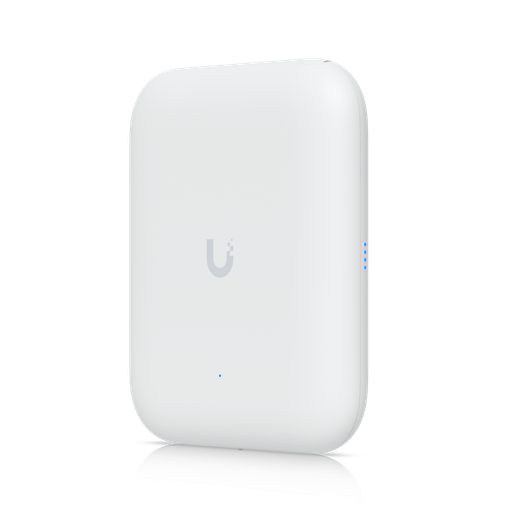
Shopping for UniFi outdoor Wi-Fi and bridges?
Authorised Ubiquiti reseller: genuine Australian stock, full manufacturer's warranty, competitive prices and price match available.
Which bridge kit should I buy for my distance?
Start with the distance and the speed you need at the far end, then check line of sight. The table below uses only figures the manufacturers publish. Where a maker quotes a real-world throughput we show it. Where it doesn't, we say so.
| Kit | Band | Maker's rated distance | Maker's speed figure | Ethernet | Good for |
|---|---|---|---|---|---|
| Ruijie Reyee RG-EST100-E (pair) | 2.4 GHz | 500 m | 30 Mbps at 500 m (HT20, Ruijie test table) | Not stated on the product page | A camera or basic internet at a nearby shed |
| Ruijie Reyee RG-EST310 V2 (pair) | 5 GHz | 1 km | 80 Mbps at 1 km; 90 Mbps at 100 m (HT40) | 1 × FE (10/100) | Granny flat, shed, CCTV |
| Ruijie Reyee RG-EST350G (pair) | 5 GHz, 16 dBi | 5 km | 230 Mbps at 1 km; 150 Mbps at 5 km (HT40) | 3 × GE | Farm links, longer runs |
| Ruijie Reyee RG-EST450G + RG-EST350G clients | 5 GHz, 120° sector | 5 km (PtMP) | 200 Mbps at 1 km; 80 Mbps at 5 km | 3 × GE | One hub feeding several buildings |
| D-Link DAP-3712-2PK | 5 GHz, 23 dBi | Up to 20 km (D-Link rating; see note) | Up to 867 Mbps (wireless rate) | 1 × GbE | Long rural links |
| Ubiquiti airMAX NanoBeam 5AC (NBE-5AC-Gen2) | 5 GHz, 19 dBi | Not published; use UISP Design Center | Not published | 2 × GbE | Compact PtP pair (buy two) |
| Ubiquiti airMAX PowerBeam 5AC 500 (PBE-5AC-500) | 5 GHz, 27 dBi | Not published; use UISP Design Center | 450+ Mbps real TCP/IP | 1 × GbE | Longer, faster 5 GHz links |
| UniFi Building Bridge (UBB), buy the 2-Pack (paired out of the box, two PoE adapters; the single UBB is a replacement/spare) | 60 GHz + 5 GHz backup | 500 m coverage | 1.7 Gbps maximum 60 GHz rate; its single GbE port limits wired throughput to 1 Gbps | 1 × GbE | Short, fast UniFi links |
| MikroTik Wireless Wire Cube Pro (2 × Cube 60Pro ac) | 60 GHz + 5 GHz backup | Up to 1 km | Not stated on the product page | 1 × GbE each | Pre-paired 60 GHz link |
Notes that affect the choice:
- The RG-EST310 V2 has a Fast Ethernet (10/100) port, so it can never pass more than 100 Mbps whatever the radio rate. It's fine for cameras and modest plans, but not for a fast NBN or Starlink service you want to share in full.
- Ruijie lists the RG-EST310 V2 and RG-EST350G as pairs and the RG-EST450G as a single 120° base station that pairs with RG-EST350G clients.
- Ubiquiti airMAX radios such as the NanoBeam are sold singly, so buy two for a PtP link. Ubiquiti specifies 24 V passive PoE (a 20–27 V DC supported range), with a 24 V gigabit PoE adapter included, so power them from that adapter.
- The PBE-5AC-500 is a large dish (about 520 mm without radome), and Ubiquiti lists its wind survivability at 96 km/h. The NanoBeam 5AC lists 200 km/h. Consider exposure on an open paddock.
- If your network is UniFi, the UniFi Device Bridge family is managed in UniFi Network. Ubiquiti lists the UDB Pro and UDB Pro Sector with a 5 km coverage area, and the UDB Pro Sector is described as bridging '50+ Device Bridge Pro clients'. Ubiquiti's compatibility table matters here: a UDB Pro can pair with another UDB Pro or a UDB Pro Sector, but the basic UDB can only connect to a UniFi AP.
- For several 60 GHz clients, MikroTik's CubeSA 60Pro ac sector reaches 'around 600 meters' in PtMP mode (up to 800 m with nRAY clients). Client radios are sold separately.
ARC IP Networks is an authorised reseller of Ubiquiti, MikroTik, Ruijie and D-Link, so every kit we sell is genuine Australian stock with the full manufacturer's warranty, at competitive prices with price match available.
What do I need at the far end: Wi-Fi, a switch, or both?
The bridge only delivers a network cable's worth of connection to the far building. What you plug into it depends on what you want there.
- One device (a camera, a smart TV, a PC): plug it straight into the bridge's LAN port or the PoE adapter's LAN side.
- Several wired devices or PoE cameras: add a switch. If the cameras or access points need PoE, check the switch's per-port PoE type and total budget against each device.
- Wi-Fi in the shed or yard: add an access point. For outdoor coverage, the UniFi U7 Outdoor is an IPX6-rated Wi-Fi 7 AP with a 2.5 GbE port. Ubiquiti lists a 465 m² coverage area and 19 W maximum power consumption, and it is powered by PoE+.
Already on UniFi and the granny flat is within reach of your UniFi Wi-Fi? The UniFi Device Bridge Switch (UDB-Switch) takes a different approach. It is a desktop or wall-mount unit that uplinks wirelessly to UniFi Wi-Fi (Wi-Fi 7, 5 GHz and 6 GHz) and has 1 × 10 GbE and 7 × 2.5 GbE ports. All eight ports are PoE+ (30 W maximum per port), and its total PoE is 35 W with the included adapter or 185 W with the optional 210 W adapter. Ubiquiti lists no weatherproofing rating and a −30 to 40 °C operating range, so plan to install it indoors. Ubiquiti doesn't publish a range for it either, so treat it as a solution for nearby buildings with good existing Wi-Fi signal, not for a paddock. Ubiquiti lists no weatherproofing rating and a −30 to 40 °C operating range, so install it indoors; in Australia, Ubiquiti also lists its 6 GHz support as indoor.
Example pairing check, from the spec sheets: a U7 Outdoor (19 W max) on one UDB-Switch PoE+ port (30 W per port) sits inside the 35 W total budget of the included adapter. Add more PoE devices and you'll need to recount, or use the 210 W adapter.
Mesh is the other far-end option. UniFi APs can mesh wirelessly, mainly on 5 GHz. Ubiquiti recommends a maximum of two wireless hops and aims for at least −60 dBm between a meshed AP and its parent, so mesh suits a nearby shed, not a distant one.
How do I power the bridge and equipment in the shed?
Most bridges are powered over the same Ethernet cable as the data (PoE), so each outdoor radio needs only one cable to a PoE adapter or switch indoors. But the PoE adapter or switch still needs mains power at each end.
- Match the PoE type. The D-Link DAP-3712 expects 802.3at (PoE+). D-Link warns that connecting it to a PoE device it hasn't approved can damage it, and its manual lists a power injector in the package. The NanoBeam 5AC (NBE-5AC-Gen2) and PowerBeam 5AC 500 use 24 V passive PoE, with a 24 V gigabit PoE adapter included. The Ruijie RG-EST350G accepts 12 V DC, passive PoE or 802.3af/at. The UniFi U7 Outdoor needs PoE+, and no injector comes in the box.
- Passive PoE is always on. Ubiquiti notes that all UniFi and UISP PoE adapters are passive, 'always outputting voltage without any negotiation', so never plug a Ubiquiti (passive) PoE adapter's PoE output into a computer, printer or other non-PoE device.
- New power points need an electrician. If the shed or granny flat has no power, installing a fixed 230 V circuit or outlet is electrical work that must be done by a licensed electrician under your state's electrical safety laws. Plugging a PoE adapter into an existing power point is not.
- Cabling into the house network. The ACMA says data cabling for computers that connect to the telecommunications network is work for a registered cabler (under the ACMA's cabling rules).
Mounting and weather protection basics
These are general points from the manufacturers' own installation guidance. Your model's installation guide has the final say.
- Go high, with a clear path. 'For best performance, install as high up as possible, with a line of sight free from obstructions.'
- Mind the top of the structure. Ubiquiti's example installs devices '1 m (3.3 ft) below the highest point of the structure to reduce the risk of a lightning strike'.
- Metal roofs reflect. Ubiquiti says to 'never install and point a CPE across the surface of a roof', and it warns about reflections from metal and other reflective surfaces. It gives height guidance for mounting near metal roofs, so check your model's installation guide for the figure that applies.
- Use shielded outdoor cable and surge protection. Ubiquiti recommends shielded (STP) cable, 'especially when installing devices outdoors', and Ethernet surge protectors. Its ISP wireless troubleshooting guide calls shielded Ethernet cable 'a requirement' and tells installers to double-check cable termination and grounding. For mast earthing, follow your installer's and the manufacturer's guidance.
- Check weather ratings. Ingress ratings differ: Ruijie's RG-EST310 V2 is IP54, the RG-EST350G is IP55, the D-Link DAP-3712 is IP66, and the UniFi U7 Outdoor and UBB are IPX6.
- Aim one end at a time. Change one end at a time in small steps until the signal peaks, then repeat at the other end. For airMAX, Ubiquiti suggests a signal between −45 and −65 dBm and an SNR of at least 25 (preferably 30 or more).
Australian radio rules: is a wireless bridge legal, and do I need a licence?
Wi-Fi gear and the common building-to-building bridges run under the ACMA's low interference potential devices (LIPD) class licence. You don't need to apply for it or pay a fee, but you must follow the rules in the Radiocommunications (Low Interference Potential Devices) Class Licence 2025 and the Radiocommunications Act 1992.
- No interference protection. The ACMA states you 'cannot get protection from interference under a class licence', and LIPD devices 'must not cause interference to radiocommunication services'.
- Frequencies and power are set by the class licence. Wi-Fi and RLAN transmitters are covered in Schedule 1, Part 8, Table 8. Some of the bands relevant to bridges are below.
- Remote WA. Extra rules apply near the Murchison Radioastronomy Observatory, which has a 70 km exclusion zone.
- Buy the Australian-compliant version. Equipment you operate must meet the ACMA's technical standards and labelling requirements under the General Equipment Rules. Non-compliant equipment needs a permit to supply, use or possess it. In practice, buy genuine Australian stock and set the radio's country or region to Australia so it applies Australian channel and power limits. Ubiquiti notes that 'your country's laws and regulations will either allow or disallow' particular 5 GHz bands.
| Table 8 item | Band | Max EIRP | Key condition |
|---|---|---|---|
| 8 (digital modulation) | 5150–5250 MHz | 1 W | No indoor-only condition; no more than 125 mW EIRP in any direction above 30° elevation |
| 10 (RLAN) | 5150–5250 MHz | 200 mW | Indoors only |
| 11 (RLAN) | 5250–5350 MHz | 200 mW | Indoors only; DFS required; TPC above 100 mW |
| 12 (RLAN) | 5470–5600 and 5650–5725 MHz | 1 W | DFS required; TPC above 500 mW |
| 9 (digital modulation) | 5725–5850 MHz | 4 W | Peak power spectral density limit |
| 13 (RLAN) | 5925–6585 MHz | 250 mW | Indoors only |
| 14 (RLAN) | 5925–6585 MHz | 25 mW | No indoor-only condition; power spectral density limit 1.25 mW/MHz |
| 19 (fixed point to point link) | 57–71 GHz | Per clause 54 | Not used indoors; restrictions in 58.2–59 and 64–65 GHz near specified radio-astronomy sites |
Note that 5600–5650 MHz is absent from the RLAN items. This is a summary for buyers, not legal advice. Always check the current class licence linked from the ACMA page.
Our picks
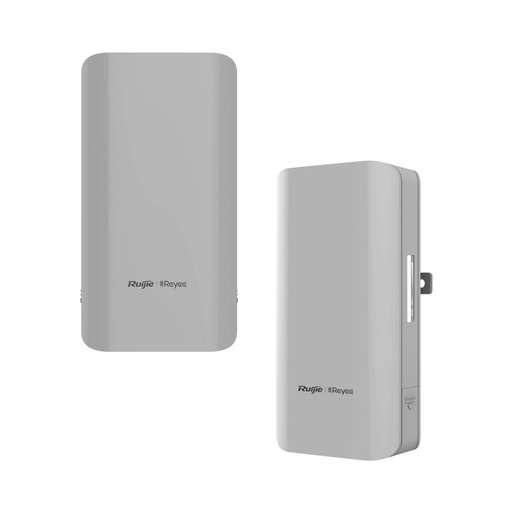
Ruijie 5GHz 10dBi Outdoor wireless bridge,up to 867 Mbps throughput
Ruijie's factory-paired 5 GHz pair is rated for 1 km, with a published 80 Mbps at 1 km. Its 10/100 port suits cameras and modest internet plans.
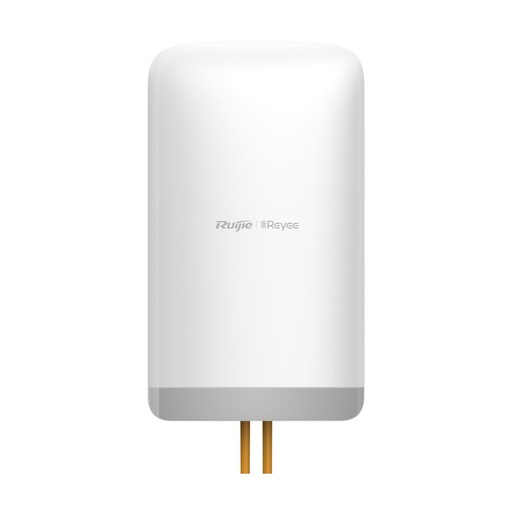
Ruijie 5GHz Wireless Bridge Base Staion,max 867Mbps wireless rate
A 16 dBi 5 GHz pair with 3 × Gigabit ports and IP55. Ruijie publishes 150 Mbps at 5 km, and it takes 12 V DC, passive PoE or 802.3af/at power.

D-Link DAP-3712-2PK Long Range Wi-Fi Bridge - Pack of 2
D-Link rates the 23 dBi, IP66 DAP-3712 for up to 20 km on 5 GHz with an 802.3at PoE design. Its 27 dBm radio and 23 dBi antenna together exceed the 4 W EIRP Australian maximum in 5725–5850 MHz, so set the region to Australia and model your path in a link planner before relying on that figure. This pack contains the two bridges you need.
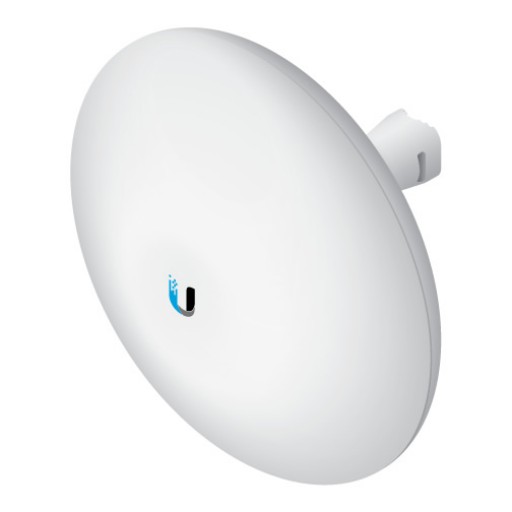
Ubiquiti NBE-5AC-Gen2 5 GHz NanoBeam AC, Gen2 19dBi
A 19 dBi 5 GHz radio with 2 × GbE ports and a 200 km/h wind survivability rating. Plan the link in UISP Design Center and buy two.
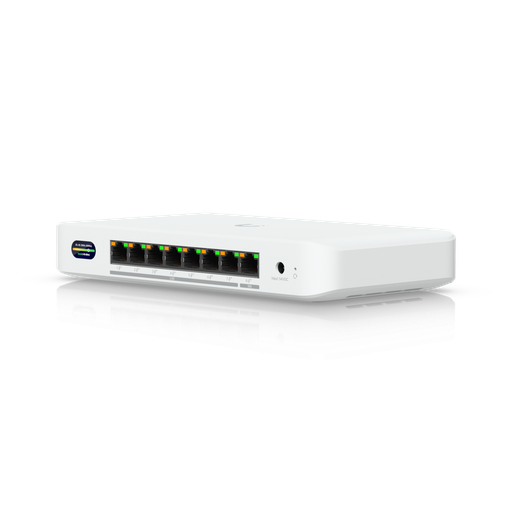
Ubiquiti UDB-Switch Device Bridge Switch
Wi-Fi 7 wireless uplink to UniFi plus 8 × PoE+ ports (35 W with the included adapter, 185 W with the optional 210 W adapter). No weatherproofing rating is listed, so install it indoors.
Ubiquiti U7-Outdoor UniFi WiFi 7 Outdoor AP — All-Weather IPX6, 465 m² Coverage, 2.5 GbE, PoE+ (Injector Not Included)
IPX6 Wi-Fi 7 AP with a 2.5 GbE uplink, 465 m² listed coverage and wireless meshing support. It needs PoE+, and no PoE injector comes in the box: power it from a PoE+ switch port, the UDB-Switch, or a separate PoE+ injector.
Ready to buy?
Shop genuine Ubiquiti at ARC IP Networks
Authorised Ubiquiti reseller
Ubiquiti at ARC IP Networks
UniFi gateways, switches, Wi-Fi, Protect cameras and Access. Genuine Australian stock with the full manufacturer's warranty, competitive prices and price match available.
Frequently asked questions
Not an individual one. Wi-Fi devices operate under the ACMA's LIPD class licence, which needs no application or fee, but you must follow its frequency and power rules and use compliant equipment.
It depends on the kit and the path. Ruijie rates the RG-EST310 V2 for 1 km and the RG-EST350G for 5 km, D-Link rates the DAP-3712 for up to 20 km (at Australian power limits, model your own path), and the UniFi Building Bridge lists 500 m. Ubiquiti recommends its link simulator because real range varies greatly.
Heavy rain can degrade it. Ubiquiti says 60 GHz faces greater attenuation from rain fade, and MikroTik says it can struggle in bad weather, which is why kits like the UBB and Cube 60Pro ac include a 5 GHz backup radio.
Only if it's close. UniFi mesh runs mainly on 5 GHz, Ubiquiti recommends no more than two wireless hops, and it aims for at least -60 dBm between a meshed AP and its parent. For longer distances, a directional bridge is the better tool.
Yes. Ubiquiti says all signals suffer when line of sight is blocked, and at least 60% of the first Fresnel zone should be clear. Mounting higher or adding a relay hop are the usual fixes.
A licensed electrician is needed for any new fixed 230 V power in the shed. Plugging a PoE adapter into an existing power point isn't electrical work. Data cabling that connects to the telecommunications network should be done by a registered cabler under the ACMA's cabling rules.
Where it's practical, yes. Ubiquiti says hardwiring access points is 'the ideal method to provide the highest performance and stability' compared with wireless meshing, and the same logic applies between buildings. PoE over Ethernet is quoted for runs up to 100 m (D-Link), while fibre reaches far greater distances than copper (Ubiquiti).
Equipment used in Australia must meet the ACMA's technical standards and labelling rules, and non-compliant gear needs a permit. Buy the Australian version and set the radio's country to Australia.
867 Mbps is the maximum wireless rate, not real throughput. Ruijie's own test table for the RG-EST310 V2 lists 80 Mbps at 1 km, and that model also has a 10/100 Ethernet port.
Related guides
- MikroTik Wireless Wire: 60 GHz Gigabit Links Between Buildings Without Fibre — Which Kit to Buy
- MikroTik Outdoor Point-to-Point Wireless in Australia: LHG, SXT and mANTBox Compared (2026)
- Best Farm Security Cameras in Australia (2026): Rural Surveillance Systems Compared
- UniFi Access Points Compared 2026: Which Ubiquiti AP Do You Need?
- MikroTik Access Points in Australia: cAP, wAP and mAP Compared for Ceiling, Outdoor and Compact Wi-Fi (2026)
- How to Choose MikroTik Hardware in Australia: Licensing, AU Variants, Optics and PoE Explained (2026)
- MikroTik PoE Injectors and Power Accessories: GPEN, RBGPOE and Power Supplies Explained (2026)
- PoE for CCTV: 802.3af, 802.3at & 802.3bt Explained
- UniFi Switch Comparison 2026: Every Ubiquiti Switch Explained
- UPS for NBN, Wi-Fi and CCTV/NVR: Keep Internet and Cameras Running
- Starlink Router Guide (Australia): Using a UniFi Gateway with Starlink, Bypass Mode, CGNAT and Failover
- What PoE Switch Do I Need in Australia? PoE Budgets, 2.5G and Port Types Explained
Who we are
About ARC IP Networks
ARC IP Networks is an Australian supplier of networking, Wi-Fi and gateway equipment, based in Blackburn, Melbourne, Victoria. We work with homeowners, installers, integrators and businesses across Australia, supplying Ubiquiti UniFi, MikroTik, TP-Link, Ruijie, Teltonika and D-Link.
We are an authorised Ubiquiti, MikroTik, TP-Link, Ruijie, Teltonika and D-Link reseller, so you get genuine Australian stock with the full manufacturer's warranty, never grey imports, at competitive prices. Our team can help you choose the right equipment, and trade customers get trade accounts and project pricing on larger jobs.
- Genuine Australian stock with the full manufacturer's warranty
- Competitive prices, price match available
- Trade accounts for installers, integrators and MSPs
- Australia-wide delivery; showroom in Blackburn, Mon–Fri 9–5 (demos by appointment)
Need help choosing?
Tell the ARC IP Networks team what you are setting up and we will recommend the right equipment and quote it as one order.