Short answer: Shutdown Wizard is PowerShield's free shutdown agent for the PSSNMPV4 SNMP network card. Install it on every Windows or Mac computer that must shut down safely when the UPS runs on battery; the card then tells each one to shut down (or sleep) over the network, using AES encryption.
Linux and other systems with SSH do not need it: the card sends SSH shutdown commands directly. Download Shutdown Wizard below for Windows, macOS 10.15 Catalina or macOS 10.14 Mojave.
Download Shutdown Wizard
Free downloads, served directly from PowerShield's official download server (powershield.com.au), so you always get the latest version. ARC IP Networks links to the files and does not modify them.
Windows
Shutdown Wizard Windows
82.7 MB · updated 10/05/2022
Shutdown Wizard security update.
macOS 10.15 Catalina
Shutdown Wizard For MAC OS 10.15 (Catalina)
70.1 MB · updated 27/08/2026
For Macs running Catalina.
macOS 10.14 Mojave
Shutdown Wizard for Mac OS 10.14 (Mojave)
70 MB · updated 27/08/2026
For Macs running Mojave.
PSSNMPv4 user manual
PSSNMPv4 Web Pro User Manual
2 MB · updated 17/09/2026
Shutdown and Event action setup (PDF).
Files and dates as listed in the PowerShield download area. Need help installing? Call 1300 100 440.
What Shutdown Wizard does
When power fails, the PSSNMPv4 card must tell your computers to close down before the battery runs out. On Windows and Mac that is Shutdown Wizard, which PowerShield says "needs to be on all computers that require SNMP management".
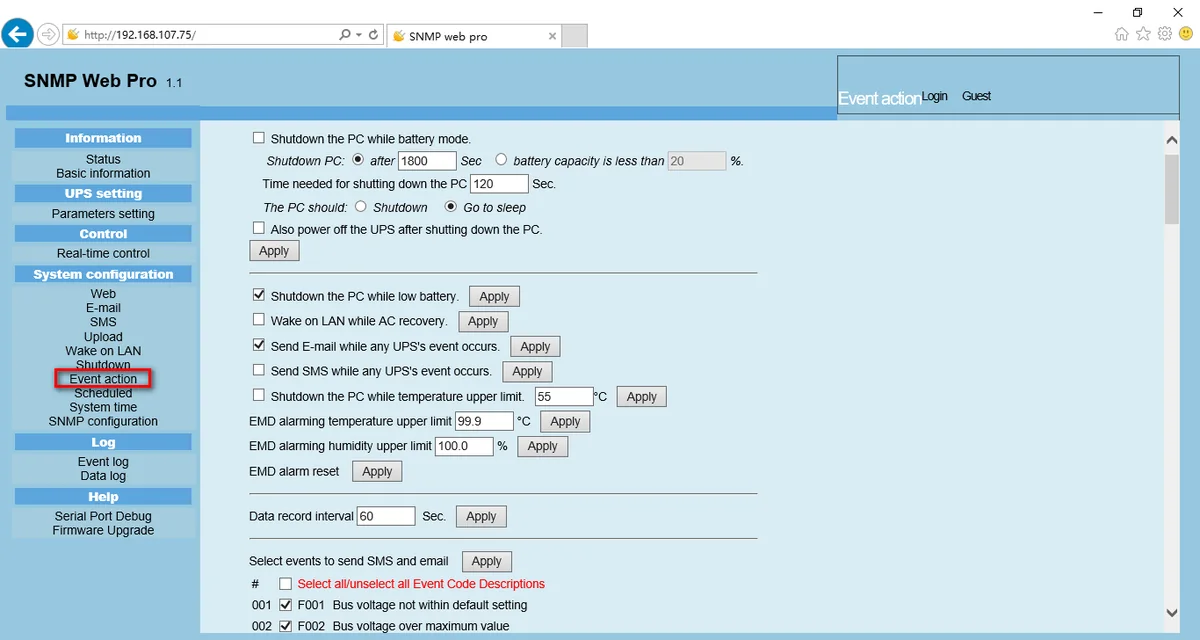
- Shutdown on battery. Shut the computer down a set time after the UPS goes to battery, or when battery capacity drops below a set percentage.
- Shutdown on low battery. A second trigger when the UPS reports low battery.
- Shutdown or sleep. Choose a normal shutdown or sleep (Windows 2000 or later on supported hardware).
- Shutdown delay. Set the time the operating system needs to close down.
- Power off the UPS afterwards. Optionally turn the UPS off once computers have shut down.
- Encrypted commands. The card signals Shutdown Wizard computers with AES encryption.
- Works with SNMP Multi View. Multi View's Load shutdown action notifies Shutdown Wizard on remote PCs.
These options sit on the card's Event action page, which PowerShield notes is only available when integrated with Shutdown Wizard.
Compatibility: computers and UPSs
| Computer | How the PSSNMPv4 shuts it down |
|---|---|
| Windows | Shutdown Wizard for Windows, AES encryption |
| macOS 10.15 Catalina | Shutdown Wizard for Catalina, AES encryption |
| macOS 10.14 Mojave | Shutdown Wizard for Mojave, AES encryption |
| Linux (with SSH) | No Shutdown Wizard: SSH shutdown command or uploaded script |
| VMware (with SSH) | No Shutdown Wizard: SSH shutdown command |
The UPS needs a PSSNMPV4 card in its intelligent slot. PowerShield lists VMware and Hyper-V support for the card. UPSs with the slot:
| UPS family | Models |
|---|---|
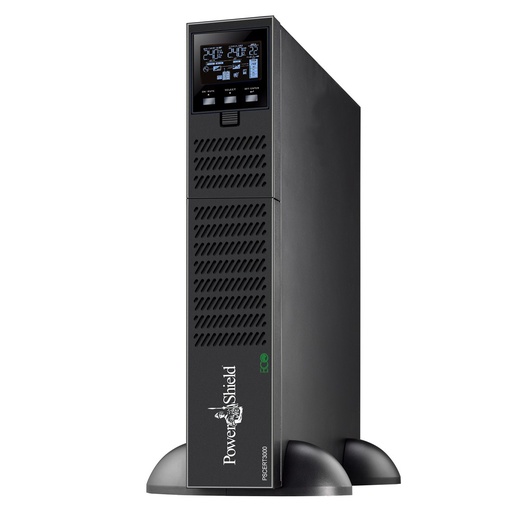
| Centurion RT | PSCERT1000, PSCERT1500, PSCERT2000, PSCERT2000SB, PSCERT3000, PSCERT6000L |
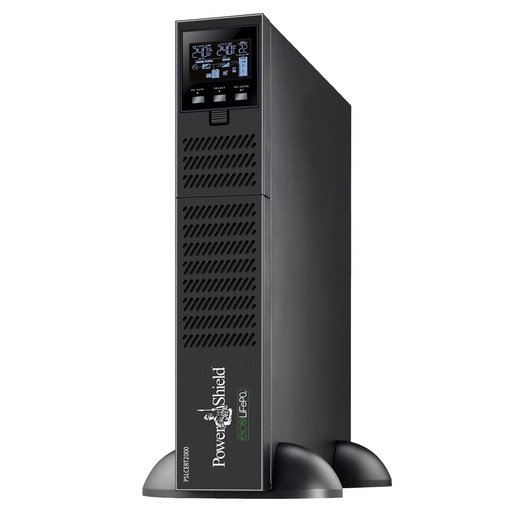
| Centurion RT LiFePO4 | PSLCERT1000, PSLCERT2000, PSLCERT3000 |
| Centurion Tower | PSCE1000, PSCE2000, PSCE3000, PSCE6000 |
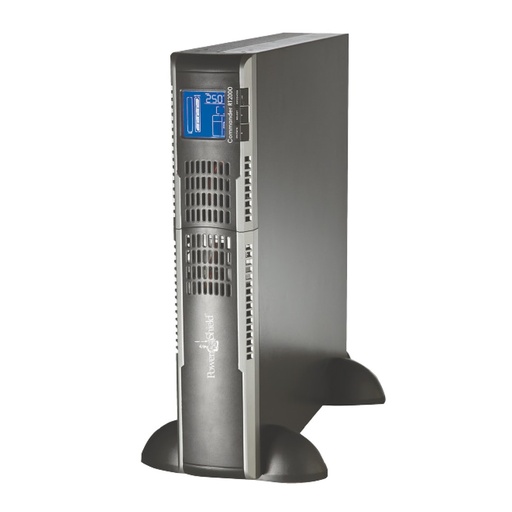
| Commander RT / Tower | PSCRT1100, PSCRT2000, PSCRT3000, PSCM1100, PSCM2000 |
| Defender Rackmount | PSDR800, PSDR1500 |
| Network Ready bundles (card included) | PS1KRNB2U, PS2KRN2U, PS3KRN2U |
SafeGuard and Defender tower UPSs are USB only: use PowerShield NetGuard on the connected computer instead.
How to set up Shutdown Wizard with a PSSNMPv4 card
- Fit the PSSNMPv4 card, connect it to the network and find its IP address with SNMP Web Manager.
- On each Windows or Mac computer the UPS protects, download the Shutdown Wizard for that operating system (above) and install it.
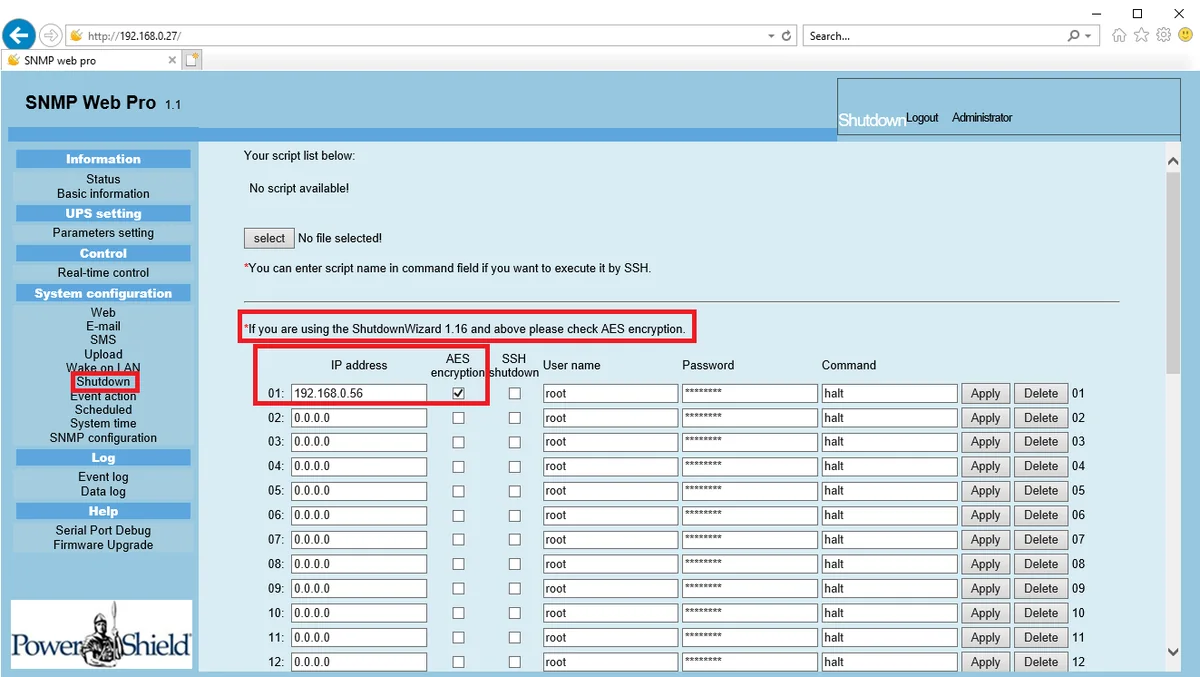
- Open the card's SNMP Web Pro page in a browser, log in (default password 12345678) and go to System configuration > Shutdown.
- Enter each computer's IP address, tick AES encryption and leave SSH shutdown unticked. User name, password and command are not used in this mode. Click Apply on each row.
- Go to Event action. Tick "Shutdown the PC while battery mode", choose after a number of seconds or below a battery percentage, and enter the time the PC needs to shut down.
- Choose Shutdown or sleep, decide whether to power off the UPS afterwards, tick "Shutdown the PC while low battery", and click Apply in each section.
The Shutdown page notes that Shutdown Wizard 1.16 and above needs AES encryption ticked.
Linux and VMware: no Shutdown Wizard needed
PowerShield states that operating systems supporting SSH accept the PSSNMPv4 SSH shutdown commands and do not need Shutdown Wizard for a safe shutdown. On the card's Shutdown page:
- Enter the server's IP address, untick AES encryption and tick SSH shutdown.
- Enter the user name, password and shutdown command the card should run over SSH, then click Apply.
- Or upload a script file to the card and enter its name in the command field to run it over SSH.
Tips from the PowerShield manuals
- Allow enough shutdown time. The UPS power-off always comes after the computers finish, so set the delay to how long your slowest server takes.
- Sleep needs hardware support. Sleep instead of shutdown works on Windows 2000 or later on supported hardware only.
- Wake on LAN after the outage. "Wake on LAN while AC recovery" restarts computers when power returns, if their hardware supports Wake-on-LAN.
- Add room sensing. With a PSEMD on the card's sensor port, set temperature and humidity alarm limits on the same page.
PowerShield hardware for network shutdown
Live Australian pricing (inc. GST) and availability are on each product page.
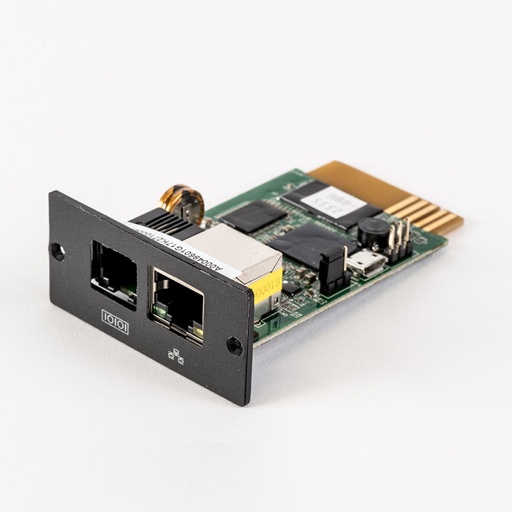
The card that signals Shutdown Wizard and runs SSH shutdowns.
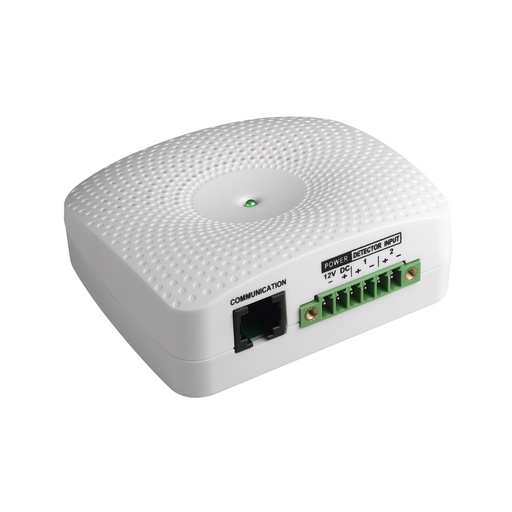
Temperature and humidity sensor for the PSSNMPv4.
Why buy PowerShield from ARC IP Networks
ARC IP Networks is a trusted PowerShield supplier in Australia: genuine stock at competitive prices, with the full PowerShield Australian warranty, Australia-wide delivery and trade pricing.
- Genuine PowerShield stock, covered by the PowerShield Australian warranty: 2 years advance replacement on SafeGuard and Defender; 2 years on single-phase Commander and Centurion, extended to 3 years when you register the UPS with PowerShield; 5 years on Centurion RT LiFePO4 and the Ninja Slimline.
- Help sizing the UPS, battery modules and network cards for your actual load, from a team that also designs networks, comms racks and surveillance systems.
- Australia-wide delivery, trade pricing for installers and IT providers, and quotes for multi-site rollouts.
Browse the full PowerShield range at ARC IP Networks or call 1300 100 440.
Common questions
Straight answers from the ARC IP Networks team. Last reviewed October 2026.
Yes. Shutdown Wizard is a free download from PowerShield for Windows, macOS 10.15 Catalina and macOS 10.14 Mojave. You need a PowerShield UPS with a PSSNMPv4 card.
Use the download buttons on this page. They link straight to the files in the PowerShield download area.
Yes on Mac: there are builds for macOS 10.15 Catalina and 10.14 Mojave. Linux does not need it, because the PSSNMPv4 card sends SSH shutdown commands, or runs an uploaded script, directly.
Yes, on every Windows or Mac computer that must shut down via the PSSNMPv4 card. Systems with SSH, such as Linux, are shut down by the card without it.
No. Shutdown Wizard works with the PSSNMPv4 network card. For a UPS connected by USB, use PowerShield NetGuard.
Tick AES encryption for computers running Shutdown Wizard, which PowerShield notes is required for version 1.16 and above. Tick SSH shutdown only for systems shut down by SSH command.
ARC IP Networks is a trusted PowerShield supplier in Australia: genuine stock at competitive prices, with the full PowerShield Australian warranty, Australia-wide delivery and trade pricing. Order online at arcip.com.au or call 1300 100 440 for help sizing a UPS or for a quote.
Other PowerShield software
- NetGuard UPS monitoring software: USB/serial monitoring and safe shutdown for SafeGuard, Defender, Commander and Centurion RT
- SNMP Web Manager (PSSNMPv4): Find every PSSNMPv4 card on the network, set IP addresses, firmware and MIB files
- SNMP Multi View (PSSNMPv4): Monitor every PowerShield SNMP card on site from one Windows console
- NetAgent 9 legacy tools: Netility, ClientMate and SNMPView for older NetAgent 9 SNMP cards
- NetKit (PSSNMPv1 LITE): Locate SNMP Lite cards and their IP addresses on site
- IpPowerSE (PSSNMPv1 LITE): Shutdown and monitoring software for SNMP Lite cards
- Gladiator CPU Monitor: Sends PC CPU speed, temperature and load to the Gladiator UPS display
Need servers to shut down safely in a blackout?
Send us your server and workstation list; we will spec the PowerShield UPS and PSSNMPv4 card and help you set up the shutdown.