Short answer: IpPowerSE is PowerShield's free Windows shutdown and monitoring software for the PSSNMPv1 LITE internal comms card (SNMP Lite, "NML"). It shows live UPS status, logs events, sends alerts and shuts the computer down safely when the mains fails. PowerShield says it must be on every computer that requires SNMP management. It runs on Windows 7 or later.
Good to know: PowerShield lists the Lite card as end-of-life (July 2026) with the PSSNMPV4 as its replacement. PSSNMPV4 shutdowns use the Shutdown Wizard, not IpPowerSE.
Download IpPowerSE below (28.3 MB zip, installer plus the IpPowerSE Software Manual).
Download IpPowerSE for the PowerShield SNMP Lite card
Free downloads, served directly from PowerShield's official download server (powershield.com.au), so you always get the latest version. ARC IP Networks links to the files and does not modify them.
IpPowerSE
IppowerSE Monitoring and Shutdown Software for SNMP Lite
28.3 MB · updated 17/09/2026
Zip with setup.exe and the IpPowerSE Software Manual (PDF).
Files and dates as listed in the PowerShield download area. Need help installing? Call 1300 100 440.
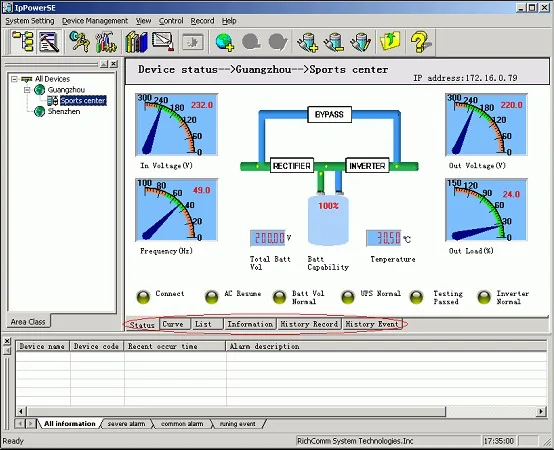
What IpPowerSE does
From the IpPowerSE Software Manual for the SNMP Card Lite:
- Monitors several UPSs at once over the network: input and output voltage, frequency, load, temperature and battery capacity, as gauges, curves, lists and detail pages.
- Shuts computers down automatically on mains failure or low battery, with automatic file saving and the option to run an external program first.
- Runs as a Windows service, so it starts with the computer and works before anyone logs on.
- Sends alerts as pop-ups, voice alarms, e-mail, SMS through a GSM modem and pager.
- Keeps history: event history, history data at a set interval and a system log, with filters, Excel export and printing. The database can be backed up and restored.
- Controls the UPS: self-test and turn on/off, once the card grants this computer control rights.
- Groups devices into areas, with temperature and humidity module alarms where fitted.
Compatibility: cards, UPSs and Windows
IpPowerSE talks to the SNMP Lite card only. The manual lists MS-Windows 7 or above; PowerShield publishes no Mac or Linux version. The SNMP Card Lite manual gives set-up values for these UPSs:
| UPS family | Models in the Lite manual | Models at ARC IP Networks |
|---|---|---|
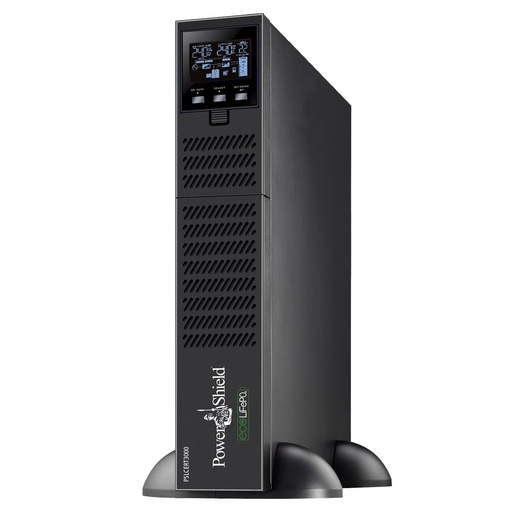
| Centurion RT | 1000, 2000SB, 2000, 3000, 6000, 10K | PSCERT1000, PSCERT2000SB, PSCERT2000, PSCERT3000 |
| Centurion RT LiFePO4 | 1000, 2000, 3000 | PSLCERT1000, PSLCERT2000, PSLCERT3000 |
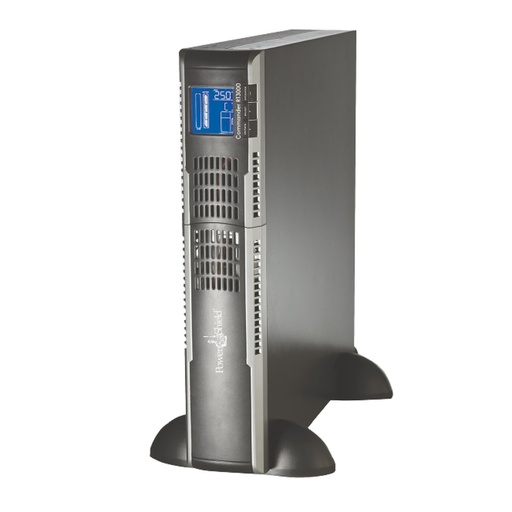
| Commander RT | 1100, 2000, 3000 | PSCRT1100, PSCRT2000, PSCRT3000 |
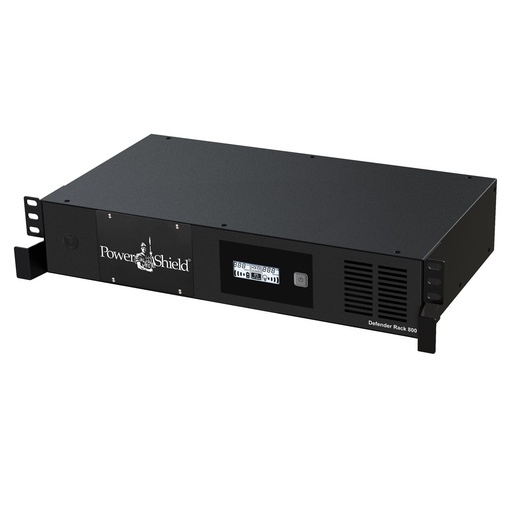
| Defender Rackmount | 800; also bundled with the 1500VA | PSDR800, PSDR1500 |
| Ninja Slimline | 600, with the External Comms Box | PSLN600 + PSECB |
Sources: PowerShield SNMP Card Lite user manual and PowerShield network-ready bundle listings.
SNMP Lite or SNMP V4?
| SNMP Lite (PSSNMPV1) | SNMP V4 (PSSNMPV4) | |
|---|---|---|
| Status | End-of-life as of July 2026 | Current card, PowerShield's named alternative |
| VMware and Hyper-V | Not compatible | Supported |
| Modbus over IP | Not available | Standard (Modbus TCP) |
| EMD environmental sensor | Not available | Available (PSEMD) |
| Shutdown software | IpPowerSE (Windows) | Shutdown Wizard |
| Finder software | NetKit | SNMP Web Manager |
From the PowerShield "SNMP Comms Cards Lite and V4" brochure and the PSSNMPV1 product page.
New install or virtual hosts? Choose the PSSNMPV4 and read the SNMP Web Manager and Shutdown Wizard guides.
Install and set up IpPowerSE
- Allow the computer on the card. Find the card with NetKit, sign in to its web page (default user and password admin) and add this computer's address under IP POWER Settings, with Access, plus Control if it should test or switch the UPS.
- Install. Unzip and run setup.exe, choose the install folder and language, and accept the default prompts. The installer asks for about 67.8 MB of free disk space.
- Log in. Start IpPowerSE from the Start menu. It opens in view-only mode: click the key (Log in) button. The default password is blank; set one under System Setting, Modify password.
- Add the UPS. Optionally add an area, then Add Device: enter a name, number, the card's IP address and the device type. Under Advance set the history interval and check the Verify code (default RICHCOMM), which must match the card.
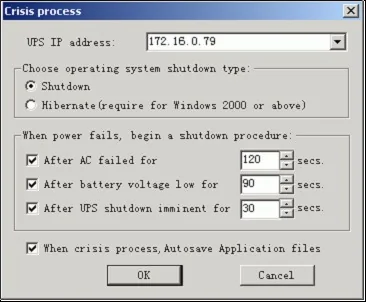
- Set the shutdown. In Server crisis management pick the card's IP, choose Shutdown or Hibernate, and set the delays after AC failure, low battery and UPS shutdown imminent.
- Turn on alerts under System Setting: pop-up, voice and messenger are on by default; add e-mail (SMTP server, sender, user and password) or SMS through a GSM modem.
- Repeat on every computer the UPS protects.
Tips and troubleshooting
- Closing the window does not stop protection. The service keeps running; to quit, click the system tray icon and choose Exit.
- Warning about the verify code? IpPowerSE pops up a warning when its Verify code differs from the card's. Make them match.
- Test or Turn on/off not working? Control only works after you grant this computer Control rights in the card's IP POWER Settings.
- Pager and SMS use a serial port. Leave Beep-Pager off unless a pager is connected, or it holds the serial port. For SMS, the modem baud rate is generally 9600; get the SMS centre number from your carrier.
PowerShield also publishes the IpPowerSE Software Manual and the SNMP V1 Lite User Manual separately.
PowerShield network card and UPSs at ARC IP Networks
Live Australian pricing (inc. GST) and availability are on each product page.
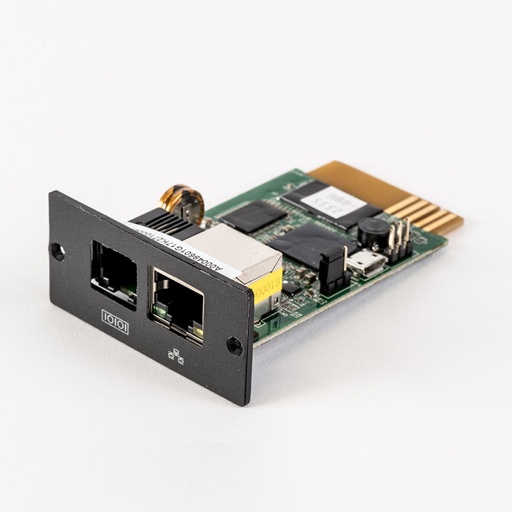
The current PowerShield SNMP card and the named Lite replacement.
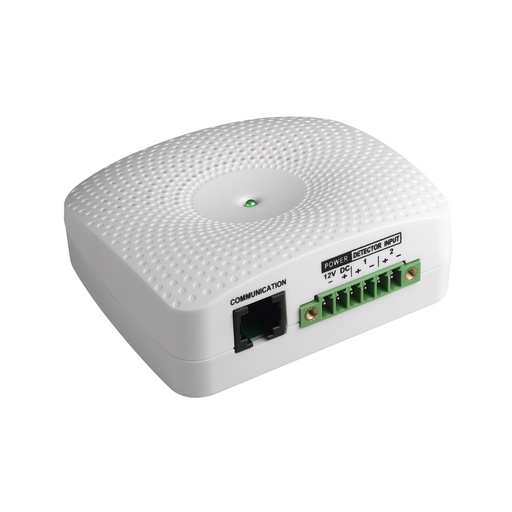
Temperature, humidity and dry-contact inputs for the PSSNMPV4.
Why buy PowerShield from ARC IP Networks
ARC IP Networks is a trusted PowerShield supplier in Australia: genuine stock at competitive prices, with the full PowerShield Australian warranty, Australia-wide delivery and trade pricing.
- Genuine PowerShield stock, covered by the PowerShield Australian warranty: 2 years advance replacement on SafeGuard and Defender; 2 years on single-phase Commander and Centurion, extended to 3 years when you register the UPS with PowerShield; 5 years on Centurion RT LiFePO4 and the Ninja Slimline.
- Help sizing the UPS, battery modules and network cards for your actual load, from a team that also designs networks, comms racks and surveillance systems.
- Australia-wide delivery, trade pricing for installers and IT providers, and quotes for multi-site rollouts.
Browse the full PowerShield range at ARC IP Networks or call 1300 100 440.
Common questions
Straight answers from the ARC IP Networks team. Last reviewed October 2026.
Yes. IpPowerSE is a free 28.3 MB download from PowerShield, with the installer and the IpPowerSE Software Manual in one zip.
Use the download button near the top of this page. It links straight to the official file on powershield.com.au.
No. The IpPowerSE manual lists Windows 7 or above only, and PowerShield publishes no Mac or Linux version.
IpPowerSE has a blank password after installation: click the Log in key button and continue. Set a password under System Setting, Modify password. The SNMP Lite card itself defaults to admin and admin.
No. IpPowerSE is for the PSSNMPv1 LITE card. For the PSSNMPV4 use PowerShield Shutdown Wizard and SNMP Web Manager.
Yes. PowerShield says IpPowerSE needs to be on all computers that require SNMP management, so each one can shut down.
No. PowerShield lists the SNMP Lite card as not compatible with VMware or Hyper-V. Use the PSSNMPV4 for virtual hosts.
ARC IP Networks is a trusted PowerShield supplier in Australia: genuine stock at competitive prices, with the full PowerShield Australian warranty, Australia-wide delivery and trade pricing. Order online at arcip.com.au or call 1300 100 440 for help choosing a UPS or network card, or for a quote.
Other PowerShield software
- NetGuard UPS monitoring software: USB/serial monitoring and safe shutdown for SafeGuard, Defender, Commander and Centurion RT
- SNMP Web Manager (PSSNMPv4): Find every PSSNMPv4 card on the network, set IP addresses, firmware and MIB files
- Shutdown Wizard (PSSNMPv4): Network shutdown agent for Windows and Mac computers protected by a PSSNMPv4 card
- SNMP Multi View (PSSNMPv4): Monitor every PowerShield SNMP card on site from one Windows console
- NetAgent 9 legacy tools: Netility, ClientMate and SNMPView for older NetAgent 9 SNMP cards
- NetKit (PSSNMPv1 LITE): Locate SNMP Lite cards and their IP addresses on site
- Gladiator CPU Monitor: Sends PC CPU speed, temperature and load to the Gladiator UPS display
Replacing an SNMP Lite card with PSSNMPV4?
Tell us your UPS models and how many computers must shut down, and we will quote the right PowerShield card and set-up.