Short answer: PowerShield SNMP Multi View is free Windows software that finds every PowerShield SNMP card on your network and shows all the UPSs behind them in one console, with alerts, scheduling, history and remote shutdown. It works with the PSSNMPv4 SNMP card fitted to Centurion, Commander and Defender Rackmount UPSs. Download it below.
At a glance: up to 1000 UPSs via SNMP or Modbus, a browser console, email and SMS alerts, and load shutdown through Shutdown Wizard.
ARC IP Networks is a trusted PowerShield supplier in Australia: genuine stock at competitive prices, with the full PowerShield Australian warranty, Australia-wide delivery and trade pricing.
Download SNMP Multi View
Free downloads, served directly from PowerShield's official download server (powershield.com.au), so you always get the latest version. ARC IP Networks links to the files and does not modify them.
SNMP Multi View for Windows
SNMP Multi View Windows
232 MB · updated 27/02/2024
Version 05.23. Installs the monitor service, web service and tray app.
SNMP Multi View user manual
SNMP Multi View User Manual
6.2 MB · updated 03/04/2023
PowerShield SNMP MultiView User's Manual, version 2.0 (PDF).
Files and dates as listed in the PowerShield download area. Need help installing? Call 1300 100 440.
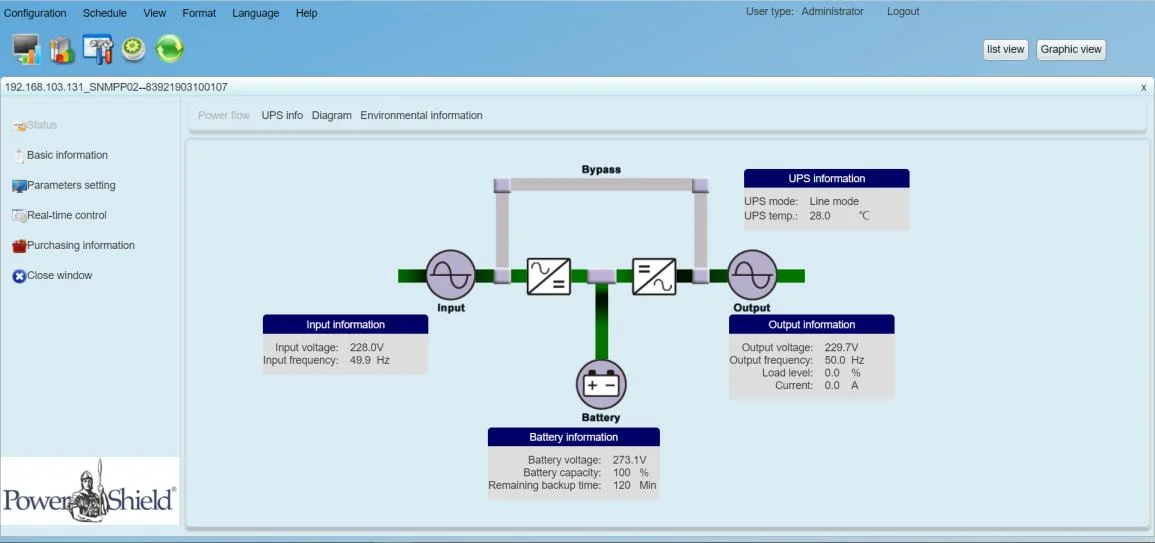
What SNMP Multi View does
SNMP Multi View monitors one to many UPSs across a LAN, the internet or an RS485 network. A monitor service finds UPSs and stores their data, a web service serves the console to browsers, and a tray app starts, stops and configures it.
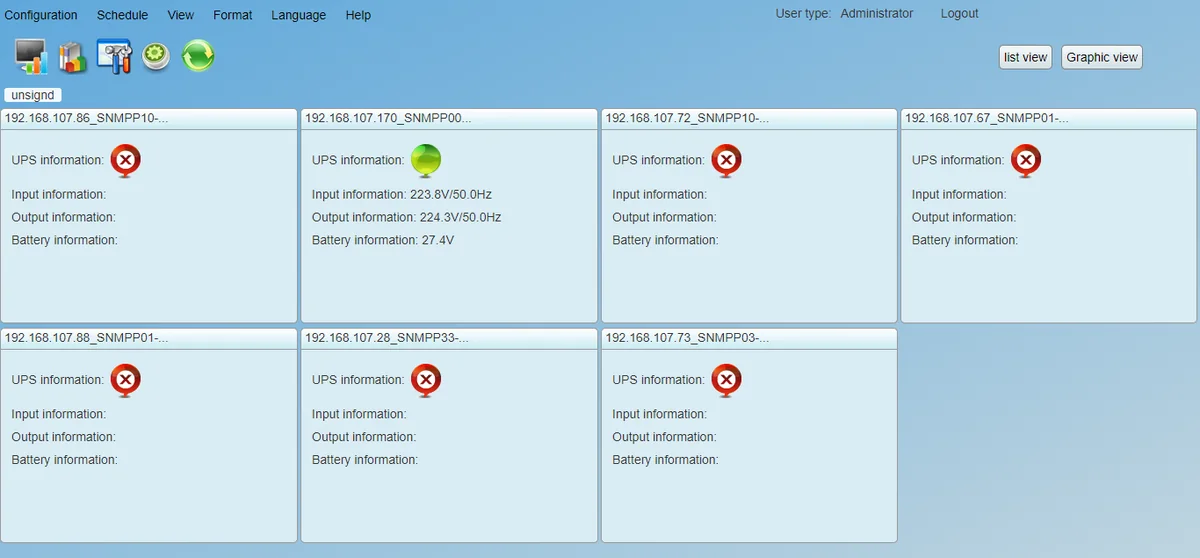
- One console for the whole site: up to 1000 UPSs via SNMP or Modbus, in text, list or graphic view. Graphic view lets you drop UPS icons onto your own floor plan or site map.
- Per-UPS detail: power flow, live readings, charts and, where the UPS supports it, settings such as ECO mode and bypass ranges.
- Event actions: email, SMS through a GSM modem, audible alarm, pop-up warning, Wake on LAN, run a file, load shutdown and UPS shutdown, set per UPS and per event.
- Schedules: UPS on/off, battery self-tests (10-second, timed or deep) and Wake on LAN, once, daily or weekly (battery tests also monthly).
- History: event log, event statistics, data and charts, exportable to CSV.
- Environmental monitoring: EMD Manager sets temperature and humidity alarm points and dry-contact events for an environmental monitoring device such as the PSEMD.
- Card management: SNMP Manager scans subnets, sets card IPs and upgrades firmware in bulk.
Compatibility
| Item | Supported |
|---|---|
| SNMP card | PSSNMPv4 SNMP card, listed in the PSSNMPv4 software downloads |
| UPS with an intelligent slot | Centurion RT PSCERT1000, PSCERT2000, PSCERT3000; Centurion RT LiFePO4 PSLCERT2000; Centurion Tower PSCE2000; Commander RT PSCRT2000; Commander Tower PSCM2000; Defender Rackmount PSDR1500 |
| Environmental sensor | PSEMD on the PSSNMPv4 card |
| Windows (manual) | Windows 7, 8 and 10 (32 and 64-bit); Windows Server 2012, 2012 R2, 2016 and 2019; Windows SBS 2011 |
| Other platforms (manual) | The manual also lists Linux, macOS and ESXi, but PowerShield's download page only offers the Windows installer |
| PC requirements | At least 1 GB RAM (2 GB recommended), 2 GB disk, administrator rights, TCP/IP, 800 x 600 display or better |
From the SNMP Multi View manual (section 2.1), the PSSNMPv4 download page and PowerShield datasheets. The card goes in the UPS intelligent slot.
Install and first run
- Download the installer above and uninstall any older version first.
- Run the installer, click Next, choose the install folder and shortcut folder, then Install and Done. You need administrator rights.
- Start it from the desktop shortcut. An orange plug icon appears in the taskbar; double-click it, or right-click and choose Open Monitor, to open the console.
- Click Login (top right). The default user name and password are administrator. Change the password straight away under Configuration > Password; without logging in you are a guest and can only view.
- Under Configuration > SNMP Manager, add the subnet your PSSNMPv4 cards are on and click Scan. New UPSs land in the "Unassigned" group.
- Set up email or SMS, then choose which events trigger which actions under Configuration > Event action.
- For load shutdown, install Shutdown Wizard on each computer and add it under Configuration > Load configuration with its IP and MAC address.
Remote browsers reach the console at http://<PC address>:15180/PowerShieldSNMPMultiView, or on port 18443 when HTTPS is selected.
Tips and troubleshooting
- Software will not start: PowerShield lists ports 41009, 43306 and 15180 (or your web port) as required. Open them in Windows Firewall and any other security software.
- Port conflict: change the web port (default 15180) or shutdown port (8005) under Configuration in the tray app.
- Forgotten admin password: the manual says you have to reinstall the software.
- SNMP v3: add each card under Configuration > SNMP User, and configure the matching v3 server and trap settings in the card's web interface (manual Appendix B).
- VMware ESXi hosts: enable SSH and SSH password authentication on the host, then Multi View can shut it down over SSH (Appendix A).
- SMS alerts need a GSM modem on the PC.
PowerShield hardware that works with SNMP Multi View
Live Australian pricing (inc. GST) and availability are on each product page.
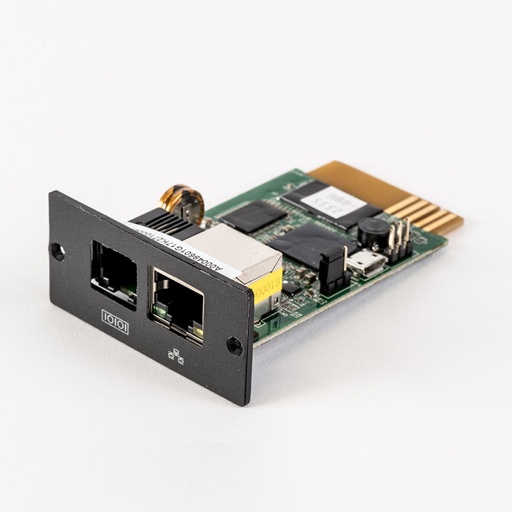
Network management card for the UPS intelligent slot; SNMP v1/v2c/v3, web, email and traps.
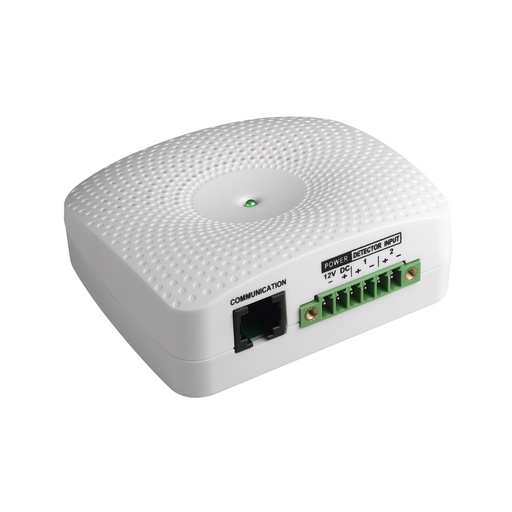
Temperature, humidity and two dry-contact inputs, connected to the PSSNMPv4 card.
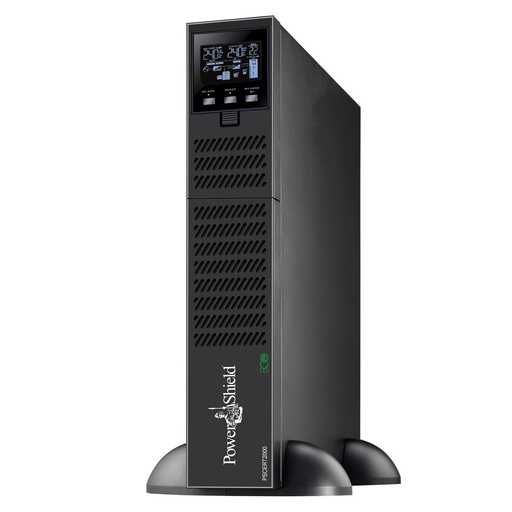
Online double-conversion rack/tower UPS with an intelligent slot.
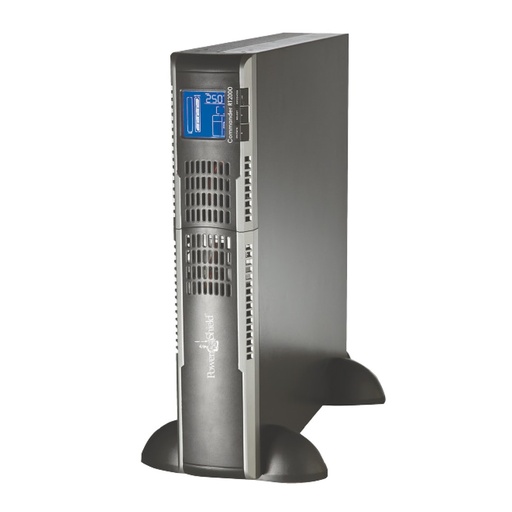
Pure sine line-interactive rack/tower UPS with an intelligent slot.
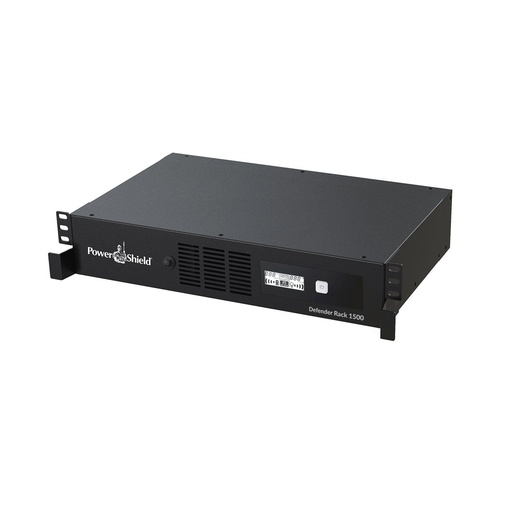
Why buy PowerShield from ARC IP Networks
ARC IP Networks is a trusted PowerShield supplier in Australia: genuine stock at competitive prices, with the full PowerShield Australian warranty, Australia-wide delivery and trade pricing.
- Genuine PowerShield stock, covered by the PowerShield Australian warranty: 2 years advance replacement on SafeGuard and Defender; 2 years on single-phase Commander and Centurion, extended to 3 years when you register the UPS with PowerShield; 5 years on Centurion RT LiFePO4 and the Ninja Slimline.
- Help sizing the UPS, battery modules and network cards for your actual load, from a team that also designs networks, comms racks and surveillance systems.
- Australia-wide delivery, trade pricing for installers and IT providers, and quotes for multi-site rollouts.
Browse the full PowerShield range at ARC IP Networks or call 1300 100 440.
Common questions
Straight answers from the ARC IP Networks team. Last reviewed October 2026.
Yes. SNMP Multi View is a free download from PowerShield's PSSNMPv4 software page. You need a PowerShield SNMP card such as the PSSNMPv4 in each UPS you want to monitor.
From the download buttons on this page, which link straight to PowerShield's official file server, or from the PSSNMPv4 Comms Software Downloads page in the PowerShield download area. The Windows installer is about 232 MB.
PowerShield only offers a Windows installer for SNMP Multi View, so install it on a Windows PC or server. Any browser on the network, including on a Mac, can then view the console.
The default administrator user name and password are both administrator. Change the password under Configuration, Password before you configure anything. If you forget it, the software has to be reinstalled.
SNMP Web Manager locates PSSNMPv4 cards and sets their IP addresses, firmware and MIB files. SNMP Multi View monitors and manages all the UPSs behind those cards from one console, with alerts, schedules, history and load shutdown.
Yes. Load configuration tells Multi View which computers to shut down for which UPS. Those computers need PowerShield Shutdown Wizard installed, or SSH shutdown for hosts such as VMware ESXi.
ARC IP Networks is a trusted PowerShield supplier in Australia: genuine stock at competitive prices, with the full PowerShield Australian warranty, Australia-wide delivery and trade pricing. Order online at arcip.com.au or call 1300 100 440 for help sizing a UPS or for a quote.
Other PowerShield software
- NetGuard UPS monitoring software: USB/serial monitoring and safe shutdown for SafeGuard, Defender, Commander and Centurion RT
- SNMP Web Manager (PSSNMPv4): Find every PSSNMPv4 card on the network, set IP addresses, firmware and MIB files
- Shutdown Wizard (PSSNMPv4): Network shutdown agent for Windows and Mac computers protected by a PSSNMPv4 card
- NetAgent 9 legacy tools: Netility, ClientMate and SNMPView for older NetAgent 9 SNMP cards
- NetKit (PSSNMPv1 LITE): Locate SNMP Lite cards and their IP addresses on site
- IpPowerSE (PSSNMPv1 LITE): Shutdown and monitoring software for SNMP Lite cards
- Gladiator CPU Monitor: Sends PC CPU speed, temperature and load to the Gladiator UPS display
Monitoring a whole site of PowerShield UPSs?
Tell us how many UPSs and racks you have; we will spec the PSSNMPv4 cards, sensors and UPSs and help you get Multi View running.