Short answer: SNMP Web Manager is PowerShield's free utility for the PSSNMPV4 SNMP Web Pro network card. It scans your LAN, lists every PSSNMPv4 card with its IP and MAC address, and lets you set a static or DHCP address, upgrade firmware, change card passwords and set trap addresses. PowerShield publishes it for Windows (64-bit) and macOS 10.15 Catalina and 10.14 Mojave.
The card fits the intelligent slot of PowerShield Centurion, Commander and Defender Rackmount UPSs. Download SNMP Web Manager below, along with the PSSNMPv4 firmware, MIB files and user manual.
Download SNMP Web Manager and PSSNMPv4 files
Free downloads, served directly from PowerShield's official download server (powershield.com.au), so you always get the latest version. ARC IP Networks links to the files and does not modify them.
Windows
Install SNMP Web Manager for Windows
60 MB · updated 17/09/2026
Windows 64-bit installer (zip).
macOS 10.15 Catalina
Install SNMP Web Manager For MAC OS 10.15 (Catalina)
61.8 MB · updated 17/09/2026
For Macs running Catalina.
macOS 10.14 Mojave
Install SNMP Web Manager for Mac OS 10.14 (Mojave)
61 MB · updated 17/09/2026
For Macs running Mojave.
PSSNMPv4 firmware 118C
PSSNMPv4 Firmware Upgrade 118C for Gen1 V4 Card
8.9 MB · updated 17/09/2026
For the Gen1 V4 card.
PSSNMPv4 MIB files
PSSNMPv4 MIB files
20 KB · updated 17/09/2026
For SCADA and third-party SNMP monitoring.
PSSNMPv4 user manual
PSSNMPv4 Web Pro User Manual
2 MB · updated 17/09/2026
SNMP Web Pro user manual (PDF).
Files and dates as listed in the PowerShield download area. Need help installing? Call 1300 100 440.
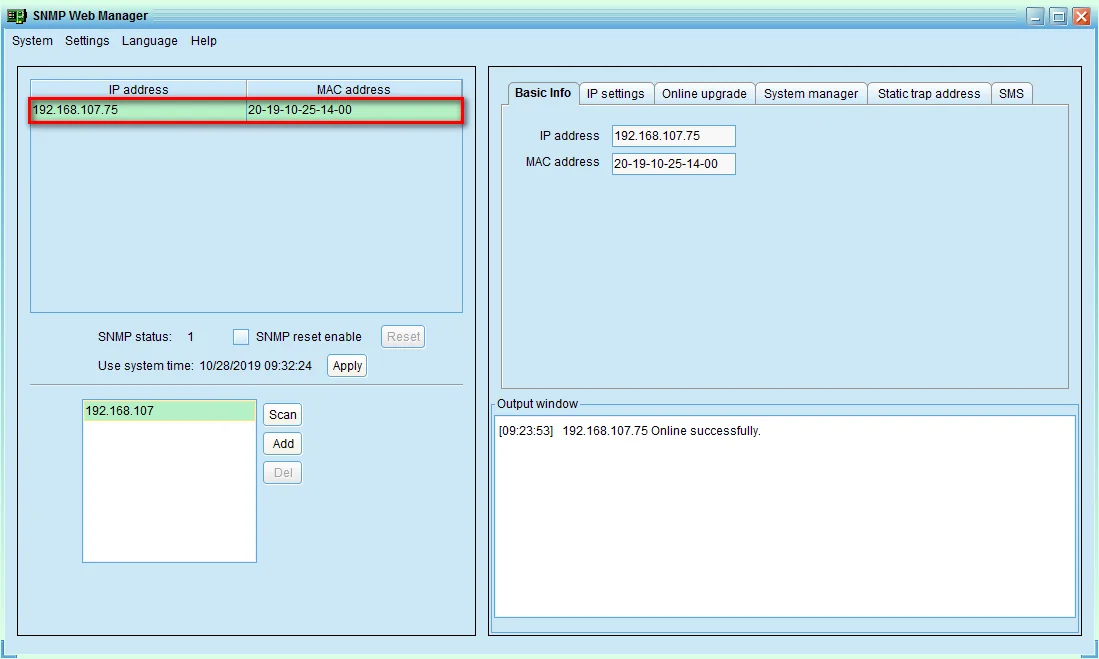
What SNMP Web Manager does
A new PSSNMPv4 card takes a DHCP address, so the first job on site is finding it. PowerShield describes SNMP Web Manager as the tool to locate and identify all SNMP cards and IP addresses on site.
- Scan the LAN. Each card is listed by IP and MAC address; Add and Del manage the subnets scanned.
- Open the card's web page. Double-click a card to open its SNMP Web Pro interface.
- IP settings. Switch a card between DHCP and a static IP address, subnet mask, gateway and DNS.
- Online upgrade. Load new firmware into the card from this PC.
- Password management. Change the card password.
- Static trap address for sending SNMP traps to your monitoring system.
- SMS by server. With a GSM modem, this PC can send UPS alarm SMS for the cards.
Any change needs the card password. The default password is 12345678, so change it during setup.
Which UPSs and computers it works with
SNMP Web Manager talks to the PSSNMPV4 card over your network, so the UPS needs a PSSNMPv4 fitted in its intelligent slot. These are the PowerShield UPSs with that slot:
| UPS family | Models |
|---|---|
| Centurion RT | PSCERT1000, PSCERT1500, PSCERT2000, PSCERT2000SB, PSCERT3000, PSCERT6000L |
| Centurion RT LiFePO4 | PSLCERT1000, PSLCERT2000, PSLCERT3000 |
| Centurion Tower | PSCE1000, PSCE2000, PSCE3000, PSCE6000 |
| Commander RT | PSCRT1100, PSCRT2000, PSCRT3000 |
| Commander Tower | PSCM1100, PSCM2000 |
| Defender Rackmount | PSDR800, PSDR1500 |
| Network Ready bundles (card included) | PS1KRNB2U, PS2KRN2U, PS3KRN2U |
SafeGuard and Defender tower models are USB only (use PowerShield NetGuard).
Computer requirements
| Platform | SNMP Web Manager |
|---|---|
| Windows | Yes: Windows 64-bit installer |
| macOS 10.15 Catalina | Yes: Catalina build |
| macOS 10.14 Mojave | Yes: Mojave build |
| Linux | No build listed. Configure the card from any web browser instead |
Scan searches the LAN that the SNMP Web Manager computer is on; use Add to include other subnets.
How to find and set up a PSSNMPv4 card
- Fit the card: remove the intelligent slot cover on the back of the UPS, slide the PSSNMPv4 in and secure it with the same screws.
- Plug Ethernet into the card. The yellow link LED flashes when the link is active.
- Download and install SNMP Web Manager; the installer leaves a desktop shortcut.
- Open SNMP Web Manager and press Scan to search the LAN. Each card appears with its IP and MAC address.
- If there is no DHCP server, the card falls back to 192.168.102.230, subnet mask 255.255.255.0.
- Select the card and use IP settings to set DHCP or a static address, entering the password when asked (default 12345678).
- Change the password under System manager, then double-click the card to finish alerts, shutdown and schedules in SNMP Web Pro.
Every computer that must shut down via the card also needs Shutdown Wizard; to watch many cards at once, use SNMP Multi View.
Firmware, MIB files and the manual
Firmware 118C is the upgrade PowerShield lists for the Gen1 V4 card. Load it with SNMP Web Manager's online upgrade, or on the card's web page under Help, Firmware Upgrade.
The MIB files let third-party SNMP and SCADA systems read UPS status in real time. The Web Pro user manual covers every page of the card's web interface.
Troubleshooting tips from the manual
- Card not found: check the yellow link LED. If it is off, the card is not connected to the network.
- Forgotten IP or password: move the card's jumper to pins 2 and 3 and reconnect utility power. The card returns to 192.168.102.230 and password 12345678. Move the jumper back to pins 1 and 2 for normal operation.
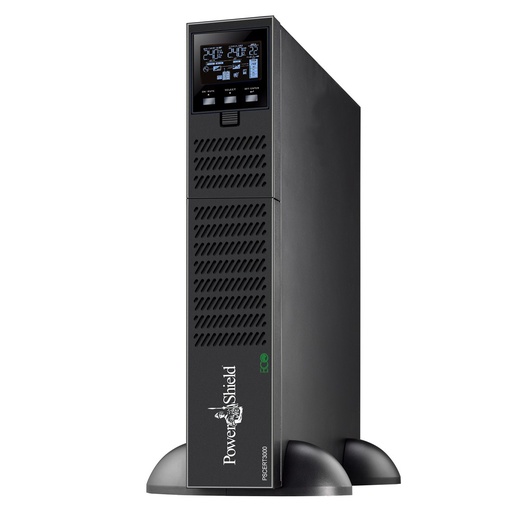
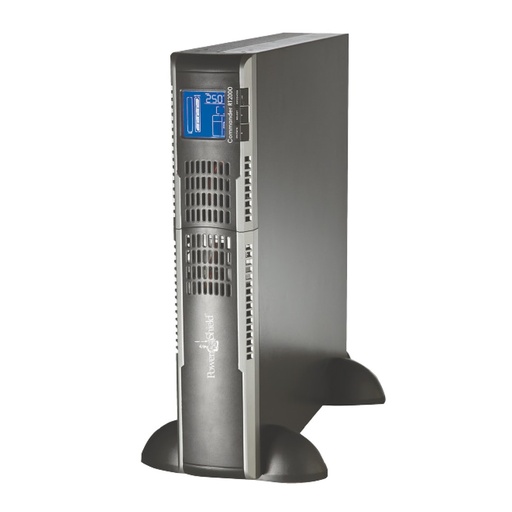
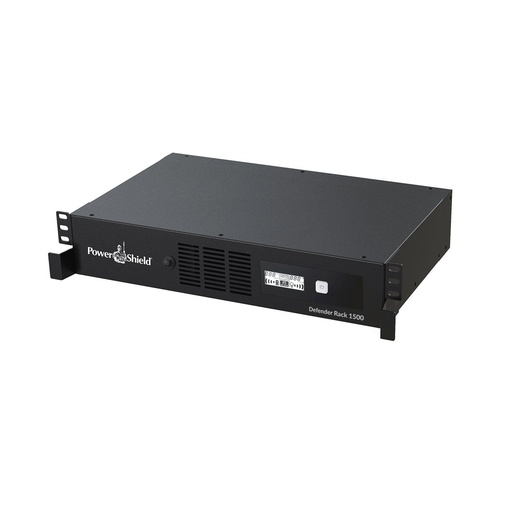
PowerShield hardware for SNMP Web Manager
Live Australian pricing (inc. GST) and availability are on each product page.
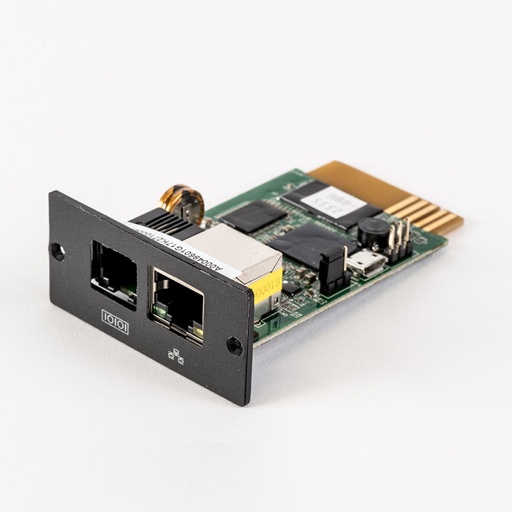
The PSSNMPv4 card SNMP Web Manager finds and configures.
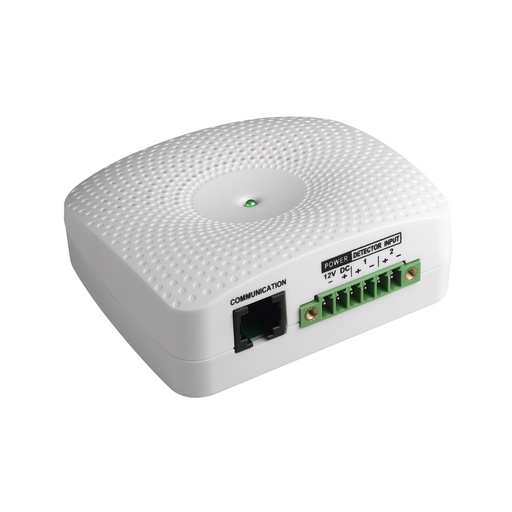
Temperature and humidity sensor for the PSSNMPv4 sensor port.
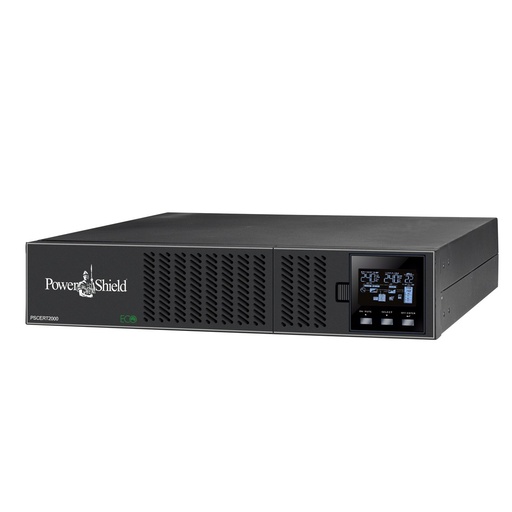
Why buy PowerShield from ARC IP Networks
ARC IP Networks is a trusted PowerShield supplier in Australia: genuine stock at competitive prices, with the full PowerShield Australian warranty, Australia-wide delivery and trade pricing.
- Genuine PowerShield stock, covered by the PowerShield Australian warranty: 2 years advance replacement on SafeGuard and Defender; 2 years on single-phase Commander and Centurion, extended to 3 years when you register the UPS with PowerShield; 5 years on Centurion RT LiFePO4 and the Ninja Slimline.
- Help sizing the UPS, battery modules and network cards for your actual load, from a team that also designs networks, comms racks and surveillance systems.
- Australia-wide delivery, trade pricing for installers and IT providers, and quotes for multi-site rollouts.
Browse the full PowerShield range at ARC IP Networks or call 1300 100 440.
Common questions
Straight answers from the ARC IP Networks team. Last reviewed October 2026.
Yes. SNMP Web Manager, the PSSNMPv4 firmware, MIB files and manual are free downloads from PowerShield.
Use the download buttons on this page. They link straight to the files in the PowerShield download area.
PowerShield publishes Mac builds for macOS 10.15 Catalina and 10.14 Mojave. There is no Linux build listed; on Linux you can configure the PSSNMPv4 card from a web browser by entering its IP address.
The card takes a DHCP address by default. With no DHCP server it uses 192.168.102.230 with subnet mask 255.255.255.0. The default password is 12345678.
Install SNMP Web Manager on a PC on the same LAN and press Scan. Every PSSNMPv4 card is listed with its IP and MAC address.
Centurion RT, Centurion RT LiFePO4, Centurion Tower, Commander RT, Commander Tower and Defender Rackmount models have an intelligent slot for the PSSNMPv4.
ARC IP Networks is a trusted PowerShield supplier in Australia: genuine stock at competitive prices, with the full PowerShield Australian warranty, Australia-wide delivery and trade pricing. Order online at arcip.com.au or call 1300 100 440 for help sizing a UPS or for a quote.
Other PowerShield software
- NetGuard UPS monitoring software: USB/serial monitoring and safe shutdown for SafeGuard, Defender, Commander and Centurion RT
- Shutdown Wizard (PSSNMPv4): Network shutdown agent for Windows and Mac computers protected by a PSSNMPv4 card
- SNMP Multi View (PSSNMPv4): Monitor every PowerShield SNMP card on site from one Windows console
- NetAgent 9 legacy tools: Netility, ClientMate and SNMPView for older NetAgent 9 SNMP cards
- NetKit (PSSNMPv1 LITE): Locate SNMP Lite cards and their IP addresses on site
- IpPowerSE (PSSNMPv1 LITE): Shutdown and monitoring software for SNMP Lite cards
- Gladiator CPU Monitor: Sends PC CPU speed, temperature and load to the Gladiator UPS display
Putting PowerShield UPSs on the network?
Tell us how many UPSs and servers you have; we will spec the PSSNMPv4 cards, sensors and UPSs and help you set them up.