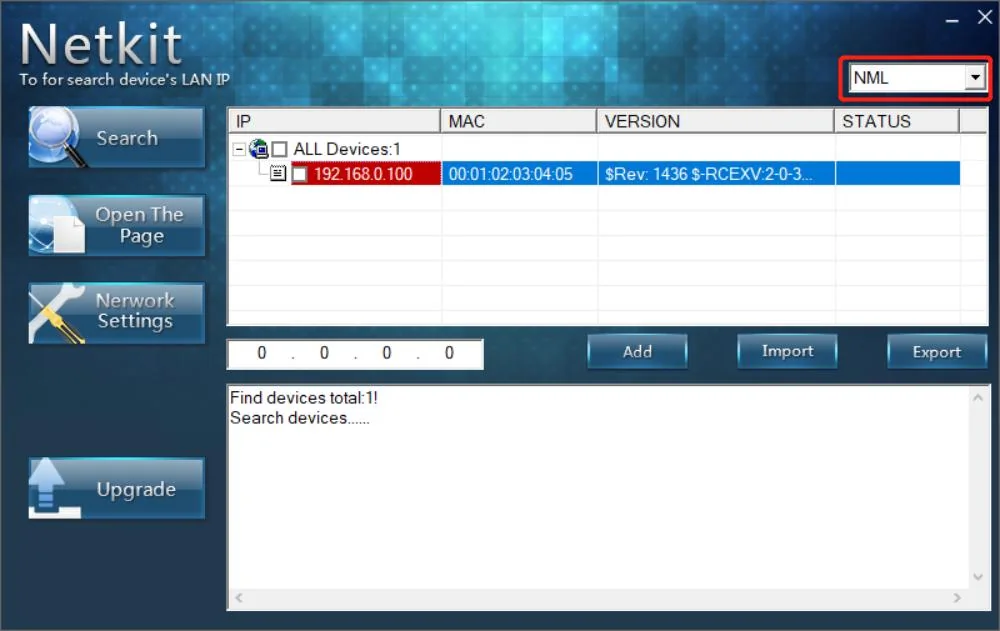
Short answer: NetKit is PowerShield's free Windows utility for the PSSNMPv1 LITE internal comms card (the "SNMP Lite", shown in the software as NML). It searches your network, lists every SNMP Lite card with its IP and MAC address, opens the card's web page and changes its IP settings.
Good to know: PowerShield lists the PSSNMPv1 LITE card as end-of-life (July 2026) and names the PSSNMPV4 as its replacement. For a PSSNMPV4 card use SNMP Web Manager instead of NetKit.
Download NetKit below (2 MB zip, installer plus PowerShield's installation guide).
Download NetKit for the PowerShield SNMP Lite card
Free downloads, served directly from PowerShield's official download server (powershield.com.au), so you always get the latest version. ARC IP Networks links to the files and does not modify them.
NetKit
Netkit SNMPV1
2 MB · updated 17/09/2026
Zip with setup.exe and the Netkit Software Installation Guide (PDF).
IpPowerSE
IppowerSE Monitoring and Shutdown Software for SNMP Lite
28.3 MB · updated 17/09/2026
Shutdown and monitoring for the same card (guide).
Files and dates as listed in the PowerShield download area. Need help installing? Call 1300 100 440.
What NetKit does
PowerShield describes NetKit as the tool to "locate and identify all SNMP Lite cards and IP addresses on site".
- Finds every Lite card: choose NML in the top right corner and click Search. Each card is listed with its IP, MAC address, version and status.
- Opens the card's web interface: select a card and press Open The Page, or type its IP address into Chrome or Edge (the manual lists Chromium-based browsers as supported).
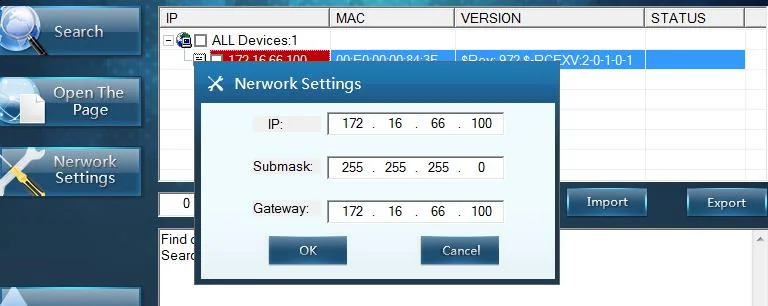
- Changes the card's IP address: Network Settings sets the IP, subnet mask and gateway, so you can move a card from its factory address onto your own network range.
NetKit does not monitor the UPS or shut computers down: that is IpPowerSE.
Which UPSs use the SNMP Lite card
NetKit only finds PSSNMPv1 LITE cards. The SNMP Card Lite manual gives set-up values for these UPSs, and PowerShield sold the card in network-ready bundles with the Defender Rackmount and Ninja Slimline.
| UPS family | Models in the Lite manual | Models at ARC IP Networks |
|---|---|---|
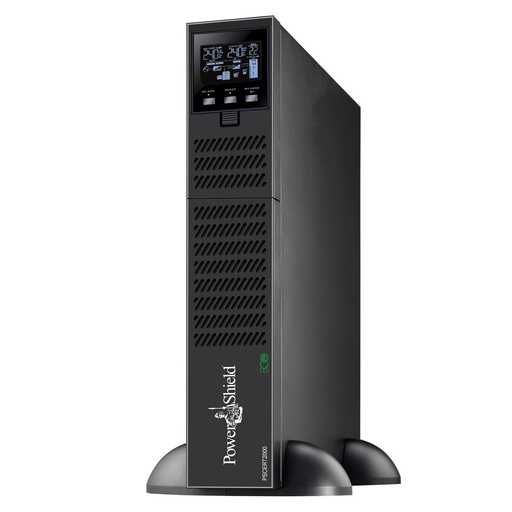
| Centurion RT (online) | 1000, 2000SB, 2000, 3000, 6000, 10K | PSCERT1000, PSCERT2000SB, PSCERT2000, PSCERT3000 |
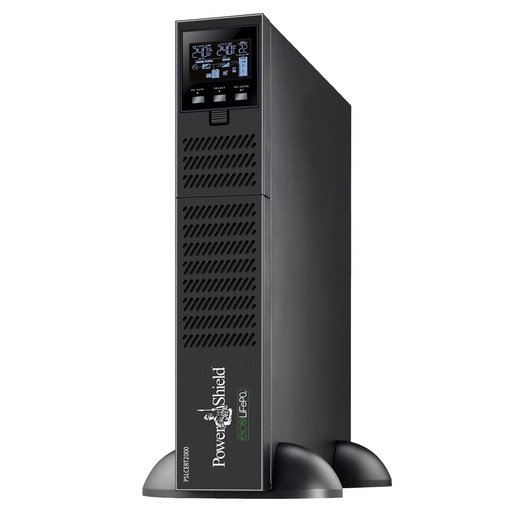
| Centurion RT LiFePO4 (online, lithium) | 1000, 2000, 3000 | PSLCERT1000, PSLCERT2000, PSLCERT3000 |
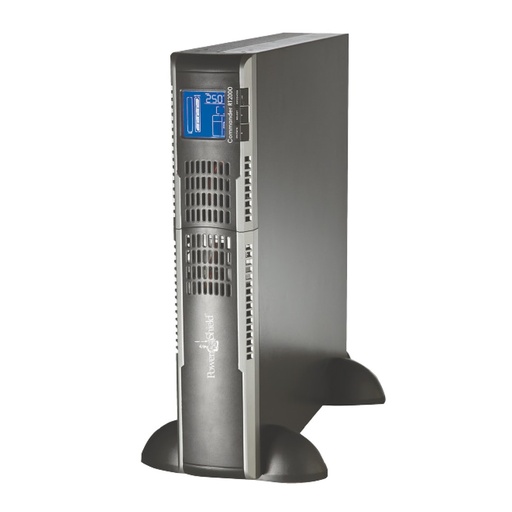
| Commander RT (line interactive, pure sine) | 1100, 2000, 3000 | PSCRT1100, PSCRT2000, PSCRT3000 |
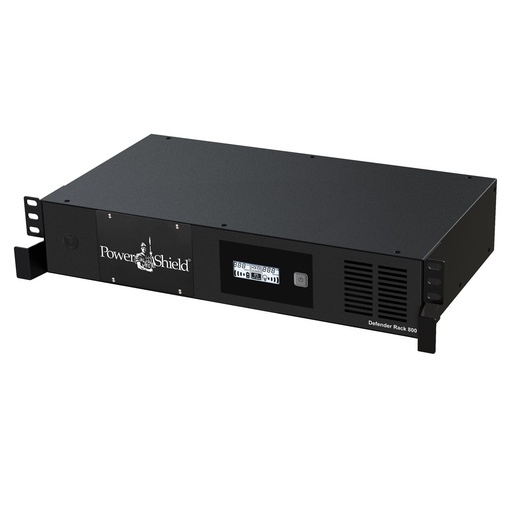
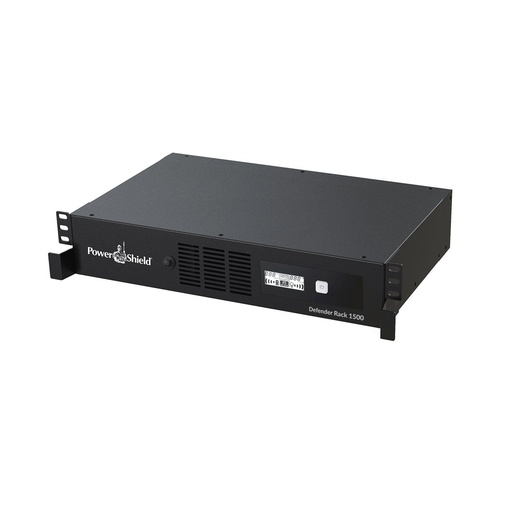
| Defender Rackmount | 800 (PSDR800); PowerShield also bundled the Lite card with the 1500VA | PSDR800, PSDR1500 |
| Ninja Slimline (standby) | 600, via the External Comms Box in PowerShield's network-ready bundle | PSLN600 + PSECB |
Sources: PowerShield SNMP Card Lite user manual (system parameter settings) and PowerShield bundle listings. NetKit runs on Windows only (setup.exe); PowerShield does not list a Mac or Linux version.
SNMP Lite or SNMP V4?
| SNMP Lite (PSSNMPV1) | SNMP V4 (PSSNMPV4) | |
|---|---|---|
| Status | End-of-life as of July 2026 | Current PowerShield card (the named alternative) |
| Web interface | Integrated web server, any standard browser | Web interface with increased levels of security |
| VMware and Hyper-V | Not compatible | Supported |
| Modbus over IP | Not available | Standard (Modbus TCP) |
| EMD environmental sensor | Not available | Available (PSEMD) |
| Finder / shutdown software | NetKit / IpPowerSE | SNMP Web Manager / Shutdown Wizard |
From the PowerShield "SNMP Comms Cards Lite and V4" brochure and the PSSNMPV1 product page.
Buying a card for a new install? Choose the PSSNMPV4 and see the SNMP Web Manager and Shutdown Wizard guides.
How to install NetKit
From the Netkit Software Installation Guide inside the zip. Use a Windows PC with administrator rights.
- Unzip the download and double-click setup.exe. Choose English in the language box and confirm (the confirm button is labelled in Chinese).
- Click Next, browse to the install location, then click Next again. The installer asks for at least 3.4 MB of free disk space.
- Select English installation, then click Next twice.
- Click Next, then Finish. Tick "Will you run NetKit right now?" to start it straight away.
Find an SNMP Lite card and set its IP address
- Insert the card in the UPS slot and connect it to the network (or straight to the computer) with a T568B network cable.
- Open Netkit.exe as administrator.
- Select NML in the top right corner and click Search. The card appears with its IP address. A new card uses 192.168.0.100.
- To change the address, select the card and click Network Settings, then enter the IP, subnet mask and gateway for your network.
- Click Open The Page, or type the IP into Chrome or Edge, and sign in. The default user name and password are both admin; change them under User Settings.
Tips and troubleshooting
- Card at 192.168.0.100 but you cannot reach it? For first set-up, put your computer on the same segment (192.168.0.x), then check the card answers with
ping 192.168.0.100before signing in. - Read the LEDs. PW (green) on means the card has power. S1 (green) flashing slowly is normal. S3 (red) steady means the card is talking to the UPS; S3 flashing means the UPS link has failed or is disconnected.
- Choose card passwords carefully. Up to 16 characters, using only 0–9, a–z, A–Z and
. * @ /. PowerShield warns other characters can lock out password entry, with recovery only through PowerShield. - Set the UPS parameters (protocol, battery quantity and type) under System Settings; the Lite manual lists the values per model.
PowerShield also publishes the guide on its own page: Netkit Software Installation Guide SNMP V1 Lite and the SNMP V1 Lite User Manual.
PowerShield network card and UPSs at ARC IP Networks
Live Australian pricing (inc. GST) and availability are on each product page.
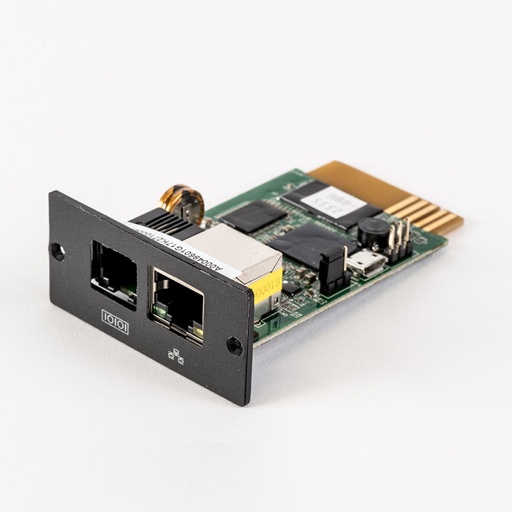
The current PowerShield SNMP card and the named Lite replacement.
Why buy PowerShield from ARC IP Networks
ARC IP Networks is a trusted PowerShield supplier in Australia: genuine stock at competitive prices, with the full PowerShield Australian warranty, Australia-wide delivery and trade pricing.
- Genuine PowerShield stock, covered by the PowerShield Australian warranty: 2 years advance replacement on SafeGuard and Defender; 2 years on single-phase Commander and Centurion, extended to 3 years when you register the UPS with PowerShield; 5 years on Centurion RT LiFePO4 and the Ninja Slimline.
- Help sizing the UPS, battery modules and network cards for your actual load, from a team that also designs networks, comms racks and surveillance systems.
- Australia-wide delivery, trade pricing for installers and IT providers, and quotes for multi-site rollouts.
Browse the full PowerShield range at ARC IP Networks or call 1300 100 440.
Common questions
Straight answers from the ARC IP Networks team. Last reviewed October 2026.
Yes. NetKit is a free 2 MB download from PowerShield, with the installer and installation guide in one zip.
Use the download button near the top of this page. It links straight to the official file on powershield.com.au.
No. NetKit is supplied as a Windows installer (setup.exe) and PowerShield does not list a Mac or Linux version.
The SNMP Card Lite manual gives the default IP as 192.168.0.100, with user name and password both admin. NetKit finds the card even after its IP has been changed.
No. NetKit is for the PSSNMPv1 LITE card (NML). For the PSSNMPV4 use PowerShield SNMP Web Manager.
No. PowerShield lists the SNMP Comms Card Lite V1 (PSSNMPV1) as end-of-life as of July 2026 and names the PSSNMPV4 as the alternative.
ARC IP Networks is a trusted PowerShield supplier in Australia: genuine stock at competitive prices, with the full PowerShield Australian warranty, Australia-wide delivery and trade pricing. Order online at arcip.com.au or call 1300 100 440 for help choosing a UPS or network card, or for a quote.
Other PowerShield software
- NetGuard UPS monitoring software: USB/serial monitoring and safe shutdown for SafeGuard, Defender, Commander and Centurion RT
- SNMP Web Manager (PSSNMPv4): Find every PSSNMPv4 card on the network, set IP addresses, firmware and MIB files
- Shutdown Wizard (PSSNMPv4): Network shutdown agent for Windows and Mac computers protected by a PSSNMPv4 card
- SNMP Multi View (PSSNMPv4): Monitor every PowerShield SNMP card on site from one Windows console
- NetAgent 9 legacy tools: Netility, ClientMate and SNMPView for older NetAgent 9 SNMP cards
- IpPowerSE (PSSNMPv1 LITE): Shutdown and monitoring software for SNMP Lite cards
- Gladiator CPU Monitor: Sends PC CPU speed, temperature and load to the Gladiator UPS display
Moving from an SNMP Lite card to PSSNMPV4?
Tell us your UPS models and how many computers need to shut down, and we will quote the right PowerShield card and software set-up.