Short answer: these are the free tools for the older PowerShield NetAgent 9 SNMP card, which PowerShield now lists as superseded. Netility finds the card and sets its IP address or firmware (Windows, Mac, Linux), ClientMate shuts down servers and workstations (Windows, Linux, VMware) and SNMPView manages several cards at once. Download them below.
Buying a card today? The current card is the PSSNMPv4, which uses SNMP Web Manager and Shutdown Wizard instead of these tools.
ARC IP Networks is a trusted PowerShield supplier in Australia: genuine stock at competitive prices, with the full PowerShield Australian warranty, Australia-wide delivery and trade pricing.
Download the NetAgent 9 tools
Free downloads for the superseded NetAgent 9 card, served directly from PowerShield's official download server (powershield.com.au). ARC IP Networks links to the files and does not modify them.
Netility for Windows
Netility for Windows
3.9 MB · updated 17/09/2026
Version V5.1.
ClientMate for Windows
ClientMate for Windows
8.3 MB · updated 17/09/2026
Version V6.0.
ClientMate for VMware
Clientmate for VMWare
1.5 MB · updated 17/09/2026
For ESXi hosts; see the VMware instructions.
NetAgent user manual
NetAgent User Manual
19.1 MB · updated 31/08/2019
Version V7.
VMware setup instructions
VMWare Setup Instructions
300 KB · updated 31/08/2019
ClientMate on ESXi 5.x.
Files and dates as listed in the PowerShield download area. Need help installing? Call 1300 100 440.
NetAgent 9 is superseded: what that means
PowerShield's PSSNMPv4 software page keeps a separate section headed "SNMP NetAgent 9 Card *Superseded*". The files still download for existing sites. For new installs and replacements, the current card is the PSSNMPv4 SNMP card, which goes in the intelligent slot of Centurion, Commander and Defender Rackmount UPSs. Its tools are different:
| Job | NetAgent 9 (legacy) | PSSNMPv4 (current) |
|---|---|---|
| Find the card and set its IP or firmware | Netility | SNMP Web Manager |
| Shut down computers on power failure | ClientMate | Shutdown Wizard, or SSH shutdown for Linux |
| Monitor many cards from one console | SNMPView | SNMP Multi View |
From the PowerShield PSSNMPv4 Comms Software Downloads page.
What each tool does
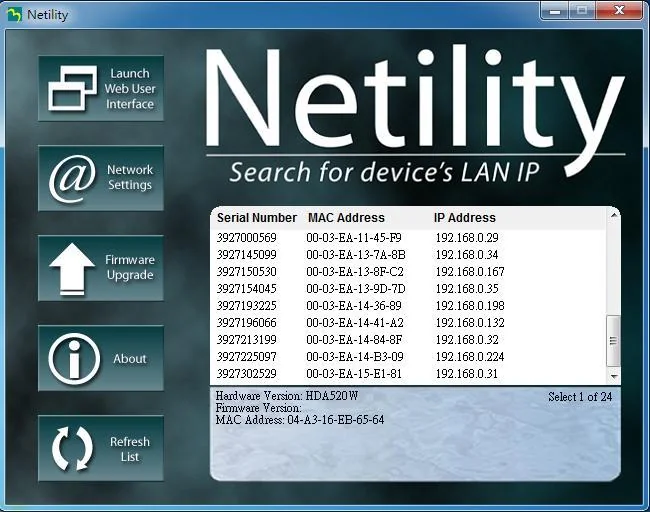
Netility: find the card, set the IP, upgrade firmware
- Searches the network and lists every NetAgent with its serial number, IP and MAC address; the list refreshes every 2 minutes, or click Refresh List.
- Double-click a card, or use Launch Web User Interface, to open its web page.
- Network Settings: DHCP (the default) or a static IP, plus the HTTP, HTTPS, Telnet and SSH ports.
- Firmware Upgrade: load a .bin file to one card, or several cards of the same model at once.
ClientMate: graceful shutdown
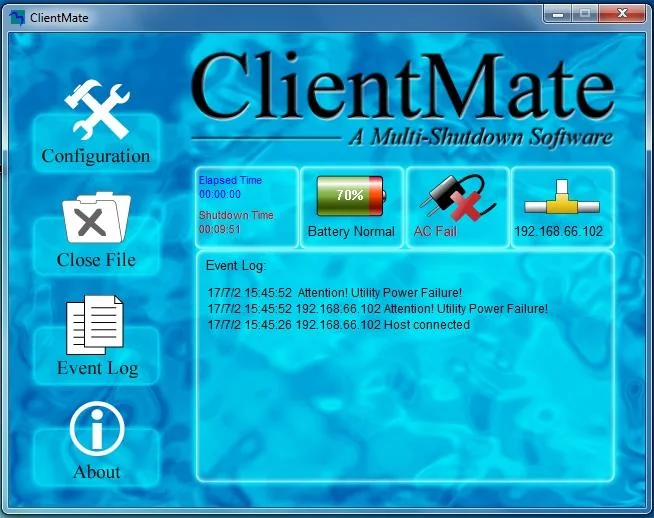
- When it receives AC Fail, Battery Low or a scheduled shutdown signal from the NetAgent, ClientMate saves open files and shuts the system down to avoid a crash.
- Connects to the card over SNMP (v3 needs user name, authentication and privacy settings).
- With several NetAgent cards, a security level decides when to shut down: Low when all report AC failure, Medium at 50%, High when any one does.
- Can run a file such as a .bat before shutdown, choose shutdown or hibernation, and turn the UPS off afterwards.
SNMPView: manage multiple cards
- Network management software to monitor and control multiple UPSs fitted with NetAgent cards.
- Sends email or a trap on events, runs self-tests and turns UPSs on or off.
- Icon, detail and map views, and export or import of card configurations.
Set up a NetAgent 9 card
- Connect the card to your router or switch with a network cable. The serial number, MAC address and password are on the label of each unit.
- Install Netility on a computer on the same network. It searches for all NetAgent cards.
- Select the card, open Network Settings and keep DHCP or enter a static IP, subnet mask and gateway.
- Double-click the card in Netility, or type its IP address into a browser, to open the web interface.
- Under UPS Configuration, select the protocol that matches your UPS.
- Install ClientMate on each server or workstation that must shut down, and add the card's IP address.
ClientMate on VMware ESXi 5.x
- Save
ClientMate ESXi5.tar.gzto/vmfs/volumes/datastore1. - Unzip it to create the ClientMate directory, rename it
ClientMate_installand enter it. - Run
chmod 755 ./install.clientmate, then./install.clientmate. - Confirm the install directory and press Enter; the ClientMate configuration page opens when done.
Tips and troubleshooting
- Firmware upgrades: while upgrading, the LEDs flash red and yellow alternately (or red). Do not remove power or cables; the card reboots itself when done. If an upgrade fails, run it again.
- Telnet and SSH: Telnet needs port 23 and SSH port 22 enabled on the card.
- SNMPView login: the manual gives the default user name Admin with a blank password; set one.
- Lost passwords: browse to
http://<card IP>/password.cgifrom the same network, enter ID admin and the device's master password, then clear the passwords.
Upgrading from NetAgent 9? Current PowerShield hardware
Live Australian pricing (inc. GST) and availability are on each product page.
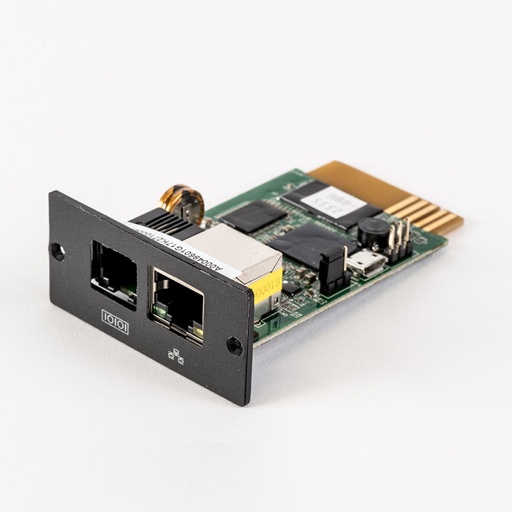
Current SNMP card for the UPS intelligent slot; SNMP v1/v2c/v3, web, email and traps.
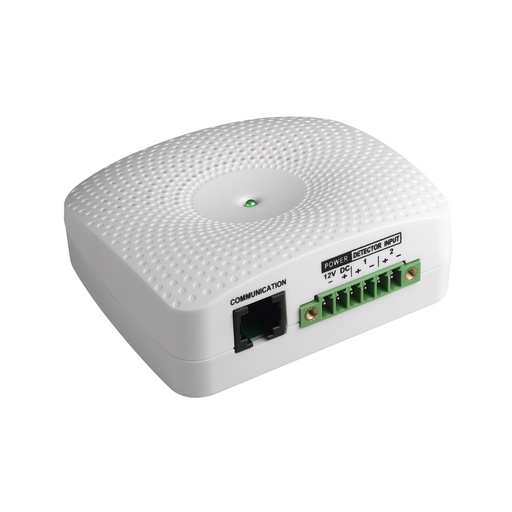
Temperature, humidity and dry-contact inputs for the PSSNMPv4 card.
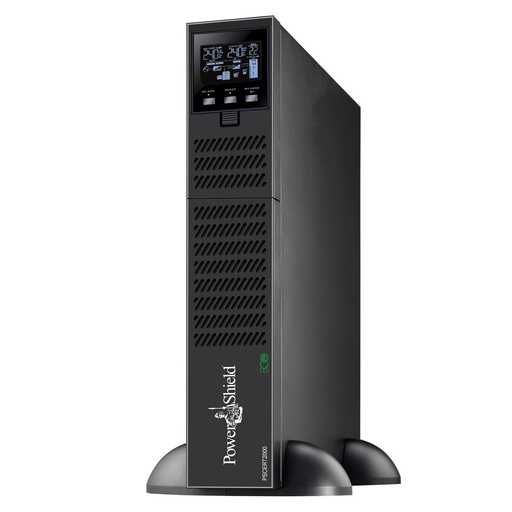
Online double-conversion rack/tower UPS with an intelligent slot.
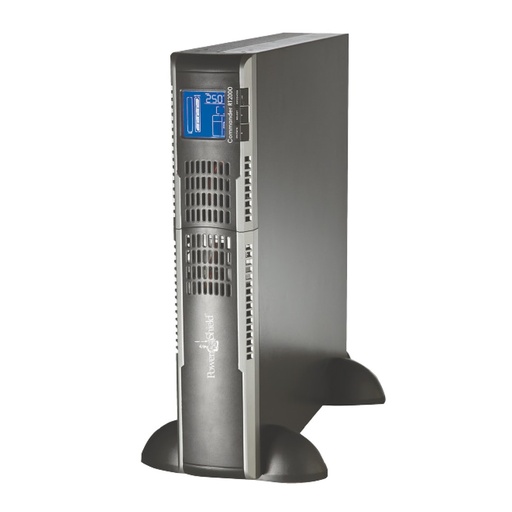
Pure sine line-interactive rack/tower UPS with an intelligent slot.
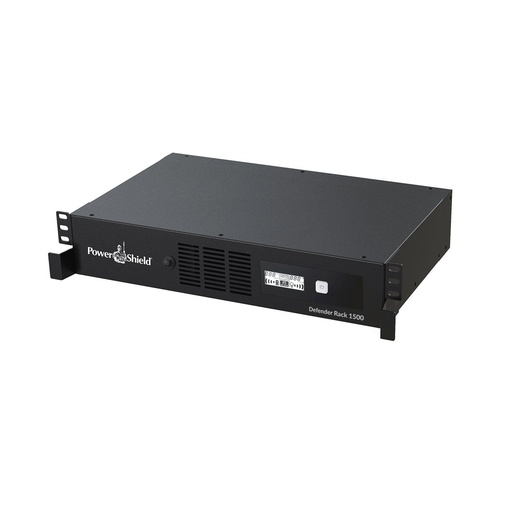
Why buy PowerShield from ARC IP Networks
ARC IP Networks is a trusted PowerShield supplier in Australia: genuine stock at competitive prices, with the full PowerShield Australian warranty, Australia-wide delivery and trade pricing.
- Genuine PowerShield stock, covered by the PowerShield Australian warranty: 2 years advance replacement on SafeGuard and Defender; 2 years on single-phase Commander and Centurion, extended to 3 years when you register the UPS with PowerShield; 5 years on Centurion RT LiFePO4 and the Ninja Slimline.
- Help sizing the UPS, battery modules and network cards for your actual load, from a team that also designs networks, comms racks and surveillance systems.
- Australia-wide delivery, trade pricing for installers and IT providers, and quotes for multi-site rollouts.
Browse the full PowerShield range at ARC IP Networks or call 1300 100 440.
Common questions
Straight answers from the ARC IP Networks team. Last reviewed October 2026.
Yes. Netility, ClientMate, SNMPView, the NetAgent user manual and the VMware setup instructions are free downloads from PowerShield's PSSNMPv4 software page, in the section for the superseded NetAgent 9 card.
From the download buttons on this page, which link straight to PowerShield's official file server, or from the SNMP NetAgent 9 Card section of the PowerShield PSSNMPv4 Comms Software Downloads page.
Yes. PowerShield offers Netility for Windows, Mac and Linux. ClientMate is available for Windows, Linux and VMware; SNMPView is a single download.
PowerShield lists the NetAgent 9 card as superseded. The current PowerShield SNMP card is the PSSNMPv4, which uses SNMP Web Manager, Shutdown Wizard and SNMP Multi View.
PowerShield lists ClientMate under the NetAgent 9 card. For a PSSNMPv4 card, PowerShield provides Shutdown Wizard for Windows and Mac, and SSH shutdown commands for operating systems that support SSH.
Install Netility on a computer on the same network. It lists every NetAgent with its serial number, MAC address and IP address; double-click a card to open its web page.
ARC IP Networks is a trusted PowerShield supplier in Australia: genuine stock at competitive prices, with the full PowerShield Australian warranty, Australia-wide delivery and trade pricing. Order online at arcip.com.au or call 1300 100 440 for help sizing a UPS or for a quote.
Other PowerShield software
- NetGuard UPS monitoring software: USB/serial monitoring and safe shutdown for SafeGuard, Defender, Commander and Centurion RT
- SNMP Web Manager (PSSNMPv4): Find every PSSNMPv4 card on the network, set IP addresses, firmware and MIB files
- Shutdown Wizard (PSSNMPv4): Network shutdown agent for Windows and Mac computers protected by a PSSNMPv4 card
- SNMP Multi View (PSSNMPv4): Monitor every PowerShield SNMP card on site from one Windows console
- NetKit (PSSNMPv1 LITE): Locate SNMP Lite cards and their IP addresses on site
- IpPowerSE (PSSNMPv1 LITE): Shutdown and monitoring software for SNMP Lite cards
- Gladiator CPU Monitor: Sends PC CPU speed, temperature and load to the Gladiator UPS display
Replacing NetAgent 9 cards?
Tell us which PowerShield UPSs you have; we will confirm PSSNMPv4 compatibility and help move your shutdown and monitoring across.