A private fibre network is fibre that the site owns and runs itself, rather than a carrier service. Estates, holiday parks, campuses, hospitals, hotels and ISPs or WISPs build one to carry their own services: CCTV, access control, building management, guest and staff Wi-Fi, or internet they resell to their own residents. Most are built as a passive optical network (PON): an OLT at the head end, an ODF, splice closures and distribution terminals along the route, and an ONU at each building, home or cabinet, with nothing powered in between.
Plan it in this order: survey, head-end location, ODF, route and closures, distribution terminals, premises ONUs, power at each ONU, then a VLAN for each service. nbn Co supplies and manages its own NTD and serves internet access; a private PON is for the networks the site runs itself.
Planning a site? Call ARC IP Networks on 1300 100 440 or send us your site plan for a matched bill of materials with project pricing.
Who builds a private fibre network, and why?
Private fibre is common wherever one owner or operator controls a large site and wants to run its own services across it. Twisted-pair Ethernet is limited to 100 m per run, so once buildings, gates and camera poles are spread across a site, fibre is usually the practical backbone. The usual builders:
| Who | What they carry on their own fibre | Typical reason |
|---|---|---|
| Residential estates and retirement villages | CCTV, gate and access control, community Wi-Fi, building services | One owner, many buildings, long distances between them |
| Holiday parks and caravan parks | Guest Wi-Fi to cabins and sites, CCTV, boom gates, office and kiosk systems | Services the park distributes and manages itself |
| University, school and TAFE campuses | Building-to-building links, CCTV, access control, Wi-Fi access points | Many buildings on one site, all managed centrally |
| Hospitals, hotels and aged-care sites | Room and floor services, CCTV, nurse-call or building-management networks | Riser and floor distribution from one comms room |
| ISPs and WISPs | Internet and private services sold to their own subscribers | Their own access network, often fed by a wireless or leased backhaul |
ARC IP Networks examples of common use. Every site is different.
A PON suits these sites because the field plant is passive. Splitters, closures and terminals need no power, so the only active equipment is the OLT in the comms room and the ONU at each end point. One OLT port serves many end points through splitters, and the ARC-OLT-8X reaches up to 20 km over single-mode fibre. For the basics of OLTs, ONUs, splitters and GPON vs XGS-PON, read our guide to passive optical networks; this post is about planning a build.
Where nbn fits, and where a private PON fits
nbn Co provides internet access across Australia, and private fibre doesn't replace it. Two points from nbn Co are worth knowing before you plan:
- Whole-building upgrades. nbn Co runs a program to upgrade whole buildings on FTTN or FTTC to full fibre (FTTP). It requires a Body Corporate, Owners Committee or building owner and a majority vote, the co-contribution is $275 inc GST per unit and per common-area service, and eligibility is assessed case by case. Source: nbn Co, more fibre for buildings.
- Speeds. nbn Co says the fastest wholesale plans on FTTP and HFC are up to 2000 Mbps. Source: nbn Co, choose a provider.
nbn Co supplies and manages its own NTD at each premises, so ARC DATA OLTs and ONUs are not for nbn services. A private PON carries the networks the site runs itself: cameras, gates and doors, building management, staff and guest Wi-Fi, and, for an ISP or WISP, the services it sells on its own network. Many sites run both: nbn services where residents want them, and private fibre for everything the operator manages.
Planning a private fibre network: the eight steps
Most private FTTH and campus PON builds are planned in the same order. Each step below links to the parts that do the job.
Swipe the table sideways to see all steps →
| Step | What you decide | ARC DATA parts |
|---|---|---|
| 1. Survey | Every end point, the routes between them, and existing pits, conduit and risers | None yet |
| 2. Head-end location | Where the OLT, ODF and upstream connection live | ARC-OLT-8X |
| 3. ODF | How fibre is terminated and patched at the head end and building entries | ARC-ODF-RM-2U, ARC-ODF-WM-24 |
| 4. Route and closures | Cable routes, joints and where the splitting happens | ARC-DJC-16, ARC-DJC-16-S16 |
| 5. Distribution terminals | The box where drops leave the feeder near each group of end points | ARC-FDT-24-SCA, ARC-FDT-12-SCA, ARC-PCD-4A |
| 6. Premises ONUs | The unit at each home, cabinet, floor or router | ARC-ONU-1G, ARC-ONU-X, ARC-ONU-4P, ARC-ONU-8P, sticks |
| 7. Power at the ONU | A powered, protected spot for every ONU | ONU adapters; sticks use host power |
| 8. VLANs per service | Which service runs on which VLAN, from OLT to ONU port | OLT and ONU configuration |
ARC IP Networks planning order. Your designer may group the steps differently.
1. Survey the site
Start with a site plan and walk it. Mark:
- Every end point: homes or units, cabins, buildings, risers, camera poles, gates, kiosks and plant rooms, plus where future stages will go.
- What each end point needs: a single internet handoff, powered ports for cameras or access points, or a 10G link for a building switch.
- Existing pathways: pits, conduit, cable trays, risers and poles you can reuse, and where new trenching or aerial runs are needed. Check for underground services before anyone digs.
- Power: where mains power already exists at each end point, because every ONU needs it (step 7).
The survey is also where you count spare capacity. Adding cores later usually means another trench or haul, so designers typically run more cores than day-one needs.
2. Choose the head-end location
The head end is the comms room or cabinet that holds the OLT, the rack ODF and the upstream connection: your internet service, core switch, NVR or servers. Look for a secure room with a 19-inch rack, reliable power and space to grow.
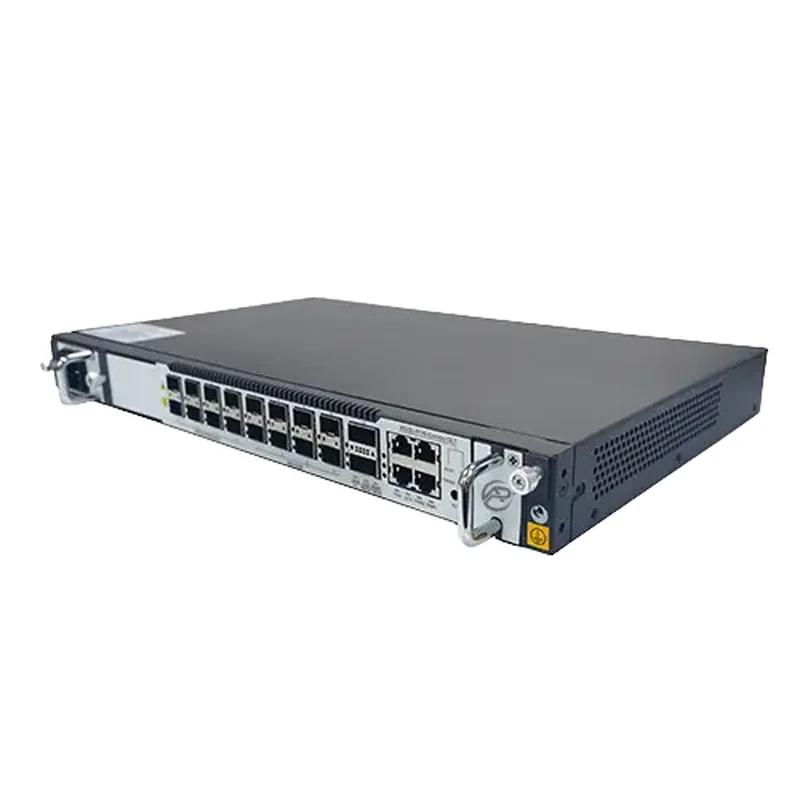
The ARC-OLT-8X is a 1U, 19-inch OLT with eight XG(S)-PON and GPON combo PON ports, each of which can be hot-switched to GPON on its own. Uplinks are 1 x GE RJ45, 4 x 25GE SFP28 and 2 x QSFP28 (40/50/100GE). It draws 150 W, is ordered with single or dual AC or DC power, and operates from -20 °C to +60 °C. Each port supports a split of up to 1:256, with 1:128 recommended, and a reach of up to 20 km.
Because the field plant is passive, a central head end can usually serve the whole site. Sites with very separate areas sometimes use more than one head end; your designer will check the optical loss budget either way.
3. Terminate on an ODF
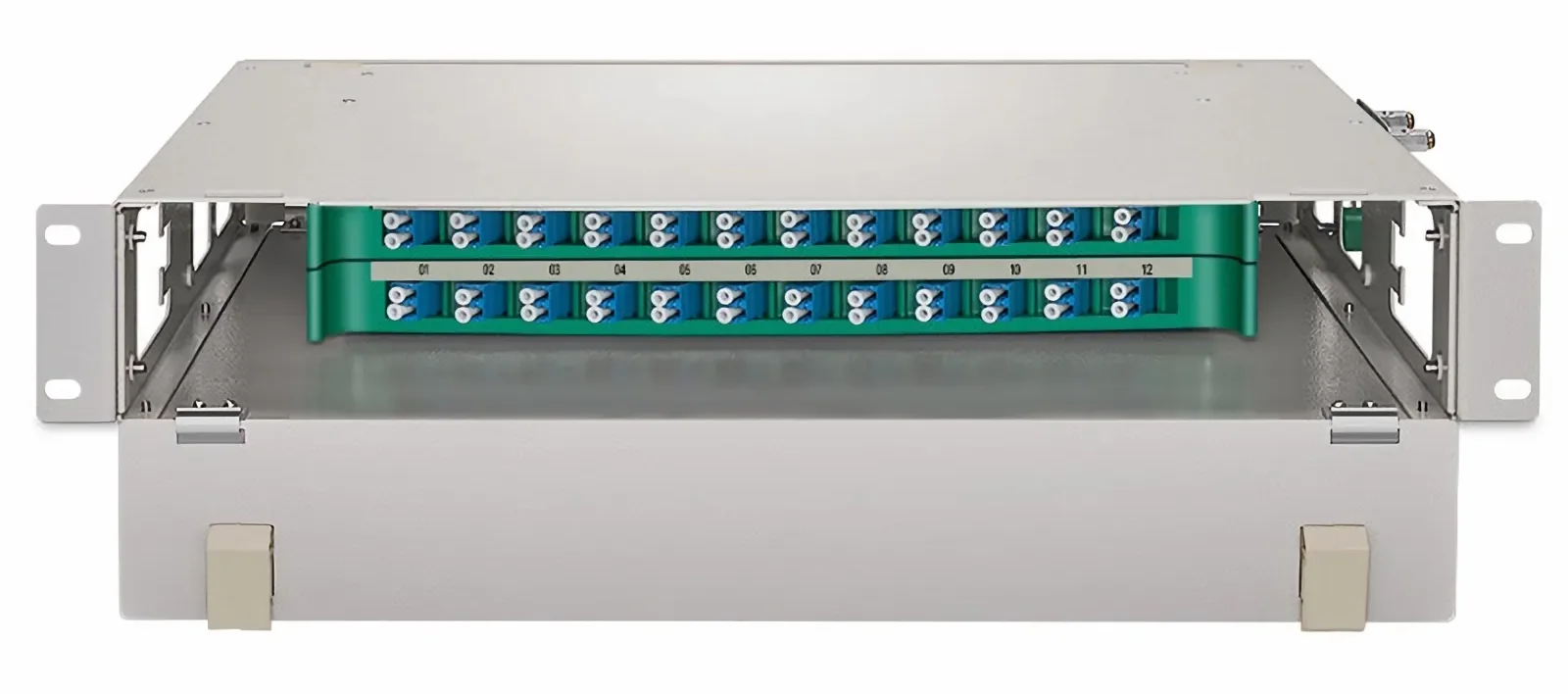
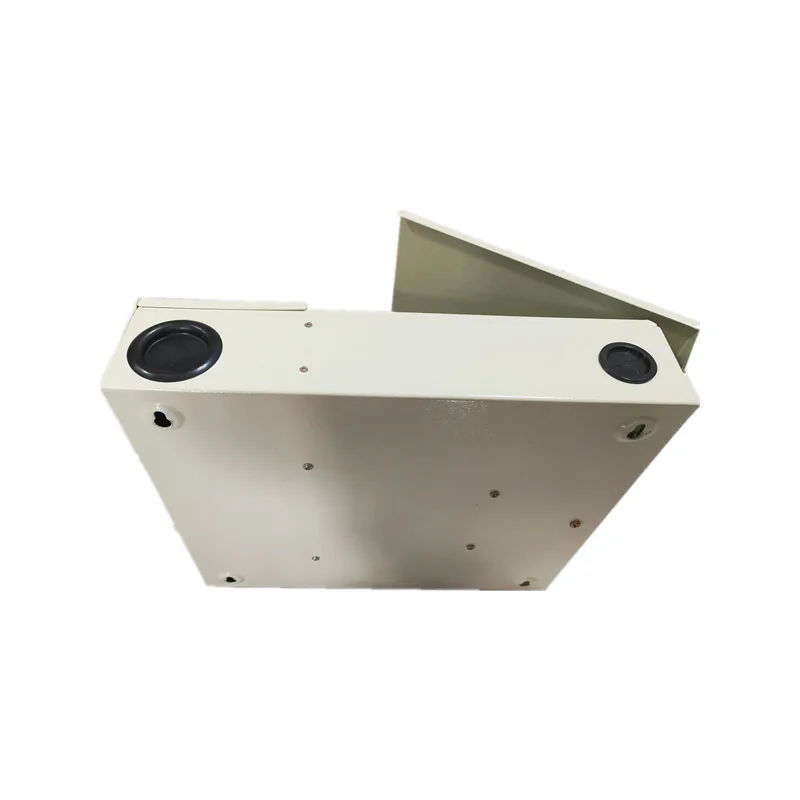
The ODF (optical distribution frame) is where the outgoing cables are spliced to pigtails and patched to the OLT. At the head end, the ARC-ODF-RM-2U holds 24 cores on two sliding trays of 12, so one tray can be worked on while the other stays in service; higher-density frames are available on request. At building entries and risers with no rack, the lockable ARC-ODF-WM-24 wall cabinet takes up to 24 SC, 24 FC or 48 LC-duplex. For choosing between them, connectors and polish, see What is an ODF?
4. Plan the route, closures and split points
The feeder cable runs from the ODF out across the site. Wherever it joints or branches, the splices go in a sealed splice closure:
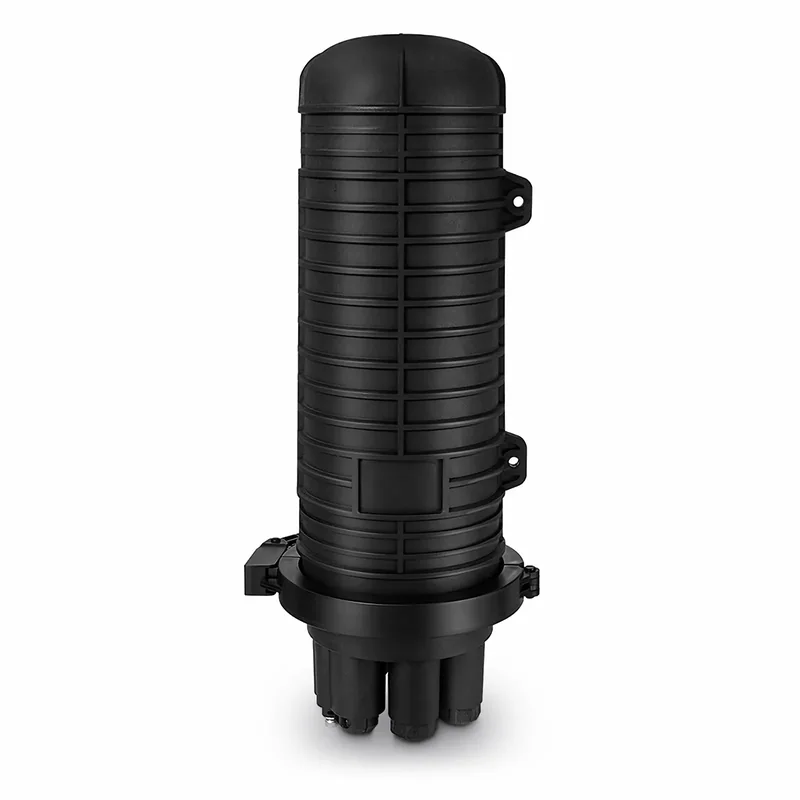
- ARC-DJC-16: an IP68, re-enterable dome closure for up to 16 splices, for aerial, duct, buried, pole or wall positions.
- ARC-DJC-16-S16: the same dome family with an integral 1 x 16 PLC splitter and up to 144 splices on six trays, so one joint can both splice and split.
Where to split. Splitters can sit in one place (centralised) or in stages along the route (cascaded). The total of the stages is what counts against the OLT: for example, a 1:4 split in a closure followed by a 1:8 split in a terminal gives 1:32 on that PON port. Keep the total within the ARC-OLT-8X's recommended 1:128, and within the loss budget your designer calculates. Splitters are passive, so they can go wherever the route needs them. Splicing practice, trays and closures are covered in Fibre splicing in the field.
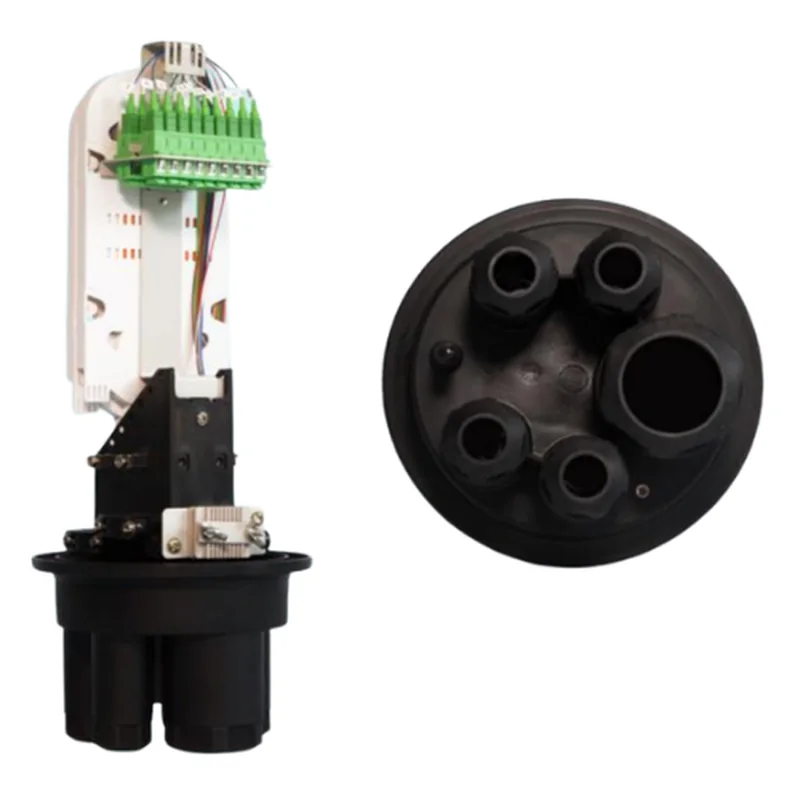
5. Place distribution terminals near each group of end points
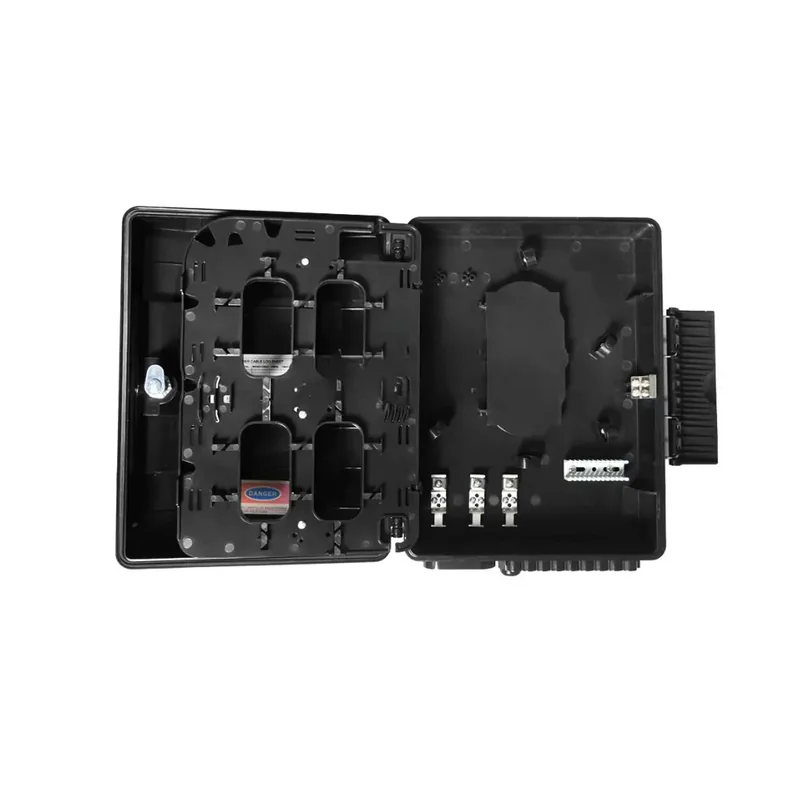
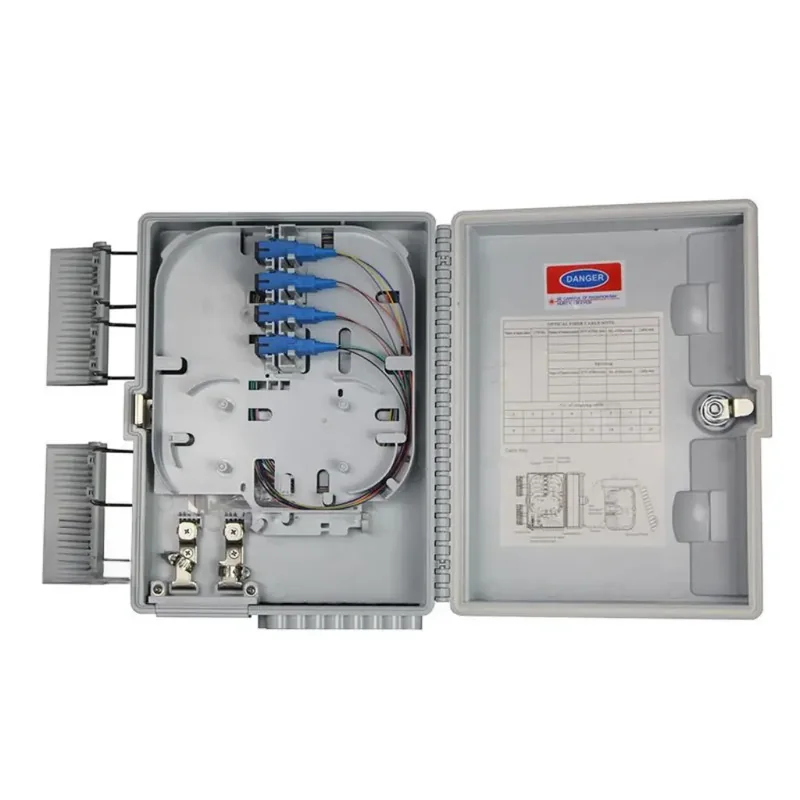
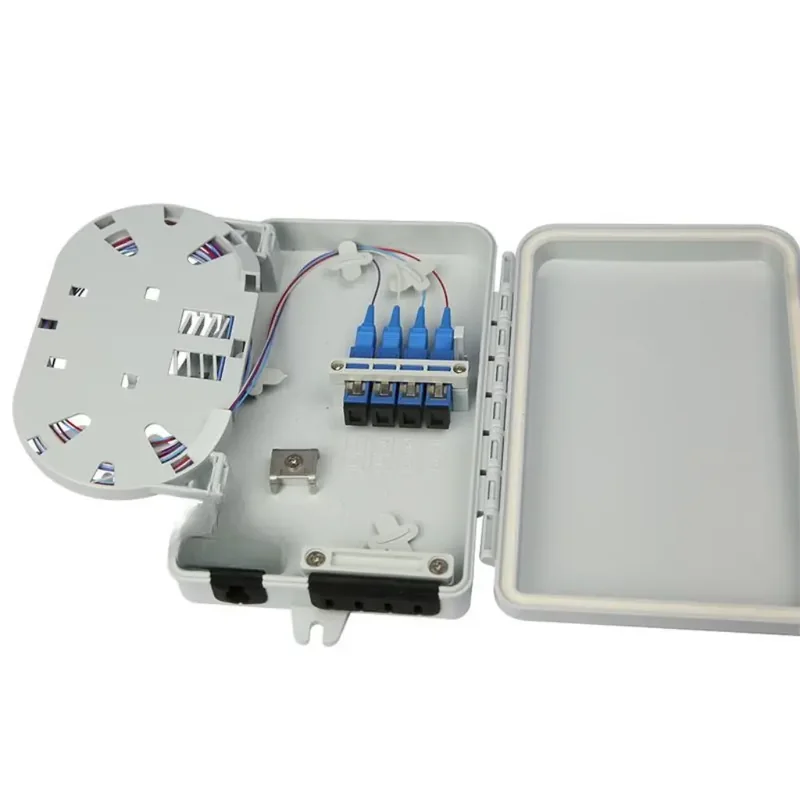
A fibre distribution terminal (also called a FAT box) is where the drops to each end point leave the feeder. It sits on a wall, pole or kerb near the homes, cabins or buildings it serves. Pick it by the number of drops in that group:
| Terminal | Drop ports | Splitter space | Rating and mounting |
|---|---|---|---|
| ARC-FDT-24-SCA | 24 pre-installed waterproof SC | Up to three 1 x 8 PLC | IP-68; wall, pole or aerial |
| ARC-FDT-12-SCA | 12 SC (APC or UPC) or 24 LC | Optional 1 x 8 PLC | IP-68; indoor or outdoor |
| ARC-PCD-4A | 4 SC or 8 LC | Optional 1 x 4 PLC | IP-68; pole or wall |
From the ARC DATA product pages. PLC splitters for the ARC-FDT-24-SCA are ordered separately.
6. Choose an ONU for each end point
The ONU turns the fibre back into Ethernet. Choose it by what the end point has to power or connect, not by the building type alone. The table further down maps common buildings to an ONU. In short:
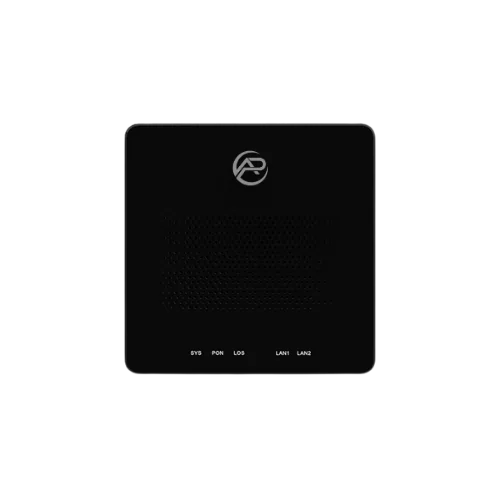
- ARC-ONU-1G: one Gigabit port, GPON or EPON auto-detect, 4 W or less. A home or unit.
- ARC-ONU-X: a 10GE and a GE port, XG-PON or XGS-PON chosen at order, no Wi-Fi. A riser, floor or building switch.
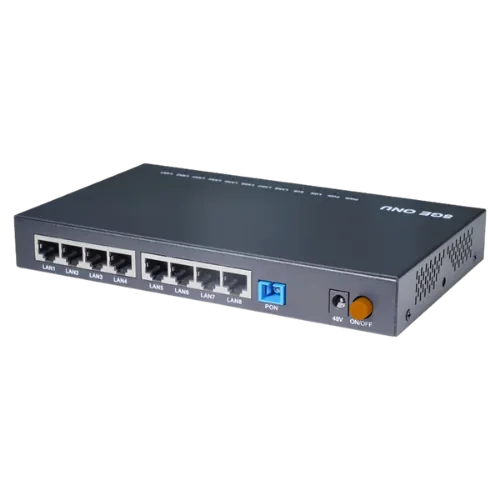
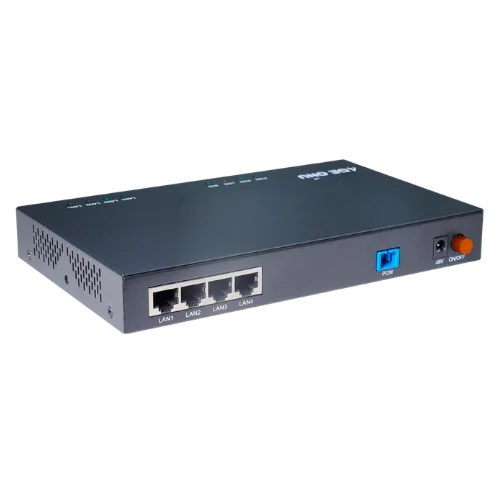
- ARC-ONU-4P and ARC-ONU-8P: four or eight Gigabit PoE+ ports, up to 30 W per port, 60 W or 130 W total. A camera or access-point cabinet. See CCTV over fibre for camera planning.
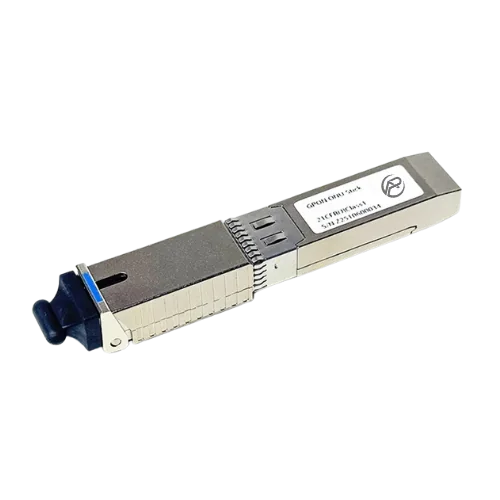
- ARC-ONU-STICK-G and ARC-ONU-STICK-X: an ONU inside an SFP or SFP+ module, for a router, switch or firewall that already has a free port.
7. Plan power at every ONU
The fibre plant needs no power, but every ONU does, so each end point needs a powered, protected spot:
Swipe the table sideways to see power for each ONU →
| ONU | Power | What to plan |
|---|---|---|
| ARC-ONU-1G | External DC 12 V / 0.5 A adapter, 4 W or less | A power point near the fibre outlet |
| ARC-ONU-X | External DC 12 V / 1 A adapter, 12 W | A power point at the desk, riser or wall position |
| ARC-ONU-4P | External DC 54 V / 1.11 A adapter, 60 W including PoE | Power in the cabinet; size for the combined camera or AP load |
| ARC-ONU-8P | External DC 54 V / 2.4 A adapter, 130 W including PoE | Power in the cabinet; size for the combined load, not 30 W on every port |
| ARC-ONU-STICK-G | From the host SFP cage, DC 3.3 V, 4 W or less | No adapter: the host router or switch powers it |
| ARC-ONU-STICK-X | From the host SFP+ cage, DC 3.3 V, under 3 W | No adapter; rated -40 to 85 °C case temperature |
From the ARC DATA product pages.
The ARC-ONU-1G, ARC-ONU-4P and ARC-ONU-8P have hardware Dying Gasp, which reports a power loss to the OLT, so you can tell a power fault from a fibre fault. Where cameras or gates must keep running through an outage, many sites typically add a UPS in the cabinet. Mains work at a cabinet is a job for a licensed electrician.
8. Give each service its own VLAN
One fibre network can carry many services, kept apart with VLANs from the OLT to the ONU port. A common plan has one VLAN each for:
- resident or guest internet
- CCTV
- access control and gates
- building management and plant
- staff Wi-Fi and office systems
- network management of the OLT and ONUs
The ARC-OLT-8X supports 4096 VLANs, QinQ and VLAN translation, with Layer 3 routing and 2048 multicast groups. The ARC-ONU-1G, ARC-ONU-4P and ARC-ONU-8P support VLAN tag, transparent and trunk modes (up to 8 VLANs) and IGMP snooping; the ARC-ONU-X adds hybrid mode and MLD snooping. Write the VLAN plan before the ONUs are ordered, so each one can be provisioned from the OLT when it's connected.
Example bill of materials, by component type
This is an illustrative ARC IP Networks example for a mixed site such as an estate or holiday park, with homes, a few service buildings and camera cabinets. It lists component types only. Quantities depend on your survey, routes, split plan and loss budget, so they're left out on purpose.
Swipe the table sideways to see the whole list →
| Component type | Where it goes | ARC DATA example |
|---|---|---|
| OLT | Head-end rack | ARC-OLT-8X |
| PON and uplink optics | In the OLT, chosen to suit the PON mode and uplinks | Specified with the OLT |
| Rack ODF, pigtails, adapters and patch cords | Head-end rack, next to the OLT | ARC-ODF-RM-2U |
| Wall ODF | Building entries and risers without a rack | ARC-ODF-WM-24 |
| Single-mode feeder and drop cable | Along the route and to each end point | Specified by your designer |
| Splice closure | Route joints and branches | ARC-DJC-16 |
| Splice closure with splitter | Joints that also split one feeder to 16 | ARC-DJC-16-S16 |
| Distribution terminal or FAT box | Near each group of end points | ARC-FDT-24-SCA, ARC-FDT-12-SCA or ARC-PCD-4A |
| PLC splitters | In terminals or closures, to the split plan | Specified with the terminal |
| ONU per home or unit | Each home, unit or cabin | ARC-ONU-1G |
| PoE ONU per camera cabinet | Camera poles, gates and car-park cabinets | ARC-ONU-4P or ARC-ONU-8P |
| 10G ONU or stick ONU per building | Service buildings, risers or a router with an SFP port | ARC-ONU-X, ARC-ONU-STICK-G or ARC-ONU-STICK-X |
Illustrative ARC IP Networks example, not a design. A designer confirms the components, quantities and loss budget for your site.
Which ONU for which building?
| End point | Suggested ONU | Why |
|---|---|---|
| Home, unit or cabin | ARC-ONU-1G | One Gigabit handoff to the resident router, 4 W or less |
| Cabinet with cameras or access points | ARC-ONU-4P or ARC-ONU-8P | Four or eight PoE+ ports (up to 30 W each, 60 W or 130 W total), so no separate PoE switch |
| Riser or floor | ARC-ONU-X | A 10GE port for the floor switch plus a GE port, XG-PON or XGS-PON |
| Router or switch with an SFP port | ARC-ONU-STICK-G (GPON/EPON, SFP) or ARC-ONU-STICK-X (XGS-PON, SFP+) | The host becomes the ONU: no extra box or adapter |
ARC IP Networks suggestions based on the published specifications. The STICK-X needs a 10G SFP+ port that accepts third-party modules.
Who installs a private fibre network?
Fibre cabling on a site is a job for qualified people. In Australia, customer cabling, including fibre, is generally required to be installed by a registered cabler with the right endorsement for optical fibre, and any mains power work needs a licensed electrician. Rules can differ with where the cable runs and who owns it, so confirm the current requirements with your cabling contractor and the relevant authority before work starts.
A typical build involves:
- a designer who turns the survey into routes, split plan, loss budget and as-built records
- civil or aerial crews for trenching, conduit and pole work
- fibre technicians who splice, terminate and test each link
- the network integrator, who configures the OLT, VLANs and ONUs
ARC IP Networks supplies the equipment and can match a bill of materials to your contractor's design.
Contact us for project pricing
Send us your site plan, end-point list and services. We will match a bill of materials, from the OLT and ODF to closures, terminals and ONUs, with project pricing. Call 1300 100 440.
ARC DATA parts for a private fibre network
Full specifications are on each product page. For a matched bill of materials, call 1300 100 440.
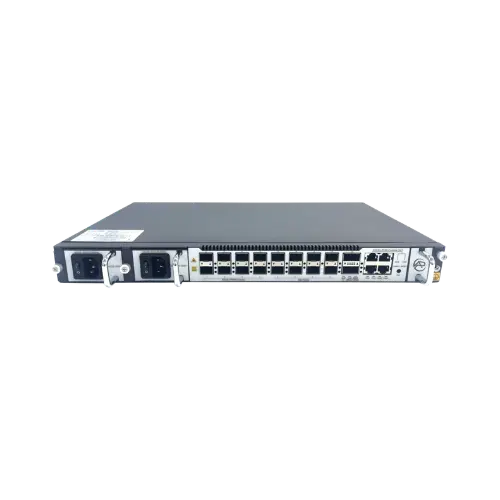
1U OLT, 8 XG(S)-PON / GPON combo ports, 25GE and 100GE uplinks, 20 km reach. Contact us for availability and project pricing.
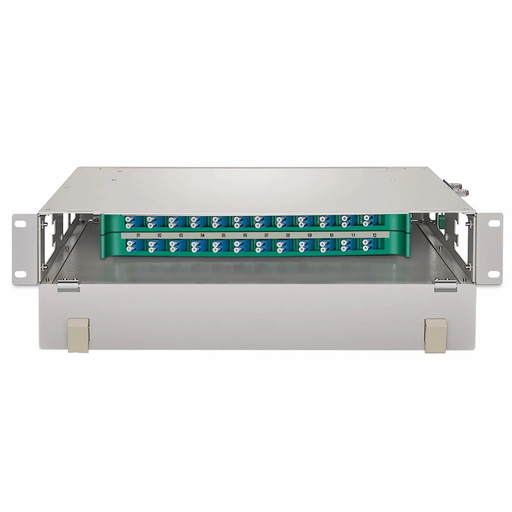
2U 19-inch ODF, 24 cores on two sliding trays. Contact us for availability and project pricing.
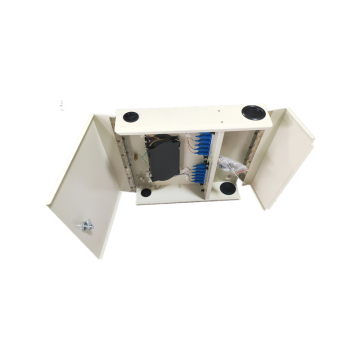
Lockable wall-mount ODF for 24 SC, 24 FC or 48 LC-duplex. Contact us for availability and project pricing.
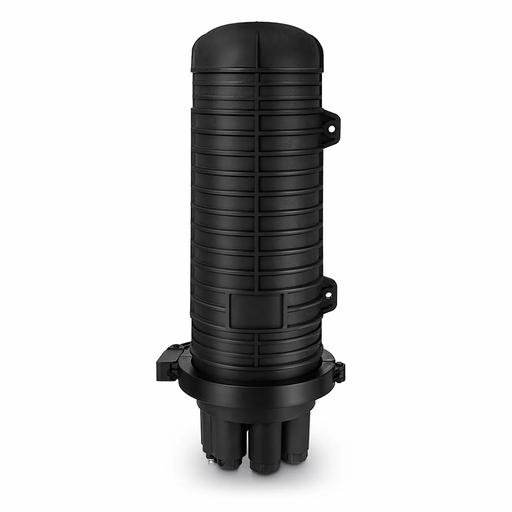
IP68 dome closure with integral 1 x 16 PLC splitter, up to 144 splices. Contact us for availability and project pricing.
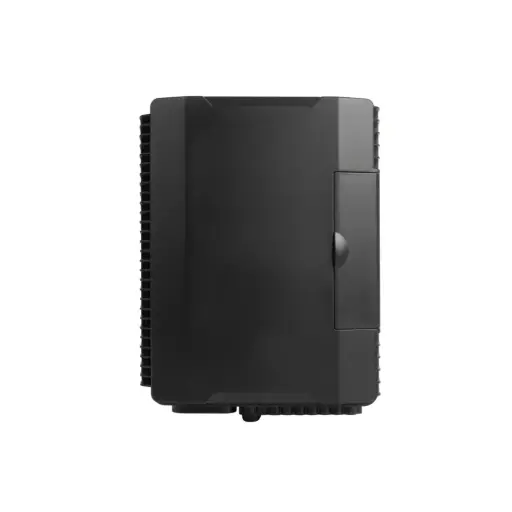
24 waterproof SC ports, up to three 1 x 8 PLC splitters, IP-68. Contact us for availability and project pricing.
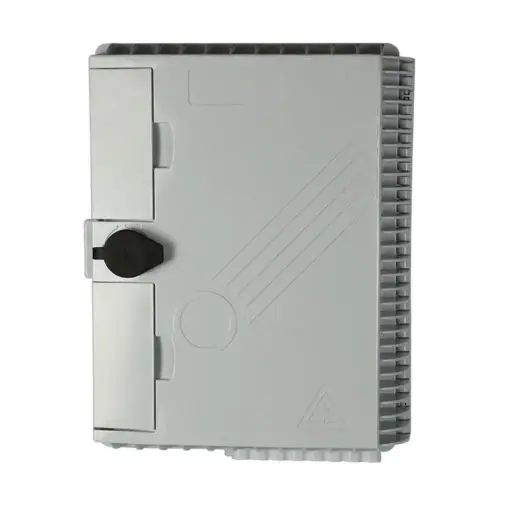
12 SC or 24 LC, optional 1 x 8 PLC splitter, IP-68. Contact us for availability and project pricing.
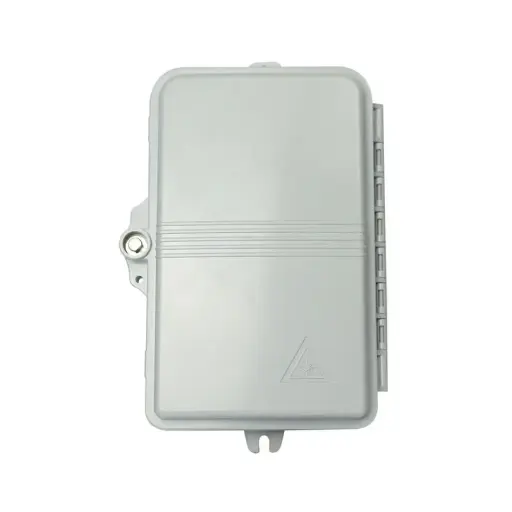
4 SC or 8 LC drops, optional 1 x 4 PLC splitter, IP-68. Contact us for availability and project pricing.
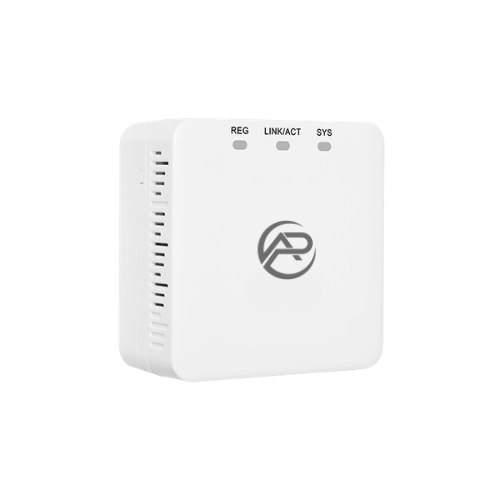
One Gigabit port, GPON/EPON auto-detect, 4 W or less. Contact us for availability and project pricing.
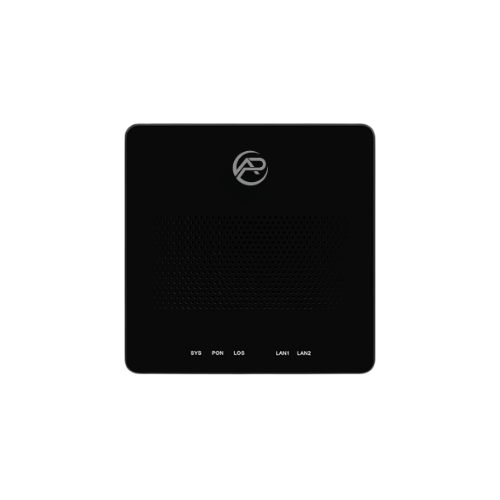
10GE + GE ports, XG-PON or XGS-PON chosen at order. Contact us for availability and project pricing.
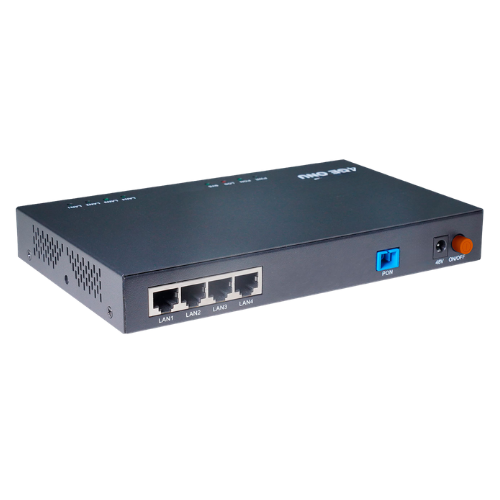
4 x Gigabit PoE+, up to 30 W per port, 60 W total, GPON/EPON.
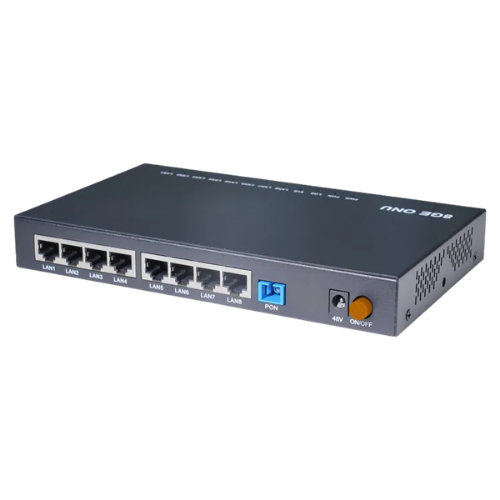
8 x Gigabit PoE+, up to 30 W per port, 130 W total, GPON/EPON.
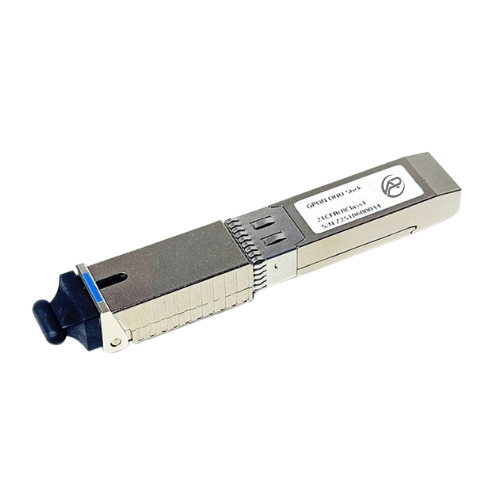
GPON/EPON ONU in an SFP module, host powered. Contact us for availability and project pricing.
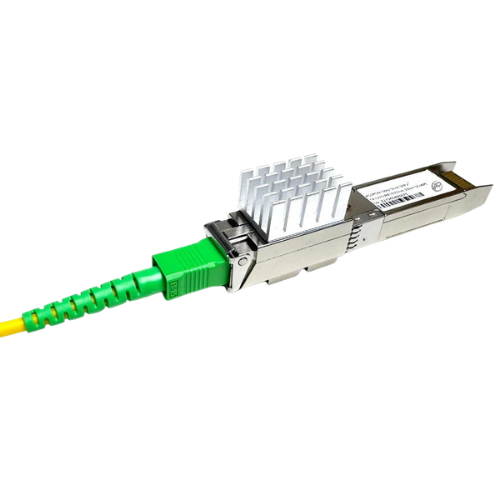
XGS-PON ONU in an SFP+ module, -40 to 85 °C. Contact us for availability and project pricing.
Common questions
Straight answers from the ARC IP Networks team. Last reviewed November 2026.
A private fibre network is fibre that a site owner or operator builds and runs itself, rather than a carrier service. Estates, holiday parks, campuses, hospitals, hotels and ISPs use one to carry their own services, such as CCTV, access control, building management, Wi-Fi and internet for their own residents or subscribers.
nbn Co provides internet access, and for buildings on FTTN or FTTC it has a whole-building full-fibre upgrade program, assessed case by case. A private network is for the services the site runs itself, such as cameras, gates, building management and staff or guest Wi-Fi. nbn Co supplies its own NTD, so ARC DATA equipment is for your own fibre network, and many sites run both.
FTTH (fibre to the home) means the fibre runs all the way to each home or unit, where an ONU turns it into Ethernet. On a private estate or holiday park it is usually built as a passive optical network (PON).
An OLT at the head end, an ODF to terminate the fibre, single-mode cable, splice closures and splitters along the route, distribution terminals near each group of end points, and an ONU at every home, cabinet or building.
An OLT (optical line terminal) is the active head-end device of a PON. It connects to your upstream network and serves the ONUs over single-mode fibre and passive splitters. The ARC DATA ARC-OLT-8X has eight combo PON ports.
It depends on the split ratio, the bandwidth each end point needs and the loss budget. The ARC-OLT-8X supports up to 1:256 per port, with 1:128 recommended. A designer confirms the split for your site.
The ARC DATA OLT and ONUs are rated for up to 20 km over single-mode fibre. The real limit for each link is set by the loss budget, which a designer calculates.
Yes. Each service runs on its own VLAN from the OLT to the ONU port. The ARC-OLT-8X supports 4096 VLANs, and the ARC DATA ONUs support VLAN tag, transparent and trunk modes.
Customer cabling, including fibre, is generally required to be installed by a registered cabler with the right optical fibre endorsement, and mains power work needs a licensed electrician. Confirm the current requirements with your contractor before work starts.
ARC IP Networks supplies the ARC DATA range of OLTs, ODFs, closures, terminals and ONUs, delivered Australia-wide. Call 1300 100 440 for a matched bill of materials and project pricing.
Related fibre guides
- What Is a Passive Optical Network (PON)? A Guide for Australian Fibre Projects
- What Is an ODF? Rack-Mount vs Wall-Mount Fibre Patch Panels in Australia
- Fibre Splicing in the Field: Splice Closures, Trays and Distribution Terminals
- CCTV Over Fibre: Power IP Cameras Beyond 100 m with a PoE GPON ONU
- What Does It Cost to Put Fibre Into a Hotel, Apartment Building or Village?