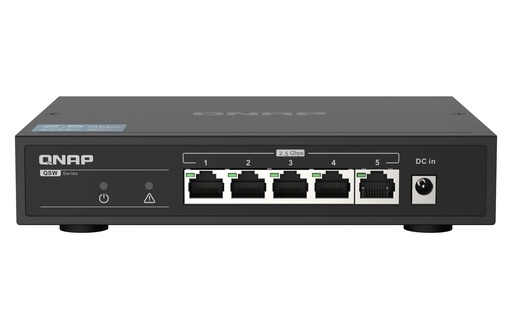
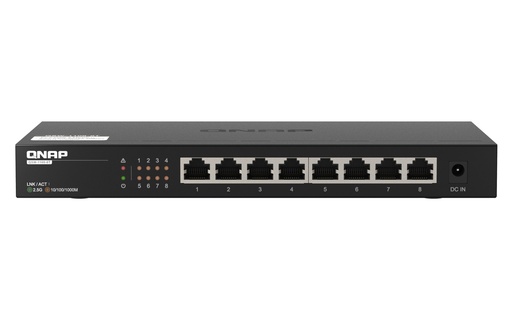
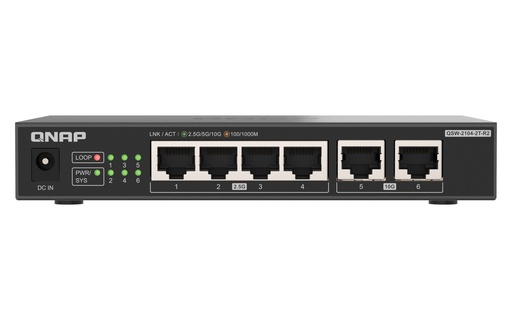
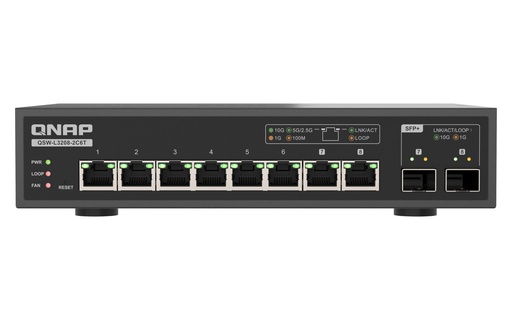
For a 2.5GbE NAS, the fanless, unmanaged QNAP QSW-1105-5T (5 x 2.5GbE) or QSW-1108-8T (8 x 2.5GbE) is all you need. For a first 10GbE link, the QSW-2104-2T-R2 adds two 10GbE RJ45 ports to four 2.5GbE ports, still fanless and plug-and-play. For a fully 10GbE desk or office, the Lite Managed QSW-L3208-2C6T has eight 10GbE ports, two of them SFP+/RJ45 combo. For a business rack with Wi-Fi access points or cameras, the QSW-M2106PR-2S2T is web managed with 90W PoE++ on eight ports.
Quick pick: home 2.5GbE NAS → QSW-1105-5T; one 10GbE NAS plus one editing PC → QSW-2104-2T-R2; studio or office on 10GbE, VLANs or link aggregation → QSW-L3208-2C6T; PoE access points and cameras → QSW-M2106PR-2S2T. ARC IP Networks is an authorised QNAP reseller and supplies genuine QNAP from Australian stock with a GST tax invoice.
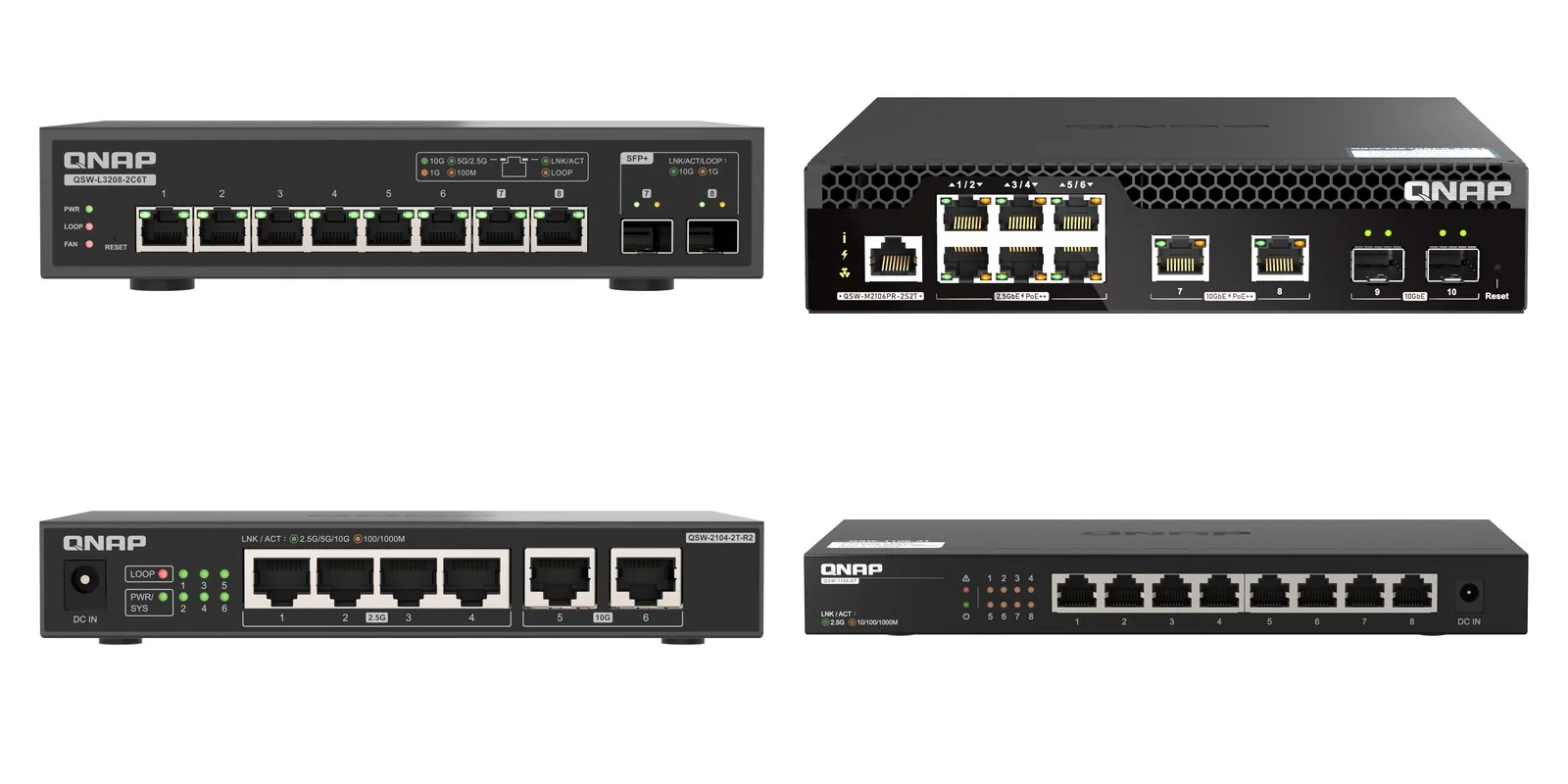
QNAP QSW switches at a glance
Every switch here supports Multi-Gig speeds, so older 1GbE devices still connect at their own speed while your NAS and fast PCs run at 2.5GbE or 10GbE. The choice comes down to how many 10GbE ports you need, whether you need fibre (SFP+), and whether you need management or PoE.
| Switch | In one line | Best for |
|---|---|---|
| QSW-1105-5T | 5 x 2.5GbE, unmanaged, fanless | Home or small office with a 2.5GbE NAS |
| QSW-1108-8T | 8 x 2.5GbE, unmanaged, fanless | More 2.5GbE devices on one desk or shelf |
| QSW-2104-2T-R2 | 2 x 10GbE + 4 x 2.5GbE RJ45, unmanaged, fanless | One 10GbE NAS and one 10GbE PC, everything else 2.5GbE |
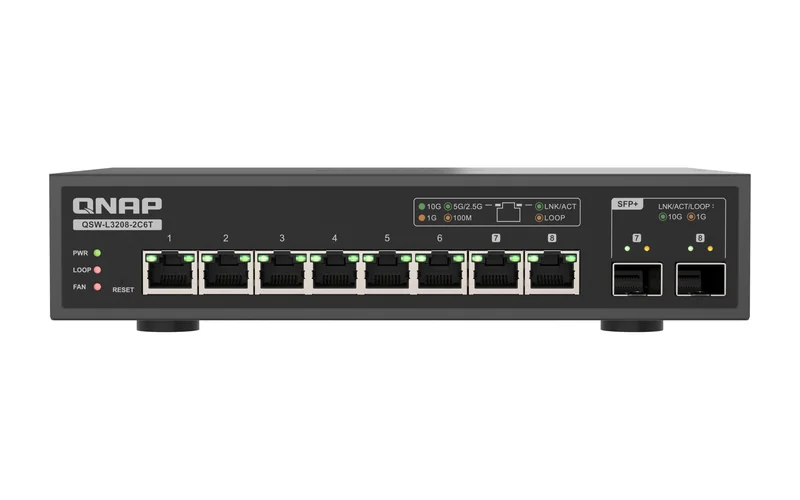
| QSW-L3208-2C6T | 6 x 10GbE RJ45 + 2 x 10GbE SFP+/RJ45 combo, Lite Managed | Video studios and offices moving to 10GbE, SFP+ NAS |
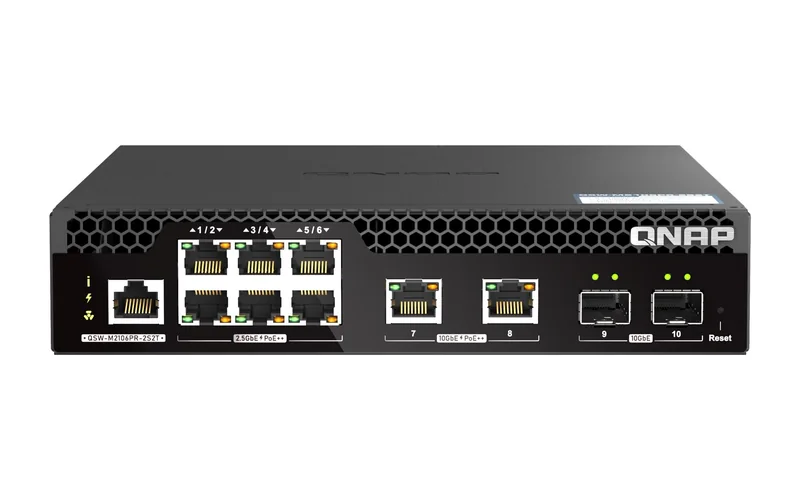
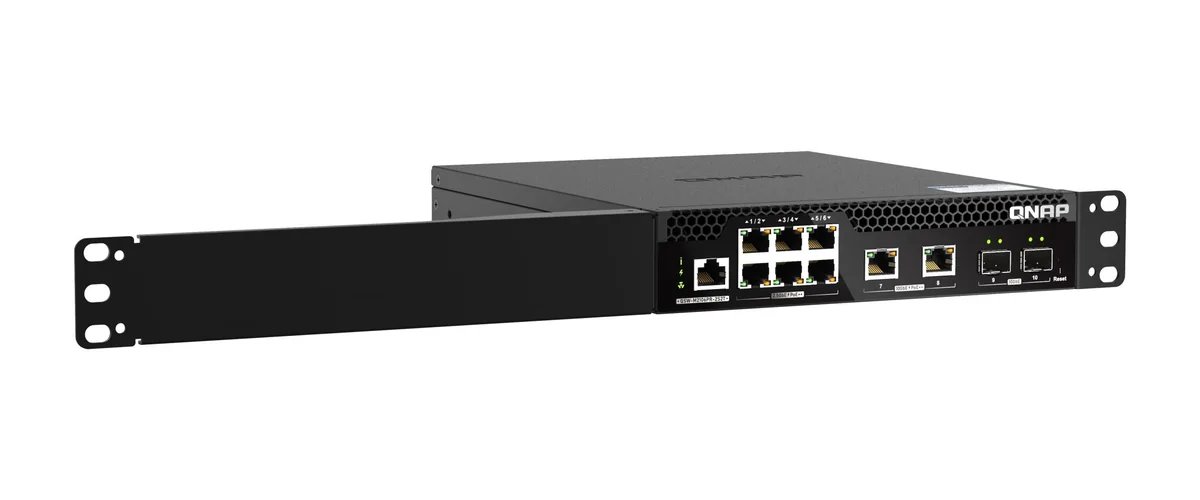
| QSW-M2106PR-2S2T | 2 x SFP+, 2 x 10GbE and 6 x 2.5GbE, all RJ45 ports 90W PoE++, web managed | Business racks with Wi-Fi access points, IP cameras and a NAS |
Summarised from QNAP's specifications for each switch.
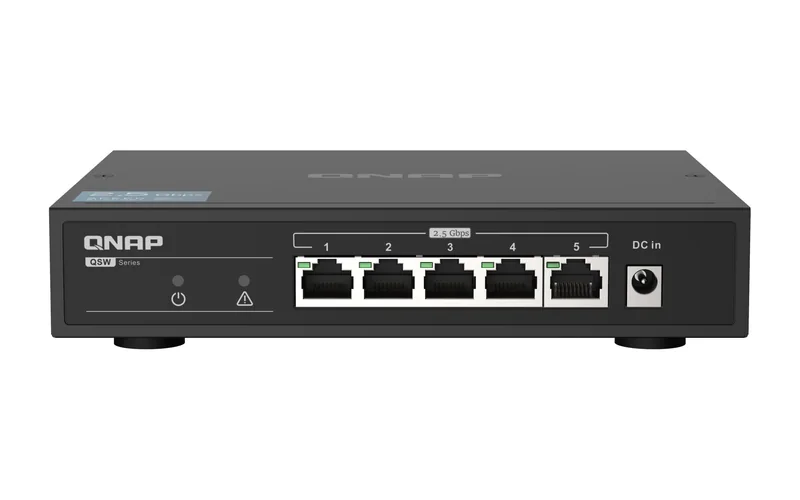
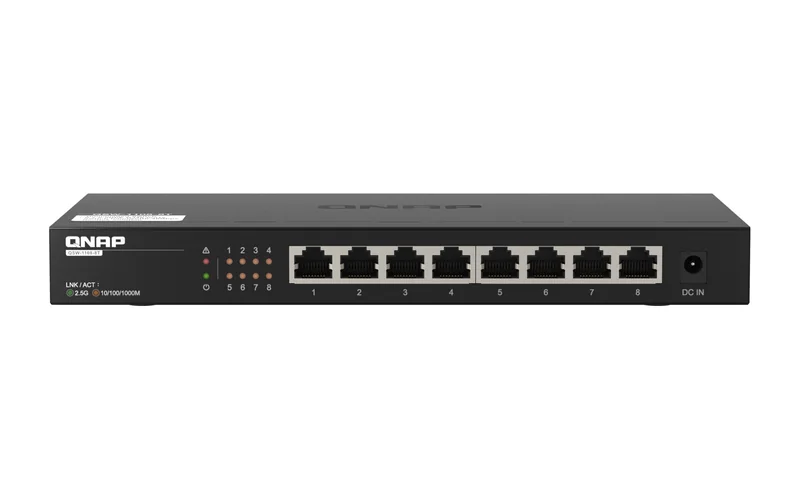
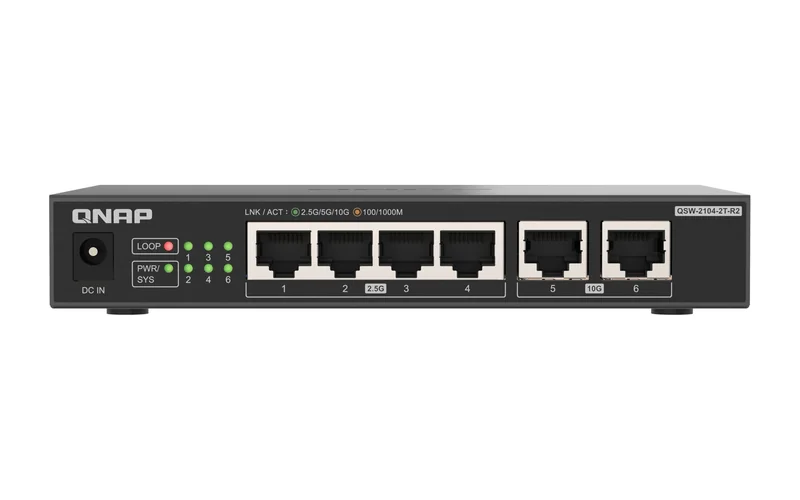
QNAP QSW switch specifications compared
Swipe the table sideways to compare all models →
| Spec | QSW-1105-5T | QSW-1108-8T | QSW-2104-2T-R2 | QSW-L3208-2C6T | QSW-M2106PR-2S2T |
|---|---|---|---|---|---|
| 10GbE RJ45 | - | - | 2 (10G/5G/2.5G/1G/100M) | 6 + 2 combo | 2 |
| 10GbE SFP+ | - | - | - | 2 (combo with RJ45) | 2 |
| 2.5GbE RJ45 | 5 | 8 | 4 | - | 6 |
| Management | Unmanaged | Unmanaged | Unmanaged | Lite Managed (QSS web) | Layer 2 web managed (QSS) |
| PoE | - | - | - | - | 802.3bt PoE++ on 8 ports, 90W each, 310W budget |
| Switching capacity | 25Gbps | 40Gbps | 60Gbps | 160Gbps | 110Gbps |
| Jumbo frames | 9K | 12K | 12K | 12K | 9K |
| Cooling | Fanless | Fanless | Fanless | 4 x 4 cm fans | 2 x PWM fans |
| Form factor | Desktop | Desktop | Desktop | Desktop | Half-width rackmount |
| Power | 12V DC adapter, 12 W max. | 12V/1.5A adapter, 18W max. | 12V/1.5A adapter, 18W max. | 12V/3A adapter, 36W max. | Internal 100-240VAC PSU, 350W max. |
| Loop detection | Yes | Yes | Yes | Yes | RSTP |
| QNAP warranty | 2 years | 2 years | 2 years (extendable up to 5) | 2 years (extendable up to 5) | 2 years (extendable up to 5) |
Source: QNAP hardware specifications for each model. "-" means the switch does not have that feature.
2.5GbE or 10GbE: which speed does your NAS need?
Most current QNAP home and small-business NAS ship with 2.5GbE ports. The TS-464-8G, TS-473A-8G and TS-264-8G each have two 2.5GbE ports, and the TS-433-4G and TS-216G have one 2.5GbE port plus one 1GbE port. Plug any of them into a 1GbE router and they run at 1GbE, so a 2.5GbE switch is the cheapest way to unlock the speed you already paid for. Our 2.5GbE NAS guide explains when 2.5GbE is enough.
10GbE is worth it when one or two machines move very large files: 4K and 8K video editing, photography archives, virtual machines or backing up a whole office overnight. In QNAP's testing, its QNA-UC10G1T Thunderbolt adapter reached 1,181 MB/s read and write over a single 10GbE link. Several QNAP NAS have 10GbE built in: the TS-432X-4G (one SFP+ port), the TS-632X-4G and TS-435XEU-4G (two SFP+ ports each) and the TS-H973AX-8G and TS-855X-8G (one 10GBASE-T RJ45 port each).
Unmanaged 2.5GbE: QSW-1105-5T and QSW-1108-8T
Both are plug-and-play: no app, no web page, nothing to configure. Each port auto-negotiates 2.5G, 1G or 100M, so an older printer or smart TV keeps working beside a 2.5GbE NAS. Both are fanless, which suits a home office, a lounge-room media cabinet or a quiet consulting room. If someone plugs a cable into two ports by mistake, loop detection locks the looped ports and a loop LED shows what happened.
- QSW-1105-5T: five 2.5GbE ports, 25Gbps switching capacity, 12 W maximum.
- QSW-1108-8T: eight 2.5GbE ports, 40Gbps switching capacity, 18W maximum. QNAP says it works over existing Cat 5e cabling. The newer QSW-1108-8T-R2 has the same eight ports in a smaller fanless body with Energy Efficient Ethernet and a 12W maximum.
A two-NAS setup is a common pattern for small offices: one NAS for files, the second for backup, both on 2.5GbE. See our 3-2-1 backup guide for why the backup copy belongs on a separate device.
Your first 10GbE link: QSW-2104-2T-R2
The QSW-2104-2T-R2 is QNAP's entry 10GbE switch: two 10GBASE-T ports (10G/5G/2.5G/1G/100M) and four 2.5GbE ports, 60Gbps switching capacity, fanless and unmanaged. QNAP describes setup as connecting it to your NAS and workstations, and its RJ45 ports work with existing Cat 5e, Cat 6 and Cat 7 cabling. A typical layout:
- 10GbE port 1 → the NAS (a built-in 10GbE port, or a 10GbE card in its PCIe slot).
- 10GbE port 2 → the editing workstation (a PCIe card, or a Thunderbolt/USB4 adapter on a laptop or Mac).
- 2.5GbE ports → other PCs, a Wi-Fi access point and your NBN router.
It has no SFP+ ports, so it suits NAS with 10GBASE-T RJ45 ports, not the SFP+ models. Being unmanaged, it does not do port trunking; QNAP notes that its managed switch series support port trunking.
All-10GbE desk or studio: QSW-L3208-2C6T
The QSW-L3208-2C6T gives you eight 10GbE ports: six 10GbE RJ45 and two SFP+/RJ45 combo ports, so you can connect copper or fibre. Its 160Gbps switching capacity is the highest here. QNAP calls it "Lite Managed": more control than an unmanaged switch, simpler than a full Layer 2 switch. Through the QNAP Switch System (QSS) web interface you get IEEE 802.1Q VLANs, LACP and static link aggregation, QoS, IGMP snooping, port mirroring, rate limits and port isolation.
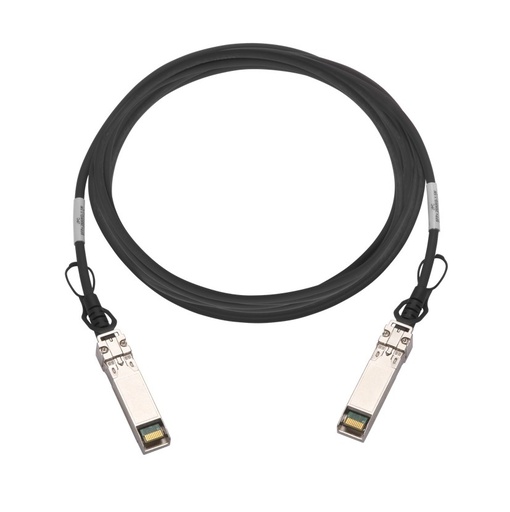
That makes it the natural switch for an SFP+ NAS such as the TS-432X-4G or TS-632X-4G: QNAP lists its 10GbE SFP+ direct attach cables (CAB-DAC15M-SFPP, CAB-DAC30M-SFPP, CAB-DAC50M-SFPP) for this switch. For RJ45, QNAP recommends Cat 6 or higher for 10GbE. It is not fanless (four small fans), so place it in a cupboard or rack shelf if noise matters.
Business rack with PoE: QSW-M2106PR-2S2T
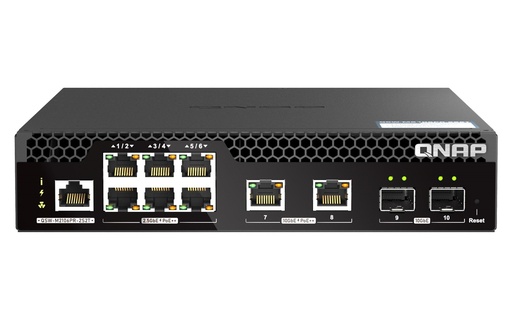
The QSW-M2106PR-2S2T is a half-width rackmount Layer 2 web managed switch with two 10GbE SFP+, two 10GbE RJ45 and six 2.5GbE RJ45 ports. All eight RJ45 ports deliver IEEE 802.3bt PoE++ at up to 90W each, from a 310W total budget, and QNAP names 4K IP cameras, wireless access points, IP phones, LED lights and digital signage as the devices it powers. That suits a medical or dental practice, a retail store or a hotel where the switch feeds Wi-Fi 6 or Wi-Fi 7 access points and a NAS from one rack.
In QSS you can see each port's PoE draw, schedule PoE on and off around business hours and prioritise power for critical devices. Layer 2 features include LACP, VLAN, QoS, IGMP snooping, ACL, LLDP and RSTP. For 10GbE over RJ45, QNAP recommends Category 6a or better cabling, noting that Cat 6 reaches 10Gb/s when the run is under 45 metres.
Where does the QMiro fit?
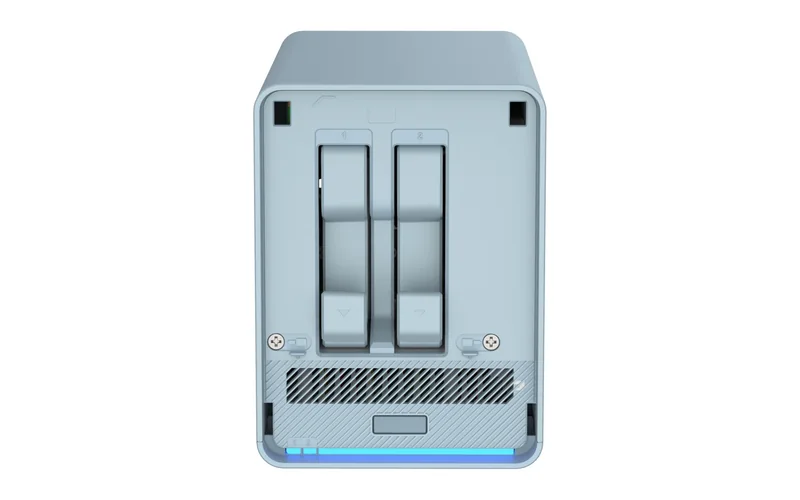
The QMiroPlus-201W is not a switch but a tri-band AC2200 mesh Wi-Fi and SD-WAN router with a built-in 2-bay NAS for 2.5-inch drives. It has one 2.5GbE and four 1GbE RJ45 ports. It suits a home or small office that wants router, mesh Wi-Fi and light NAS storage in one fanless box, but it has no 10GbE ports, so pair a QSW switch with it if you add a 2.5GbE or 10GbE NAS.
How to connect a 10GbE NAS and PCs
- Check the NAS port. SFP+ (TS-432X-4G, TS-632X-4G, TS-435XEU-4G, TS-832PX-4G) needs an SFP+ port on the switch and a DAC cable or SFP+ transceiver. 10GBASE-T RJ45 (TS-H973AX-8G, TS-855X-8G) plugs into any 10GbE RJ45 port. A 2.5GbE NAS with a PCIe slot, such as the TS-464-8G or TS-473A-8G, takes a 10GbE card: QNAP lists 10GbE as optional via a PCIe expansion card on both.
- Add 10GbE to the PC. A desktop takes a QNAP QXG PCIe card; a laptop or Mac with Thunderbolt 3/4 or USB4 takes a QNA adapter. Our guide to 10GbE network cards compares them.
- Use the right cable. Cat 6a or better for 10GbE RJ45; Cat 6 under 45 metres; Cat 5e is fine for 2.5GbE.
- Match settings end to end. For its QNA adapters, QNAP recommends enabling Jumbo Frames (MTU 9000) on all devices for best results. Your switch must support the frame size too (9K or 12K above).
- Two ports, double the bandwidth. With two 10GbE ports on the NAS, SMB Multichannel or port trunking can deliver up to 20Gbps on QNAP cards such as the QXG-10G2T; trunking (LACP) needs a managed switch such as the QSW-L3208-2C6T or QSW-M2106PR-2S2T.
Which QNAP switch for which Australian workplace?
ARC IP Networks suggestions, based on QNAP's specifications.
| You have | Choose | Why |
|---|---|---|
| Home office or family NAS on the NBN | QSW-1105-5T | Five 2.5GbE ports, fanless, no setup |
| Small accounting or legal office, 6 to 8 PCs | QSW-1108-8T | Eight 2.5GbE ports, fanless, existing Cat 5e |
| Photographer or video editor with one 10GbE workstation | QSW-2104-2T-R2 | Two 10GbE ports for NAS and workstation, four 2.5GbE |
| Video production studio or architecture practice | QSW-L3208-2C6T | Eight 10GbE ports, SFP+ for the NAS, VLANs and LACP |
| Medical or dental practice, retail store or hotel with PoE devices | QSW-M2106PR-2S2T | 90W PoE++ on eight ports, 10GbE uplinks, rackmount |
| Home that wants router, mesh Wi-Fi and storage in one | QMiroPlus-201W | Router plus 2-bay NAS; add a QSW for 10GbE |
Why buy QNAP from ARC IP Networks
- Authorised QNAP reseller: genuine QNAP sourced through authorised Australian distribution, never grey import.
- Australian stock shipped Australia-wide.
- Manufacturer's warranty and local pre-sales help choosing bays, drives, networking and expansion.
- Every product page backed by QNAP's own specifications, with the exact warranty for each model.
- GST tax invoice on every order, with trade and project pricing for installers and integrators.
See the full range on our QNAP Australia hub, or read where to buy QNAP in Australia. Questions? Call 1300 100 440 or email info@arcip.com.au.
Shop QNAP switches
Live Australian pricing (inc. GST) is on each product page. See every model in the QNAP network switches category.
Common questions
Straight answers from the ARC IP Networks team. Last reviewed October 2026.
For one 10GbE NAS and one 10GbE PC, the QNAP QSW-2104-2T-R2 (2 x 10GbE + 4 x 2.5GbE, fanless, unmanaged). For a NAS with SFP+ ports or more than two 10GbE devices, the QSW-L3208-2C6T, with six 10GbE RJ45 and two SFP+/RJ45 combo ports.
The QNAP QSW-1105-5T: five 2.5GbE ports, fanless and unmanaged, with loop detection. If you need more ports, the QSW-1108-8T has eight.
Not for basic file sharing; an unmanaged switch works out of the box. Choose a managed switch such as the QSW-L3208-2C6T or QSW-M2106PR-2S2T if you need VLANs, QoS or link aggregation (LACP) across two NAS ports.
Yes. The 10GbE RJ45 ports on QNAP QSW switches support 10G/5G/2.5G/1G/100M, and the 2.5GbE ports support 2.5G/1G/100M, so each device runs at its own speed.
QNAP recommends Category 6a or better for 10GbE over RJ45, and notes that Cat 6 reaches 10Gb/s on runs under 45 metres. For SFP+ ports, use a 10GbE SFP+ direct attach cable such as the CAB-DAC30M-SFPP or an SFP+ optical transceiver.
The QSW-M2106PR-2S2T. All eight of its RJ45 ports deliver IEEE 802.3bt PoE++ at up to 90W each, from a 310W total budget.
The QSW-1105-5T, QSW-1108-8T and QSW-2104-2T-R2 are fanless. The QSW-L3208-2C6T and QSW-M2106PR-2S2T have fans.
QNAP lists a 2-year warranty for each switch in this guide. For the QSW-2104-2T-R2, QSW-L3208-2C6T and QSW-M2106PR-2S2T, QNAP offers a warranty extension up to 5 years.
ARC IP Networks is an authorised QNAP reseller and supplies genuine QNAP from Australian stock with a GST tax invoice. Order at arcip.com.au or call 1300 100 440.
Planning a 10GbE network?
Tell us which NAS and PCs you are connecting. ARC IP Networks will match the switch, cards and cables, and quote trade pricing for installers and IT providers. Call 1300 100 440 or email info@arcip.com.au.