Netgear PoE switches come in 5, 8, 10, 16, 24 and 48-port sizes, and the number that matters most is the PoE budget: the total power shared across the ports. Small desktop models run from the 63W GS305P/GS305EP to the 123W GS308EPP and GS108PP; the 16-port GS316EPP has 231W; 24-port Smart switches such as the GS724TP and GS728TPP have 190W to 380W; and the fully managed M4250 (GSM4230P, GSM4248PX) and M4350 (GSM4352) reach 960W and beyond. Unmanaged models are plug-and-play; Plus and Smart models add per-port PoE control and VLANs.
Quick pick: 1 to 4 devices → GS305EP; up to 8 access points or cameras → GS308EPP; 15 devices → GS316EPP; a 24-port rack → GS724TP or the M4250 GSM4230P; 40 devices at full PoE+ → GSM4248PX. ARC IP Networks is an authorised Netgear reseller and supplies genuine Netgear from Australian stock with a GST tax invoice.
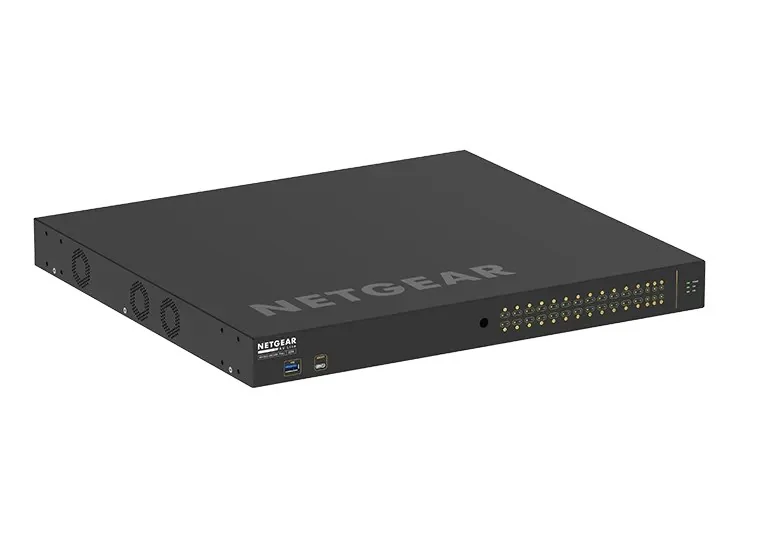
Netgear PoE switches at a glance
Our pick in each size, chosen from models we normally hold in Australian stock. Every size has more options in the full table below.
| Size | Our pick | PoE ports and budget | Management |
|---|---|---|---|
| 5-port | GS305EP | 4 x PoE+, 63W | Plus (web GUI) |
| 8-port | GS308EPP | 8 x PoE+, 123W | Plus (web GUI) |
| 8-port unmanaged | GS108PP | 8 x PoE+, 123W | Plug-and-play |
| 10-port AV | GSM4210PD (M4250) | 8 x PoE+, 110W | Fully managed, fanless |
| 16-port | GS316EPP | 15 x PoE+, 231W | Plus (web GUI) |
| 24-port | GS724TP or GSM4230P | 24 x PoE+, 190W / 300W | Smart + Insight / fully managed |
| 48-port | GSM4248PX or GSM4352 | 40 x PoE+ 960W / 48 x PoE+ up to 1,440W | Fully managed |
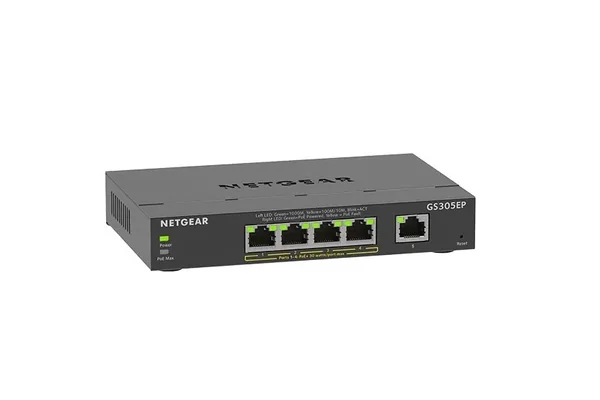
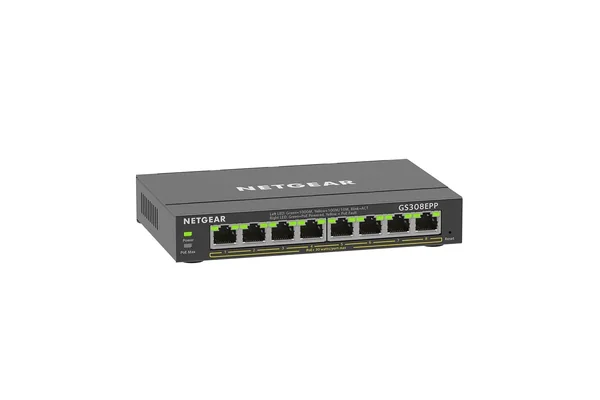
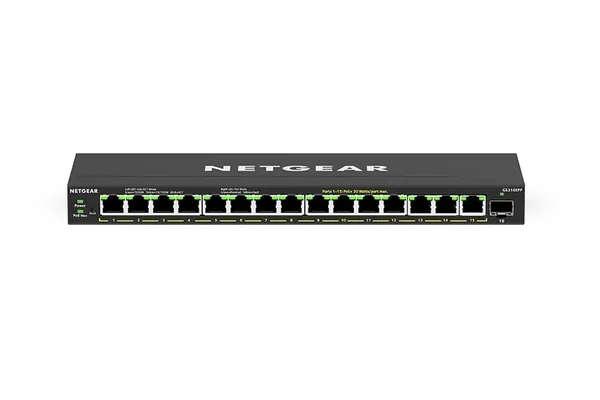
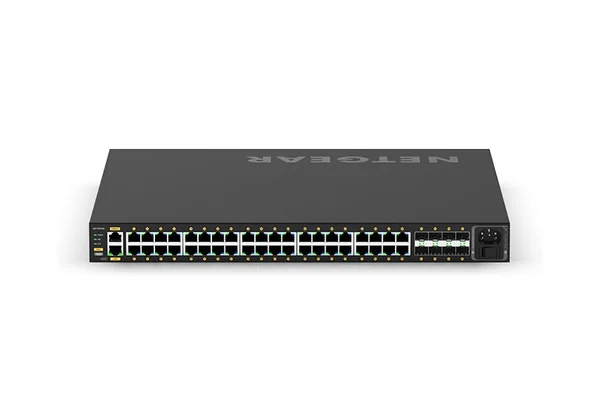
Netgear PoE switches by port count
Every Netgear PoE switch ARC IP Networks lists, smallest to largest. The PoE budget is the total for the whole switch, not per port.
Swipe the table sideways to compare all models →
| SKU | Ports | PoE ports | PoE budget | Management | Mounting / cooling |
|---|---|---|---|---|---|
| GS305P-300AUS | 5 | 4 x PoE+ | 63W | Unmanaged | Desktop / wall, fanless |
| GS305EP-100AUS | 5 | 4 x PoE+ | 63W | Plus | Desktop / wall, fanless |
| GS108LP-100AJS | 8 | 8 x PoE+ | 60W (FlexPoE to 123W) | Unmanaged | Desk, wall or rack, fanless |
| GS108PP-100AJS | 8 | 8 x PoE+ | 123W | Unmanaged | Desk, wall or rack, fanless |
| GS308EP-100AUS | 8 | 8 x PoE+ | 62W | Plus | Desktop / wall, fanless |
| GS308EPP-100AUS | 8 | 8 x PoE+ | 123W | Plus | Desktop / wall, fanless |
| GS110TP-300AJS | 8 + 2 SFP | 8 x PoE+ | 55W | Smart + Insight | Desktop / wall, fanless |
| MS108UP-100AUS | 8 x 2.5G | 4 x PoE++ 60W, 4 x PoE+ | 230W | Unmanaged | Desktop / wall, fanless |
| MS108EUP-100AUS | 8 x 2.5G | 4 x PoE++ 60W, 4 x PoE+ | 230W | Plus | Desktop / wall, fanless |
| GSM4210PD-100AUS | 8 + 1 + 1 SFP | 8 x PoE+ | 110W | M4250 managed | Desktop, fanless |
| GSM4210PX-100AUS | 8 + 2 x 10G SFP+ | 8 x PoE+ | 220W | M4250 managed | Desktop |
| MS510TXUP-100AJS | 8 Multi-Gig + 2 SFP+ | 8 x Ultra60 PoE++ | 295W | Smart + Insight | Rack / desktop |
| GS316PP-100AJS | 16 | 16 x PoE+ | 183W | Unmanaged | Desktop / wall, fanless |
| GS316EP-100AUS | 16 + 1 SFP | 15 x PoE+ | 180W | Plus | Desktop / wall, fanless |
| GS316EPP-100AUS | 16 + 1 SFP | 15 x PoE+ | 231W | Plus | Desktop / wall, fanless |
| GS324P-100AJS | 24 | 16 x PoE+ | 190W | Unmanaged | Rack / desktop |
| GS524PP-100AJS | 24 | 24 x PoE+ | 300W | Unmanaged | Rack / desktop |
| GS724TP-300AUS | 24 + 2 SFP | 24 x PoE+ | 190W | Smart + Insight | Rack / desktop |
| GS724TPP-300AUS | 24 + 2 SFP | 24 x PoE+ | 380W | Smart + Insight | Rack / desktop |
| GS728TPP-300AUS | 24 + 4 SFP | 24 x PoE+ | 380W | Smart + Insight | Rack |
| GSM4230P-100AJS | 26 + 4 SFP | 24 x PoE+ | 300W | M4250 managed | 1U rack |
| GSM4230PX-100AJS | 26 + 4 x 10G SFP+ | 24 x PoE+ | 480W | M4250 managed | 1U rack |
| GSM4328-100AJS | 24 + 4 x 10G SFP+ | 24 x PoE+ | 648W, up to 720W | M4350 Layer 3 | 1U rack |
| GS752TP-300AUS | 48 + 4 SFP | 48 x PoE+ | 380W | Smart + Insight | Rack |
| GS752TPP-300AUS | 48 + 4 SFP | 48 x PoE+ | 760W | Smart + Insight | Rack |
| GSM4248P-100AJS | 40 + 8 SFP | 40 x PoE+ | 480W | M4250 managed | 1U rack |
| GSM4248PX-100AJS | 40 + 8 x 10G SFP+ | 40 x PoE+ | 960W | M4250 managed | 1U rack |
| GSM4248UX-100AJS | 40 + 8 x 10G SFP+ | 40 x Ultra90 PoE++ | Up to 2,880W | M4250 managed | 2U rack |
| GSM4352-100AJS | 48 + 4 x 10G SFP+ | 48 x PoE+ | 236W, up to 1,440W | M4350 Layer 3 | 1U rack |
Sources: Netgear datasheets and Australian product pages for each SKU. "Up to" budgets need extra Netgear power supplies; the GS108LP reaches 83W or 123W with a larger Netgear external adapter (FlexPoE). Some sizes may be on order: check each product page.
PoE, PoE+ and PoE++: which standard do your devices need?
Netgear's datasheets give the per-port maximum for each standard:
- PoE (IEEE 802.3af): up to 15.4W per port.
- PoE+ (IEEE 802.3at): up to 30W per port. Almost every switch in this guide is PoE+.
- PoE++ (IEEE 802.3bt): Netgear Ultra60 ports deliver up to 60W (MS108UP, MS108EUP, MS510TXUP) and Ultra90 ports up to 90W (M4250 GSM4212UX and GSM4248UX, and the Multi-Gig M4350 models).
PoE+ ports also power 802.3af devices. Check the datasheet of each access point, camera or phone for its PoE class and maximum draw: newer Wi-Fi access points and PTZ cameras often need more than basic PoE, and displays or high-power PTZ cameras may need PoE++.
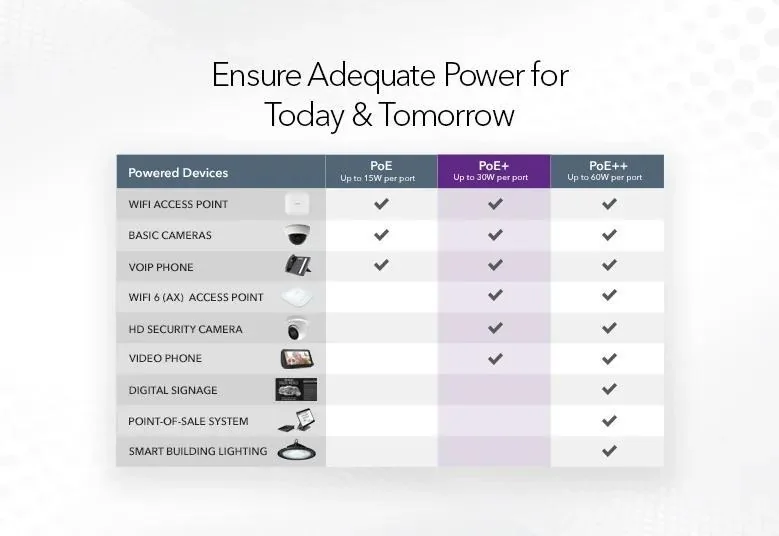
How to size the PoE budget
The budget is shared. The GS308EP has 8 PoE+ ports, each able to deliver up to 30W, but only 62W in total, so it suits desk phones and low-power devices. The GS308EPP has the same ports with 123W. At the top end, Netgear notes the 960W GSM4248PX can deliver the full 30W on all 40 PoE+ ports at once.
- List every powered device and its maximum draw from its own datasheet.
- Add them up and allow headroom for the devices you will add later.
- Pick a switch whose total budget covers that sum, and whose per-port standard covers your hungriest device.
Two ways to grow later: the GS108LP uses Netgear FlexPoE, so its 60W budget rises to 83W or 123W with a larger external adapter, and the M4350 GSM4352 starts at 236W from its internal power supply and scales up to 1,440W with modular power supplies in its two slots. For a step-by-step method, read what PoE switch do I need.
Unmanaged, Plus, Smart or fully managed PoE?
Unmanaged PoE switches (GS305P, GS108PP, GS316PP, GS524PP) are plug-and-play and balance power automatically to each device. Nothing to configure, and nothing to secure.
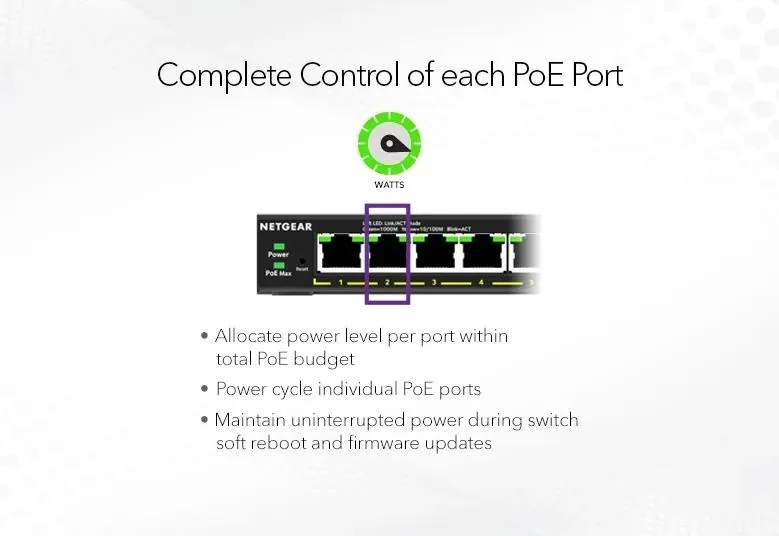
Plus (Easy Smart) models such as the GS305EP, GS308EPP and GS316EPP add a web interface with VLANs, QoS and per-port PoE control: switch a port off, set priority and power limits, and power-cycle a frozen camera or access point remotely. Uninterrupted PoE keeps devices running while the switch updates firmware or reboots. The 16-port GS316EP and GS316EPP also add PoE scheduling, handy for turning off access points overnight.
Smart switches (GS724TP, GS728TPP, GS752TP) add SFP fibre uplinks, 256 VLANs, ACLs, 802.1X, LACP and PoE scheduling, managed from a web GUI, Lite CLI or Netgear Insight in the cloud. See Netgear Insight explained.
Fully managed M4250 and M4350 switches add Layer 3 routing, multicast tuning for AV over IP and, on the M4350, stacking. If you are running Dante audio, NDI video or AV over IP, read our M4250 AV Line guide.
Fanless or rack: where will it live?
The 5, 8 and 16-port desktop models are fanless, so they suit a reception desk, a home office or a classroom. The M4250 GSM4210PD is a fully managed 10-port switch that is totally fanless and designed to sit in a meeting room or behind a screen. Larger 24 and 48-port switches mount in a comms rack; Netgear lists the GS724TP at 26.1 dBA with its fans, and the M4250 models offer selectable fan modes (the desktop GSM4210PX can run fanless at up to 180W of PoE). For a camera system, also size the recorder: see how much storage you need for security cameras.
Which Netgear PoE switch for which Australian site
ARC IP Networks suggestions, based on Netgear's specifications.
| Site | Choose | Why |
|---|---|---|
| Home with one or two ceiling access points | GS305EP | 63W, fanless, VLAN for guests |
| Home or small office with up to 8 cameras | GS308EPP or GS108PP | 123W across 8 PoE+ ports |
| Medical or dental practice, 15 phones and access points | GS316EPP | 231W, VLANs, PoE scheduling, SFP uplink |
| Retail store or cafe with phones, cameras and Wi-Fi | GS724TP | 24 PoE+ ports, Insight cloud for multi-site |
| School block or warehouse with many access points | GS728TPP | 380W, 4 SFP fibre uplinks |
| Meeting room or AV install | GSM4210PD or GSM4230P | M4250 AV Line, pre-configured for AV over IP |
| Office floor or campus distribution, 40+ devices | GSM4248PX or GSM4352 | 960W, or modular power up to 1,440W, 10G uplinks |
| Shed or second building | Wi-Fi between buildings | Plan the link first, then a small PoE switch at the far end |
Why buy Netgear from ARC IP Networks
- Authorised Netgear reseller: genuine Netgear with the full manufacturer's warranty, supplied from Australian stock.
- Australian stock shipped Australia-wide.
- Manufacturer's warranty and local pre-sales help choosing the right switches, access points and accessories.
- Every product page backed by Netgear's own specifications, with the exact warranty for each model.
- GST tax invoice on every order, with trade and project pricing for installers and integrators.
See the full range on our Netgear Australia hub, or read where to buy Netgear in Australia. Questions? Call 1300 100 440 or email info@arcip.com.au.
Shop Netgear PoE switches
Live Australian pricing (inc. GST) and availability are on each product page.
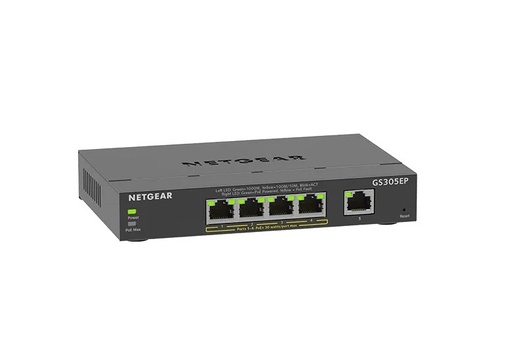
GS305EP-100AUS: 4 PoE+ ports, 63W, Plus management, fanless
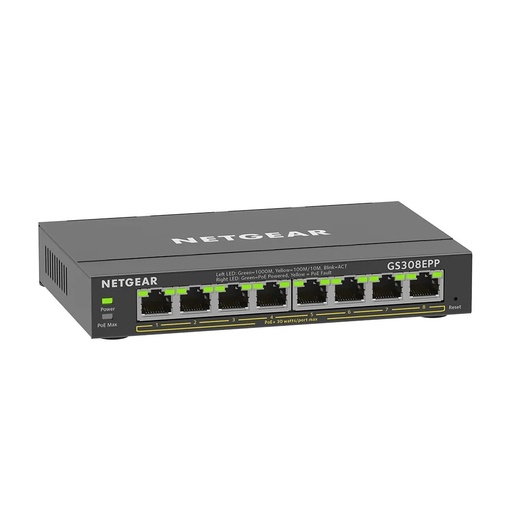
GS308EPP-100AUS: 8 PoE+ ports, 123W, Plus management
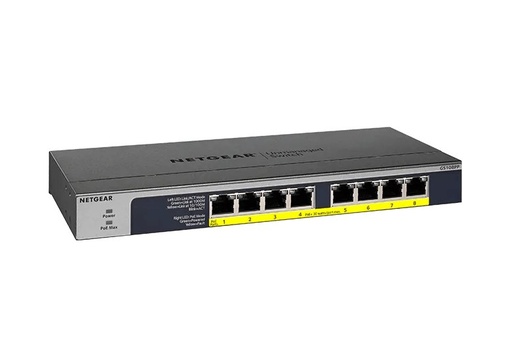
GS108PP-100AJS: 8 PoE+ ports, 123W, unmanaged, fanless
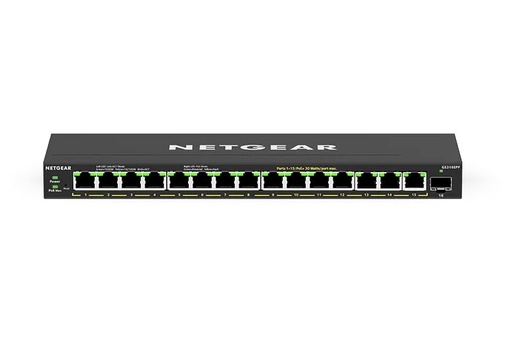
GS316EPP-100AUS: 15 PoE+ ports, 231W, SFP, PoE scheduling
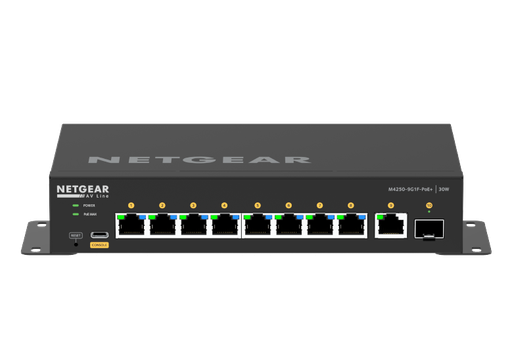
GSM4210PD-100AUS: 8 PoE+ ports, 110W, fully managed, fanless
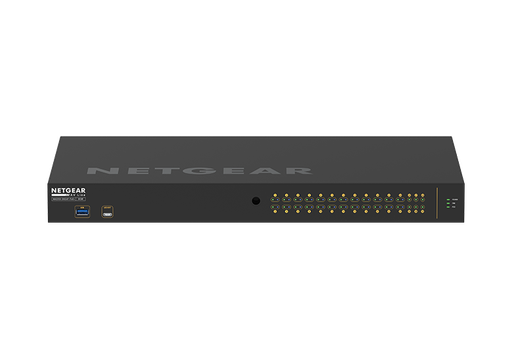
GSM4230P-100AJS: 24 PoE+ ports, 300W, 4 SFP, AV Line
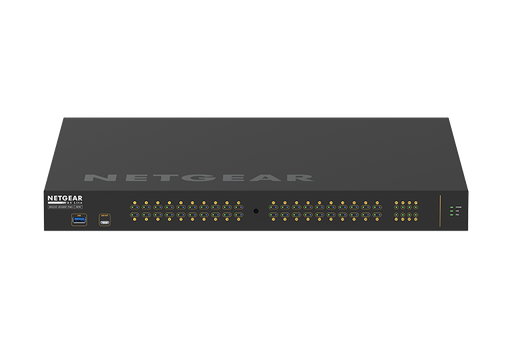
GSM4248PX-100AJS: 40 PoE+ ports, 960W, 8 x 10G SFP+
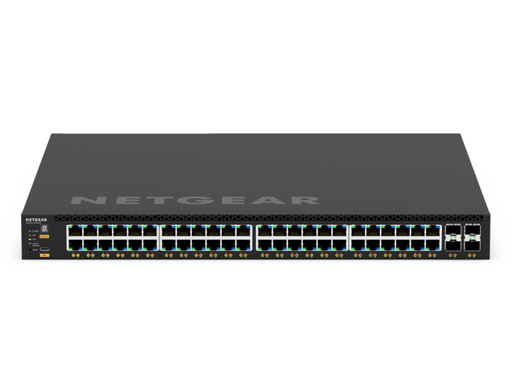
GSM4352-100AJS: 48 PoE+ ports, up to 1,440W, Layer 3
Common questions
Straight answers from the ARC IP Networks team. Last reviewed October 2026.
For access points and cameras, the GS308EPP (8 PoE+ ports, 123W, Plus management) or the unmanaged GS108PP (8 PoE+ ports, 123W). The GS308EP has the same ports with a 62W budget for lower-power devices such as desk phones.
PoE (802.3af) delivers up to 15.4W per port, PoE+ (802.3at) up to 30W, and PoE++ (802.3bt) up to 60W on Netgear Ultra60 ports or 90W on Ultra90 ports.
It is the total power the switch can share across all its PoE ports. For example, the GS308EP has 8 PoE+ ports that can each deliver up to 30W, but a 62W total budget.
The GS316EPP has 15 PoE+ ports on a 231W budget, an SFP port, VLANs and PoE scheduling. The GS316PP is the unmanaged option with 16 PoE+ ports and 183W.
The GS724TP (190W) and GS724TPP or GS728TPP (380W) are Smart switches with Insight cloud management. For AV over IP or a larger network, the M4250 GSM4230P (300W) or GSM4230PX (480W) and the M4350 GSM4328 (648W, up to 720W) are fully managed.
The M4250 GSM4248PX can: Netgear rates its 960W budget to deliver 30W on all 40 PoE+ ports at once. The GSM4352 scales from 236W to 1,440W with modular power supplies.
Not always. An unmanaged PoE+ switch such as the GS108PP powers cameras with no setup. A Plus or Smart switch adds VLANs to keep cameras on their own network and lets you power-cycle a camera remotely.
The 5, 8 and 16-port desktop models in this guide are fanless, as is the M4250 GSM4210PD. Larger rackmount Smart and M4250 switches use fans, and most M4250 models offer selectable fan modes.
ARC IP Networks is an authorised Netgear reseller and supplies genuine Netgear from Australian stock with a GST tax invoice. Order at arcip.com.au or call 1300 100 440 for project quantities and trade pricing.
Planning a PoE network?
Send us your list of access points, cameras and phones and ARC IP Networks will size the PoE budget and quote the right Netgear switches, with trade pricing for installers. Call 1300 100 440 or email info@arcip.com.au.
Related guides
- Netgear switch buying guide for Australia
- Netgear GS105 vs GS108 vs GS305P compared
- Netgear M4250 AV Line for AV over IP
- What PoE Switch Do I Need in Australia? PoE Budgets, 2.5G and Port Types Explained
- Wi-Fi Between Buildings in Australia: How to Get Internet to a Shed, Granny Flat or Across the Farm
- Netgear Australia hub
- Shop Netgear managed switches