The Netgear GS105 (GS105AU) and GS108 (GS108AU) are plug-and-play Gigabit switches with 5 and 8 ports and nothing to set up. The GS105E and GS108E (and GS308E) are Netgear Plus (Easy Smart) switches that add a web interface with 64 VLANs, QoS and IGMP snooping. The GS305P and GS305EP add 4 PoE+ ports on a 63W budget, the GS308EP and GS308EPP make all 8 ports PoE+ (62W or 123W), and the MS105 runs all 5 ports at up to 2.5G.
Quick pick: simple home or office expansion → GS108; VLANs for a guest or camera network → GS108E; powering an access point, phones or cameras → GS305EP or GS308EPP; 2.5G gear such as a Wi-Fi 7 router or NAS → MS105. ARC IP Networks is an authorised Netgear reseller and supplies genuine Netgear from Australian stock with a GST tax invoice.
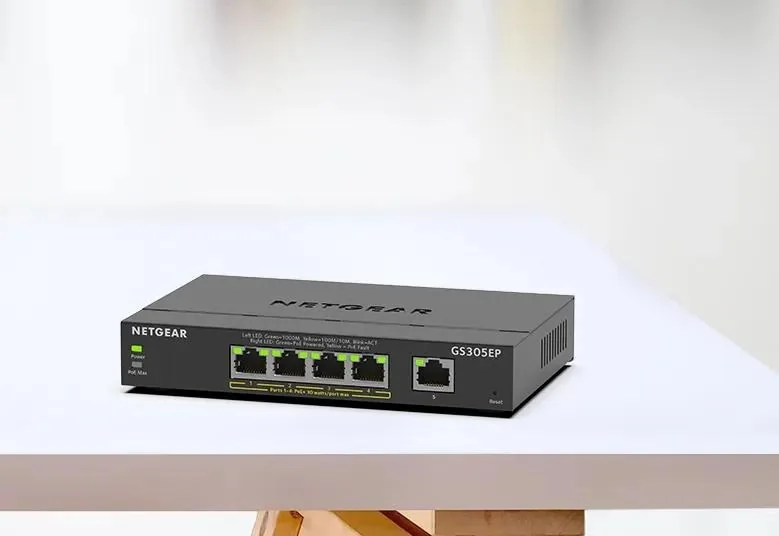
Which small Netgear switch at a glance
Every switch below is a desktop model with a metal case that can also be wall-mounted. They differ in three ways: whether you can configure them (unmanaged vs Plus), whether they power devices over the cable (PoE+), and port speed (Gigabit vs 2.5G). These are the exact Australian SKUs ARC IP Networks sells.
| Model (our SKU) | In one line | Best for |
|---|---|---|
| GS105 GS105AU | 5 x Gigabit, plug-and-play | A few extra ports behind the NBN router |
| GS108 GS108AU | 8 x Gigabit, plug-and-play | Home office, small office, AV cabinet |
| GS105E GS105E-200AUS | 5 x Gigabit Plus, 64 VLANs, QoS | Separating a guest or IoT network |
| GS108E GS108E-400AUS | 8 x Gigabit Plus, fanless | Small office with VLANs and monitoring |
| GS308E GS308E-400AUS | 8 x Gigabit Plus, 3.7W maximum | Same job as the GS108E, 300 Series |
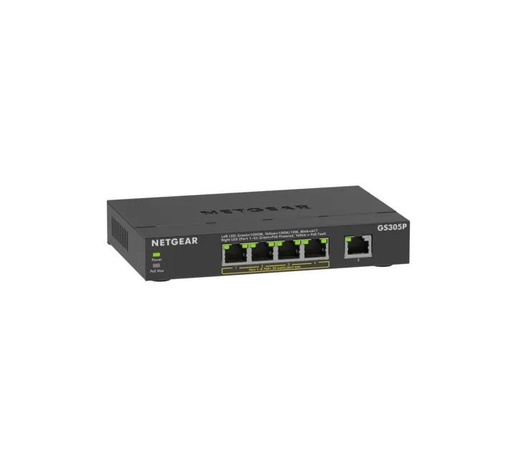
| GS305P GS305P-300AUS | 5 ports, 4 PoE+, 63W, unmanaged | One or two access points or cameras |
| GS305EP GS305EP-100AUS | 5 ports, 4 PoE+, 63W, Plus | PoE with per-port control and VLANs |
| GS308EP GS308EP-100AUS | 8 x PoE+, 62W, Plus | Desk phones and low-power devices |
| GS308EPP GS308EPP-100AUS | 8 x PoE+, 123W, Plus | Wi-Fi access points and cameras |
| MS105 MS105-100AUS | 5 x 2.5G Multi-Gig, plug-and-play | Wi-Fi 7 routers, 2.5G NAS and PCs |
Summarised from Netgear's datasheets and Australian product pages for each SKU.
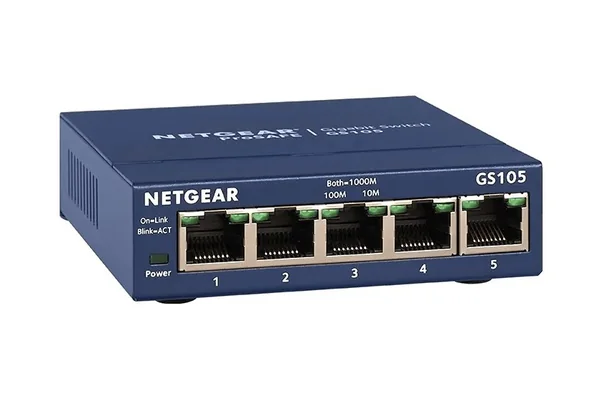
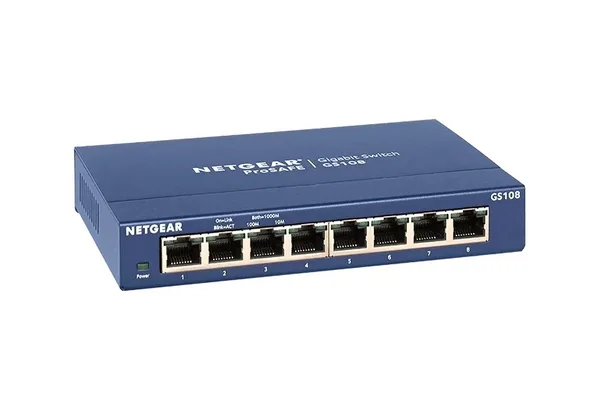
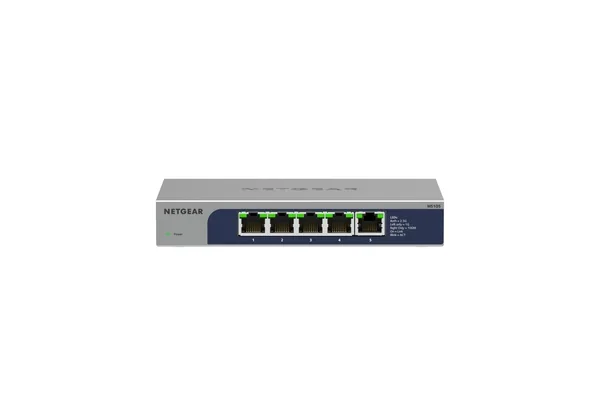
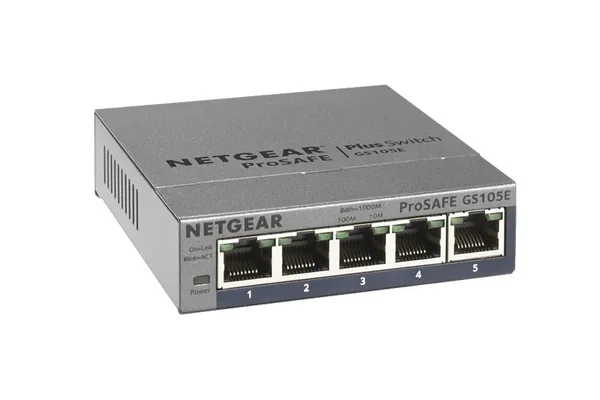
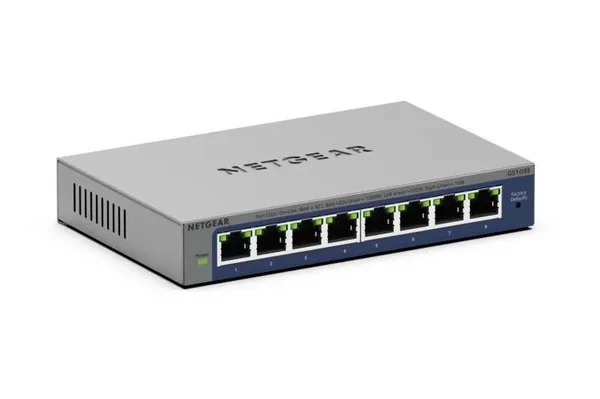
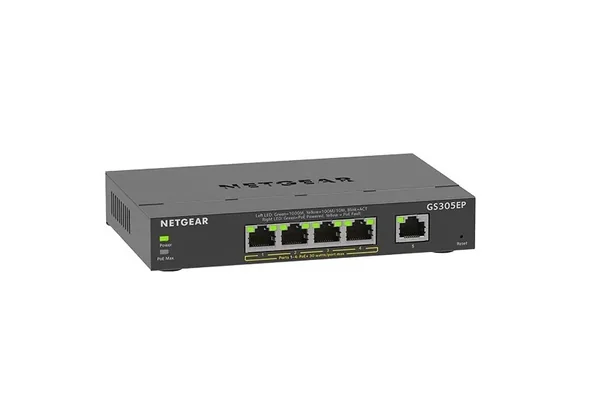
Netgear GS105, GS108, GS305P, GS108E and MS105 specifications
Switching bandwidth is the total the switch can move at once; every model here is non-blocking, so each port can run at full speed.
Swipe the table sideways to compare all models →
| SKU | Ports | Management | PoE | Bandwidth | MAC table | Cooling / noise |
|---|---|---|---|---|---|---|
| GS105AU | 5 x 1G | Unmanaged | No | 10 Gbps | 2K | Acoustic noise 0 |
| GS108AU | 8 x 1G | Unmanaged | No | 16 Gbps | 4K | Acoustic noise 0 |
| GS105E-200AUS | 5 x 1G | Plus: web GUI or PC utility | No | 10 Gbps | 2K | 0 dBA |
| GS108E-400AUS | 8 x 1G | Plus: web GUI or PC utility | No | 16 Gbps | 4K | Fanless, 0 dBA |
| GS308E-400AUS | 8 x 1G | Plus: web GUI or PC utility | No | 16 Gbps | 4K | Fanless, 0 dBA |
| GS305P-300AUS | 5 x 1G | Unmanaged | 4 x PoE+, 63W | 10 Gbps | 2K | Fanless |
| GS305EP-100AUS | 5 x 1G | Plus: web GUI | 4 x PoE+, 63W | 10 Gbps | 4K | Fanless |
| GS308EP-100AUS | 8 x 1G | Plus: web GUI | 8 x PoE+, 62W | 16 Gbps | 4K | Fanless |
| GS308EPP-100AUS | 8 x 1G | Plus: web GUI | 8 x PoE+, 123W | 16 Gbps | 4K | Fanless |
| MS105-100AUS | 5 x 2.5G | Unmanaged | No | 25Gbps | 16K | Fanless, 0 dBA |
Sources: Netgear GS105v5/GS108v4 datasheet, GS105E/GS108E datasheet, GS305E/GS308E datasheet, 300 Series PoE datasheet, GS305EP/GS308EP/GS308EPP datasheet, MS105 datasheet and Netgear's Australian product pages. The GS105 and GS108 datasheet lists acoustic noise as 0 rather than using the word fanless.
GS105 vs GS108: unmanaged and plug-and-play
The Netgear GS105 and GS108 are the classic Netgear ProSAFE desktop switches. Plug in the power adapter, connect your cables and they start switching: there is no software and nothing to configure. Each port senses the speed and cable type automatically, and both honour 802.1p and DSCP priority tags, so voice and video marked by your router or phone system are still sent first.
The only real differences are port count and size. The GS105 has 5 ports and 10 Gbps of switching in a 94 x 100 x 27 mm case; the GS108 has 8 ports and 16 Gbps in a 158 x 102 x 27 mm case. Both come with a wall-mount kit and rubber feet, and both support IEEE 802.3az Energy Efficient Ethernet to cut power use on idle ports. Choose the GS108 unless you are sure you will never need more than four devices: one port always goes back to your router.
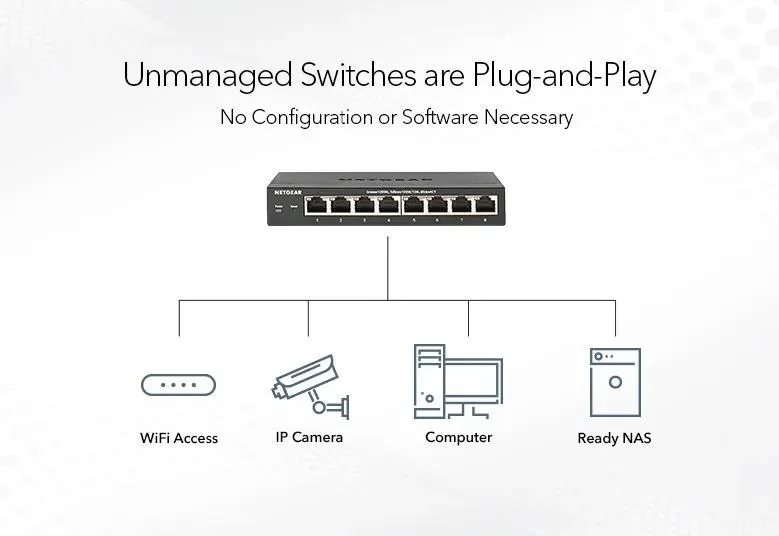
GS105E, GS108E and GS308E: what a Netgear Plus switch adds
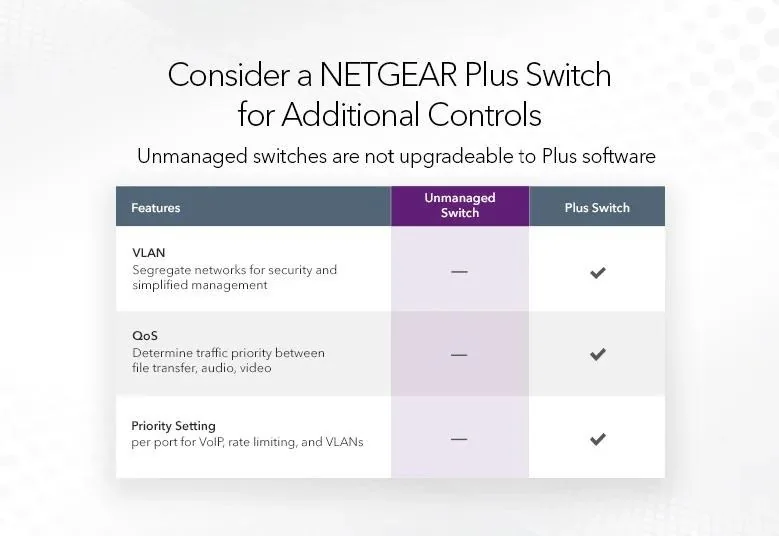
Netgear's Plus switches, which Netgear also calls Easy Smart Managed, look like the unmanaged models but have a web browser interface (and a PC utility) behind them. That unlocks the features small Australian offices most often ask for:
- VLANs: up to 64 802.1Q or port-based VLANs, so guest Wi-Fi, CCTV or a point-of-sale terminal can sit on its own network segment: a sensible step for any business holding customer or patient information covered by the Privacy Act.
- QoS: 802.1p, DSCP, TOS and port-based priority with strict priority queuing, so a VoIP call wins over a file download.
- IGMP snooping (v1, v2 and v3) to keep IPTV and multicast streams off ports that do not want them.
- Troubleshooting: port mirroring, a cable test utility, loop detection and broadcast storm control.
The GS105E has 5 ports and mirrors up to 4 source ports; the GS108E and GS308E have 8 ports and mirror up to 7. The GS308E is the 300 Series version, with a 3.7W maximum power draw listed by Netgear. One important point from Netgear: unmanaged switches are not upgradeable to Plus software, so if you think you will want VLANs later, buy the E model now.
GS305P vs GS305EP vs GS308EP vs GS308EPP: small PoE+ switches
Power over Ethernet (PoE) sends power and data down one cable, so a ceiling access point, desk phone or camera needs no power point nearby. All four models use IEEE 802.3at PoE+, which allows up to 30W per port, but the total PoE budget is shared across the ports.
- GS305P (v3): 5 ports, 4 of them PoE+, 63W budget, unmanaged and plug-and-play, with PoE auto-balance.
- GS305EP: the same 4 PoE+ ports and 63W, plus the Plus web interface, per-port PoE on/off, priority and power limits, and uninterrupted PoE that keeps devices powered during a firmware update or software reboot.
- GS308EP: all 8 ports PoE+ on a 62W budget, so it suits desk phones and other low-power devices rather than eight high-draw devices at once.
- GS308EPP: all 8 ports PoE+ on a 123W budget, the better choice for Wi-Fi access points and cameras.
Add up the maximum draw from each device's datasheet and keep it under the budget. For 16, 24 and 48-port options and higher-power PoE++, see our Netgear PoE switch comparison and what PoE switch do I need.
MS105: when 2.5G is worth it
The Netgear MS105 looks like a GS105 but each of its 5 RJ45 ports runs at 100M, 1G or 2.5G, with 25Gbps of non-blocking switching bandwidth, a 1MB buffer and a 16K MAC table. It is unmanaged, fanless at 0 dBA, and does not supply PoE.
2.5G makes sense when the devices at both ends have 2.5G ports: many newer Wi-Fi 7 routers, NAS units and desktop PCs do. Link them through a Gigabit switch and they are held to Gigabit. If you are planning a faster NBN connection or a new Wi-Fi 7 router, read our home network setup guide first. Note that ARC IP Networks sells the 5-port MS105; the 8-port 2.5G models we list are the PoE++ MS108UP and MS108EUP.
Exactly which models ARC IP Networks sells
Netgear sells several near-identical names, so here are the precise Australian SKUs in this guide: GS105AU, GS108AU, GS105E-200AUS, GS108E-400AUS, GS308E-400AUS, GS305P-300AUS (v3), GS305EP-100AUS, GS308EP-100AUS, GS308EPP-100AUS and MS105-100AUS. We do not list the plain GS305 or GS308 (non-PoE, unmanaged) models; the GS105 and GS108 do the same job. For more ports, the unmanaged GS524 has 24 Gigabit ports and the GS348 has 48. Browse every model in Netgear unmanaged switches.
Which switch for which Australian setup
ARC IP Networks suggestions, based on the Netgear specifications above.
| You need | Choose | Why |
|---|---|---|
| More ports behind the NBN router at home | GS108 | 8 Gigabit ports, no setup, wall-mountable |
| A study or TV cabinet with only a few devices | GS105 | Smallest case, 5 ports |
| Small office with guest Wi-Fi or CCTV on its own network | GS108E | 64 VLANs, QoS, fanless |
| Medical, dental or accounting practice front desk | GS305EP or GS308EPP | PoE for phones and an access point, VLANs to separate traffic |
| One ceiling access point and a camera | GS305P | 63W PoE+, plug-and-play |
| Several Wi-Fi access points or cameras | GS308EPP | 123W across 8 PoE+ ports |
| Wi-Fi 7 router, 2.5G NAS or video editing PC | MS105 | 2.5G on every port, 25Gbps |
| Retail shop or cafe office cupboard | GS524 | 24 ports, fanless, desk, wall or rack |
Why buy Netgear from ARC IP Networks
- Authorised Netgear reseller: genuine Netgear with the full manufacturer's warranty, supplied from Australian stock.
- Australian stock shipped Australia-wide.
- Manufacturer's warranty and local pre-sales help choosing the right switches, access points and accessories.
- Every product page backed by Netgear's own specifications, with the exact warranty for each model.
- GST tax invoice on every order, with trade and project pricing for installers and integrators.
See the full range on our Netgear Australia hub, or read where to buy Netgear in Australia. Questions? Call 1300 100 440 or email info@arcip.com.au.
Shop small Netgear switches
Live Australian pricing (inc. GST) and availability are on each product page.
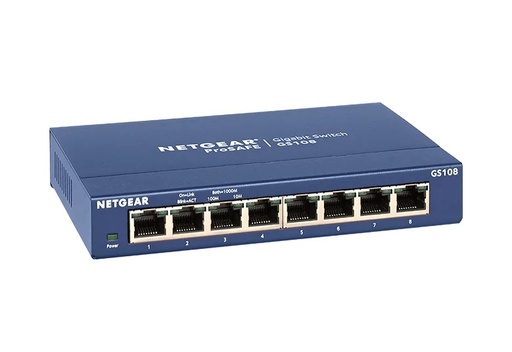
GS108AU: 8 x Gigabit, plug-and-play, 16 Gbps, metal case
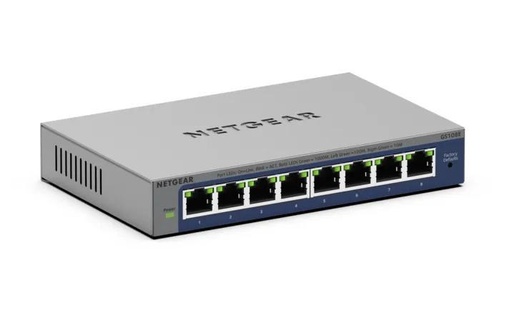
GS108E-400AUS: 64 VLANs, QoS, IGMP snooping, fanless
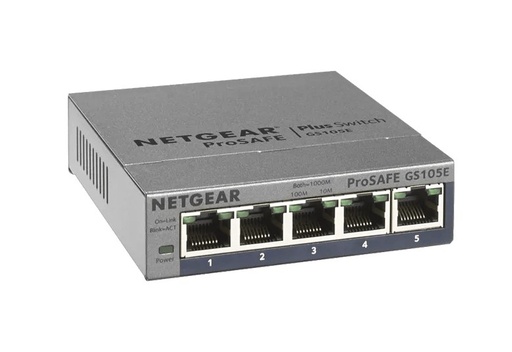
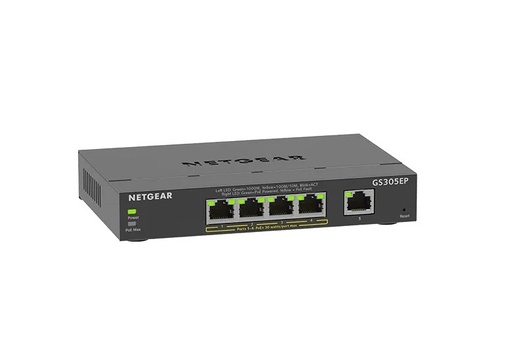
GS305EP-100AUS: 4 PoE+ ports, 63W, Plus management
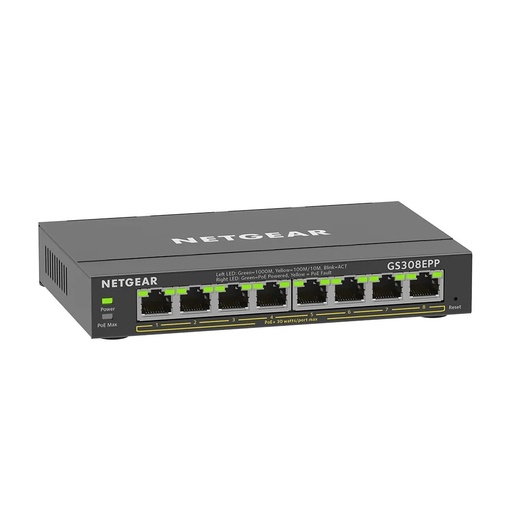
GS308EPP-100AUS: 8 PoE+ ports, 123W, Plus management
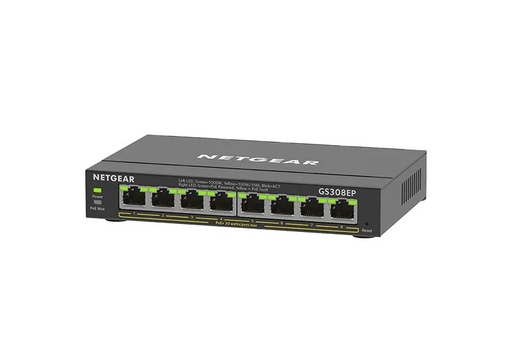
GS308EP-100AUS: 8 PoE+ ports, 62W, Plus management
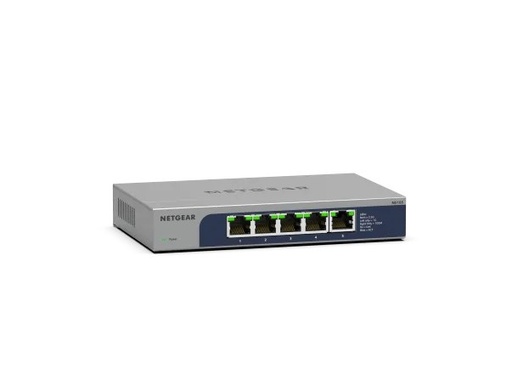
MS105-100AUS: 5 x 2.5G, 25Gbps, fanless, unmanaged
Common questions
Straight answers from the ARC IP Networks team. Last reviewed October 2026.
Port count and size. The GS105 has 5 Gigabit ports and 10 Gbps of switching; the GS108 has 8 Gigabit ports and 16 Gbps. Both are unmanaged, plug-and-play, metal-cased and wall-mountable, with 802.1p and DSCP priority.
The GS108 is unmanaged with nothing to configure. The GS108E is a Plus (Easy Smart) switch with a web interface and PC utility that adds 64 VLANs, QoS, IGMP snooping, rate limiting, port mirroring and a cable test tool. Netgear notes unmanaged switches cannot be upgraded to Plus software.
A Plus switch, also called Easy Smart Managed, is a low-cost switch with basic management through a web browser or PC utility: VLANs, QoS, IGMP snooping, rate limiting and troubleshooting tools, without the complexity of a fully managed switch.
Both have 5 Gigabit ports with 4 PoE+ ports sharing a 63W budget. The GS305P is unmanaged. The GS305EP adds a web interface with VLANs, QoS, per-port PoE control and uninterrupted PoE during firmware updates or software reboots.
No. All 8 ports are 802.3at PoE+, which allows up to 30W per port, but the GS308EP shares a 62W budget. For higher-draw devices such as access points and cameras, the GS308EPP has a 123W budget.
Only if the devices you connect have 2.5G ports, such as a Wi-Fi 7 router, 2.5G NAS or a newer PC. The MS105 runs each port at 100M, 1G or 2.5G with 25Gbps of switching. It is unmanaged and does not supply PoE.
Yes. Netgear lists the GS108E as fanless at 0 dBA and the GS305EP, GS308EP and GS308EPP in fanless metal enclosures, so they are silent on a desk or in a home office.
We sell the GS305P-300AUS, GS305EP-100AUS, GS308E-400AUS, GS308EP-100AUS and GS308EPP-100AUS. We do not list the plain unmanaged GS305 or GS308; the GS105AU and GS108AU do the same job.
ARC IP Networks is an authorised Netgear reseller and supplies genuine Netgear from Australian stock with a GST tax invoice. Order the GS105, GS108, GS108E, GS305P, GS305EP, GS308EPP and MS105 at arcip.com.au or call 1300 100 440.
Need help choosing a small switch?
Tell us what you are connecting and ARC IP Networks will recommend and quote the right Netgear switch, with trade pricing for installers and IT providers. Call 1300 100 440 or email info@arcip.com.au.
Related guides
- Netgear switch buying guide for Australia
- Netgear PoE switches compared
- What PoE Switch Do I Need in Australia? PoE Budgets, 2.5G and Port Types Explained
- Home Network Setup in Australia: The Complete Guide from the NBN Box to Every Room
- Best Mesh Wi-Fi in Australia (2026): Deco, D-Link or UniFi, and Why Wired Backhaul Wins
- Netgear Australia hub
- Shop Netgear unmanaged switches