In short: the UniFi AI Key is an edge AI appliance that bolts onto an existing UniFi Protect system and analyses up to 1,800 smart detection events per hour entirely on-premise. It adds plain-English footage search, scene descriptions, speech transcription and sharper face recognition — with no cloud processing and no subscription.
What the AI Key is
UniFi Protect has done basic smart detection for years — person, vehicle, animal, package. That runs on the recorder and answers the question "what kind of thing moved?"
The AI Key answers a much harder question: "what actually happened?" It is a dedicated piece of compute — an Arm Cortex-A78AE processor with 16 GB of LPDDR5 memory and a 256 GB SSD — that sits on your network and applies far heavier AI models to the events your cameras generate.
The critical architectural point is that it is an edge device. Every frame it analyses is processed on the appliance, inside your building, on your network. Nothing is uploaded to a vendor's servers for analysis. For Australian businesses dealing with privacy obligations, or anyone who simply does not want their camera footage leaving the premises, that distinction matters more than any individual feature.
What it actually does
Ubiquiti lists four core capabilities, and they are genuinely different from conventional motion analytics:
| Capability | What it means in practice |
|---|---|
| Object and context descriptions | Rather than logging "person detected", the system describes the scene — what the person appeared to be doing, what they were carrying, what they were wearing. |
| Natural language retrieval | Search recorded footage by describing it in plain English instead of scrubbing through a timeline. Low latency, so it is usable rather than a novelty. |
| Speech transcription | Audio captured by cameras with microphones is transcribed, making spoken events searchable alongside visual ones. |
| Face recognition enhancement | Sharpens facial images to improve identification quality — with significant legal implications in Australia, covered below. |
Full specifications
| Specification | Value |
|---|---|
| Compute capacity | 1,800 smart detections / hour |
| Processor | Arm Cortex-A78AE v8.2 |
| Memory | 16 GB LPDDR5 |
| On-board storage | 256 GB SSD |
| Networking interface | (1) GbE RJ45 port |
| Power method | PoE++ (802.3bt) |
| Max. power consumption | 45W |
| Supported voltage range | 50–57V |
| Display | (1) 1.3" touchscreen |
| Dimensions | 134.2 x 131.2 x 33.7 mm |
| Weight | 635 g |
| Enclosure | Aluminium alloy |
| Form factor | Compact desktop (rack kit optional) |
| Button | (1) Factory reset |
| Operating temperature | -5 to 40° C |
| Operating humidity | 5 to 95% non-condensing |
| Certifications | FCC, IC, CE |
| Management | UniFi Protect |
What you need to run one
| Requirement | Detail |
|---|---|
| UniFi Protect system | An existing recorder such as a UNVR or UNVR Pro with cameras |
| PoE++ switch port | 802.3bt delivering up to 45W — see the UniFi switch range |
| Network path | GbE to the same network as the Protect console |
| Physical space | Desktop, shelf, or rack bracket |
If you do not have PoE++ available, the practical options are a switch with 802.3bt ports — the USW-Pro-Max PoE models, for example — or a single-port 802.3bt injector. Budget for this at design time; it is a frequent cause of a half-finished install.
What "1,800 detections per hour" actually means
This is the specification people misread. It is not a camera count. The AI Key does not have a limit of "x cameras" — it has a limit on how many detection events it can analyse per hour, which is 1,800, or an average of one every two seconds.
How many cameras that covers depends entirely on how busy your site is:
| Site type | Typical event rate | Rough camera coverage |
|---|---|---|
| Quiet warehouse, after hours | Very low | Many cameras comfortably |
| Small office, business hours | Low to moderate | Comfortable for most deployments |
| Retail frontage, busy street | High and sustained | Fewer cameras before you approach the ceiling |
| Car park entry with LPR | Bursty at peak times | Depends heavily on traffic volume |
A single camera pointed at a busy footpath can generate more events than ten cameras watching an empty yard overnight. Size on event volume, not camera count — and if you are unsure, look at the detection counts your existing Protect system already reports.
Natural language search — the feature that changes workflow
If you have ever been asked to find "the guy in the red jacket who came in sometime Tuesday afternoon", you know the actual cost of CCTV is the hours spent scrubbing timelines.
The AI Key's natural language retrieval targets exactly this. You describe what you are looking for and the system returns matching events, because it has already generated descriptions of what was happening in each one. Ubiquiti specifically calls out low-latency retrieval, which is the difference between a feature people use and a feature people abandon.
For a business, this is where the hardware pays for itself — not in catching more incidents, but in the staff time not spent hunting for them.
Shopping for Ubiquiti?
Authorised Ubiquiti reseller: genuine Australian stock, full warranty, competitive prices and price match available.
Facial recognition and Australian privacy law
The AI Key sharpens face recognition images, so it is worth being clear about where Australian law sits. This is general information and not legal advice — get proper advice before deploying facial recognition.
Facial images are sensitive information
Under the Privacy Act 1988 (Cth), biometric information used for automated identification is classed as sensitive information, which attracts a higher level of protection than ordinary personal information. Australian Privacy Principle 3 generally requires consent before collecting it.
What the Bunnings case established
In November 2024 the Office of the Australian Information Commissioner determined that Bunnings had breached the Privacy Act by using facial recognition across its stores — collecting sensitive information without consent, failing to notify people adequately, and failing to have proper privacy governance in place.
That was not the end of it. In February 2026 the Administrative Review Tribunal partially overturned the determination. The Tribunal accepted that Bunnings could collect that sensitive information without consent under the permitted general situations exception in section 16A of the Privacy Act, on safety grounds. Bunnings can keep its system running.
But it lost on the rest. The Tribunal upheld breaches of APP 1.2, 1.3 and 5.1 — the obligations to implement privacy compliance practices, maintain an adequate privacy policy, and notify individuals that their information is being collected.
Worth noting: the AI Key processes on-premise, so footage and biometric analysis stay on your own infrastructure. That does not exempt you from the Privacy Act, but it is a materially stronger position than shipping faces to an offshore cloud service.
On-premise AI vs cloud AI subscriptions
| UniFi AI Key | Typical cloud AI service | |
|---|---|---|
| Cost model | One-off hardware purchase | Per camera, per month, ongoing |
| Where footage is analysed | On your premises | Vendor's servers, often offshore |
| Internet dependency | None for analysis | Analysis stops if the link drops |
| Upload bandwidth | None required | Continuous, can be substantial |
| Privacy position | Data stays under your control | Third-party disclosure to assess |
| Cost as you scale | Flat until you hit the event ceiling | Grows with every camera added |
The economics favour on-premise once you pass a handful of cameras. A per-camera monthly fee on a 20-camera site adds up quickly, and it never stops.
Who the AI Key is for
The AI Key earns its place fastest on sites where footage is actively used rather than simply recorded. It is a particularly strong fit if:
- You have a substantial camera count and regularly need to find specific events
- Staff time is being spent reviewing footage after incidents
- You are subject to privacy obligations that make cloud AI awkward
- You are weighing an ongoing per-camera AI subscription and want to stop the meter
- You need richer context than "person detected"
- You want plate, face or scene detail that survives being reviewed weeks later
A useful way to size the return: add up the hours your team spent last year searching through recordings after an incident, a dispute, an insurance claim or a police request. On most multi-camera sites that number is larger than people expect, and it is the number the AI Key works directly against.
Not sure where your site sits? Talk to our team — we will look at your camera count and detection volume with you and tell you what makes sense.
Which cameras pair best
The AI Key improves what you get from any Protect camera, but it works best with the AI camera range, which captures higher-quality source material:
AI Pro
4K with 3x optical zoom — detail at distance, which is what identification needs.
AI LPR
Purpose-built for plates, with long-range IR and optical zoom.
AI 360
Fisheye PTZ covering a whole area from one mount point.
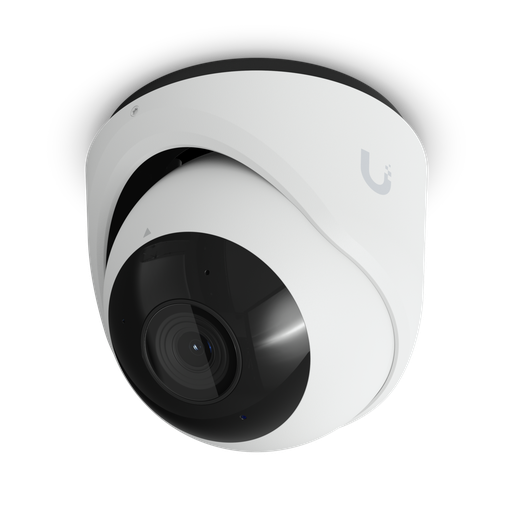
The AI Turret is the general-purpose choice for most sites. For a full walkthrough of the range, see our guide to the best UniFi Protect cameras in Australia.
Deployment and rack mounting
The AI Key ships as a compact desktop unit in an aluminium alloy enclosure. In a rack, the UACC-AI-Key-RM bracket mounts it tidily alongside your recorder.
Placement is flexible because it is a network device, not a video device — it does not need to sit near the cameras or the display. Put it where you have a PoE++ port and reasonable airflow. The 1.3-inch touchscreen shows appliance status and network details for setup; it is not a camera viewing screen. If you want live feeds on a monitor, that is a separate device entirely.
Note the operating range: -5 to 40°C. A poorly ventilated comms cupboard in an Australian summer can exceed that, so check the ambient temperature where it will live.
Ready to buy?
Shop genuine Ubiquiti at ARC IP Networks
Authorised Ubiquiti reseller
Ubiquiti at ARC IP Networks
UniFi gateways, switches, Wi-Fi, Protect cameras and Access. Genuine Australian stock with the full manufacturer's warranty, competitive prices and price match available.
Frequently asked questions
The UniFi AI Key is an on-premise edge AI appliance for UniFi Protect. It adds AI-driven analysis to an existing Protect system, processing up to 1,800 smart detection events per hour entirely on your own hardware rather than in the cloud.
ARC IP Networks lists the AI Key at $1,599 including GST at the time of writing. The optional rack-mount bracket (UACC-AI-Key-RM) is a separate accessory. Check the product page for current pricing.
Yes. The AI Key draws up to 45W and is powered by PoE++ (802.3bt) at 50–57V. A standard 802.3af or 802.3at PoE port will not run it. This is the single most common thing people miss when ordering one.
No. All processing happens on the appliance itself. That is the point of an edge AI device — footage and biometric analysis stay on your own network rather than being uploaded to a third-party service.
Four things: detailed object and context descriptions of what is happening in a scene, low-latency natural language retrieval so you can search footage in plain English, transcription of speech events, and sharpening of face recognition images for improved identification.
Yes, that is the AI Key's standout capability. Instead of scrubbing a timeline, you describe what you are looking for and the system retrieves matching events.
It is not prohibited, but it is tightly regulated. Facial images are biometric data and therefore sensitive information under the Privacy Act 1988. In February 2026 the Administrative Review Tribunal found in the Bunnings matter that consent is not always required where a permitted general situation such as safety applies — but it upheld findings that the business failed on privacy governance, its privacy policy and notification. Get your own legal advice before deploying.
Not necessarily, but you carry the burden of justifying it. The Privacy Commissioner has stated the Act sets a high bar for consent. Even where an exception applies, you must still have proper privacy governance, an accurate privacy policy and clear notification to people entering the space. This is general information, not legal advice.
An existing UniFi Protect deployment — a recorder such as a UNVR or UNVR Pro with cameras — plus a PoE++ switch port and a network path to the recorder.
No. It complements it. Recording, storage and retention stay on your UNVR or UNVR Pro; the AI Key adds analysis on top.
Yes, using the UACC-AI-Key-RM bracket. The unit itself is a compact desktop form factor at 134.2 x 131.2 x 33.7 mm and 635 g.
No. UniFi Protect has no recurring licence cost, and the AI Key is a one-off hardware purchase. This is the main commercial argument against per-camera cloud AI services.
It is a status and setup display on the appliance showing system health and network information. It is not a viewing screen for camera footage.
It runs from -5 to 40 degrees Celsius at 5 to 95% non-condensing humidity, and is certified to FCC, IC and CE.
Who we are
About ARC IP Networks
ARC IP Networks is an Australian supplier of networking, Wi-Fi and gateway equipment, based in Blackburn, Melbourne, Victoria. We work with homeowners, installers, integrators and businesses across Australia, supplying Ubiquiti UniFi, MikroTik, TP-Link, Ruijie, Teltonika and D-Link.
We are an authorised Ubiquiti, MikroTik, TP-Link, Ruijie, Teltonika and D-Link reseller, so you get genuine Australian stock with the full manufacturer's warranty, never grey imports, at competitive prices. Our team can help you choose the right equipment, and trade customers get trade accounts and project pricing on larger jobs.
- Genuine Australian stock with the full manufacturer's warranty
- Competitive prices, price match available
- Trade accounts for installers, integrators and MSPs
- Australia-wide delivery; showroom in Blackburn, Mon–Fri 9–5 (demos by appointment)
Need help choosing?
Tell the ARC IP Networks team what you are trying to achieve and we will recommend the right equipment and quote it as one order.