





Skip to Content
Teltonika RUT981 Global 4G Router

Price:

$ 489.97


Teltonika RUT976 RedCap 5G Router
$ 762.74
$ 762.74
Teltonika RUT986 Industrial Global LTE Cat 4 Router
$ 529.47
$ 529.47

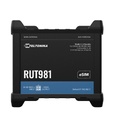
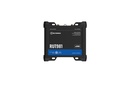
Teltonika RUT981 Global 4G Router

https://arcip.com.au/web/image/product.template/15467/image_1920?unique=6bbe47d

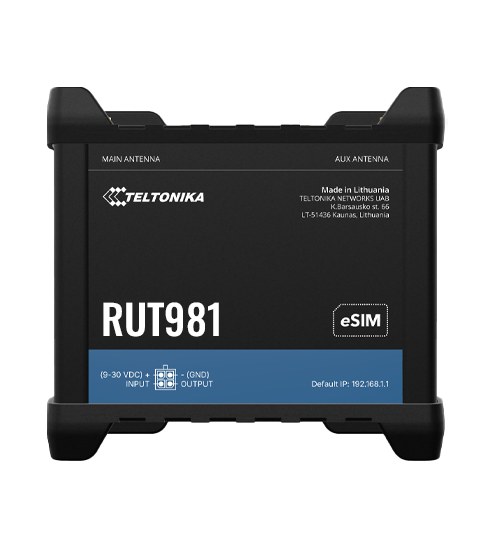
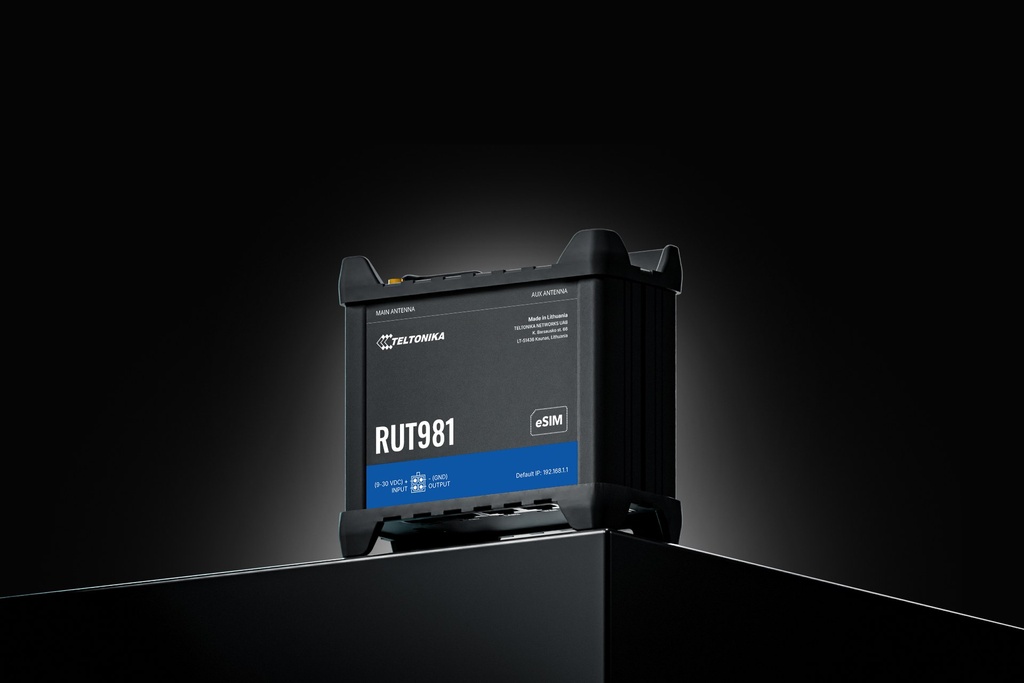
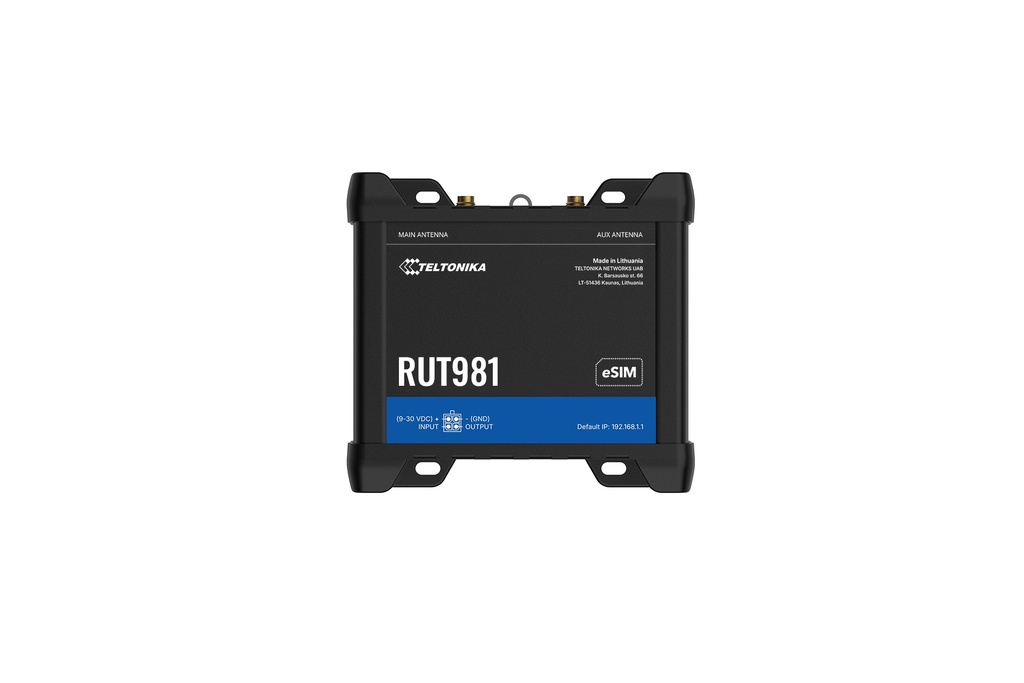
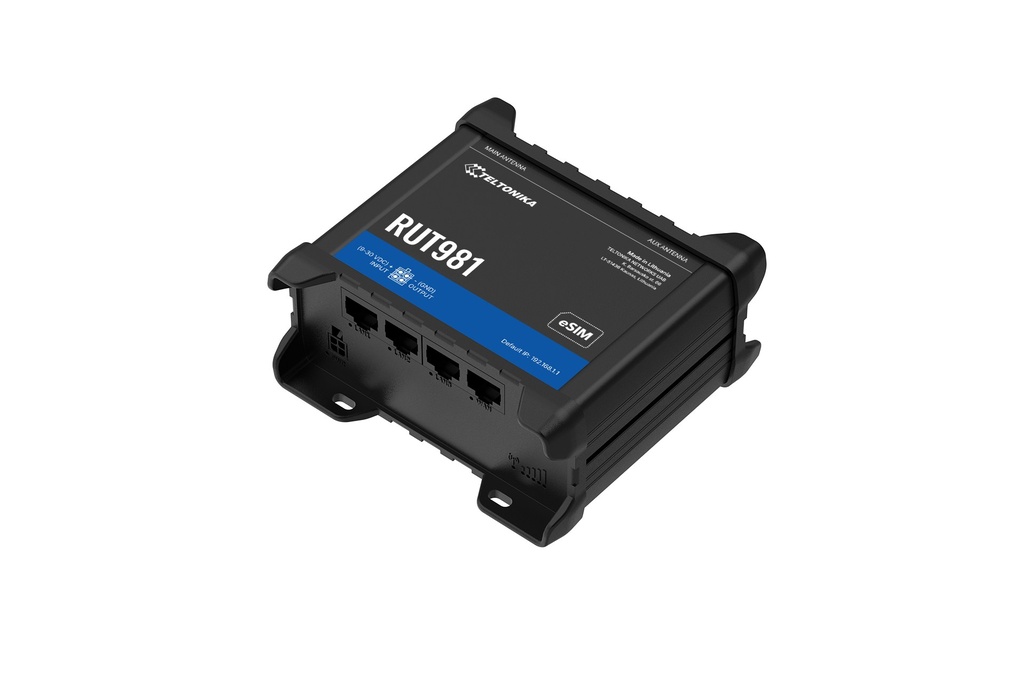
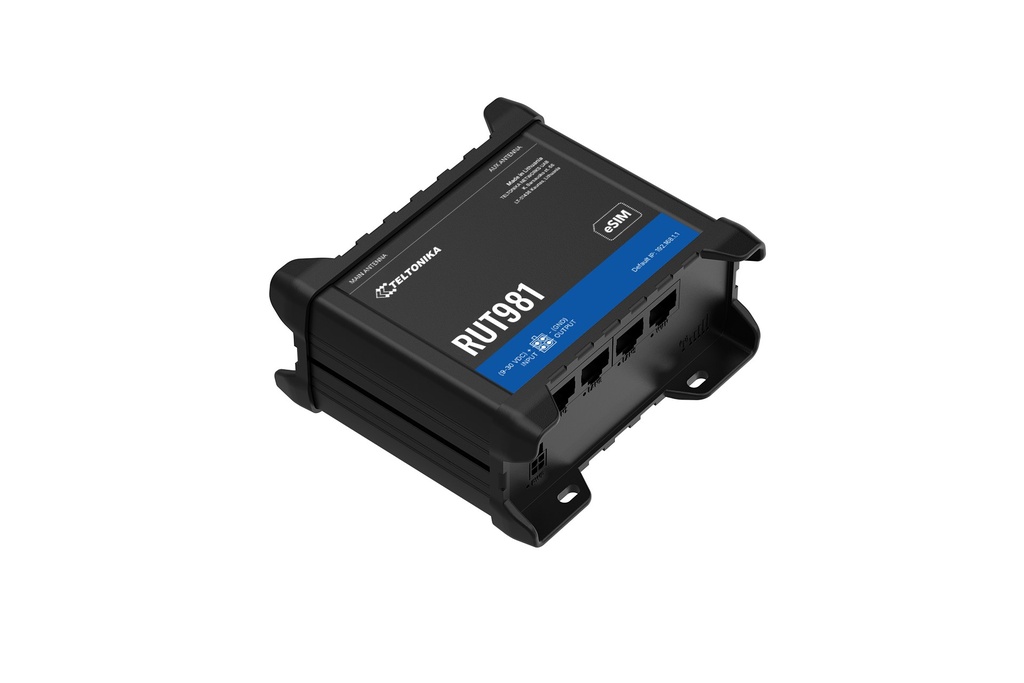
The Teltonika RUT981 (RUT981 Global 4G Router) is a global LTE router with a Telit Cat 4 modem (up to 150 DL/50 UL Mbps), dual SIM and eSIM support, and Wi-Fi 4 with 2x2 MIMO. It has 4 x 10/100 Mbps Ethernet ports and WAN failover with load balancing. It runs on 9 – 30 VDC and operates from -40 °C to 65 °C.

$ 489.97 489.97 AUD $ 489.97 incl. GST

Not Available For Sale


  • Brand

This combination does not exist.

  • Stock

    Authorised Australian Reseller | Australian Stock | Genuine Local Warranty

  • Instalment
    Buy Now, Pay Later 
  • [Warranty Information] Warranty
    Manufacturer Warranty 
Estimate delivery
Shipping calculated at checkout
Estimate delivery times: 3-7 business days 
Guaranteed Safe Checkout
Guaranteed Safe Checkout
Accepted payments: Google Pay, Apple Pay, Visa, Mastercard and PayPal
SKU
Barcode
4779051845606

Teltonika RUT981 at a glance

The Teltonika RUT981 (RUT981 Global 4G Router) is a global LTE router with a Telit Cat 4 modem (up to 150 DL/50 UL Mbps), dual SIM and eSIM support, and Wi-Fi 4 with 2x2 MIMO. It has 4 x 10/100 Mbps Ethernet ports and WAN failover with load balancing. It runs on 9 – 30 VDC and operates from -40 °C to 65 °C.

ARC IP Networks supplies the genuine RUT981 Global 4G Router from Australian stock with the full manufacturer's warranty.

Cellular4G LTE Cat 4, 150 DL/50 UL Mbps
SIMDual SIM + eSIM
Wi-FiWi-Fi 4, 2x2 MIMO
Wi-Fi usersUp to 100 simultaneous
Ethernet4 x 10/100 Mbps RJ45
UptimeWAN failover and load balancing
Power9 – 30 VDC
Operating temp-40 °C to 65 °C

Best for

  • Mission-critical deployments needing always-on connectivity
  • Managing carrier profiles at scale with SIM and eSIM
  • Connecting equipment over Wi-Fi and Ethernet in industrial sites

Consider instead

  • Teltonika RUT986: adds RS232 and RS485 serial plus multiple I/Os and industrial protocol support, with the same Telit Cat 4 modem and dual SIM & eSIM
  • Teltonika RUTX09: an LTE Cat 6 option with carrier aggregation (up to 300Mbps) and 4 x Gigabit Ethernet ports
  • Teltonika RUTC40: a 4G Cat 4 router with Wi-Fi 6, Docker support and 1 GB RAM / 8 GB flash for edge applications

Key features

Global 4G: Ensure reliable global connectivity with a Telit Cat 4 modem

Flexible Ethernet: Enable simple integration with 4 x Ethernet ports

Dual Sim & Esim: Eliminate on site visits and manage carrier profiles at scale

Optimal Wan Distribution: Maintain uptime with WAN Failover and load balancing

Teltonika RUT981 specifications

Mobile

Mobile module 4G LTE Cat 4 up to 150 DL/50 UL Mbps; 3G up to 42 DL/5.76 UL Mbps; 2G up to 236.8 DL/236.8 UL Kbps 3GPP Release Release 10 eSIM Consumer type eSIM, profile download and removal operations, up to 7 eSIM profiles; does not include data plans SIM switchDual SIM and eSIM, auto-switch cases: weak signal, data limit, SMS limit, roaming, no network, network denied, data connection fail, SIM idle protection

Status

IMSI, ICCID, operator, operator state, data connection state, network type, bandwidth, connected band, signal strength (RSSI), SINR, RSRP, RSRQ, EC/IO, RSCP, data sent/received, LAC, TAC, cell ID, ARFCN, UARFCN, EARFCN, MCC, and MNC SMS SMS status, SMS configuration, EMAIL to SMS, SMS to EMAIL, SMS to HTTP, SMS to SMS, scheduled SMS, SMS autoreply, SMPP USSD Supports sending and reading Unstructured Supplementary Service Data messages Block/Allow list Operator block/allow list (by country or separate operators) Multiple PDN Possibility to use different PDNs for multiple network access and services Band management Band lock, Used band status display SIM PIN code management SIM PIN code management enables setting, changing, or disabling the SIM card's PIN APN Auto APN Bridge Direct connection (bridge) between mobile ISP and device on LAN Passthrough Router assigns its mobile WAN IP address to another device on LAN WIRELESS Wireless mode 802.11b/g/n (Wi-Fi 4), 2x2 MIMO, Access Point (AP), Station (STA) Wi-Fi security WPA2-Enterprise: PEAP, WPA2-PSK, WPA-EAP, WPA-PSK, WPA3-SAE, WPA3-EAP, OWE; AES-CCMP, TKIP, Auto-cipher modes, client separation, EAP-TLS with PKCS#12 certificates, disable auto-reconnect, 802.11w Protected Management Frames (PMF) SSID/ESSID SSID stealth mode and access control based on MAC address Wi-Fi users Up to 100 simultaneous connections Wireless Connectivity Features Wireless mesh (802.11s), fast roaming (802.11r), Relayd, BSS transition management (802.11v), radio resource measurement (802.11k) Wireless MAC filter Allowlist, blocklist Wireless QR code generator Once scanned, a user will automatically enter your network without needing to input login information TravelMate Forward Wi-Fi hotspot landing page to a subsequent connected device ETHERNET WAN1 x WAN port 10/100 Mbps, compliance wtih IEEE 802.3, IEEE 802.3u, 802.3az standards, supports auto MDI/MDIX
LAN3 x LAN ports, 10/100 Mbps, compliance with IEEE 802.3, IEEE 802.3u standards, supports auto MDI/MDIX

Network

Routing Static routing, Dynamic routing (BGP, OSPF v2, RIP v1/v2, EIGRP, NHRP), Policy based routing Network protocols TCP, UDP, IPv4, IPv6, ICMP, NTP, DNS, HTTP, HTTPS, SFTP, FTP, SMTP, SSL/TLS, ARP, VRRP, PPP, PPPoE, UPNP, SSH, DHCP, Telnet, SMPP, SNMP, MQTT, Wake On Lan (WOL), VXLAN VoIP passthrough support H.323 and SIP-alg protocol NAT helpers, allowing proper routing of VoIP packets Connection monitoring Ping Reboot, Wget Reboot, Periodic Reboot, LCP and ICMP for link inspection Firewall Port forward, traffic rules, custom rules, TTL target customisation Firewall status page View all your Firewall statistics, rules, and rule counters Port management View device ports, enable and disable each of them, turn auto-configuration on or off, change their transmission speed, and so on Network topology Visual representation of your network, showing which devices are connected to which other devices DHCP Static and dynamic IP allocation, DHCP relay, DHCP server configuration, status, static leases: MAC with wildcards QoS / Smart Queue Management (SQM) Traffic priority queuing by source/destination, service, protocol or port, WMM, 802.11e DDNS Supported >77 service providers, others can be configured manually DNS over HTTPS DNS over HTTPS proxy enables secure DNS resolution by routing DNS queries over HTTPS Network backup Wi-Fi WAN, Mobile, VRRP, Wired options, each of which can be used as an automatic Failover Load balancing Balance Internet traffic over multiple WAN connections Hotspot 2.0Hotspot 2.0 is a Wi-Fi standard that enables seamless, secure, and automatic connection to trusted wireless networks

Hotspot

Captive portal (hotspot), internal/external Radius server, Radius MAC authentication, SMS authorisation, SSO authentication, internal/external landing page, walled garden, user scripts, URL parameters, user groups, individual user or group limitations, user management, 9 default customisable themes and optionality to upload and download customised hotspot themes SSHFS Possibility to mount remote file system via SSH protocol Traffic Management Real-time monitoring, wireless signal charts, traffic usage history Port Mirroring Mirroring network traffic on Ethernet ports for monitoring and analysis SECURITY Authentication Pre-shared key, digital certificates, X.509 certificates, TACACS+, Internal & External RADIUS users authentication, IP & login attempts block, time-based login blocking, built-in random password generator Firewall Preconfigured firewall rules can be enabled via WebUI, unlimited firewall configuration via CLI, DMZ, NAT, NAT-T, NAT64 Attack prevention DDOS prevention (SYN flood protection, SSH attack prevention, HTTP/HTTPS attack prevention), port scan prevention (SYN-FIN, SYN-RST, X-mas, NULL flags, FIN scan attacks) VLAN Port and tag-based VLAN separation Mobile quota control Mobile data limit, customizable period, start time, warning limit, phone number WEB filter Block list for blocking out unwanted websites, allow list for specifying allowed sites only Access control Flexible access control of SSH, Web interface, CLI and Telnet Certificate Manager Certificate creation tool allows to create CA, server, client, let's encrypt, SCEP certificates VPN OpenVPN Multiple clients and a server can run simultaneously, 27 encryption methods OpenVPN Encryption DES-CBC 64, RC2-CBC 128, DES-EDE-CBC 128, DES-EDE3-CBC 192, DESX-CBC 192, BF-CBC 128, RC2-40-CBC 40, CAST5-CBC 128, RC2-64-CBC 64, AES-128-CBC 128, AES-128-CFB 128, AES-128-CFB1 128, AES-128-CFB8 128, AES-128-OFB 128, AES-128-GCM 128, AES-192-CFB 192, AES-192-CFB1 192, AES-192-CFB8 192, AES-192-OFB 192, AES-192-CBC 192, AES-192-GCM 192, AES-256-GCM 256, AES-256-CFB 256, AES-256-CFB1 256, AES-256-CFB8 256, AES-256-OFB 256, AES-256-CBC 256 IPsec XFRM, IKEv1, IKEv2, with 14 encryption methods for IPsec (3DES, DES, AES128, AES192, AES256, AES128GCM8, AES192GCM8, AES256GCM8, AES128GCM12, AES192GCM12, AES256GCM12, AES128GCM16, AES192GCM16, AES256GCM16) GRE GRE tunnel, GRE tunnel over IPsec support PPTP, L2TP Client/Server instances can run simultaneously, L2TPv3, L2TP over IPsec support Stunnel Proxy designed to add TLS encryption functionality to existing clients and servers without any changes in the program’s code DMVPN Method of building scalable IPsec VPNs, Phase 2 and Phase 3 and Dual Hub support SSTP SSTP client instance support ZeroTier ZeroTier VPN client support WireGuard WireGuard VPN client and server support Tinc Tinc offers encryption, authentication and compression in it's tunnels. Client and server support. EoIPEthernet over IP (EoIP) tunnelling is a protocol based on GRE RFC 1701 that creates an Ethernet tunnel between two routers on top of an IP connection
OpenConnectCross-platform multi-protocol SSL VPN client which supports a number of VPN protocols

Bacnet

Supported modesRouter
Supported connection typesIP
Configuration optionsSupport for multiple BACnet/IP interfaces, Network number assignment, Preconfigured BDT entries for BBMD (BACnet Broadcast Management Device)

Opc Ua

Supported modes Client, Server Supported connection types TCP MODBUS Supported modes Server, Client Supported connection types TCP Custom registers MODBUS TCP custom register block requests, which read/write to a file inside the router, and can be used to extend MODBUS TCP Client functionality Supported data formats 8-bit: INT, UINT; 16-bit: INT, UINT (MSB or LSB first); 32-bit: float, INT, UINT (ABCD (big-endian), DCBA (little-endian), CDAB, BADC), HEX, ASCII DATA TO SERVER Protocol HTTP(S), MQTT, Azure MQTT Data to server Extract parameters from multiple sources and different protocols, and send them all to a single server; Custom LUA scripting, allowing scripts to utilize the router's Data to server feature MQTT GATEWAY Modbus MQTT Gateway Allows sending commands and receiving data from MODBUS Server through MQTT broker DNP3 Supported modes Station, Outstation Supported connection TCP DLMS/COSEM DLMS Support DLMS - standard protocol for utility meter data exchange Supported modes Client Supported connection types TCP API Teltonika Networks Web API (beta) support Expand your device's possibilities by using a set of configurable API endpoints to retrieve or change data. For more information, please refer to this documentation: https://developers.teltonika-networks.com SITE MANAGER Supported modesManager
FunctionalitiesCentralized management of TAP access points and Teltonika's managed switches — including device pairing and grouping, FOTA updates, device status monitoring, automatic reboot scheduling with ping/wget health checks, wireless SSID configuration, and VLAN assignment across the site.

Monitoring & Management

WEB UI HTTP/HTTPS, status, configuration, FW update, CLI, troubleshoot, multiple event log servers, firmware update availability notifications, event log, system log, kernel log, Internet status FOTA Firmware update from server, automatic notification SSH SSH (v1, v2) SMS SMS status, SMS configuration Call Reboot, Status, Mobile data on/off, Output on/off, answer/hang-up with a timer, Wi-Fi on/off TR-069 OpenACS, EasyCwmp, ACSLite, tGem, LibreACS, GenieACS, FreeACS, LibCWMP, Friendly tech, AVSystem MQTT MQTT Broker, MQTT publisher SNMP SNMP (v1, v2, v3), SNMP Trap, Brute force protection JSON-RPC Management API over HTTP/HTTPS RMS Teltonika Remote Management System (RMS) IOT PLATFORMS ThingWorx Allows monitoring of: WAN Type, WAN IP, Mobile Operator Name, Mobile Signal Strength, Mobile Network Type Cumulocity - Cloud of Things Allows monitoring of: Device Model, Revision and Serial Number, WAN Type and IP, Mobile Cell ID, ICCID, IMEI, Connection Type, Operator, Signal Strength. Has reboot and firmware upgrade actions Azure IoT Hub Can be configured with Data to Server to send all the available parameters to the cloud. Has Direct method support which allows to execute RutOS API calls on the IoT Hub. Also has Plug and Play integration with Device Provisioning Service that allows zero-touch device provisioning to IoT Hubs AWS IoT Core Utility to interact with the AWS cloud platform. Jobs Support: Call the device's API using AWS Jobs functionality SYSTEM CHARACTERISTICS CPU Mediatek, 580 MHz, MIPS 24KEc RAM 128 MB, DDR2 FLASH storage 32 MB, NOR Flash FIRMWARE/CONFIGURATION WEB UI Update FW from file, check FW on server, configuration profiles, configuration backup FOTA Update FW RMS Update FW/configuration for multiple devices at once Keep settings Update FW without losing current configuration Factory settings reset A full factory reset restores all system settings, including the IP address, PIN, and user data to the default manufacturer's configuration FIRMWARE CUSTOMISATION Operating system RutOS (OpenWrt based Linux OS) Supported languages Busybox shell, Lua, C, C++ Development tools SDK package with build environment provided GPL customization You can create your own custom, branded firmware and web page application by changing colours, logos, and other elements in our firmware to fit your or your clients’ needs Package Manager The Package Manager is a service used to install additional software on the device INPUT/OUTPUT Input 1 x Digital Input, 0 - 6 V detected as logic low, 8 - 30 V detected as logic high Output 1 x Digital Output, Open collector output, max output 30 V, 300 mA Events Email, RMS, SMS I/O juggler Allows to set certain I/O conditions to initiate event POWER Connector 4-pin industrial DC power socket Input voltage range 9 – 30 VDC, reverse polarity protection; surge protection >31 VDC 10us max PoE (passive) Passive PoE over spare pairs. Possibility to power up through LAN1 port, not compatible with IEEE802.3af, 802.3at and 802.3bt standards, Mode B, 9 - 30 VDC Power consumptionIdle: < 1.86 W, Max: < 4.27 W

Physical Interfaces

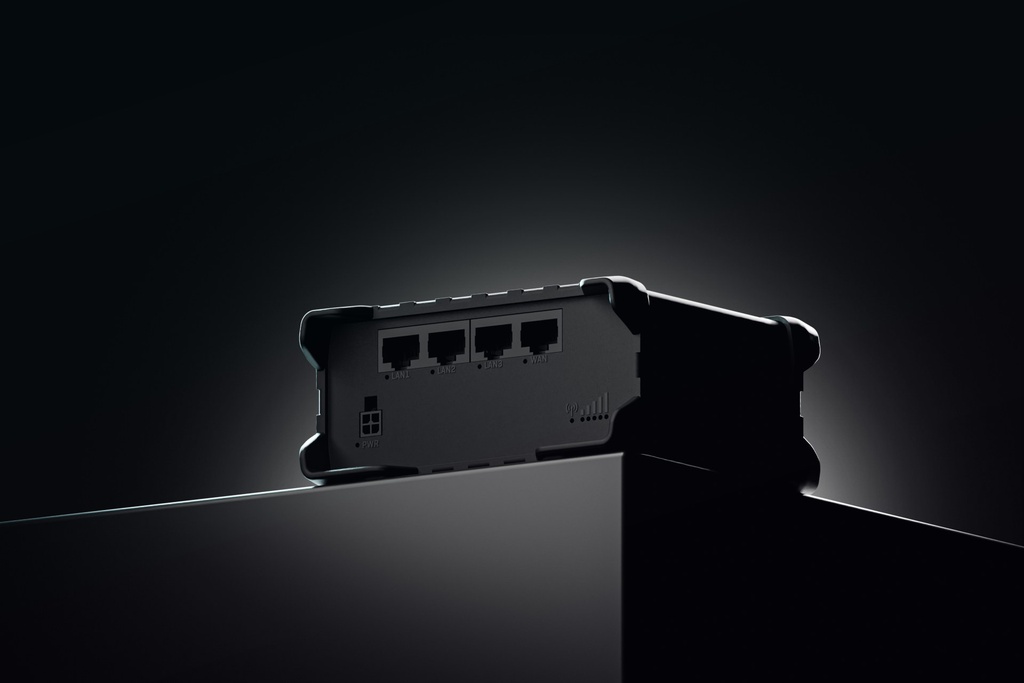
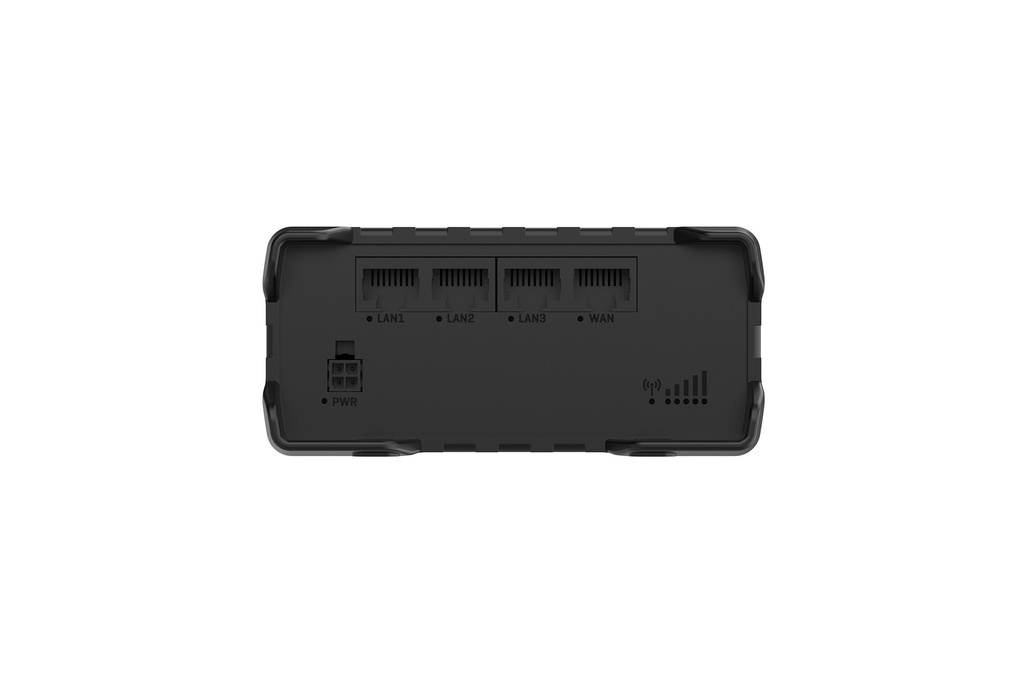
Ethernet 4 x RJ45 ports, 10/100 Mbps I/O’s 1 x Digital Input, 1 x Digital Output on 4-pin power connector Status LEDs 1 x Bi-color connection status, 5 x Mobile connection strength, 4 x ETH status, 1 x Power SIM2 x SIM slots (Mini SIM - 2FF), 1.8 V/3 V, external SIM holders
Power1 x 4-pin power connector

Antennas

2 x SMA for LTE, 2 x RP-SMA for Wi-Fi antenna connectors Reset Reboot/User default reset/Factory reset button PHYSICAL SPECIFICATION Casing material Aluminium housing, plastic panels Dimensions (W x H x D) 110 x 50 x 100 mm Weight268 g

Mounting Options

DIN rail, wall mount, flat surface (all require additional kit) OPERATING ENVIRONMENT Operating temperature-40 °C to 65 °C

Specifications from Teltonika's official product data for the RUT981, checked October 2026.

The RUT981 Global 4G Router in depth

Global 4G with dual SIM and eSIM

The RUT981 pairs a Telit Cat 4 modem with a proven hardware platform. It supports 4G LTE Cat 4 up to 150 DL/50 UL Mbps, along with 3G and 2G. It has two external Mini SIM (2FF) slots plus eSIM, with up to 7 eSIM profiles and eSIM bootstrap for the initial profile download. Auto-switch cases include weak signal, data limit, roaming and no network. This helps you manage carrier profiles at scale and cut on-site visits.

Flexible connectivity and WAN failover

Connect equipment over Wi-Fi 4 (802.11b/g/n, 2x2 MIMO, AP and STA modes, up to 100 simultaneous connections) or the four RJ45 Ethernet ports (1 x WAN, 3 x LAN, 10/100 Mbps). WAN failover and load balancing can use Wi-Fi WAN, mobile, VRRP and wired options. This helps maintain uptime in mission-critical deployments. A digital input and a digital output are available on the 4-pin power connector.

Security, VPN and remote management

The RUT981 supports OpenVPN, IPsec, WireGuard, GRE, L2TP, DMVPN and other VPN types, plus a firewall, VLAN separation and DDoS and port scan prevention. A captive portal hotspot is included. Industrial protocols include Modbus TCP, MQTT, DNP3, OPC UA and BACnet/IP. The router runs RutOS and can be managed through the web UI, SSH, SNMP, TR-069, FOTA and Teltonika RMS.

Frequently asked questions

Straight answers about the RUT981 Global 4G Router from the ARC IP Networks team. Last reviewed October 2026.

The Teltonika RUT981 is a global 4G router with a Telit Cat 4 modem, dual SIM and eSIM, Wi-Fi 4 and 4 x Ethernet ports. It includes WAN failover and load balancing to maintain uptime.

It has 2 x external Mini SIM (2FF) slots (1.8 V/3 V) and supports eSIM with up to 7 profiles. The eSIM does not include data plans. SIM auto-switching can be triggered by weak signal, data limit, SMS limit, roaming, no network, network denied, data connection fail and SIM idle protection.

It has 4 x RJ45 10/100 Mbps ports (1 x WAN and 3 x LAN). Wi-Fi is 802.11b/g/n (Wi-Fi 4) with 2x2 MIMO, in Access Point and Station modes, for up to 100 simultaneous connections.

It uses a 4-pin industrial DC power socket with a 9 – 30 VDC input range and reverse polarity protection. Passive PoE is possible through the LAN1 port, but it is not compatible with IEEE 802.3af, 802.3at or 802.3bt. Power consumption is under 1.86 W idle and under 4.27 W maximum.

It supports DIN rail, wall mount and flat surface mounting, all of which require an additional kit. The housing is aluminium with plastic panels, it weighs 268 g and it operates from -40 °C to 65 °C.

The box contains the RUT981 router, a 9 W PSU, 2 x mobile antennas (swivel, SMA male), 2 x Wi-Fi antennas (swivel, RP-SMA male), a 1.5 m Ethernet cable, a SIM adapter kit, a Quick Start Guide and the packaging box.

ARC IP Networks supplies the Teltonika RUT981 from Australian stock with the full manufacturer's warranty.

Buy the Teltonika RUT981 in Australia

ARC IP Networks supplies Teltonika industrial routers, gateways, switches and accessories to businesses, integrators, MSPs and installers across Australia.

  • Genuine Teltonika: sourced through Australian distribution.
  • Australian stock with the correct AU power supply where one is included.
  • Full manufacturer's warranty and local pre-sales and after-sales support.
  • Trade and project pricing available.

Rolling out RUT981 routers across your sites?

Ask ARC IP Networks for project pricing or a configured quote, or call us to check the right model for your site.

Brand Teltonika

Accurate Shipping Costs

Our online shipping calculator is designed to provide a final, accurate shipping cost based on the items in your cart and your delivery postcode. Shipping costs are calculated at checkout based on your order and delivery postcode. The final cost is calculated based on several factors which are automatically accounted for by our system, including:

  • The stock location of the item(s) across our warehouses.
  • Orders with multiple items that may require special packaging.
  • The weight and dimensions of the order (including heavy or oversized items).
  • The delivery courier servicing your specific region.

Delivery Times


Standard Processing


Most orders placed by 2pm AEDT are dispatched for next working day delivery. Larger orders may require 1-2 additional business days for processing. If timing is critical, please contact us to discuss expedited options (additional charges may apply).


Delivery Timeframes


Region

Processing Time

Express Delivery

Standard Delivery

VIC, NSW, SA, QLD Metro, TAS

1-2 business days

1-2 business days

2-4 business days

NT, WA, QLD Rural

1-2 business days

1-2 business days

3-5 business days

New Zealand

1-2 business days

2-3 business days

4-10 business days

Please note: Processing times may extend during peak periods such as Christmas and end of financial year.

Free Warehouse Pickup


Save on shipping costs with free pickup from our ARC IP Networks Blackburn warehouse. Simply place your order online or by phone, and collect during business hours (Monday to Friday). Please allow time for picking and packing. For urgent orders, call 1300 100 440 to confirm your order is ready.

ARC IP Networks Pickup Address: 6 George Street, Blackburn, VIC 3130


Insurance & Tracking


All ARC IP Networks shipments are fully insured and trackable. Once dispatched, you'll receive an email with your tracking number and courier website details. If your item is confirmed lost or damaged by our courier, we'll arrange a replacement in consultation with you.


International Shipping


ARC IP Networks ships to New Zealand. Please note:


  • Import duties and taxes vary by country
  • Buyers are responsible for all customs charges
  • Contact your local customs authority before ordering
  • We'll provide required documentation for smooth customs clearance
  • Buyers cover all shipping costs for returns due to refused duties/taxes


Delivery Requirements


Signature Required


All deliveries must be signed for. If you won't be home, contact our Sales Support team to arrange Authority to Leave. Important: Authority to Leave voids shipping insurance if parcels are lost or stolen.


Delivery Restrictions


We do not deliver to PO Boxes or Parcel Lockers as our couriers cannot access them. Orders sent to these addresses will be returned, incurring redelivery fees.


Shipping Issue Resolution


ARC IP Networks works closely with our shipping partners to resolve any delivery issues quickly and fairly:


  1. Confirmation: We verify expected delivery dates with our shipping partners
  2. Investigation: Issues outside normal timeframes trigger formal investigations
  3. Communication: We keep you updated throughout the resolution process
  4. Resolution: Confirmed lost items are replaced or refunded after investigation completion


Please note: Refunds for lost, missing, or delayed orders cannot be processed until shipping partner investigations are complete. This does not affect your rights under the Australian Consumer Law, and refunds or replacements will be provided where required once loss or damage is confirmed.

Warranty & Faulty Products

ARC IP Networks complies with the Australian Consumer Law (ACL).

If a product is faulty, damaged, not of acceptable quality, or does not perform as advertised, you are entitled to a repair, replacement, or refund in accordance with ACL.

Manufacturer Warranty Returns

For faults developing after 14 days within the warranty period:

  • Contact ARC IP Networks first at info@arcip.com.au or 1300 100 440
  • We will assess the issue and coordinate with manufacturers, authorised service centres, or distributors on your behalf
  • Where required, a manufacturer RMA may be arranged
  • ARC IP Networks manages the return process and next steps

Dead on Arrival (DOA)

Products that arrive faulty or damaged must be reported within 14 days of delivery.

ARC IP Networks will arrange assessment, replacement, or refund as appropriate.

Change of Mind & Non-Faulty Returns

Change-of-mind returns must be requested within 14 days of delivery. For change-of-mind returns, the product must be unused, unopened, in its original packaging, and returned with all accessories and documentation. These conditions apply only to change-of-mind returns and do not limit or exclude your rights under the Australian Consumer Law. Some products are not eligible for change-of-mind returns, including:

  • Ex-demo products
  • Clearance or markdown items
  • Special-order items
  • Products clearly marked “No Change-of-Mind Returns”

Important

This does not affect your rights under Australian Consumer Law.

If a product is faulty, not of acceptable quality, or does not meet advertised specifications, it remains eligible for return regardless of category.

Refunds & Processing Timeframes

  • Approved refunds are processed within 7 business days of receiving returned goods
  • Refunds are issued to the original payment method, unless otherwise agreed
  • Replacement or repair may be offered where appropriate
  • Store credit may be offered only with customer consent

Handling fees and non-returnable service charges may not be refundable where permitted by law.


Restocking Fees

For approved change-of-mind or non-faulty returns, a 15% restocking fee applies.

  • Any applicable restocking fee will be clearly communicated prior to return approval
  • The fee will be deducted from the refund amount
  • Restocking fees do not apply to returns made under the Australian Consumer Law, including faulty, damaged, or misrepresented goods.

Return Shipping Costs

  • Change-of-mind returns: The customer is responsible for return shipping costs.
  • Faulty or defective products: ARC IP Networks covers return shipping under Australian Consumer Law.

Non-Warranty Repairs

For issues not covered by warranty:

  • ARC IP Networks will provide a quote before proceeding
  • Customers are responsible for all shipping and service costs
  • No repairs are undertaken without customer approval

Return Methods

Returns may be made:

  • In-store at ARC IP Networks – 6 George Street, Blackburn VIC 3130
  • Or by shipment as instructed by our support team

Proof of purchase is required for all returns.

Enquire About this Product


Any questions about this product? Fill out the form below, and we'll get back to you soon!

Similar Products