


Skip to Content
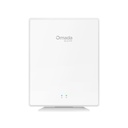
TP-Link EAP650-Desktop Omada AX3000 Desktop Wi-Fi 6 Access Point

Price:

$ 184.62


TP-Link EAP650 D30-Outdoor Omada Directional AX3000 Indoor/Outdoor Wi-Fi 6 Access Point
$ 415.70
$ 415.70
TP-Link EAP650GP-Desktop Omada AX3000 Wi-Fi 6 Desktop GPON Access Point
$ 242.74
$ 312.20 (22% OFF)

TP-Link EAP650-Desktop Omada AX3000 Desktop Wi-Fi 6 Access Point

https://arcip.com.au/web/image/product.template/9279/image_1920?unique=204e293

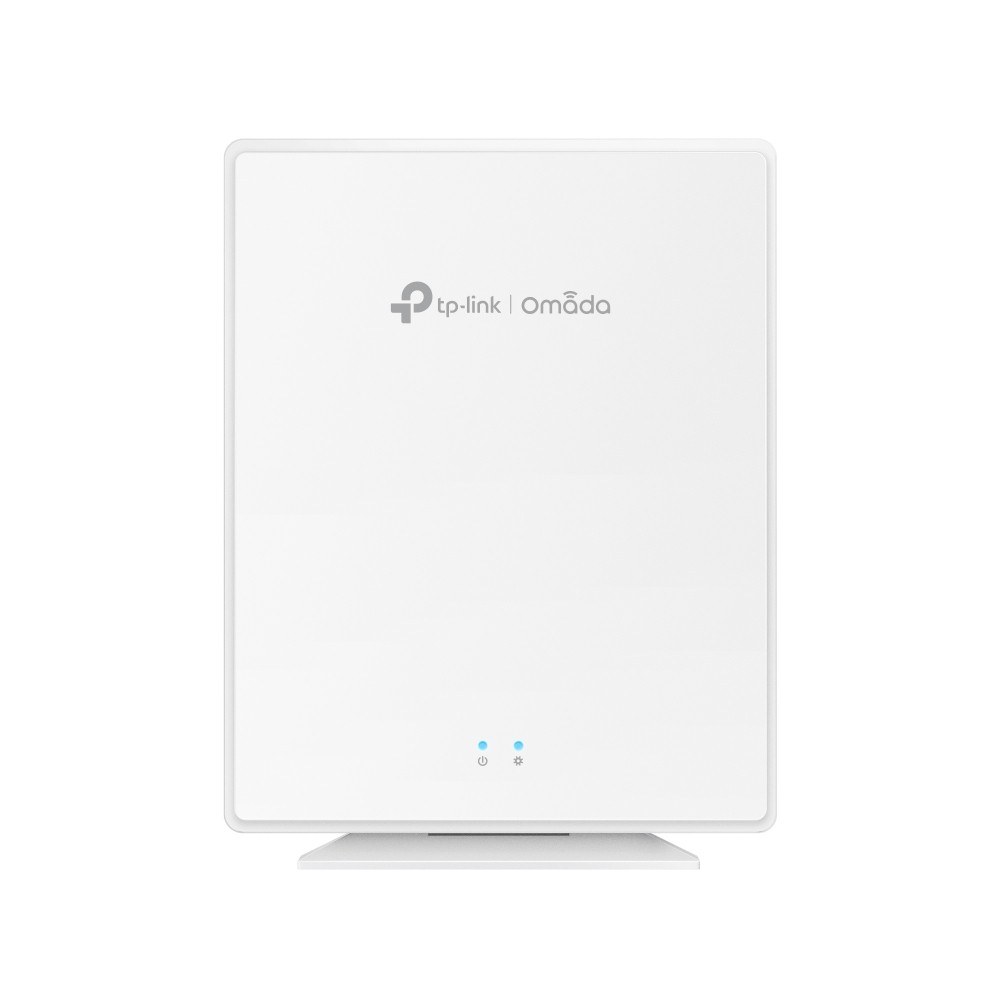
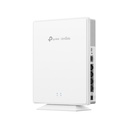
The TP-Link EAP650-Desktop is an Omada AX3000 desktop Wi-Fi 6 access point for offices, retail, hotels and MDUs. It offers 2402 Mbps on 5 GHz and 574 Mbps on 2.4 GHz, 2x2 MU-MIMO on both bands, HE160 and OFDMA, with 250+ concurrent clients and up to 140 square metres of coverage (lab tested). Four Gigabit RJ45 ports include PoE-in on ETH0 and PoE-out on ETH1, alongside one FXS port for VoIP. Power is 802.3af/at/bt PoE or the included 12 V / 1.5 A adapter, with Omada SDN, standalone and cloud management.

$ 184.62 184.62 AUD $ 237.46 incl. GST

Not Available For Sale


  • Brand

This combination does not exist.

In stock online
  • Stock

    Authorised Australian Reseller | Australian Stock | Genuine Local Warranty

  • Instalment
    Buy Now, Pay Later 
  • [Warranty Information] Warranty
    Manufacturer Warranty 
Estimate delivery
Shipping calculated at checkout
Estimate delivery times: 3-7 business days 
Guaranteed Safe Checkout
Guaranteed Safe Checkout
Accepted payments: Google Pay, Apple Pay, Visa, Mastercard and PayPal
SKU
TL-EAP650-DESKTOP
Barcode
8885020623734

The TP-Link EAP650-Desktop is an Omada AX3000 Wi-Fi 6 access point built to sit on a desk or mount on a wall. It delivers up to 2402 Mbps on 5 GHz and 574 Mbps on 2.4 GHz with 2x2 MU-MIMO, 160 MHz channels and OFDMA, and has four Gigabit RJ45 ports (one PoE-in, one PoE-out) plus an FXS port for an analogue phone. It runs on 802.3af/at/bt PoE or a 12 V / 1.5 A DC adapter (included) and is managed through Omada SDN.

EAP650-Desktop overview

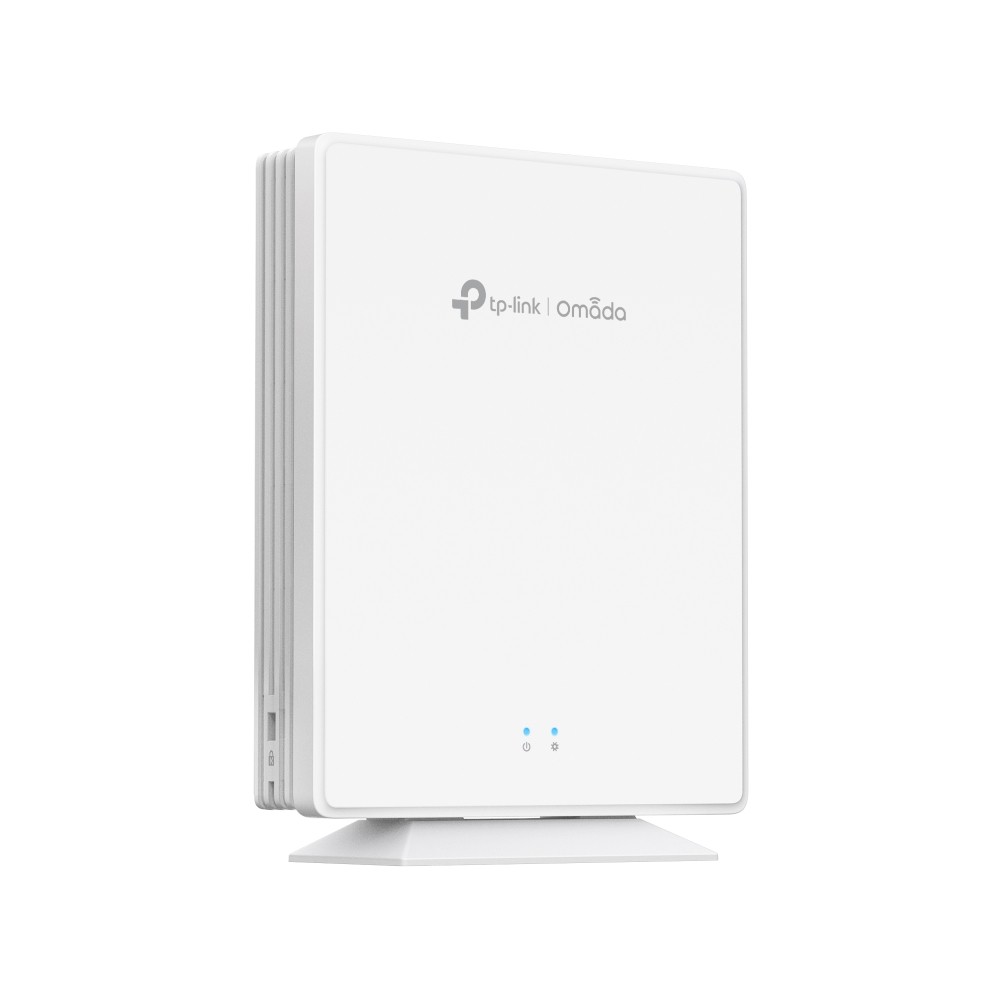
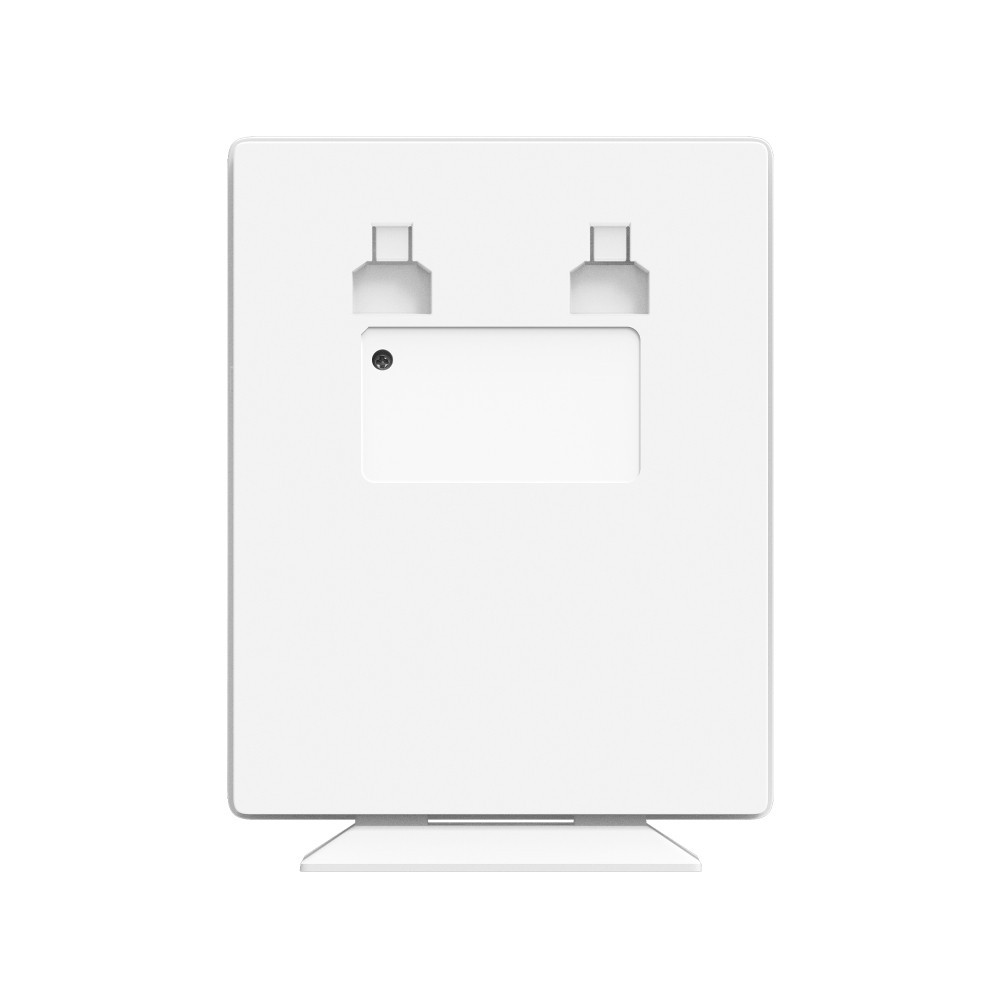
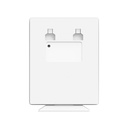
The EAP650-Desktop is TP-Link's Omada AX3000 Desktop Wi-Fi 6 Access Point. TP-Link describes it as designed to provide reliable indoor coverage in dense environments such as offices, retail, hotels and MDUs, and its flat 175 x 140 x 33 mm housing can stand on a desk or be fixed to a wall with the kit in the box. The radios follow IEEE 802.11a/n/ac/ax on 5 GHz and 802.11b/g/n/ax on 2.4 GHz, each with 2x2 uplink/downlink MU-MIMO and two spatial streams. The 802.11ax signal rates reach 2402 Mbps on 5 GHz (HE20/40/80/160) and 574 Mbps on 2.4 GHz (HE20/40), which TP-Link combines as 3.0 Gbps Wi-Fi 6. TP-Link notes these are maximum physical rates derived from IEEE 802.11 specifications; actual throughput and coverage vary with environment, interference and client devices.

Wi-Fi 6 technologies listed for this model are 160 MHz bandwidth, uplink/downlink OFDMA, MU-MIMO and 1024-QAM. TP-Link states that 1024-QAM gives 25% higher data rates than Wi-Fi 5. Antennas are internal omnidirectional: two 5 dBi elements for 2.4 GHz and three 4.7 dBi elements for 5 GHz (single-antenna peak gains). TP-Link lists coverage of up to 140 square metres (1500 sq ft) and 250+ concurrent clients; both figures come from laboratory testing and real results depend on building materials, client traffic and placement. The access point supports 16 SSIDs (eight per band), band steering, load balance with RSSI threshold, airtime fairness, beamforming, automatic channel selection and transmit power control in 1 dB steps.

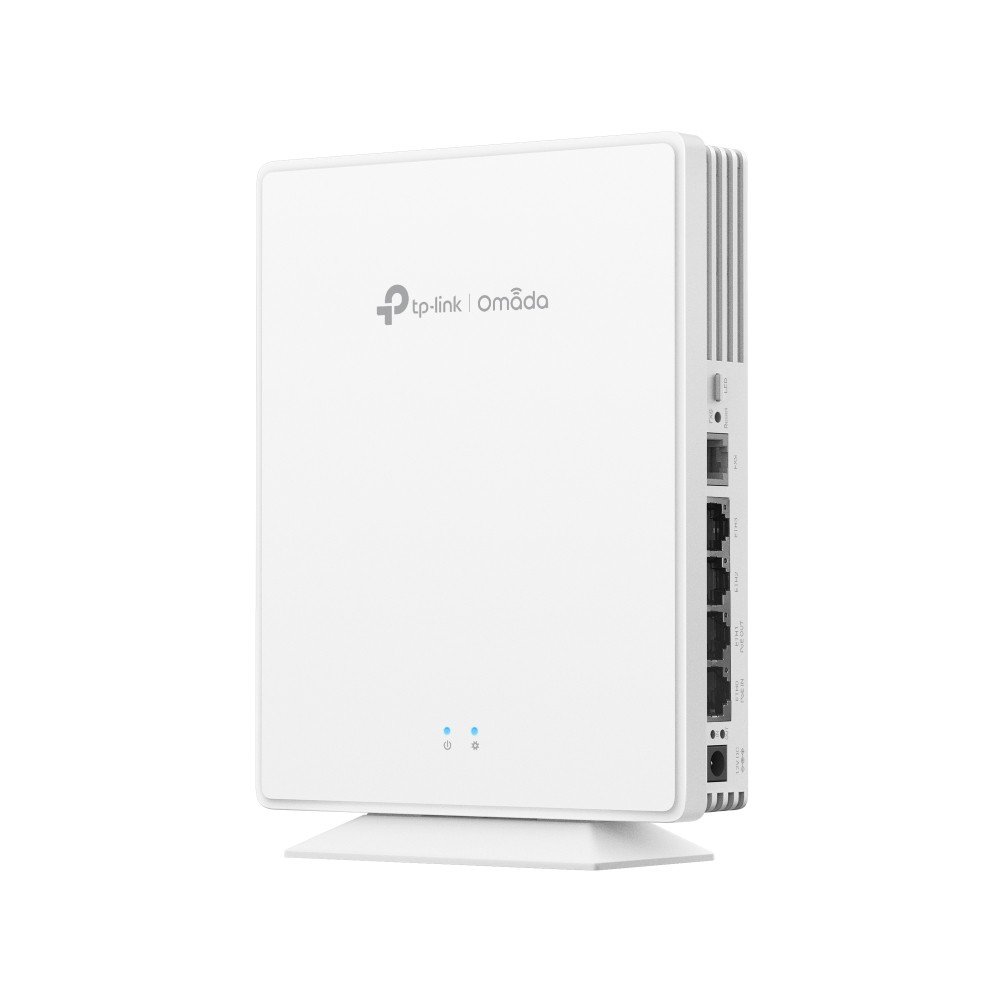
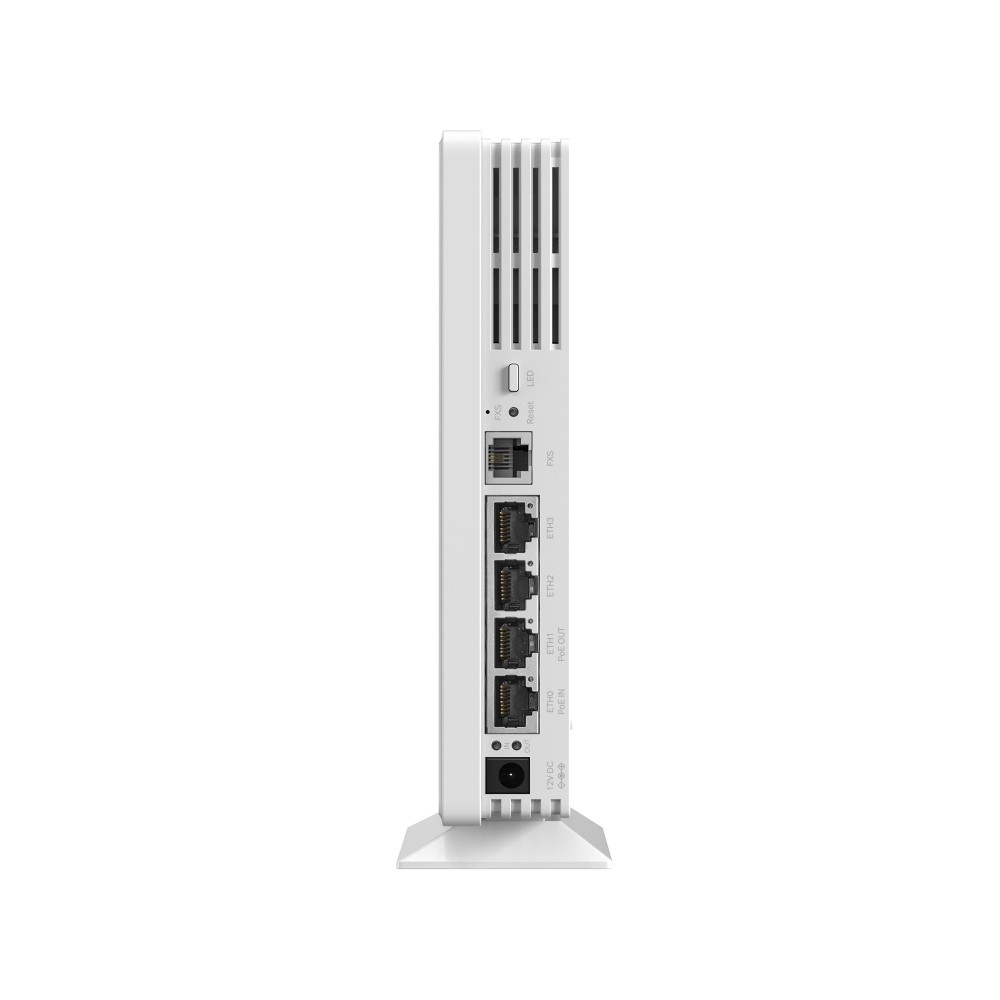
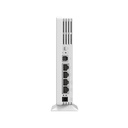
What sets the EAP650-Desktop apart from a ceiling access point is its port array. It has four 10/100/1000 Mbps RJ45 ports, so desk phones, PCs, smart TVs or set-top boxes can be wired directly at the point of use, and one FXS port for an analogue telephone or fax, which the datasheet says enables reliable VoIP communication. ETH0 is the PoE-in port and ETH1 is the PoE-out port. PoE-out depends on the incoming supply: with 802.3bt input, ETH1 provides 802.3at/af output (30 W available); with 802.3at input it provides 802.3af class 2 output (7 W available); with 802.3af input the PoE-out is disabled and the 5 GHz radio is switched off. When powered by the 12 V / 1.5 A DC adapter, PoE-out is disabled. If both DC and PoE are connected, DC takes priority.

Power consumption is listed per supply: 16.8 W on 12 V DC, 19.9 W on 802.3bt or 802.3at with both radios at 2x2, 12 W on 802.3af with 5 GHz disabled, and an idle draw of 6.5 W on PoE or 5.4 W on DC. Maximum power consumption on the product page is 17.3 W with PoE-out off. Accepted PoE input voltage is 42.5 to 57 V. Ethernet ports carry 2.5 kV common-mode surge protection, and ESD protection is rated at plus or minus 8.5 kV air and 4.5 kV contact discharge. MTBF is listed at 332,584 hours (EU) and 256,383 hours (US) at 25 degrees C.

For management, the EAP650-Desktop joins Omada SDN through auto-discovery and one-click adoption. The datasheet lists Omada Local Controller V6.1 and above, Omada Cloud-Based Controller V5.15 and above and Omada App V5.0 and above, plus standalone web management, SSH and SNMP v1/v2c/v3. Zero-touch provisioning requires the Omada Cloud-Based Controller. Roaming features include 802.11k/v/r, non-stick roaming, ping-pong roaming suppression and AI roaming (Layer 2 only), and the AP supports Omada mesh in AP and mesh operating modes, although standalone mesh is not supported. Security options cover WPA/WPA2/WPA3 Personal and Enterprise, Enhanced Open, PPSK with or without RADIUS, 802.1X, MAC authentication, MAC filtering, client isolation, rogue AP detection and captive portal hotspot authentication by voucher, local user, SMS, RADIUS or form. It is rated for 0 to 40 degrees C operation, carries CE, FCC and IC certification on the product page, and ships with a power adapter, desktop/wall mounting kit and installation guide.

Key features

AX3000 Wi-Fi 6

2402 Mbps on 5 GHz plus 574 Mbps on 2.4 GHz, 2x2 MU-MIMO on each band.

160 MHz, OFDMA, 1024-QAM

Wide HE160 channels and uplink/downlink OFDMA for lower latency in busy rooms.

Four Gigabit ports

Four 10/100/1000 Mbps RJ45 ports to wire PCs, TVs or phones at the desk.

PoE-in and PoE-out

ETH0 takes 802.3af/at/bt PoE; ETH1 can power a device when the input is 802.3at or 802.3bt.

FXS voice port

One FXS port for an analogue phone or fax over VoIP, with its own SIP status LED.

PoE or 12 V DC

Runs from PoE or the included 12 V / 1.5 A adapter; DC takes priority if both are present.

Desktop or wall mount

Stands on a desk or fixes to a wall with the included kit, no ceiling work needed.

Omada SDN and mesh

One-click adoption, Omada mesh, 802.11k/v/r roaming and cloud management.

EAP650-Desktop specifications

At a glance

AX3000 Wi-Fi 6
2402 + 574 Mbps
2x2 MU-MIMO
4 x Gigabit RJ45
1 x FXS port
PoE-in + PoE-out
802.3af/at/bt or 12 V DC
Desktop / wall mount
EAP650-Desktop full specifications
Hardware Features
Interface4× 1Gbps Ethernet Ports + 1× FXS Port (One Ethernet port supports PoE Out: 802.3at/af output at 802.3bt input, 802.3af class 2 output at 802.3at input)
ButtonReset; LED
Power Supply802.3 af/at/bt PoE or 12V/1.5A DC PoE Out requires 802.3at/bt PoE power supply
Max. Power Consumption17.3W (PoE Out Off)
Weight452g (excluding mounting base)
Dimensions ( W x D x H )6.9 × 5.5 × 1.3 in (175 × 140 × 33 mm)
AntennaInternal Omni; 2.4 GHz: 2× 5 dBi; 5 GHz: 3× 4.7 dBi
Range140㎡(1500 ft²)
MountingDesktop / Wall mouting (Kits included)
Management Features
Omada AppYes
Centralised ManagementOmada Hardware Controller; Omada Software Controller; Omada Cloud-Based Controller
Cloud AccessYes.
Email AlertsYes
LED ON/OFF ControlYes
Management MAC Access ControlYes
SNMPv1, v2c, v3
System Logging Local/Remote SyslogSystem Log
SSHYes
Web-based ManagementYes
Zero-Touch ProvisioningYes.Reauire the use of Omada Cloud-Based controller
Wireless Features
Concurrent Clients250+
Wireless StandardsIEEE 802.11 a/b/g/n/ac/ax
Frequency2.4 GHz and 5 GHz
Signal Rate5 GHz: 2402 Mbps; 2.4 GHz: 574 Mbps
Wireless Functions2×2 (2.4G & 5G) MU-MIMO; HE160 (160 MHz Bandwidth); OFDMA; Seamless Roaming; Multiple SSIDs (16 SSIDs, 8 on each band); Enable/Disable SSID Broadcast; Enable/Disable Wireless Radio; Guest Network; Automatic Channel Assignment; Beamforming; Rate Limit (Based on SSID/Client); Band Steering; Load Balance; Airtime Fairness; Transmit Power Control (Adjust Transmit Power on dBm); QoS (WMM); RADIUS Accounting; MAC Authentication; Reboot Schedule; Wireless Schedule and Statistics; Static IP/Dynamic IP
Wireless SecurityCaptive Portal Authentication; Access Control; Wireless Mac Address Filtering; Wireless Isolation Between Clients; VLAN; Rogue AP Detection; 802.1X Support; WPA-Personal/Enterprise, WPA2-Personal/Enterprise, WPA3-Personal/Enterprise
Transmission PowerCE:; FCC:
Others
CertificationCE, FCC, IC
System RequirementsMicrosoft Windows XP, Vista, Windows 7, Windows 8, Windows10, Windows11, Linux
EnvironmentOperating Temperature: 0–40 ℃ (32–104 ℉); Storage Temperature: -40–70 ℃ (-40–158 ℉); Operating Humidity: 10–90% RH non-condensing; Storage Humidity: 5–90% RH non-condensing

Source: TP-Link's published specifications for this model (TP-Link Australia product page and datasheet). Some features run only in Standalone Mode or only under an Omada Controller; throughput figures are TP-Link's lab results. TP-Link may change specifications without notice.

What's in the box

  • EAP650-Desktop
  • Desktop/Wall Mounting Kit
  • Installation Guide
  • Power Adapter

Source: TP-Link's published package contents.

Who the EAP650-Desktop is for

Hotel rooms and MDUs

  • Wi-Fi plus wired ports in each room
  • FXS port for an analogue room phone
  • 16 SSIDs, PPSK and captive portal

Offices and retail counters

  • Sits on the desk or mounts on a wall
  • Wire a PC, printer or POS at the AP
  • PoE-out for a phone or small device

Omada-managed networks

  • Local Controller V6.1 and above
  • Cloud-Based Controller V5.15 and above
  • Omada App V5.0 and above

EAP650-Desktop compared

The EAP650-Desktop and EAP650GP-Desktop share the same AX3000 Wi-Fi 6 radio, housing size and FXS port. The EAP650-Desktop takes its uplink and power over Ethernet (or a 12 V adapter) and has one PoE-out port; the EAP650GP-Desktop takes its uplink over a GPON fibre port, runs on a 53.5 V DC supply and has two 802.3af PoE-out ports.

SpecificationEAP650-DesktopEAP650GP-Desktop
Wi-FiAX3000: 2402 Mbps (5 GHz) + 574 Mbps (2.4 GHz)AX3000: 2402 Mbps (5 GHz) + 574 Mbps (2.4 GHz)
UplinkEthernet (ETH0, PoE-in)1 x GPON SC/APC port
Ethernet ports4 x Gigabit RJ454 x Gigabit RJ45
PoE-out1 port (ETH1), 802.3at/af at 802.3bt input2 ports (ETH0/ETH1), 802.3af, 22.4 W total
FXS port11
Power802.3af/at/bt PoE or 12 V / 1.5 A DC53.5 V / 0.81 A DC
Antennas2.4 GHz 2 x 5 dBi; 5 GHz 3 x 4.7 dBi2.4 GHz 2 x 4.5 dBi; 5 GHz 3 x 5 dBi
Concurrent clients (product page)250+100+
Dimensions175 x 140 x 33 mm175 x 140 x 33 mm

Source: TP-Link Australia product pages for each model.

Buy the EAP650-Desktop from ARC IP Networks

ARC IP Networks supplies TP-Link Omada products from Australian stock at competitive prices, with the full manufacturer's warranty, Australia-wide delivery and trade pricing for installers and MSPs.

  • New TP-Link Omada product from Australian stock.
  • Manufacturer warranty: the full TP-Link manufacturer's warranty for this model.
  • Australia-wide delivery to every state and territory.
  • Trade and project pricing: call 1300 100 440 or email info@arcip.com.au.

Frequently asked questions

Straight answers about the EAP650-Desktop from the ARC IP Networks team.

Last reviewed October 2026.

It is an AX3000 Wi-Fi 6 access point with signal rates of up to 2402 Mbps on 5 GHz and 574 Mbps on 2.4 GHz. TP-Link notes these are maximum physical rates; actual throughput varies with environment and client devices.

Four 10/100/1000 Mbps RJ45 ports. ETH0 is the PoE-in port and ETH1 can supply PoE-out, plus there is one FXS port for an analogue phone.

Yes, from ETH1. It gives 802.3at/af output when the AP itself is powered by 802.3bt PoE, and 802.3af class 2 output (7 W) when powered by 802.3at. PoE-out is disabled on 802.3af input and on 12 V DC power.

No. It accepts 802.3af/at/bt PoE or the 12 V / 1.5 A DC power adapter included in the box. On 802.3af PoE the 5 GHz radio is disabled, so 802.3at or 802.3bt PoE, or DC power, is needed for both radios.

It connects an analogue telephone or fax machine for VoIP calls. A side LED shows SIP registration, off-hook and ringing status.

TP-Link lists up to 140 square metres (1500 sq ft) and 250+ concurrent clients. Both are laboratory figures and actual results vary with building materials and client traffic.

The datasheet lists Omada Local Controller V6.1 and above, Omada Cloud-Based Controller V5.15 and above, and Omada App V5.0 and above. It can also be managed standalone through its web interface.

Yes. It supports Omada mesh and 802.11k/v/r roaming, with AI roaming and non-stick roaming. Standalone mesh is not supported, and roaming is Layer 2 only.

Yes. It can sit on a desk or be mounted on a wall, and the desktop/wall mounting kit is included.

The EAP650-Desktop, a power adapter, a desktop/wall mounting kit and an installation guide.

Need more than one EAP650-Desktop for a hotel, MDU or office rollout?

Ask ARC IP Networks for volume and project pricing on TP-Link Omada products.

Brand TP-Link

Accurate Shipping Costs

Our online shipping calculator is designed to provide a final, accurate shipping cost based on the items in your cart and your delivery postcode. Shipping costs are calculated at checkout based on your order and delivery postcode. The final cost is calculated based on several factors which are automatically accounted for by our system, including:

  • The stock location of the item(s) across our warehouses.
  • Orders with multiple items that may require special packaging.
  • The weight and dimensions of the order (including heavy or oversized items).
  • The delivery courier servicing your specific region.

Delivery Times


Standard Processing


Most orders placed by 2pm AEDT are dispatched for next working day delivery. Larger orders may require 1-2 additional business days for processing. If timing is critical, please contact us to discuss expedited options (additional charges may apply).


Delivery Timeframes


Region

Processing Time

Express Delivery

Standard Delivery

VIC, NSW, SA, QLD Metro, TAS

1-2 business days

1-2 business days

2-4 business days

NT, WA, QLD Rural

1-2 business days

1-2 business days

3-5 business days

New Zealand

1-2 business days

2-3 business days

4-10 business days

Please note: Processing times may extend during peak periods such as Christmas and end of financial year.

Free Warehouse Pickup


Save on shipping costs with free pickup from our ARC IP Networks Blackburn warehouse. Simply place your order online or by phone, and collect during business hours (Monday to Friday). Please allow time for picking and packing. For urgent orders, call 1300 100 440 to confirm your order is ready.

ARC IP Networks Pickup Address: 6 George Street, Blackburn, VIC 3130


Insurance & Tracking


All ARC IP Networks shipments are fully insured and trackable. Once dispatched, you'll receive an email with your tracking number and courier website details. If your item is confirmed lost or damaged by our courier, we'll arrange a replacement in consultation with you.


International Shipping


ARC IP Networks ships to New Zealand. Please note:


  • Import duties and taxes vary by country
  • Buyers are responsible for all customs charges
  • Contact your local customs authority before ordering
  • We'll provide required documentation for smooth customs clearance
  • Buyers cover all shipping costs for returns due to refused duties/taxes


Delivery Requirements


Signature Required


All deliveries must be signed for. If you won't be home, contact our Sales Support team to arrange Authority to Leave. Important: Authority to Leave voids shipping insurance if parcels are lost or stolen.


Delivery Restrictions


We do not deliver to PO Boxes or Parcel Lockers as our couriers cannot access them. Orders sent to these addresses will be returned, incurring redelivery fees.


Shipping Issue Resolution


ARC IP Networks works closely with our shipping partners to resolve any delivery issues quickly and fairly:


  1. Confirmation: We verify expected delivery dates with our shipping partners
  2. Investigation: Issues outside normal timeframes trigger formal investigations
  3. Communication: We keep you updated throughout the resolution process
  4. Resolution: Confirmed lost items are replaced or refunded after investigation completion


Please note: Refunds for lost, missing, or delayed orders cannot be processed until shipping partner investigations are complete. This does not affect your rights under the Australian Consumer Law, and refunds or replacements will be provided where required once loss or damage is confirmed.

Warranty & Faulty Products

ARC IP Networks complies with the Australian Consumer Law (ACL).

If a product is faulty, damaged, not of acceptable quality, or does not perform as advertised, you are entitled to a repair, replacement, or refund in accordance with ACL.

Manufacturer Warranty Returns

For faults developing after 14 days within the warranty period:

  • Contact ARC IP Networks first at info@arcip.com.au or 1300 100 440
  • We will assess the issue and coordinate with manufacturers, authorised service centres, or distributors on your behalf
  • Where required, a manufacturer RMA may be arranged
  • ARC IP Networks manages the return process and next steps

Dead on Arrival (DOA)

Products that arrive faulty or damaged must be reported within 14 days of delivery.

ARC IP Networks will arrange assessment, replacement, or refund as appropriate.

Change of Mind & Non-Faulty Returns

Change-of-mind returns must be requested within 14 days of delivery. For change-of-mind returns, the product must be unused, unopened, in its original packaging, and returned with all accessories and documentation. These conditions apply only to change-of-mind returns and do not limit or exclude your rights under the Australian Consumer Law. Some products are not eligible for change-of-mind returns, including:

  • Ex-demo products
  • Clearance or markdown items
  • Special-order items
  • Products clearly marked “No Change-of-Mind Returns”

Important

This does not affect your rights under Australian Consumer Law.

If a product is faulty, not of acceptable quality, or does not meet advertised specifications, it remains eligible for return regardless of category.

Refunds & Processing Timeframes

  • Approved refunds are processed within 7 business days of receiving returned goods
  • Refunds are issued to the original payment method, unless otherwise agreed
  • Replacement or repair may be offered where appropriate
  • Store credit may be offered only with customer consent

Handling fees and non-returnable service charges may not be refundable where permitted by law.


Restocking Fees

For approved change-of-mind or non-faulty returns, a 15% restocking fee applies.

  • Any applicable restocking fee will be clearly communicated prior to return approval
  • The fee will be deducted from the refund amount
  • Restocking fees do not apply to returns made under the Australian Consumer Law, including faulty, damaged, or misrepresented goods.

Return Shipping Costs

  • Change-of-mind returns: The customer is responsible for return shipping costs.
  • Faulty or defective products: ARC IP Networks covers return shipping under Australian Consumer Law.

Non-Warranty Repairs

For issues not covered by warranty:

  • ARC IP Networks will provide a quote before proceeding
  • Customers are responsible for all shipping and service costs
  • No repairs are undertaken without customer approval

Return Methods

Returns may be made:

  • In-store at ARC IP Networks – 6 George Street, Blackburn VIC 3130
  • Or by shipment as instructed by our support team

Proof of purchase is required for all returns.

Enquire About this Product


Any questions about this product? Fill out the form below, and we'll get back to you soon!