To secure your home while you're on holiday, install Hikvision CCTV that lets you check in from anywhere with the Hik-Connect app, sends AcuSense person and vehicle push alerts, uses active deterrence to warn off intruders, and records locally to an NVR so your footage stays safe. ARC IP Networks, an authorised Hikvision reseller in Australia, can help you plan it.
How do I secure my home while I'm on holiday?
An empty house is the one time a good camera system truly earns its keep. The goal while you're away is simple: know the moment someone approaches, scare them off before anything happens, and keep proof either way — all from your phone, wherever you are.
A modern Hikvision setup does exactly that. You get live and recorded video in the Hik-Connect app, smart AcuSense alerts that only ping you for real people and vehicles, active-deterrence cameras that flash and speak when someone lingers, and a local NVR that keeps recording even if your internet drops. The five steps below turn an empty home into a hard target.
Step 1: Check in from anywhere with Hik-Connect
The first thing you want on holiday is peace of mind — the ability to open an app and see your driveway, front door and yard in real time. Hikvision cameras and NVRs pair with the free Hik-Connect app on iOS and Android, so you can watch live footage, scroll back through recordings, and receive alerts from anywhere with mobile data or Wi-Fi.
Set it up before you leave: add your NVR to Hik-Connect, test the live view over mobile data (not just home Wi-Fi), and make sure notifications are switched on. Our step-by-step Hik-Connect setup guide walks through pairing, QR codes and remote viewing. Do this a day or two early so you can iron out any login issues from home.
Step 2: Get person & vehicle push alerts with AcuSense
Nobody wants their phone buzzing every time a cat walks past or a shadow shifts. Hikvision's AcuSense cameras use deep-learning to tell the difference between a person, a vehicle and harmless movement like trees or rain — so the alerts you get on holiday actually matter.
That means fewer false alarms and faster reactions: a push notification with a snapshot the moment a person steps onto your property. You can even draw virtual lines and zones so you're only alerted when someone crosses your fence line or approaches the door. Pair AcuSense with the app and you effectively have a smart guard watching the house for you. Learn more in our AcuSense explained guide.
Step 3: Scare intruders off with active deterrence
The best outcome is one where nothing is stolen at all — and that's where active deterrence comes in. Instead of quietly recording a break-in, these Hikvision cameras react. When a person is detected in your zone, the camera can trigger a bright flashing strobe (some models use an attention-grabbing red/blue strobe) and play a loud, pre-recorded audible warning.
To an opportunist casing an empty house, a camera that lights up and speaks is a clear signal they've been seen — and most simply move on. It's the difference between evidence after the fact and preventing the incident altogether. See what genuinely works in do security cameras deter burglars? For maximum effect, place deterrence cameras at the points an intruder must pass: the driveway, side gate and back door.

Shopping for Hikvision?
Authorised Hikvision reseller: genuine Australian stock, full warranty, competitive prices and price match available.
Step 4: Cover every entry & make the home look occupied
Burglars look for the easy way in — so cover every likely approach, not just the front door. A camera at each entry point removes blind spots, and ColorVu cameras keep those views in full colour after dark, so number plates, faces and clothing colours stay identifiable at night rather than washing out to grey.
The presence of visible cameras, motion-triggered lighting and the odd timer-controlled indoor lamp all help an empty home look occupied. Use this simple placement guide to cover the whole property:
| Entry point | Best camera type | Why it works |
|---|---|---|
| Driveway / front kerb | ColorVu bullet with active deterrence | Long, wide view; strobe warns off approach and captures vehicles in colour at night |
| Front door / porch | ColorVu AcuSense turret | Face-height capture, tidy look, person alerts for anyone at the door |
| Side gate / access path | AcuSense bullet with strobe + audio | Covers the pinch-point most intruders use; audible warning deters loitering |
| Backyard / rear door | ColorVu turret or bullet | Guards the least-visible side of the house where break-ins often happen |
Not sure how many you need? Our how many cameras do I need guide sizes a typical home.
Step 5: Record locally so your footage is safe
Cloud clips are handy, but on holiday you want certainty. A Hikvision PoE NVR records every camera continuously to a hard drive inside your home, so footage keeps saving even if your internet drops or a subscription lapses — and you still view it remotely through Hik-Connect when the connection is up.
PoE (Power over Ethernet) means each camera runs on a single cable for both data and power, making a tidy, reliable wired system that won't drop off like battery or Wi-Fi cameras can. Choose enough channels for your cameras and enough storage for the length of trip you take — our NVR channels & storage guide helps you pick. With everything recorded locally, you always have the footage, whatever happens to the network.
Your pre-holiday CCTV checklist
Run through this the week before you leave so everything's tested and working:
- Add your NVR to Hik-Connect and confirm live view works over mobile data, not just home Wi-Fi.
- Turn on push notifications and set AcuSense to alert on person/vehicle only.
- Draw detection zones around entries, gates and the driveway; test that active deterrence triggers.
- Check every camera's view for spider webs, glare or overgrown plants blocking the shot.
- Confirm the NVR is recording and has free storage for the length of your trip.
- Set indoor lights on timers and pause mail/deliveries so the home looks lived-in.
- Share app access with a trusted neighbour or family member who can respond if needed.
Setting up from scratch? See our best Hikvision cameras for home security guide, or talk to our team for a tailored plan.
Recommended Hikvision cameras & recorder for holiday security
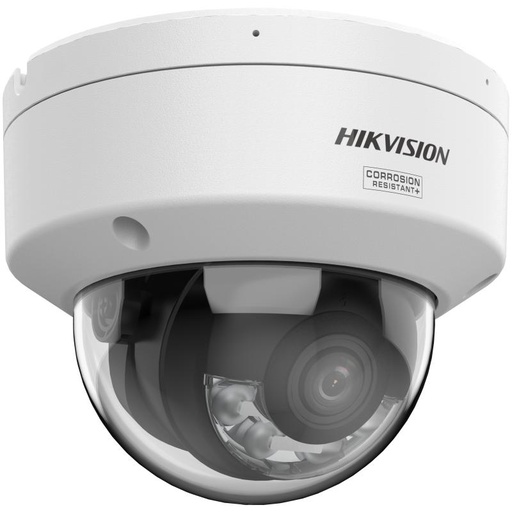
Hikvision DS-2CD2187G3 8MP 2.8mm ColorVu AcuSense Turret
ColorVu + AcuSense 8MP turret for the front door and porch — full-colour night view and person/vehicle alerts straight to your phone.
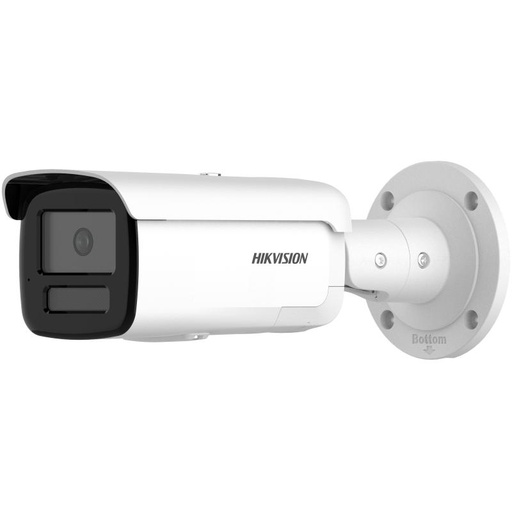
Hikvision DS-2CD2T86G2H-IS2U/SL(2.8mm)(eF) 8MP 2.8mm AcuSense Strobe Light and Audible Warning Fixed Bullet Network Camera
8MP AcuSense bullet with strobe light and audible warning — ideal for the driveway or side gate to actively warn off intruders.
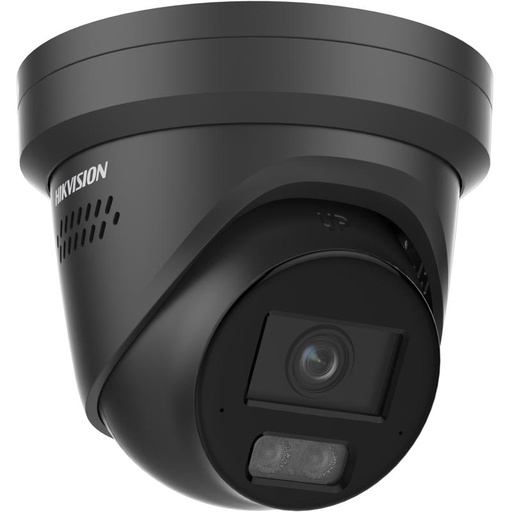
Hikvision DS-2CD2387G3-LIS2UY-SRB-BLK ColorVu 3.0 Smart Hybrid Light 8 MP Fixed Turret Network Camera, 2.8 mm F1.0, Active Red/Blue Strobe Deterrence, Black
ColorVu 3.0 Smart Hybrid Light turret with active red/blue strobe deterrence in a discreet black finish — lights up and reacts when a person is detected.
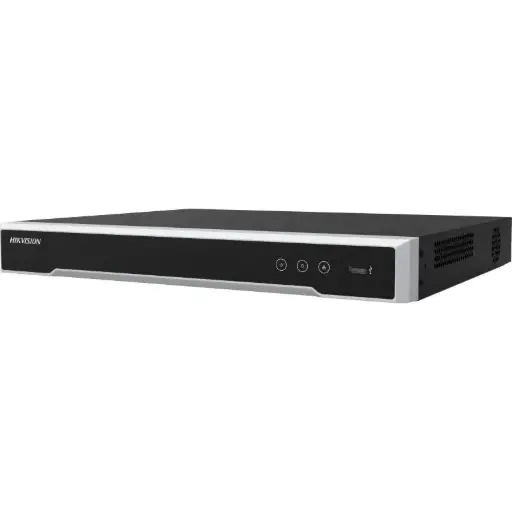
Hikvision DS-7608NI-M2/8P 8-Ch PoE 8K NVR (4TB)
8-channel PoE 8K NVR with 4TB storage — powers and records up to eight cameras locally and streams to Hik-Connect for remote viewing.
Related Hikvision guides
- Farm security cameras: best picks for rural Australia
- Hik-Connect Setup: Hikvision Remote Viewing Guide
- Do Security Cameras Deter Burglars? What Actually Works
- Best Hikvision Cameras for Home Security in Australia (2026)
- How Many Security Cameras Do I Need? A Simple Guide
- Best Security Cameras to Catch a Car Thief (Driveway & Number Plates)
- Best CCTV for Construction Site Security in Australia (2026)
Ready to buy?
Shop genuine Hikvision at ARC IP Networks


Authorised Hikvision reseller
Hikvision at ARC IP Networks
AcuSense, ColorVu and DeepinView cameras, NVRs and complete systems. Genuine Australian stock with the full manufacturer's warranty, competitive prices and price match available.
Frequently asked questions
Last updated: 2026-07-14 · Written by the ARC IP Networks team, an authorised Hikvision reseller in Australia.
Who we are
About ARC IP Networks
ARC IP Networks is an Australian supplier of security cameras and CCTV systems, based in Blackburn, Melbourne, Victoria. We work with homeowners, installers, integrators and businesses across Australia, supplying Hikvision, Ubiquiti UniFi Protect, Dahua and Jovision CCTV.
We are an authorised reseller for every brand we sell, and the national distributor of Jovision in Australia, so you get genuine Australian stock with the full manufacturer's warranty, never grey imports, at competitive prices. Our team can help you choose the right equipment, and trade customers get trade accounts and project pricing on larger jobs.
- Genuine Australian stock with the full manufacturer's warranty
- Competitive prices, price match available
- Trade accounts for installers, integrators and MSPs
- Australia-wide delivery; showroom in Blackburn, Mon–Fri 9–5 (demos by appointment)
Need help choosing?
Tell the ARC IP Networks team what you are trying to achieve and we will recommend the right equipment and quote it as one order.