AcuSeek is Hikvision's AI-powered video search. Instead of scrubbing hours of recordings, you search by what you're looking for - a person or a vehicle, a colour, a time window - and AcuSeek jumps straight to the matching clips. It uses the smart metadata Hikvision AcuSense and DeepinView cameras already generate. ARC IP Networks is an authorised Hikvision reseller in Australia.
What is Hikvision AcuSeek?
AcuSeek is Hikvision's AI-driven video search feature. Traditional CCTV review means picking a camera, picking a time, and scrolling through footage frame by frame until you spot what you need. AcuSeek flips that around: you describe what you're after - for example a person, or a vehicle of a particular colour - and the system surfaces the matching moments for you.
The idea is simple but powerful. Your cameras and recorder are already watching everything; AcuSeek makes all of that footage searchable. It builds on the on-camera intelligence in Hikvision's AcuSense and DeepinView ranges, so the smart data needed to power a search is captured as events happen rather than analysed after the fact.
How does AcuSeek work?
AcuSeek works because Hikvision AI cameras don't just record pixels - they record metadata. As people and vehicles move through a scene, an AcuSense or DeepinView camera classifies them (human vs vehicle vs other) and can tag attributes such as clothing colour or vehicle colour. That structured information is stored alongside the video on the NVR.
When you run a search, AcuSeek queries that metadata index instead of re-watching the raw footage. Because the hard work of recognising objects was done live at the edge, the search itself is fast - the recorder already knows which clips contain a person or a vehicle, so it can return the relevant results in seconds rather than making you scrub the timeline.
- At the camera: AcuSense/DeepinView analytics detect and classify targets in real time.
- On the recorder: that metadata is indexed against the recorded video.
- At search time: AcuSeek matches your query to the index and returns the clips.
What can you search for?
The exact search options depend on your camera and recorder generation, but attribute-based smart search typically lets you narrow footage across a few key dimensions. Combining them is where the real time-saving comes from - for example, a person in a light-coloured top near the front entrance during a set time window.
| Search by | Examples | Why it helps |
|---|---|---|
| Person | Human targets only | Skip every clip triggered by cars, pets or foliage |
| Vehicle | Cars, vans, motorbikes | Isolate traffic or delivery events fast |
| Colour | Clothing or vehicle colour | Filter a busy scene down to likely matches |
| Time & camera | Date range, channel, zone | Focus the search on the window that matters |
Because AcuSeek reads on-camera classification, the quality of your results scales with the quality of your cameras. AcuSense and DeepinView models generate far richer metadata than a basic camera, which is why they pair so well with smart search.
Why AcuSeek saves time
Reviewing footage is the slowest part of running any CCTV system. If something happened overnight and you don't know exactly when, you can lose an entire afternoon scrubbing multiple channels. AcuSeek turns that into a filtered search: define the target and the window, and review a short list of candidate clips instead of hours of empty footage.
For a business, that means a manager can answer 'when did that delivery arrive?' or 'was anyone in the yard after hours?' in minutes. For a home, it means finding the moment a parcel was left without watching the whole day. The footage was always there - AcuSeek just makes it findable.

Shopping for Hikvision?
Authorised Hikvision reseller: genuine Australian stock, full warranty, competitive prices and price match available.
Which cameras and recorders support AcuSeek?
Smart search is only as good as the metadata feeding it, so AcuSeek is designed to work with Hikvision's AI camera ranges and compatible AcuSense NVRs. As a general rule, you'll get the most from it when you pair AI cameras that classify people and vehicles with a recorder built for that intelligence.
- AcuSense cameras - classify human and vehicle targets on the edge, cutting false alarms and generating the metadata smart search relies on.
- DeepinView cameras - Hikvision's deep-learning range, capturing richer attributes for demanding sites.
- AcuSense NVRs - recorders that index and store that metadata; see our NVR channels and storage guide to size one correctly.
Exact feature availability varies by model and firmware. Because AcuSeek is a newer capability, the safest approach is to confirm support for your specific camera and recorder combination before you buy - our team can check compatibility for you. Browse Hikvision AcuSense cameras to see the AI models that feed smart search.
How to get AcuSeek working
Getting started is mostly about matching the right hardware. Choose AcuSense or DeepinView cameras for the scenes you want to search, connect them to a compatible AcuSense NVR, and make sure both are running current firmware. From there, smart search becomes part of your everyday footage review rather than a special project.
Not sure which combination you need? As an authorised Hikvision reseller, ARC IP Networks can specify cameras, recorder and storage as a matched system and supply it Australia-wide. Talk to us before you order so your kit is built for smart search from day one.
AcuSense & AI cameras that power smart search
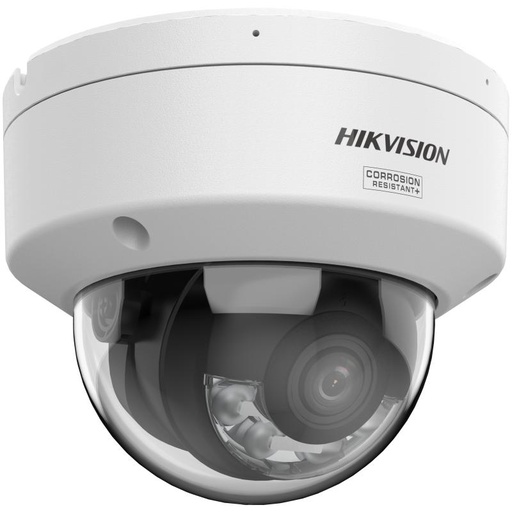
Hikvision DS-2CD2187G3 8MP 2.8mm ColorVu AcuSense Turret
8MP ColorVu AcuSense turret - classifies people and vehicles on the edge and keeps full colour at night, generating the rich metadata smart search thrives on.
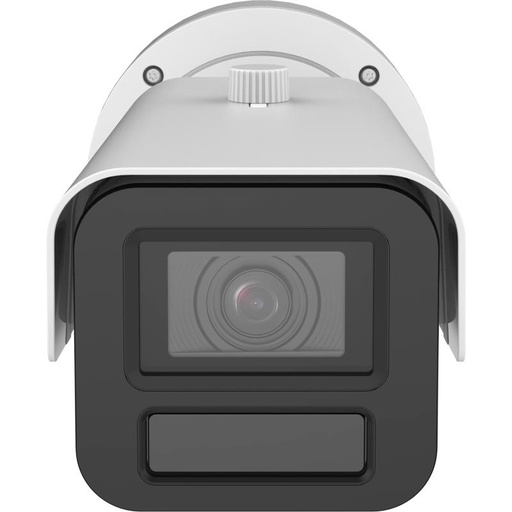
Hikvision IDS-2CD7A46G2-P-IZHSY-2.8-12MM DeepinView 4 MP ANPR Varifocal Bullet Network Camera, 2.8–12 mm Motorised, IR 60 m, IP67/IK10
DeepinView motorised bullet with deep-learning analytics and number plate capture - ideal where vehicle and plate detail matters for searching back through footage.
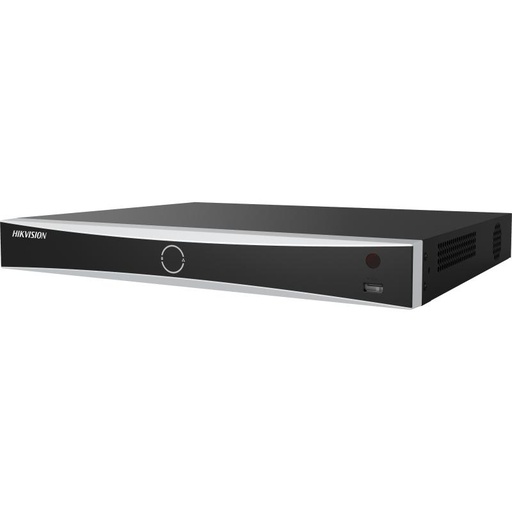
Hikvision DS-7616NXI-I2/16P/VPro 16-Ch AcuSense NVR
16-channel AcuSense NVR - the recorder that indexes and stores camera metadata, so recorded events stay fast to search across many cameras.
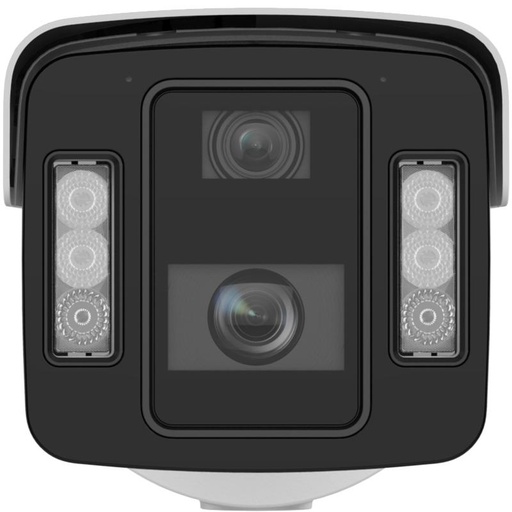
Hikvision IDS-2CD8A86G2-XZHSY-1050 DeepinView 8+4 MP Dual-Sensor Bullet Network Camera, Varifocal 10-50 mm + Fixed 4 mm, DarkFighter 2.0 with Face Capture & LPR
DeepinView dual-sensor bullet with face capture and LPR - captures attribute-rich metadata at long range for demanding sites and precise review.
Ready to buy?
Shop genuine Hikvision at ARC IP Networks


Authorised Hikvision reseller
Hikvision at ARC IP Networks
AcuSense, ColorVu and DeepinView cameras, NVRs and complete systems. Genuine Australian stock with the full manufacturer's warranty, competitive prices and price match available.
Frequently asked questions
Last updated: 2026-07-14 · Written by the ARC IP Networks team, an authorised Hikvision reseller in Australia.
Who we are
About ARC IP Networks
ARC IP Networks is an Australian supplier of security cameras and CCTV systems, based in Blackburn, Melbourne, Victoria. We work with homeowners, installers, integrators and businesses across Australia, supplying Hikvision, Ubiquiti UniFi Protect, Dahua and Jovision CCTV.
We are an authorised reseller for every brand we sell, and the national distributor of Jovision in Australia, so you get genuine Australian stock with the full manufacturer's warranty, never grey imports, at competitive prices. Our team can help you choose the right equipment, and trade customers get trade accounts and project pricing on larger jobs.
- Genuine Australian stock with the full manufacturer's warranty
- Competitive prices, price match available
- Trade accounts for installers, integrators and MSPs
- Australia-wide delivery; showroom in Blackburn, Mon–Fri 9–5 (demos by appointment)
Need help choosing?
Tell the ARC IP Networks team what you are trying to achieve and we will recommend the right equipment and quote it as one order.