





Skip to Content
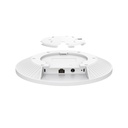
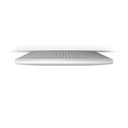
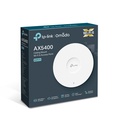
TP-Link EAP670 Omada AX5400 Ceiling Mount Wi-Fi 6 Access Point

Price:

$ 352.98


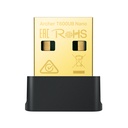
TP-Link Archer T600UB Nano AC600 Bluetooth Wi-Fi Dual-Band Nano USB Adapter
$ 43.03
$ 43.03
TP-Link ER7212PC Omada 3-in-1 Gigabit VPN Gateway
$ 707.42
$ 707.42

TP-Link EAP670 Omada AX5400 Ceiling Mount Wi-Fi 6 Access Point

https://arcip.com.au/web/image/product.template/11168/image_1920?unique=6cd61da

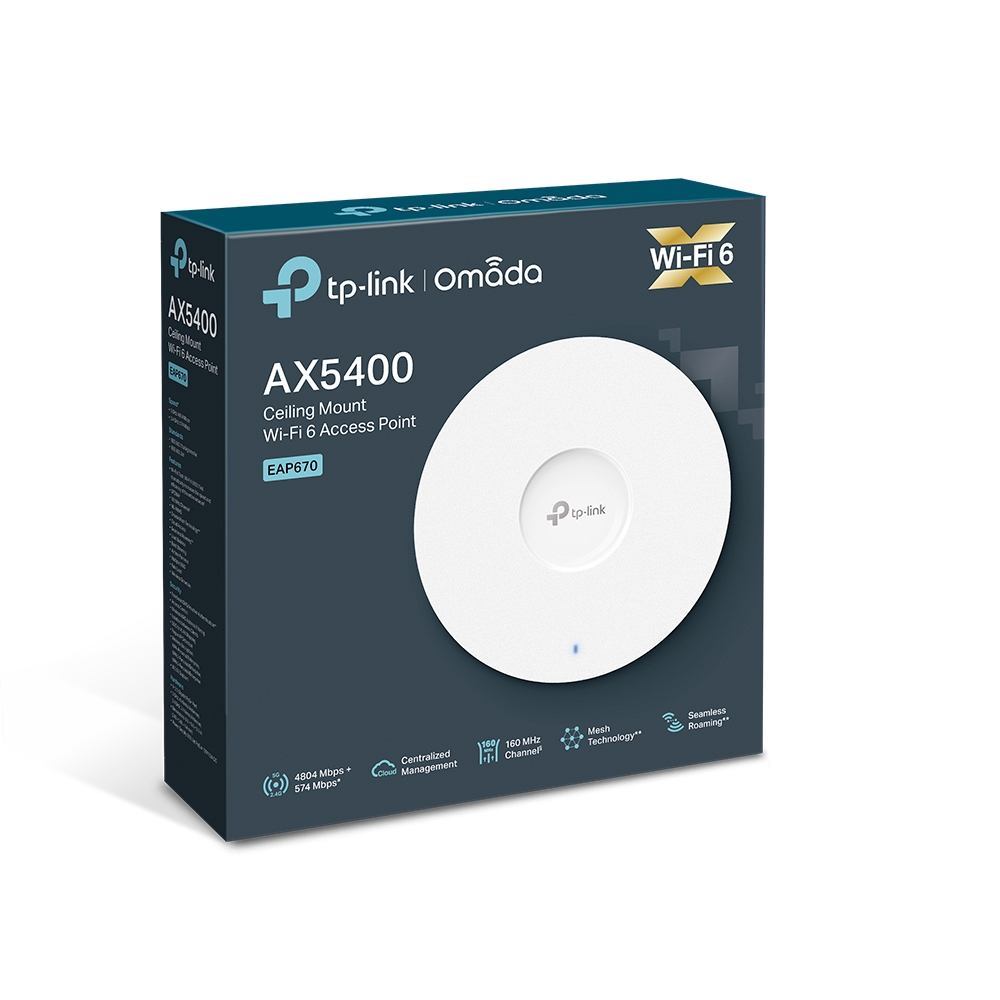
The TP-Link EAP670 is an Omada AX5400 Wi-Fi 6 ceiling access point for busy offices, schools and hospitality: up to 4804 Mbps on 5 GHz and 574 Mbps on 2.4 GHz, a 2.5 Gigabit PoE uplink so the extra speed reaches the network, more than 250 concurrent clients, and management through any Omada controller or the Omada app.

$ 352.98 352.98 AUD $ 352.98 incl. GST

Not Available For Sale


  • Brand

This combination does not exist.

  • Stock

    Authorised Australian Reseller | Australian Stock | Genuine Local Warranty

  • Instalment
    Buy Now, Pay Later 
  • [Warranty Information] Warranty
    Manufacturer Warranty 
Estimate delivery
Shipping calculated at checkout
Estimate delivery times: 3-7 business days 
Guaranteed Safe Checkout
Guaranteed Safe Checkout
Accepted payments: Google Pay, Apple Pay, Visa, Mastercard and PayPal
SKU
EAP670
Barcode
4895252506181

The TP-Link EAP670 is an Omada AX5400 Wi-Fi 6 ceiling access point for busy offices, schools and hospitality: up to 4804 Mbps on 5 GHz and 574 Mbps on 2.4 GHz, a 2.5 Gigabit PoE uplink so the extra speed reaches the network, more than 250 concurrent clients, and management through any Omada controller or the Omada app.

EAP670 overview

The EAP670 sits near the top of TP-Link's Omada Wi-Fi 6 ceiling range. It is a dual-band AX5400 access point: TP-Link rates its 5 GHz radio at up to 4804 Mbps and its 2.4 GHz radio at up to 574 Mbps, about 5378 Mbps combined, which TP-Link describes as roughly 2.6 times the speed of Wi-Fi 5. Wi-Fi 6 features such as OFDMA, 1024-QAM and the longer OFDM symbol are built for crowded spaces, where many phones, laptops and tablets share the same airtime, and TP-Link rates the EAP670 for more than 250 concurrent clients across about 140 square metres of coverage.

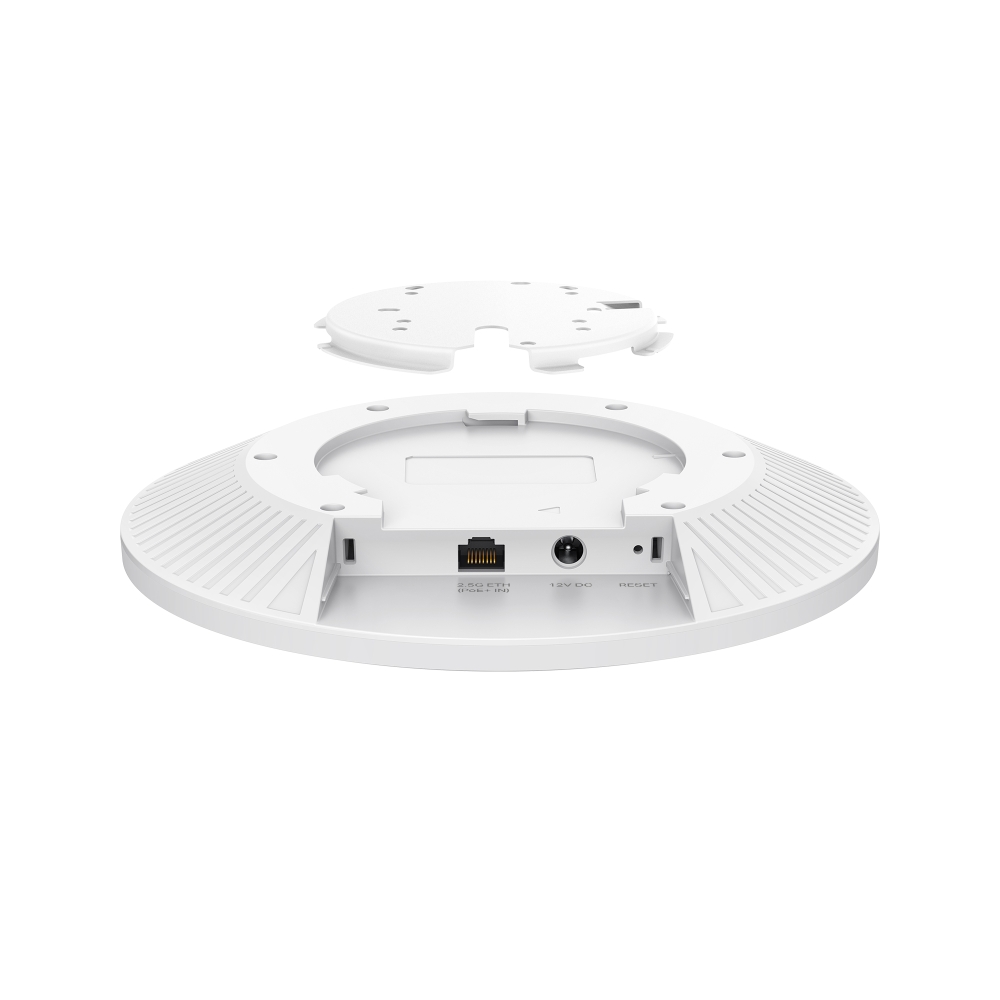
Fast radios are only useful if the uplink can keep up, which is why the EAP670 has a 2.5 Gigabit Ethernet port rather than a standard gigabit port. Paired with a 2.5G or multi-gigabit PoE switch, wireless traffic is not capped at 1 Gbps on its way into the network. The same port accepts IEEE 802.3at PoE+, so one cable carries data and power; TP-Link also includes a 12 V / 2 A power adapter for sites without a PoE switch. Maximum power consumption is 20.8 W (EU) or 22.3 W (US), which matters when you size the PoE budget of the switch.

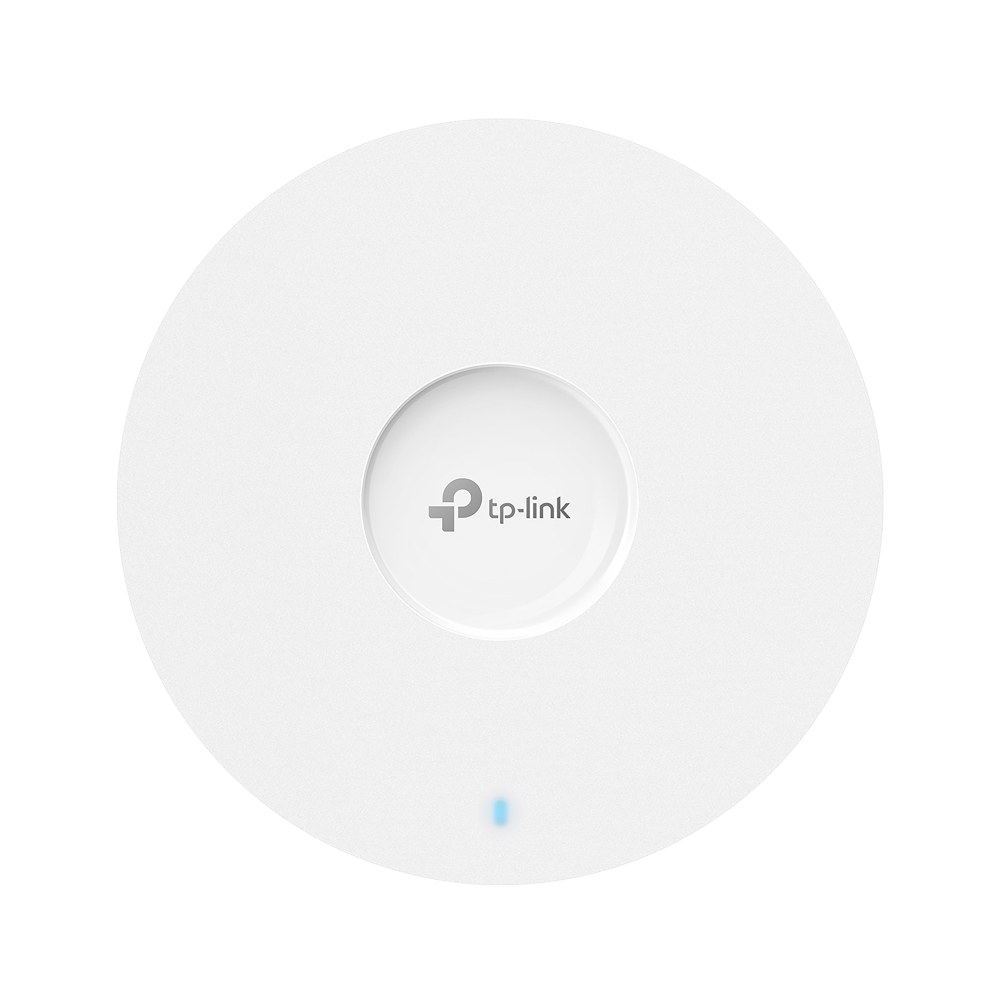
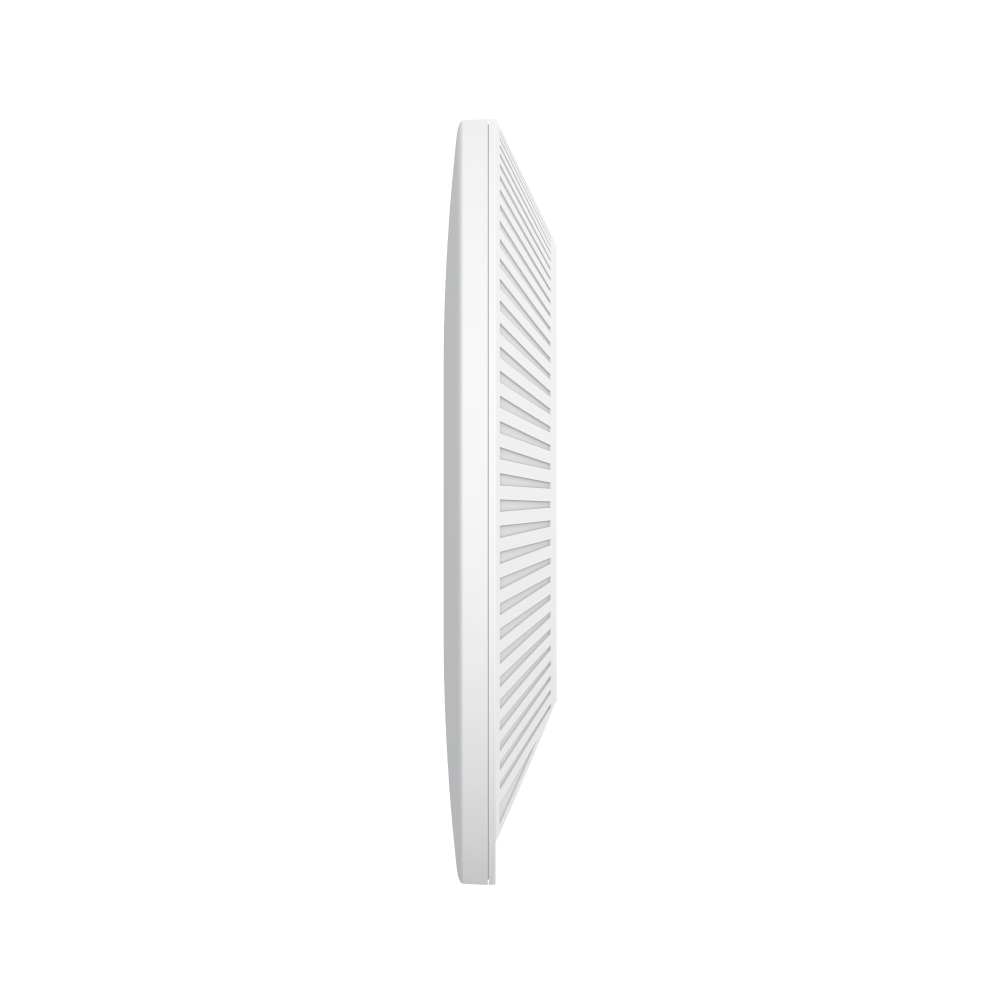
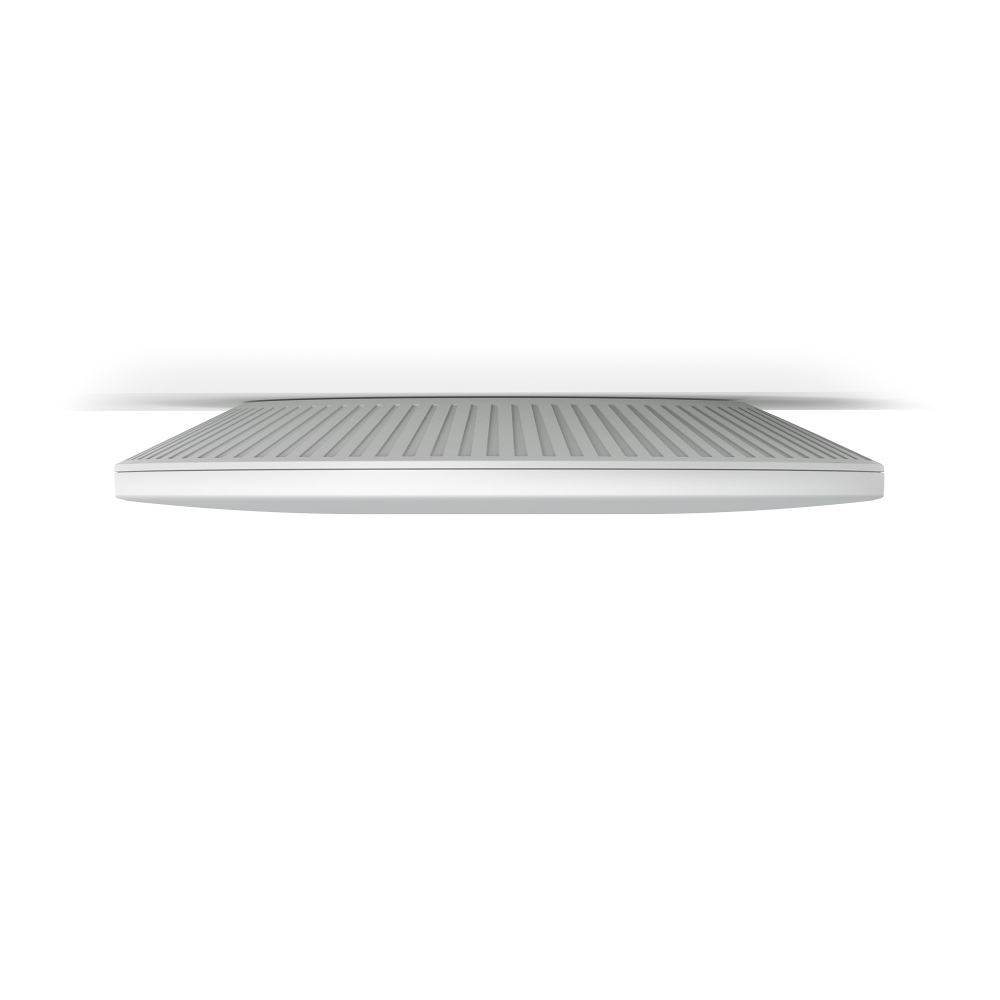
In the ceiling it is a low-profile 220 x 220 x 32.5 mm disc with internal omnidirectional antennas (2 x 4 dBi on 2.4 GHz, 4 x 5 dBi on 5 GHz), and ceiling and wall mounting kits are included. It also carries Bluetooth 5.2. Up to 16 SSIDs (eight per band) let you separate staff, guest and device networks, each mapped to its own VLAN, and security includes WPA-Personal and Enterprise, 802.1X, MAC filtering, client isolation, rogue AP detection and captive portal authentication for guests.

As part of Omada SDN the EAP670 is configured and monitored with your Omada gateways and switches from one controller: the Omada Cloud-Based Controller, an OC200 or OC300 hardware controller, or the free Omada Software Controller, with the Omada app for on-site work. Under a controller you get automatic channel selection and transmit-power adjustment to reduce interference, Omada Mesh for wirelessly extending coverage to hard-to-cable spots, self-organising and self-healing mesh paths, and fast roaming so clients move between access points without dropping a call or stream. Zero-touch provisioning is available with the Omada Cloud-Based Controller. Some of these features, marked by TP-Link, require a controller.

Key features

AX5400 dual-band Wi-Fi 6

Up to 4804 Mbps on 5 GHz and 574 Mbps on 2.4 GHz, about 5378 Mbps combined, with 1024-QAM and OFDMA.

2.5 Gigabit PoE+ uplink

A 2.5G Ethernet port lets wireless traffic exceed 1 Gbps into the network, powered by 802.3at PoE+ or the included 12 V adapter.

Built for crowded spaces

TP-Link rates the EAP670 for more than 250 concurrent clients, with OFDMA and MU-MIMO sharing airtime efficiently.

Omada SDN cloud management

Manage it with Omada gateways and switches from the Cloud-Based Controller, an OC200/OC300 or the software controller, plus the Omada app.

Omada Mesh and fast roaming

Extend Wi-Fi wirelessly to hard-to-cable areas and keep clients connected as they move between access points.

Auto channel and power control

Under a controller the EAP670 adjusts its channel and transmit power to cut interference between neighbouring APs.

16 SSIDs with VLAN mapping

Up to eight SSIDs per band, each mapped to a VLAN, to keep staff, guest and IoT traffic apart.

Business-grade wireless security

WPA-Enterprise, 802.1X, MAC filtering, client isolation, rogue AP detection and captive portal authentication.

Low-profile ceiling design

A 220 x 220 x 32.5 mm disc with internal antennas, Bluetooth 5.2 and ceiling/wall mounting kits included.

EAP670 specifications

At a glance

AX5400 Wi-Fi 6
4804 Mbps (5 GHz)
574 Mbps (2.4 GHz)
2.5G PoE+ port
250+ clients
~140 m² coverage
16 SSIDs
Omada SDN managed
EAP670 full specifications
Hardware Features
Interface1× 2.5 Gigabit Ethernet (RJ-45) Port (supports IEEE802.3at PoE)
ButtonReset
Power Supply802.3at PoE; 12 V / 2 A DC (Power Adapter included)
Max. Power ConsumptionEU: 20.8 W; US: 22.3 W
Dimensions ( W x D x H )8.7 × 8.7 × 1.3 in (220 × 220 × 32.5 mm)
AntennaInternal Omni; 2.4 GHz: 2× 4 dBi; 5 GHz: 4× 5 dBi
BluetoothV5.2
MountingCeiling /Wall Mounting (Kits included)
Management Features
Omada AppYes
Centralised ManagementOmada Hardware Controller (OC300); Omada Hardware Controller (OC200); Omada Software Controller; Omada Cloud-Based Controller
Cloud AccessYes. Requiring the use of OC300, OC200, Omada Cloud-Based Controller, or Omada Software Controller.
Email AlertsYes
LED ON/OFF ControlYes
Management MAC Access ControlYes
SNMPv1, v2c, v3
System Logging Local/Remote SyslogLocal/Remote Syslog
SSHYes
Web-based ManagementHTTP/HTTPS
L3 ManagementYes
Multi-site ManagementYes
Management VLANYes
Zero-Touch ProvisioningYes. Requiring the use of Omada Cloud-Based Controller.
Wireless Features
Coverage140㎡(1500 ft²)
Concurrent Clients250+
Wireless StandardsIEEE 802.11ax/ac/n/g/b/a
Frequency2.4 GHz and 5 GHz
Signal Rate5 GHz: Up to 4804 Mbps; 2.4 GHz: Up to 574 Mbps
Wireless Functions1024-QAM; 4× Longer OFDM Symbol; OFDMA; Multiple SSIDs (Up to 16 SSIDs, 8 for each band); Enable/Disable Wireless Radio; Automatic Channel Assignment; Transmit Power Control (Adjust Transmit Power on dBm); QoS(WMM); MU-MIMO; HE160 (160 MHz Bandwidth); Seamless Roaming; Omada Mesh; Band Steering; Load Balance; Airtime Fairness; Beamforming; Rate Limit; Reboot Schedule; Wireless Schedule; Wireless Statistics based on SSID/AP/Client
Wireless SecurityCaptive Portal Authentication; Access Control; Wireless Mac Address Filtering; Wireless Isolation Between Clients; SSID to VLAN Mapping; Rogue AP Detection; 802.1X Support; WPA-Personal/Enterprise, WPA2-Personal/Enterprise, WPA3-Personal/Enterprise
Transmission PowerCE:; FCC: <28 dBm (5 GHz)
Others
CertificationCE, FCC
System RequirementsMicrosoft Windows XP, Vista, Windows 7, Windows 8, Windows10, Windows11, Linux
EnvironmentOperating Temperature: 0–40 ℃ (32–104 ℉); Storage Temperature: -40–70 ℃ (-40–158 ℉); Operating Humidity: 10–90% RH non-condensing; Storage Humidity: 5–90% RH non-condensing

Source: TP-Link's published specifications for this model (TP-Link Australia product page and datasheet). Some features run only in Standalone Mode or only under an Omada Controller; throughput figures are TP-Link's lab results. TP-Link may change specifications without notice.

What's in the box

  • EAP670
  • Power Adapter
  • Ceiling/Wall Mounting Kits
  • Installation Guide

Source: TP-Link's published package contents.

Who the EAP670 is for

Busy offices

  • Open-plan floors with many laptops and phones
  • Video calls that need consistent throughput
  • Multi-gigabit cabling already in place

Schools and training rooms

  • Classrooms where every student device connects at once
  • Separate staff, student and guest SSIDs on VLANs
  • Central control of every AP from one dashboard

Hospitality and venues

  • Guest Wi-Fi with a captive portal
  • Seamless roaming across lobbies and floors
  • Mesh to reach areas that are hard to cable

EAP670 compared

The EAP670 and EAP610 are both Omada Wi-Fi 6 ceiling access points. The EAP670 is the high-capacity model with a 2.5G uplink; the EAP610 is the cost-effective AX1800 option for smaller or less crowded spaces.

FeatureEAP670EAP610
Wi-Fi classAX5400AX1800
5 GHz max signal rate4804 Mbps1201 Mbps
2.4 GHz max signal rate574 Mbps574 Mbps
Ethernet uplink1 x 2.5 Gigabit1 x Gigabit
PoE input802.3at PoE+802.3af PoE or 48 V passive PoE
Concurrent clients250+250+
Rated coverageabout 140 m²about 115 m²
Size220 x 220 x 32.5 mm160 x 160 x 33.6 mm

Source: TP-Link Australia product pages for each model.

Buy the EAP670 from ARC IP Networks

ARC IP Networks supplies genuine TP-Link Omada networking from Australian stock at competitive prices, with the full manufacturer's warranty, Australia-wide delivery and trade pricing for installers and MSPs.

  • Genuine TP-Link: new TP-Link Omada product from Australian stock.
  • Manufacturer warranty: the full TP-Link manufacturer's warranty for this model.
  • Australia-wide delivery to every state and territory.
  • Trade and project pricing: call 1300 100 440 or email info@arcip.com.au.

Frequently asked questions

Straight answers about the EAP670 from the ARC IP Networks team.

Last reviewed October 2026.

It is an AX5400 Wi-Fi 6 access point. TP-Link rates the 5 GHz radio at up to 4804 Mbps and the 2.4 GHz radio at up to 574 Mbps. Real client speeds depend on the client device, distance and interference.

Its Wi-Fi 6 radios can deliver more than 1 Gbps in total, so a 2.5 Gigabit Ethernet uplink stops a standard gigabit port becoming the bottleneck. Connect it to a 2.5G or multi-gigabit switch to use the full uplink.

IEEE 802.3at PoE+. Its maximum power draw is 20.8 W (EU) or 22.3 W (US). A 12 V / 2 A power adapter is also included if you do not have a PoE+ switch.

TP-Link rates it for more than 250 concurrent clients. Plan for fewer active users per AP in demanding environments such as video-heavy classrooms or conference rooms.

It can be managed through its web interface, but Omada features such as mesh, fast roaming, automatic channel and power adjustment, and central management need an Omada controller: the Cloud-Based Controller, an OC200 or OC300, or the free software controller.

Yes. Omada Mesh lets an EAP670 extend Wi-Fi wirelessly to areas that are hard to cable, with self-organising and self-healing paths, when it is managed by an Omada controller.

Up to 16 SSIDs, eight on each band, and each SSID can be mapped to its own VLAN.

The EAP670, a power adapter, ceiling and wall mounting kits and an installation guide, according to TP-Link's published package contents.

Choose the EAP670 for crowded or high-throughput areas and where you have 2.5G switching; choose the EAP610 (AX1800, gigabit port) for smaller rooms or budget-sensitive rollouts.

Yes. ARC IP Networks supplies genuine TP-Link EAP670 access points with the full TP-Link manufacturer's warranty.

Need several EAP670 units for an office, school or venue rollout?

Ask ARC IP Networks for volume and project pricing on genuine TP-Link Omada networking.

Brand TP-Link

Accurate Shipping Costs

Our online shipping calculator is designed to provide a final, accurate shipping cost based on the items in your cart and your delivery postcode. Shipping costs are calculated at checkout based on your order and delivery postcode. The final cost is calculated based on several factors which are automatically accounted for by our system, including:

  • The stock location of the item(s) across our warehouses.
  • Orders with multiple items that may require special packaging.
  • The weight and dimensions of the order (including heavy or oversized items).
  • The delivery courier servicing your specific region.

Delivery Times


Standard Processing


Most orders placed by 2pm AEDT are dispatched for next working day delivery. Larger orders may require 1-2 additional business days for processing. If timing is critical, please contact us to discuss expedited options (additional charges may apply).


Delivery Timeframes


Region

Processing Time

Express Delivery

Standard Delivery

VIC, NSW, SA, QLD Metro, TAS

1-2 business days

1-2 business days

2-4 business days

NT, WA, QLD Rural

1-2 business days

1-2 business days

3-5 business days

New Zealand

1-2 business days

2-3 business days

4-10 business days

Please note: Processing times may extend during peak periods such as Christmas and end of financial year.

Free Warehouse Pickup


Save on shipping costs with free pickup from our ARC IP Networks Blackburn warehouse. Simply place your order online or by phone, and collect during business hours (Monday to Friday). Please allow time for picking and packing. For urgent orders, call 1300 100 440 to confirm your order is ready.

ARC IP Networks Pickup Address: 6 George Street, Blackburn, VIC 3130


Insurance & Tracking


All ARC IP Networks shipments are fully insured and trackable. Once dispatched, you'll receive an email with your tracking number and courier website details. If your item is confirmed lost or damaged by our courier, we'll arrange a replacement in consultation with you.


International Shipping


ARC IP Networks ships to New Zealand. Please note:


  • Import duties and taxes vary by country
  • Buyers are responsible for all customs charges
  • Contact your local customs authority before ordering
  • We'll provide required documentation for smooth customs clearance
  • Buyers cover all shipping costs for returns due to refused duties/taxes


Delivery Requirements


Signature Required


All deliveries must be signed for. If you won't be home, contact our Sales Support team to arrange Authority to Leave. Important: Authority to Leave voids shipping insurance if parcels are lost or stolen.


Delivery Restrictions


We do not deliver to PO Boxes or Parcel Lockers as our couriers cannot access them. Orders sent to these addresses will be returned, incurring redelivery fees.


Shipping Issue Resolution


ARC IP Networks works closely with our shipping partners to resolve any delivery issues quickly and fairly:


  1. Confirmation: We verify expected delivery dates with our shipping partners
  2. Investigation: Issues outside normal timeframes trigger formal investigations
  3. Communication: We keep you updated throughout the resolution process
  4. Resolution: Confirmed lost items are replaced or refunded after investigation completion


Please note: Refunds for lost, missing, or delayed orders cannot be processed until shipping partner investigations are complete. This does not affect your rights under the Australian Consumer Law, and refunds or replacements will be provided where required once loss or damage is confirmed.

Warranty & Faulty Products

ARC IP Networks complies with the Australian Consumer Law (ACL).

If a product is faulty, damaged, not of acceptable quality, or does not perform as advertised, you are entitled to a repair, replacement, or refund in accordance with ACL.

Manufacturer Warranty Returns

For faults developing after 14 days within the warranty period:

  • Contact ARC IP Networks first at info@arcip.com.au or 1300 100 440
  • We will assess the issue and coordinate with manufacturers, authorised service centres, or distributors on your behalf
  • Where required, a manufacturer RMA may be arranged
  • ARC IP Networks manages the return process and next steps

Dead on Arrival (DOA)

Products that arrive faulty or damaged must be reported within 14 days of delivery.

ARC IP Networks will arrange assessment, replacement, or refund as appropriate.

Change of Mind & Non-Faulty Returns

Change-of-mind returns must be requested within 14 days of delivery. For change-of-mind returns, the product must be unused, unopened, in its original packaging, and returned with all accessories and documentation. These conditions apply only to change-of-mind returns and do not limit or exclude your rights under the Australian Consumer Law. Some products are not eligible for change-of-mind returns, including:

  • Ex-demo products
  • Clearance or markdown items
  • Special-order items
  • Products clearly marked “No Change-of-Mind Returns”

Important

This does not affect your rights under Australian Consumer Law.

If a product is faulty, not of acceptable quality, or does not meet advertised specifications, it remains eligible for return regardless of category.

Refunds & Processing Timeframes

  • Approved refunds are processed within 7 business days of receiving returned goods
  • Refunds are issued to the original payment method, unless otherwise agreed
  • Replacement or repair may be offered where appropriate
  • Store credit may be offered only with customer consent

Handling fees and non-returnable service charges may not be refundable where permitted by law.


Restocking Fees

For approved change-of-mind or non-faulty returns, a 15% restocking fee applies.

  • Any applicable restocking fee will be clearly communicated prior to return approval
  • The fee will be deducted from the refund amount
  • Restocking fees do not apply to returns made under the Australian Consumer Law, including faulty, damaged, or misrepresented goods.

Return Shipping Costs

  • Change-of-mind returns: The customer is responsible for return shipping costs.
  • Faulty or defective products: ARC IP Networks covers return shipping under Australian Consumer Law.

Non-Warranty Repairs

For issues not covered by warranty:

  • ARC IP Networks will provide a quote before proceeding
  • Customers are responsible for all shipping and service costs
  • No repairs are undertaken without customer approval

Return Methods

Returns may be made:

  • In-store at ARC IP Networks – 6 George Street, Blackburn VIC 3130
  • Or by shipment as instructed by our support team

Proof of purchase is required for all returns.

Enquire About this Product


Any questions about this product? Fill out the form below, and we'll get back to you soon!