Not directly. Hikvision does not ship an official Google Home or Alexa skill for live camera viewing, so support through those apps is limited and can change. The reliable paths are the free Hik-Connect app on a phone or tablet, casting to a screen via Chromecast, or bridging the camera's RTSP/ONVIF stream through a hub like Home Assistant or Scrypted. ARC IP Networks is an authorised Hikvision reseller in Australia and can help you pick the right kit.
Need new or replacement Hikvision gear? ARC IP Networks supplies genuine Hikvision cameras and NVRs at competitive prices, with the full Australian manufacturer's warranty, Australia-wide delivery and trade pricing.
Can you connect Hikvision cameras to Google Home or Alexa?
The honest answer is that there is no official, one-tap Hikvision integration for Google Home or Amazon Alexa the way some consumer camera brands offer. Hikvision's own ecosystem is built around the free Hik-Connect app and its recorders, not around voice assistants. So if your goal is to say "Hey Google, show the front door" and have it appear natively on a Nest Hub, that experience is not reliably supported today, and any third-party workaround can change without notice.
The good news: getting a live Hikvision feed onto a Google Nest Hub or an Amazon Echo Show is achievable using standard streaming methods. Hikvision cameras are proper IP cameras that speak open protocols like RTSP and ONVIF, which means a bridge device or a simple cast can put your footage on almost any screen. This guide walks through the realistic options, from the easiest to the most flexible.
Is there an official Hikvision skill or integration?
At the time of writing there is no official Hikvision Alexa skill or Google Home Action that provides live camera viewing in Australia. We would rather tell you that up front than have you buy something on a false promise. Voice-assistant camera support across the wider market is patchy and frequently changes with app updates, so we keep our advice conservative: assume you will view your cameras through Hikvision's own tools or through a bridge you control, not through the Google Home or Alexa app itself.
This is not a drawback so much as a design choice. Because Hikvision leans on open standards, you are not locked into one company's cloud. You can view on a PC, a phone, a TV, or a smart display, using whichever method suits your setup.
How to show a Hikvision feed on a Nest Hub or Echo Show
The most dependable way to get a Hikvision live view onto a smart display or TV is to cast or mirror it from the Hik-Connect app using a streaming device such as a Google Chromecast. It avoids relying on an unofficial skill and works with almost any current Hikvision camera or recorder.
- Install Hik-Connect on your phone or tablet and sign in.
- Add your camera or NVR to the app so the live view appears reliably.
- Connect a Chromecast or streaming device to your display's HDMI port and the same Wi-Fi network.
- Cast or mirror your screen to the display and open the live view.
A Google Nest Hub built-in screen is designed around Google's own camera partners, so mirroring from a phone is usually the practical route for a Hikvision feed. An Amazon Echo Show behaves similarly. If you want a permanent, always-on wall display, a dedicated tablet running Hik-Connect or a small PC on a monitor is often tidier than fighting the voice-assistant apps.
Using a bridge: Home Assistant, Scrypted and RTSP/ONVIF
If you want deeper control, including in some cases surfacing a camera inside Google or Alexa's smart-home views, a bridge is the enthusiast's route. Hikvision cameras output a live RTSP stream and support ONVIF, so software hubs such as Home Assistant or Scrypted can ingest the camera and re-share it in a format other platforms understand.
- RTSP is the raw video stream every Hikvision camera provides. A bridge reads this stream and displays or forwards it.
- ONVIF is the open standard that lets third-party software discover and connect to the camera in a consistent way.
- The hub (Home Assistant, Scrypted, or similar) does the translation, and can then push a feed toward a Chromecast, dashboard, or in some configurations a smart-display integration.
This approach is powerful and flexible, but it is a DIY project that involves running extra software and some network configuration. It is not an official Hikvision feature, and results vary between platform versions, so treat it as an advanced option rather than a guaranteed plug-and-play path.
Which method should you use?
Here is how the realistic options compare, so you can pick the one that matches your comfort level.
| Method | Effort | Best for | Notes |
|---|---|---|---|
| Hik-Connect app | Easiest | Phone / tablet viewing | Official Hikvision app, free, most reliable |
| Cast via Chromecast | Easy | Nest Hub, Echo Show, TV | Mirror the app to almost any screen |
| Dedicated tablet / PC | Easy | Always-on wall display | Tidy, permanent live view |
| Home Assistant / Scrypted bridge | Advanced | Smart-home enthusiasts | Uses RTSP/ONVIF; DIY, results vary |
For most homes and small businesses, Hik-Connect plus a Chromecast covers the "show me the cameras on a screen" goal without any unofficial skills. If you already run Home Assistant, the bridge route unlocks more, but plan for setup time.
Do I even need a voice assistant for my cameras?
It is worth stepping back. A voice assistant is a nice convenience, but the core jobs of a security system are recording, alerts and clear footage, and Hikvision handles those brilliantly on its own. Push notifications, motion and smart detection, and 24/7 recording all run through the camera, an NVR and Hik-Connect, no Google or Amazon account required.
If a smart display is on your wish list, treat it as a bonus viewing screen rather than the backbone of your system. Choose your cameras first for image quality and coverage, then add casting or a bridge on top. Not sure where to start? Our guide to the best Hikvision cameras for home security in Australia is a good next step.
Hikvision cameras & recorders that stream anywhere
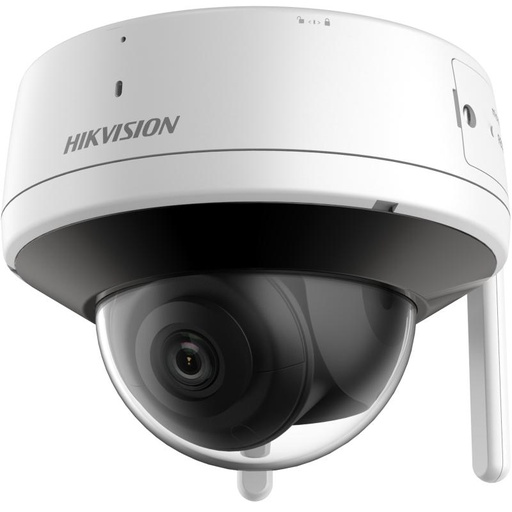
Hikvision DS-2CV2141G2-IDW 4MP Wi-Fi Turret Camera
A tidy 4MP Wi-Fi turret that pairs to the free Hik-Connect app in minutes, ideal for a simple casting setup without running new cabling.

Hikvision DS-2CD2387G3 8MP 2.8mm AcuSense Turret Camera
8MP AcuSense ColorVu turret with sharp day-and-night colour images, viewable on your phone, a screen or a bridge via its standard RTSP stream.
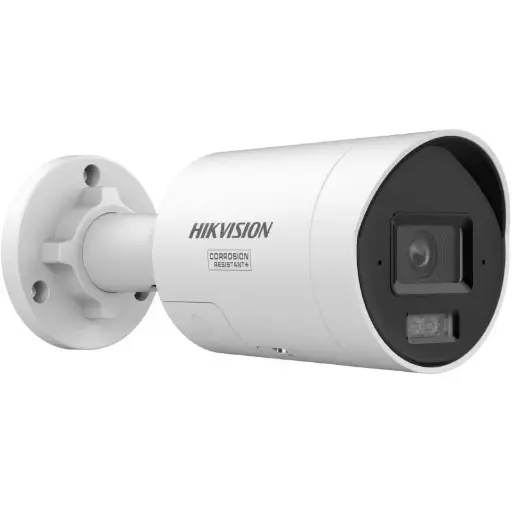
Hikvision DS-2CD2087G3 8MP 2.8mm ColorVu Bullet
8MP ColorVu bullet for clear, colourful footage of driveways and entries, with the same open RTSP/ONVIF streams that make casting straightforward.
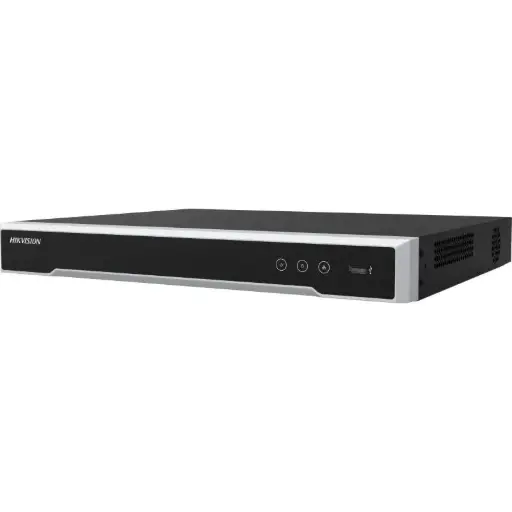
Hikvision DS-7608NI-M2/8P 8-Ch PoE 8K NVR
8-channel PoE NVR that powers and records your cameras and serves one clean feed to Hik-Connect, a TV or a smart-home bridge.
Related Hikvision guides
Ready to buy?
Shop genuine Hikvision at ARC IP Networks


Authorised Hikvision reseller
Hikvision at ARC IP Networks
AcuSense, ColorVu and DeepinView cameras, NVRs and complete systems. Genuine Australian stock with the full manufacturer's warranty, competitive prices and price match available.
Frequently asked questions
Last updated: 2026-07-14 · Written by the ARC IP Networks team, an authorised Hikvision reseller in Australia.
Who we are
About ARC IP Networks
ARC IP Networks is an Australian supplier of security cameras and CCTV systems, based in Blackburn, Melbourne, Victoria. We work with homeowners, installers, integrators and businesses across Australia, supplying Hikvision, Ubiquiti UniFi Protect, Dahua and Jovision CCTV.
We are an authorised reseller for every brand we sell, and the national distributor of Jovision in Australia, so you get genuine Australian stock with the full manufacturer's warranty, never grey imports, at competitive prices. Our team can help you choose the right equipment, and trade customers get trade accounts and project pricing on larger jobs.
- Genuine Australian stock with the full manufacturer's warranty
- Competitive prices, price match available
- Trade accounts for installers, integrators and MSPs
- Australia-wide delivery; showroom in Blackburn, Mon–Fri 9–5 (demos by appointment)
Need help choosing?
Tell the ARC IP Networks team what you are trying to achieve and we will recommend the right equipment and quote it as one order.