Yes - Hikvision IP cameras support ONVIF and RTSP, so you can record them to a Synology (Surveillance Station) or QNAP (QVR) NAS, or use a NAS to back up an existing NVR. Most homes are simpler with a Hikvision PoE NVR, while a NAS suits IT teams already running one. ARC IP Networks is an authorised Hikvision reseller in Australia.
Need new or replacement Hikvision gear? ARC IP Networks supplies genuine Hikvision cameras and NVRs at competitive prices, with the full Australian manufacturer's warranty, Australia-wide delivery and trade pricing.
Can you record Hikvision cameras to a NAS?
Yes. Hikvision network (IP) cameras are standards-based - they output an RTSP video stream and support the ONVIF protocol, the two things a NAS needs to pull and store footage. That means a Synology or QNAP NAS running its surveillance app can treat a Hikvision camera as a recording source, the same way it would any other ONVIF camera.
There are two common ways people use a NAS with Hikvision gear:
- NAS as the recorder - cameras connect to your network and the NAS records them directly, replacing a dedicated NVR.
- NAS as a backup target - you keep a Hikvision PoE NVR as the primary recorder and use the NAS to archive or duplicate that footage for redundancy.
Both are valid. Which one fits depends on how much you value simplicity versus flexibility - we compare them below.
How NAS recording works (ONVIF & RTSP)
A NAS (Network Attached Storage) is a small always-on server full of hard drives. Synology and QNAP both ship a dedicated surveillance app - Synology Surveillance Station and QNAP QVR - that discovers cameras on the network, pulls their video streams, and writes recordings to the NAS drives.
The plumbing is standards-based:
- ONVIF is the interoperability standard that lets the NAS find the camera and read its capabilities, so a Hikvision camera and a non-Hikvision recorder can talk.
- RTSP is the streaming protocol that actually carries the live video from the camera to the NAS for recording.
Because the NAS records over the network, cameras still need power and a data link - typically PoE from a switch. Note that surveillance apps usually include a limited number of free camera licences and charge for additional channels; licensing terms differ between Synology and QNAP, so check the current terms for your model before you buy cameras.
NVR vs NAS: which should you use?
A Hikvision NVR is a purpose-built appliance for CCTV: it usually has built-in PoE ports, tight integration with Hikvision cameras and their AI features, and it just records. A NAS is a general-purpose storage server that can also record cameras - handy if you already own one, but with more moving parts to configure and maintain.
| Consideration | Hikvision NVR | NAS (Synology / QNAP) |
|---|---|---|
| Setup effort | Plug-and-play, cameras auto-detected | More configuration via ONVIF/RTSP |
| Camera licences | Channels included with the unit | Limited free licences, then paid |
| PoE to cameras | Built-in PoE ports on PoE models | Needs a separate PoE switch |
| Hikvision AI features | Full support (AcuSense, smart search) | May be limited over ONVIF |
| Also does other jobs | No - CCTV only | Yes - file storage, backups, apps |
| Storage redundancy | Multi-bay models support RAID | RAID is a core strength |
| Best for | Most homes and small business | Sites already running a NAS / IT teams |
For most buyers a Hikvision NVR is the simpler, more reliable route. A NAS shines when you already have one and want to consolidate storage.
How to set up NAS recording (step-by-step)
The exact menu names vary by camera model and by NAS app version, so treat this as the general workflow rather than a click-by-click script. Have the camera's IP address and admin credentials ready first (the SADP tool can find the IP).
- Enable ONVIF / RTSP on the camera - in the camera's web interface, make sure the ONVIF/integration protocol is enabled and create or note an ONVIF user with a password.
- Add the camera in Surveillance Station or QVR - in the NAS surveillance app, add a new camera, choose ONVIF (or the Hikvision brand profile if listed), and enter the camera's IP, port and the ONVIF credentials.
- Set the recording schedule and stream - pick continuous, motion or event recording, choose the stream/resolution, and confirm the NAS has enough drive space for your retention target.
- Verify playback - let it record for a few minutes, then open the timeline and play back the footage to confirm it is being stored correctly.
If you would rather avoid ONVIF configuration entirely, a Hikvision PoE NVR auto-detects Hikvision cameras on its own PoE ports - see our NVR channels and storage guide.
Using a NAS to back up or archive NVR footage
You do not have to choose one or the other. A popular setup keeps a Hikvision NVR as the primary 24/7 recorder and adds a NAS purely as a second copy for peace of mind. This gives you the plug-and-play convenience and full AI support of the NVR, plus off-appliance redundancy on the NAS.
Depending on the models involved, footage can be archived to a NAS by pointing the NVR at network storage, or by scheduling a copy from the NVR's drives to a network share. The goal is the classic principle: keep more than one copy of important footage, ideally not on the same box - so a failed drive or a stolen recorder does not wipe out your only evidence.
Whichever recorder holds the drives, they need to be surveillance-rated and correctly initialised - see how to install or format a hard drive in a Hikvision NVR.
Do you need a NAS, or is an NVR enough?
Be honest about your situation. If you are building a home or small-business CCTV system from scratch, a Hikvision PoE NVR is almost always the better call: cameras plug straight in, storage is built for round-the-clock recording, and every Hikvision smart feature works out of the box. There is nothing extra to license per camera.
- Choose an NVR if you want the simplest, most reliable recorder and you value Hikvision's AI detection and smart playback.
- Choose a NAS if you already run one, have the drives and licences sorted, and want a single box for both files and footage.
- Run both if the footage is business-critical and you want a primary recorder plus an independent backup.
Still weighing recorder types? Our NVR vs DVR guide explains the difference, and the ARC IP Networks team can spec the right combination for your site.
Hikvision cameras and NVRs for NAS or standalone recording
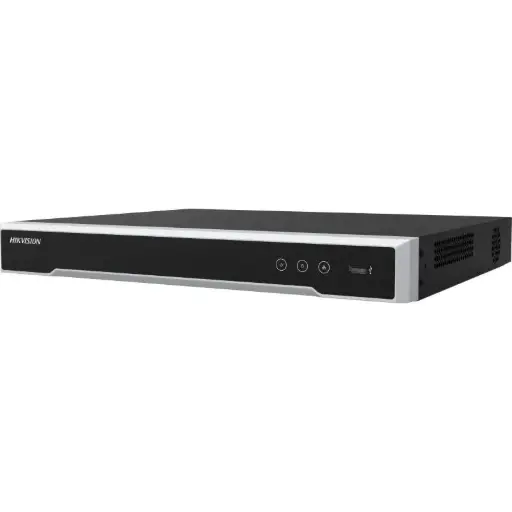
Hikvision DS-7608NI-M2/8P 8-Ch PoE 8K NVR
8-channel PoE NVR with 8K support - the plug-and-play primary recorder, with a NAS optional as backup.
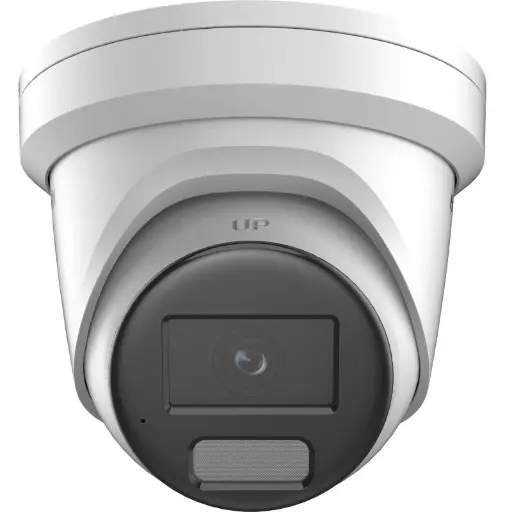
Hikvision DS-2CD2386G2H 8MP 2.8mm Powered by Darkfighter Fixed Turret Network Camera
8MP AcuSense turret with a wide 2.8mm view - ONVIF/RTSP means it records to an NVR or a NAS.
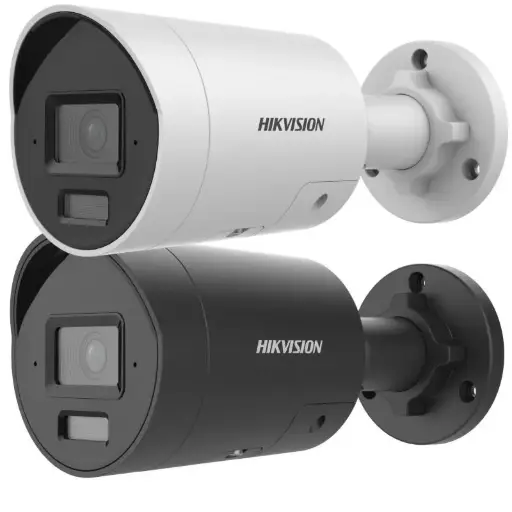
Hikvision DS-2CD2066G2H-I2U/SL 6MP 4mm AcuSense Strobe Light and Audible Warning Fixed Bullet Network Camera
6MP AcuSense bullet with strobe light and audible warning for active deterrence on the perimeter.
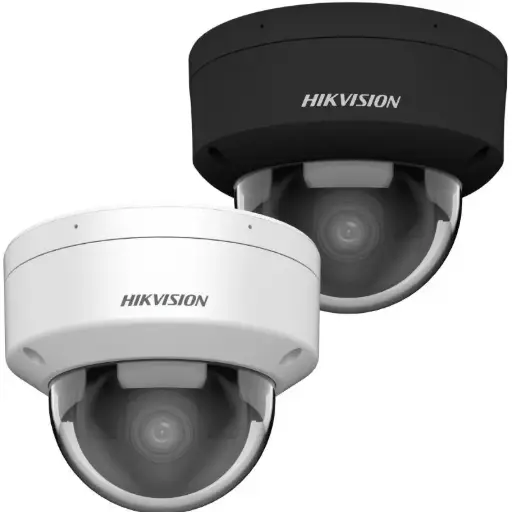
Hikvision DS-2CD2166G2H-ISU(2.8mm)(eF) 6MP 2.8mm Powered by Darkfighter Fixed Dome Network Camera
6MP fixed dome - discreet, vandal-conscious form factor ideal for entries and indoor coverage.
Ready to buy?
Shop genuine Hikvision at ARC IP Networks



Authorised Hikvision reseller
Hikvision at ARC IP Networks
AcuSense, ColorVu and DeepinView cameras, NVRs and complete systems. Genuine Australian stock with the full manufacturer's warranty, competitive prices and price match available.
Frequently asked questions
Last updated: 2026-07-14 · Written by the ARC IP Networks team, an authorised Hikvision reseller in Australia.
Who we are
About ARC IP Networks
ARC IP Networks is an Australian supplier of security cameras and CCTV systems, based in Blackburn, Melbourne, Victoria. We work with homeowners, installers, integrators and businesses across Australia, supplying Hikvision, Ubiquiti UniFi Protect, Dahua and Jovision CCTV.
We are an authorised reseller for every brand we sell, and the national distributor of Jovision in Australia, so you get genuine Australian stock with the full manufacturer's warranty, never grey imports, at competitive prices. Our team can help you choose the right equipment, and trade customers get trade accounts and project pricing on larger jobs.
- Genuine Australian stock with the full manufacturer's warranty
- Competitive prices, price match available
- Trade accounts for installers, integrators and MSPs
- Australia-wide delivery; showroom in Blackburn, Mon–Fri 9–5 (demos by appointment)
Need help choosing?
Tell the ARC IP Networks team what you are trying to achieve and we will recommend the right equipment and quote it as one order.