

Skip to Content
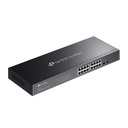
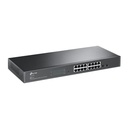
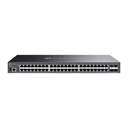
TP-Link SG2218 Omada 16-Port Gigabit Smart Switch with 2 SFP Slots

Price:

$ 264.23


Ubiquiti U5G-Max-Outdoor UniFi 5G Max Outdoor
$ 757.33
$ 815.65 (7% OFF)
TP-Link SG5452X Omada 48-Port Gigabit Stackable Lite L3 Managed Switch with 4 x 10G Slots
$ 1,489.03
$ 1,915.14 (22% OFF)

TP-Link SG2218 Omada 16-Port Gigabit Smart Switch with 2 SFP Slots

https://arcip.com.au/web/image/product.template/8162/image_1920?unique=adf33c2

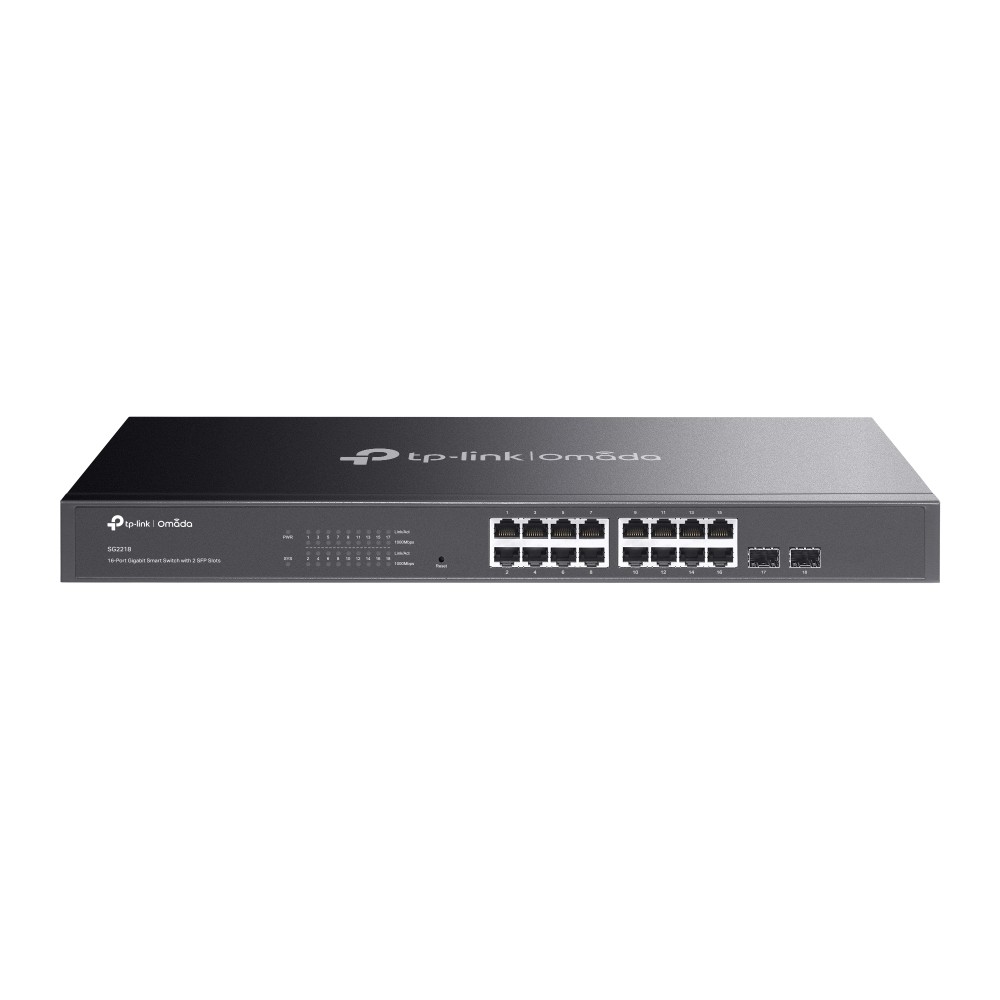
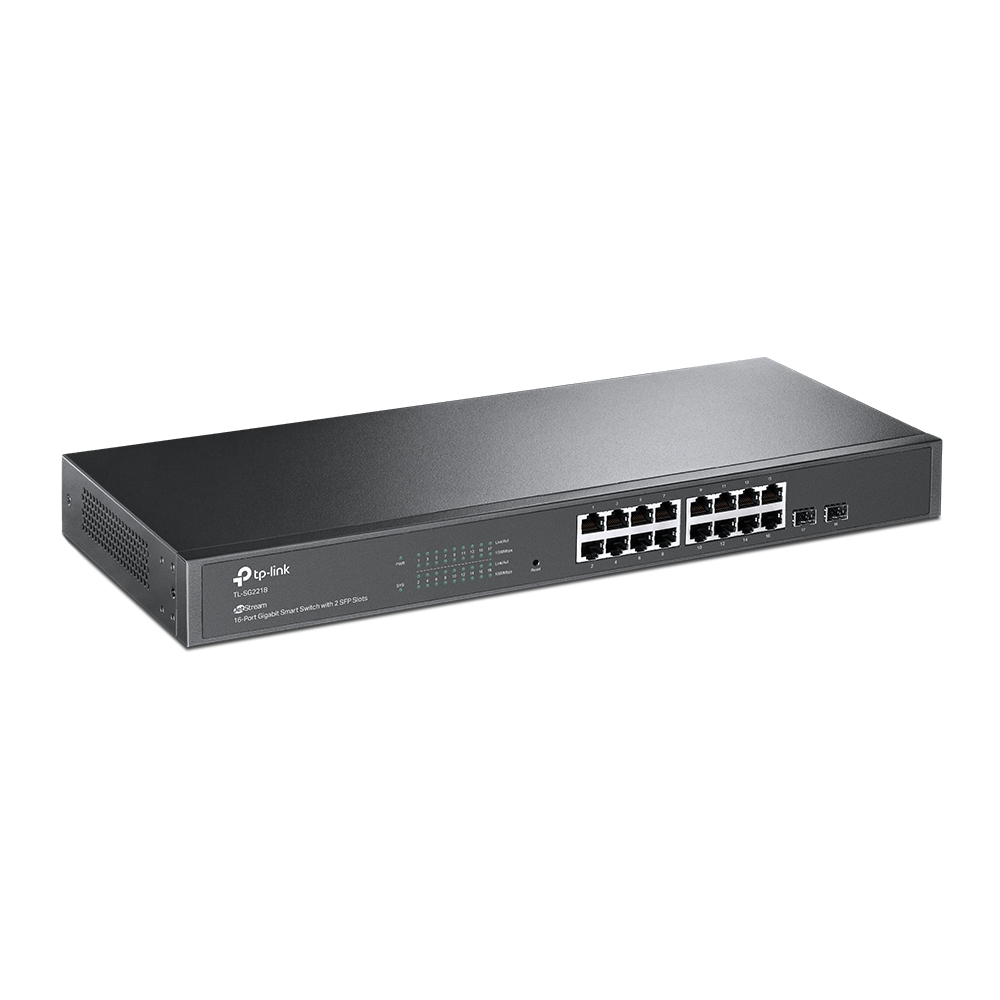
The TP-Link SG2218 (hardware V1) is an Omada 16-port Gigabit smart switch with 2 SFP slots: sixteen 10/100/1000 Mbps RJ45 ports, two Gigabit SFP fibre slots, 36 Gbps switching, static routing with 32 routes, 802.1Q and voice VLAN, ACL, 802.1X, DHCP snooping, IGMP snooping, fanless 1U rackmount design with internal AC power, and Omada SDN cloud management. Data only, no PoE.

$ 264.23 264.23 AUD $ 339.86 incl. GST

Not Available For Sale


  • Brand
  • Switching Capacity

This combination does not exist.

Switch Managed Switch TP-Link Omada
  • Stock

    Authorised Australian Reseller | Australian Stock | Genuine Local Warranty

  • Instalment
    Buy Now, Pay Later 
  • [Warranty Information] Warranty
    Manufacturer Warranty 
Estimate delivery
Shipping calculated at checkout
Estimate delivery times: 3-7 business days 
Guaranteed Safe Checkout
Guaranteed Safe Checkout
Accepted payments: Google Pay, Apple Pay, Visa, Mastercard and PayPal
SKU
SG2218
Barcode
1210002611824
Tags

The TP-Link SG2218 is an Omada 16-port Gigabit smart switch with two Gigabit SFP slots. It offers 36 Gbps switching capacity, L2+ static routing, VLAN, ACL, QoS, 802.1X and IGMP snooping in a fanless 1U rackmount chassis with an internal 100-240 VAC supply. It has no PoE ports. Manage it standalone by web, CLI and SNMP, or centrally through an Omada controller and the Omada app.

SG2218 overview

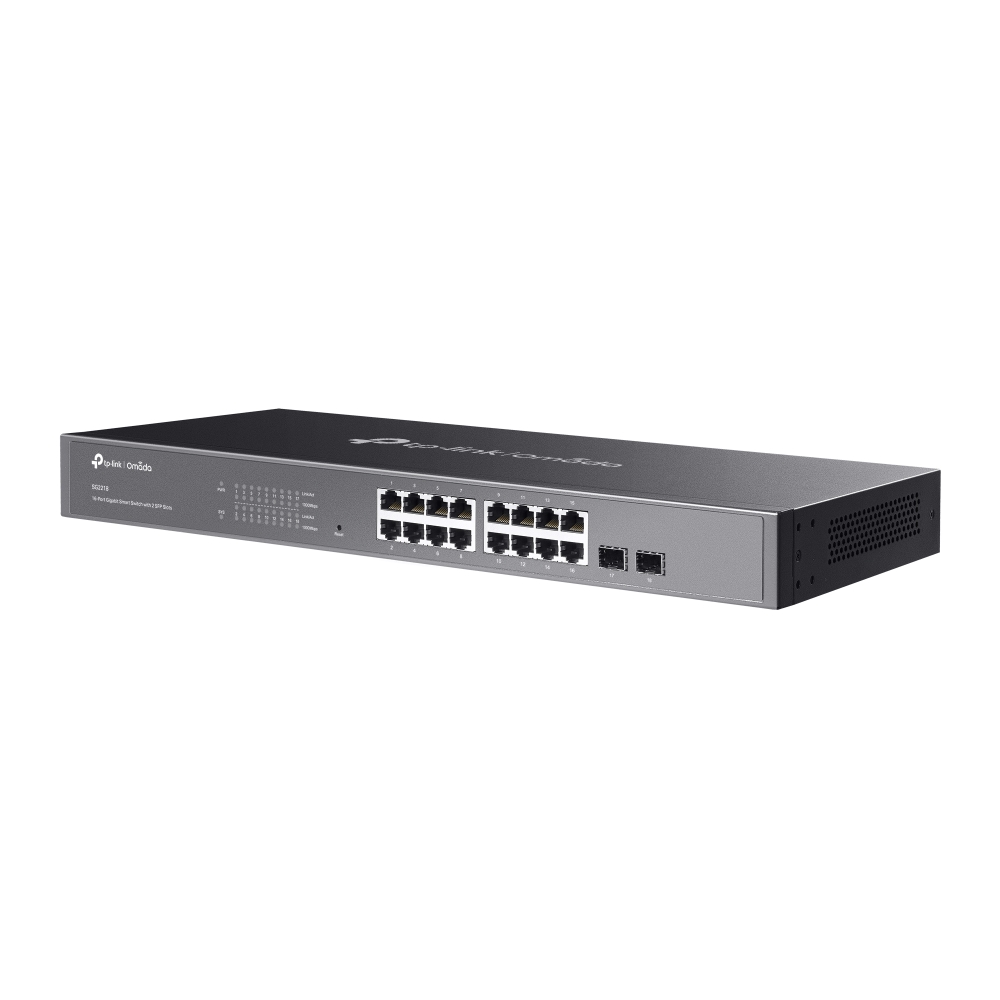
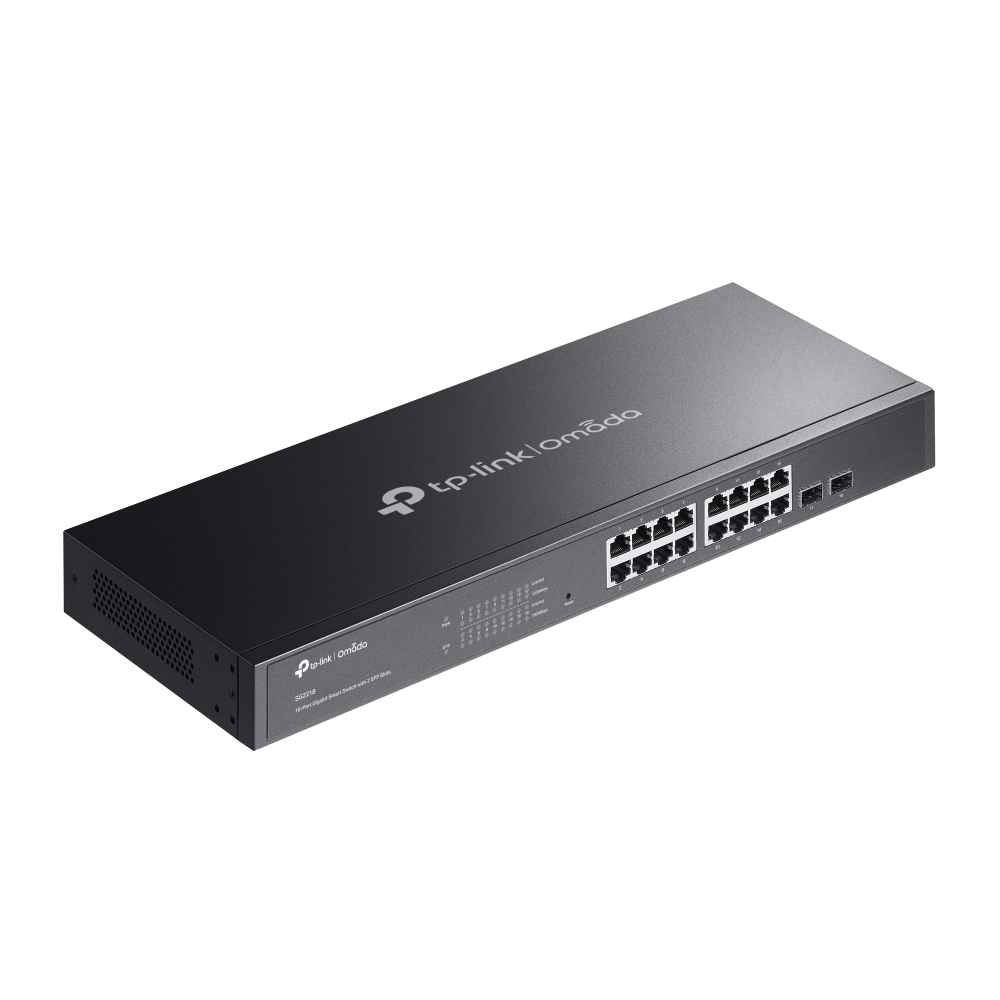
The SG2218 is TP-Link's Omada 16-port Gigabit smart switch with 2 SFP slots, hardware version V1. It has sixteen 10/100/1000 Mbps RJ45 ports with auto-negotiation and Auto MDI/MDIX, and two Gigabit SFP slots for fibre uplinks or links to another building or floor. Every port is data only: the SG2218 does not supply PoE, so it suits PCs, printers, servers, NAS and an uplink to a gateway, or sits beside a PoE switch that powers the access points and cameras. TP-Link lists 36 Gbps switching capacity, a 26.8 Mpps forwarding rate, an 8K MAC address table and 9 KB jumbo frames.

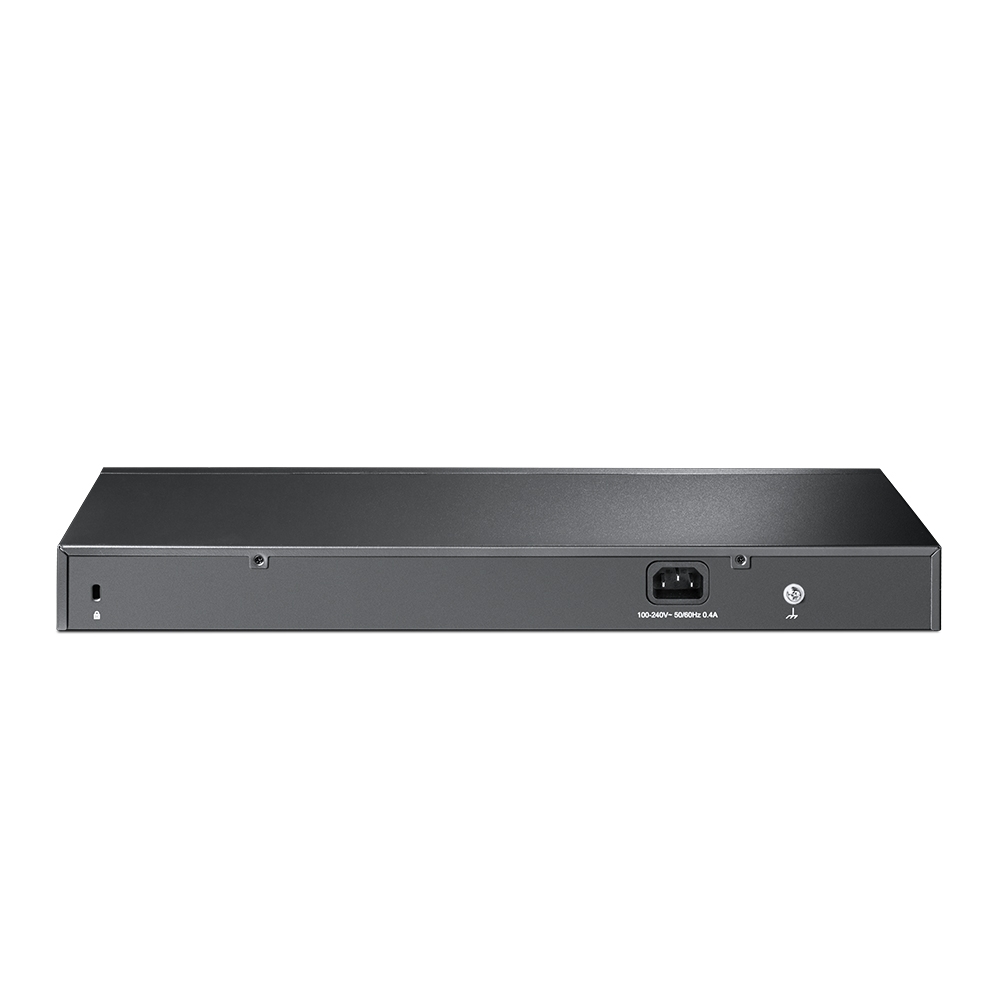
Physically it is a 1U, 440 x 180 x 44 mm (17.3 x 7.1 x 1.7 in) switch that is rack mountable with the included rackmount kit, with rubber feet in the box as well. It is fanless, so there is no fan noise, and has a physical security lock slot. Power is an internal 100-240 VAC, 50/60 Hz supply with a power cord included, so there is no external adapter to manage. Maximum power consumption is 12.3 W and maximum heat dissipation 41.97 BTU/hr at 220 V / 50 Hz. Operating temperature is 0 to 40 degrees C with 10 to 90 percent non-condensing humidity.

TP-Link highlights static routing to route internal traffic for higher efficiency. The SG2218 supports 16 IPv4/IPv6 interfaces and 32 IPv4/IPv6 static routes, DHCP server, DHCP interface, VLAN and L2 relay, and static, proxy and gratuitous ARP. Layer 2 features include link aggregation, spanning tree, loopback detection, 802.3x flow control, mirroring, DLDP and LLDP/LLDP-MED. Multicast covers 511 shared IPv4/IPv6 groups with IGMP snooping, MVR and multicast filtering (256 profiles, 16 entries each). VLAN support includes up to 4K VLAN groups, 802.1Q tag VLAN, MAC VLAN with 12 entries, protocol VLAN, GVRP and voice VLAN.

Security includes IP-MAC-Port binding, AAA, port and MAC-based 802.1X with PAP/EAP-MD5, MAB, guest VLAN, RADIUS authentication and accounting, 512 IP/IPv6-MAC binding entries, DHCP and DHCPv6 snooping, ARP inspection, ND detection, IP source guard (253 entries) and IPv6 source guard. QoS provides 802.1p CoS and DSCP priority, 8 priority queues, SP and WRR scheduling, queue weight configuration, port and flow-based rate limiting and storm control for broadcast, multicast and unknown-unicast traffic.

For management, TP-Link lists a web GUI, CLI through Telnet, SNMP v1/v2c/v3 with trap and inform, RMON groups 1, 2, 3 and 9, SDM template, DHCP/BOOTP client, dual image and dual configuration, CPU monitoring, cable diagnostics, EEE, SNTP and system log. In an Omada network it is managed by an Omada hardware, software or cloud-based controller, adding cloud access, the Omada app, automatic device discovery, batch configuration, batch firmware upgrading, intelligent network monitoring, abnormal event warnings, unified configuration and reboot schedules. Zero-Touch Provisioning requires the Omada cloud-based controller. It carries CE and FCC certification. In the box are the SG2218 switch, a power cord, a quick installation guide, a rackmount kit and rubber feet.

Key features

16 Gigabit RJ45 ports

10/100/1000 Mbps with auto-negotiation and Auto MDI/MDIX.

Two Gigabit SFP slots

Fibre uplinks or links between floors and buildings.

36 Gbps switching

26.8 Mpps forwarding rate and 8K MAC address table.

Static routing

16 IP interfaces, 32 IPv4/IPv6 static routes, DHCP server and relay.

Business security

802.1X, MAB, DHCP snooping, ARP inspection and IP source guard.

Fanless 1U rackmount

Silent, 440 mm wide, internal 100-240 VAC supply, 12.3 W maximum.

VLAN, QoS and IGMP

802.1Q, voice and MAC VLAN, 8 queues and IGMP snooping with MVR.

Omada SDN management

Cloud management via the web or Omada app with an Omada controller.

SG2218 specifications

At a glance

16 x Gigabit RJ45
2 x Gigabit SFP
36 Gbps switching
No PoE
Static routing
Fanless
1U rackmount
Internal AC power
SG2218 full specifications
Hardware Features
Interface16× 10/100/1000 Mbps RJ45 Ports (Auto Negotiation/Auto MDI/MDIX); 2× Gigabit SFP Slots
Fan QuantityFanless
Physical Security Lock√
Power Supply100-240 V AC~50/60 Hz
Dimensions ( W x D x H )17.3×7.1×1.7 in (440×180×44 mm)
MountingRack Mountable
Max. Power Consumption12.3 W (220 V/50 Hz)
Max. Heat Dissipation41.97 BTU/hr (220 V/50 Hz)
Performance
Switching Capacity36 Gbps
Packet Forwarding Rate26.8 Mpps
MAC Address Table8K
Jumbo Frame9 KB
Software Features
Quality of Service802.1p CoS/DSCP priority; 8 priority queues; Priority Schedule Mode; SP (Strict Priority); WRR (Weighted Round Robin); Queue Weight Config; Bandwidth Control; Port/Flow based Rating Limit; Smoother Performance; Storm Control; Multiple Control Modes(kbps/ratio); Broadcast/Multicast/Unknown-Unicast Control
L2 and L2+ Features16 IP Interfaces: Support IPv4/IPv6 Interface; Static Routing: 32 IPv4/IPv6 Static Routes; DHCP Server; DHCP Relay; DHCP Interface Relay; DHCP VLAN Relay; DHCP L2 Relay; Static ARP; Proxy ARP; Gratuitous ARP; Link Aggregation; Spanning Tree Protocol; Loopback Detection; 802.3x Flow Control; Mirroring; Device Link Detect Protocol (DLDP); 802.1ab LLDP/ LLDP-MED
L2 Multicast511 IPv4, IPv6 shared multicast groups; IGMP Snooping; Multicast VLAN Registration (MVR); Multicast Filtering; Limited IP Multicast (256 profiles and 16 entries per profile)
Advanced FeaturesAutomatic Device Discovery; Batch Configuration; Batch Firmware Upgrading; Intelligent Network Monitoring; Abnormal Event Warnings; Unified Configuration; Reboot Schedule
VLANVLAN Group; Max. 4K VLAN Groups; 802.1Q tag VLAN; MAC VLAN: 12 Entries; Protocol VLAN; GVRP; Voice VLAN
Access Control ListSupport up to 230 entries; Time-based ACL; MAC ACL; IP ACL; IPv6 ACL; Combined ACL; Rule Operation: Permit/Deny; Policy Action; Mirroring; Redirect; Rate Limit; QoS Remark; ACL Rules Binding; Port Binding; VLAN Binding
SecurityIP-MAC-Port Binding; AAA; 802.1X; Port-based authentication; MAC (Host) based authentication; Authentication Method includes PAP/EAP-MD5; MAB; Guest VLAN; Support Radius authentication and accountability; IP/IPv6-MAC Binding; 512 Binding Entries; DHCP Snooping; DHCPv6 Snooping; ARP Inspection; ND Detection; IP Source Guard; 253 Entries; Source IP+Source MAC; IPv6 Source Guard; 183 Entries; Source IPv6 Address+Source MAC; DoS Defend; Static/Dynamic/Permanent Port Security; Up to 64 MAC addresses per port; Broadcast/Multicast/Unicast Storm Control; kbps/ratio control mode; Port Isolation; Secure web management through HTTPS with SSLv3/TLS 1.2; Secure Command Line Interface (CLI) management with SSHv1/SSHv2; IP/Port/MAC-based access control
IPv6IPv6 Static Routing and ACL; IPv6 Dual IPv4/IPv6; IPv6 Interface; Multicast Listener Discovery (MLD) Snooping; IPv6 neighbor discovery (ND); Path maximum transmission unit (MTU) discovery; Internet Control Message Protocol (ICMP) version 6; TCPv6/UDPv6; IPv6 applications; DHCPv6 Client; Ping6; Tracert6; Telnet(v6); IPv6 SNMP; IPv6 SSH; IPv6 SSL; Http/Https; IPv6 TFTP
MIBsMIB II (RFC1213); Bridge MIB (RFC1493); P/Q-Bridge MIB (RFC2674); Radius Accounting Client MIB (RFC2620); Radius Authentication Client MIB (RFC2618); Remote Ping, Traceroute MIB (RFC2925); Support TP-Link private MIBs; RMON MIB(RFC1757, rmon 1,2,3,9)
Management Features
Omada AppYes. Requiring the use of Omada Hardware Controller, Omada Cloud-Based Controller, or Omada Software Controller.
Centralised ManagementOmada Cloud-Based Controller; Omada Hardware Controller; Omada Software Controller
Cloud AccessYes. Requiring the use of Omada Hardware Controller, Omada Cloud-Based Controller, or Omada Software Controller.
Zero-Touch ProvisioningYes. Requiring the use of Omada Cloud-Based Controller.
Management FeaturesWeb-based GUI; Command Line Interface (CLI) through telnet; SNMPv1/v2c/v3; SNMP Trap/Inform; RMON (1,2,3,9 groups); SDM Template; DHCP/BOOTP Client; Dual Image, Dual Configuration; CPU Monitoring; Cable Diagnostics; EEE; SNTP; System Log
Others
CertificationCE, FCC
System RequirementsMicrosoft Windows 98SE, NT, 2000, XP, Vista or Windows 7/8/10/11, MAC OS, NetWare, UNIX or Linux.
EnvironmentOperating Temperature: 0–40 ℃ (32–104 ℉);; Storage Temperature: -40–70 ℃ (-40–158 ℉); Operating Humidity: 10–90% RH non-condensing; Storage Humidity: 5–90% RH non-condensing

Source: TP-Link's published specifications for this model (TP-Link Australia product page). Some features run only in Standalone Mode or only under an Omada Controller; throughput figures are TP-Link's lab results. TP-Link may change specifications without notice.

What's in the box

  • SG2218 Switch
  • Power Cord
  • Quick Installation Guide
  • Rackmount Kit
  • Rubber Feet

Source: TP-Link's published package contents.

Who the SG2218 is for

Office wired access

  • Sixteen Gigabit RJ45 ports
  • VLAN and voice VLAN
  • Link aggregation

Fibre-linked closets

  • Two Gigabit SFP slots
  • Fanless for quiet comms rooms
  • 1U rackmount kit included

Omada-managed sites

  • Omada hardware, software or cloud-based controller
  • Batch configuration and firmware upgrades
  • Omada app and cloud access

Buy the SG2218 from ARC IP Networks

ARC IP Networks supplies TP-Link Omada products from Australian stock at competitive prices, with the full manufacturer's warranty, Australia-wide delivery and trade pricing for installers and MSPs.

  • New TP-Link Omada product from Australian stock.
  • Manufacturer warranty: the full TP-Link manufacturer's warranty for this model.
  • Australia-wide delivery to every state and territory.
  • Trade and project pricing: call 1300 100 440 or email info@arcip.com.au.

Frequently asked questions

Straight answers about the SG2218 from the ARC IP Networks team.

Last reviewed October 2026.

Sixteen 10/100/1000 Mbps RJ45 ports and two Gigabit SFP slots.

No. All ports are data only. For PoE in the same family, TP-Link offers models such as the SG2428LP and SG2016P.

The two SFP slots are Gigabit SFP slots.

Yes. It is a 1U, 440 mm wide switch and the rackmount kit is included.

Yes. It is fanless, with maximum power consumption of 12.3 W.

By an internal 100-240 VAC, 50/60 Hz supply. A power cord is included.

It supports static routing with 16 IPv4/IPv6 interfaces and 32 static routes, plus a DHCP server and DHCP relay.

No for basic use; it has web GUI, CLI and SNMP management. Centralised cloud management and the Omada app require an Omada hardware, software or cloud-based controller. Zero-Touch Provisioning requires the Omada cloud-based controller.

0 to 40 degrees C, with 10 to 90 percent non-condensing humidity.

The SG2218 switch, a power cord, a quick installation guide, a rackmount kit and rubber feet.

Need more than one SG2218 for an office wiring closet upgrade?

Ask ARC IP Networks for volume and project pricing on TP-Link Omada products.

Brand TP-Link
Switching Capacity 36 Gbps

Accurate Shipping Costs

Our online shipping calculator is designed to provide a final, accurate shipping cost based on the items in your cart and your delivery postcode. Shipping costs are calculated at checkout based on your order and delivery postcode. The final cost is calculated based on several factors which are automatically accounted for by our system, including:

  • The stock location of the item(s) across our warehouses.
  • Orders with multiple items that may require special packaging.
  • The weight and dimensions of the order (including heavy or oversized items).
  • The delivery courier servicing your specific region.

Delivery Times


Standard Processing


Most orders placed by 2pm AEDT are dispatched for next working day delivery. Larger orders may require 1-2 additional business days for processing. If timing is critical, please contact us to discuss expedited options (additional charges may apply).


Delivery Timeframes


Region

Processing Time

Express Delivery

Standard Delivery

VIC, NSW, SA, QLD Metro, TAS

1-2 business days

1-2 business days

2-4 business days

NT, WA, QLD Rural

1-2 business days

1-2 business days

3-5 business days

New Zealand

1-2 business days

2-3 business days

4-10 business days

Please note: Processing times may extend during peak periods such as Christmas and end of financial year.

Free Warehouse Pickup


Save on shipping costs with free pickup from our ARC IP Networks Blackburn warehouse. Simply place your order online or by phone, and collect during business hours (Monday to Friday). Please allow time for picking and packing. For urgent orders, call 1300 100 440 to confirm your order is ready.

ARC IP Networks Pickup Address: 6 George Street, Blackburn, VIC 3130


Insurance & Tracking


All ARC IP Networks shipments are fully insured and trackable. Once dispatched, you'll receive an email with your tracking number and courier website details. If your item is confirmed lost or damaged by our courier, we'll arrange a replacement in consultation with you.


International Shipping


ARC IP Networks ships to New Zealand. Please note:


  • Import duties and taxes vary by country
  • Buyers are responsible for all customs charges
  • Contact your local customs authority before ordering
  • We'll provide required documentation for smooth customs clearance
  • Buyers cover all shipping costs for returns due to refused duties/taxes


Delivery Requirements


Signature Required


All deliveries must be signed for. If you won't be home, contact our Sales Support team to arrange Authority to Leave. Important: Authority to Leave voids shipping insurance if parcels are lost or stolen.


Delivery Restrictions


We do not deliver to PO Boxes or Parcel Lockers as our couriers cannot access them. Orders sent to these addresses will be returned, incurring redelivery fees.


Shipping Issue Resolution


ARC IP Networks works closely with our shipping partners to resolve any delivery issues quickly and fairly:


  1. Confirmation: We verify expected delivery dates with our shipping partners
  2. Investigation: Issues outside normal timeframes trigger formal investigations
  3. Communication: We keep you updated throughout the resolution process
  4. Resolution: Confirmed lost items are replaced or refunded after investigation completion


Please note: Refunds for lost, missing, or delayed orders cannot be processed until shipping partner investigations are complete. This does not affect your rights under the Australian Consumer Law, and refunds or replacements will be provided where required once loss or damage is confirmed.

Warranty & Faulty Products

ARC IP Networks complies with the Australian Consumer Law (ACL).

If a product is faulty, damaged, not of acceptable quality, or does not perform as advertised, you are entitled to a repair, replacement, or refund in accordance with ACL.

Manufacturer Warranty Returns

For faults developing after 14 days within the warranty period:

  • Contact ARC IP Networks first at info@arcip.com.au or 1300 100 440
  • We will assess the issue and coordinate with manufacturers, authorised service centres, or distributors on your behalf
  • Where required, a manufacturer RMA may be arranged
  • ARC IP Networks manages the return process and next steps

Dead on Arrival (DOA)

Products that arrive faulty or damaged must be reported within 14 days of delivery.

ARC IP Networks will arrange assessment, replacement, or refund as appropriate.

Change of Mind & Non-Faulty Returns

Change-of-mind returns must be requested within 14 days of delivery. For change-of-mind returns, the product must be unused, unopened, in its original packaging, and returned with all accessories and documentation. These conditions apply only to change-of-mind returns and do not limit or exclude your rights under the Australian Consumer Law. Some products are not eligible for change-of-mind returns, including:

  • Ex-demo products
  • Clearance or markdown items
  • Special-order items
  • Products clearly marked “No Change-of-Mind Returns”

Important

This does not affect your rights under Australian Consumer Law.

If a product is faulty, not of acceptable quality, or does not meet advertised specifications, it remains eligible for return regardless of category.

Refunds & Processing Timeframes

  • Approved refunds are processed within 7 business days of receiving returned goods
  • Refunds are issued to the original payment method, unless otherwise agreed
  • Replacement or repair may be offered where appropriate
  • Store credit may be offered only with customer consent

Handling fees and non-returnable service charges may not be refundable where permitted by law.


Restocking Fees

For approved change-of-mind or non-faulty returns, a 15% restocking fee applies.

  • Any applicable restocking fee will be clearly communicated prior to return approval
  • The fee will be deducted from the refund amount
  • Restocking fees do not apply to returns made under the Australian Consumer Law, including faulty, damaged, or misrepresented goods.

Return Shipping Costs

  • Change-of-mind returns: The customer is responsible for return shipping costs.
  • Faulty or defective products: ARC IP Networks covers return shipping under Australian Consumer Law.

Non-Warranty Repairs

For issues not covered by warranty:

  • ARC IP Networks will provide a quote before proceeding
  • Customers are responsible for all shipping and service costs
  • No repairs are undertaken without customer approval

Return Methods

Returns may be made:

  • In-store at ARC IP Networks – 6 George Street, Blackburn VIC 3130
  • Or by shipment as instructed by our support team

Proof of purchase is required for all returns.

Enquire About this Product


Any questions about this product? Fill out the form below, and we'll get back to you soon!