



Skip to Content
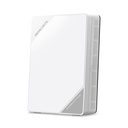
Mercusys ME60X AX1500 Wi-Fi 6 Range Extender

Price:

$ 74.68


Mercusys MB520-5G 5G AX3000 Wireless Dual Band Router
$ 758.47
$ 758.47
Mercusys MR25BE BE3600 Dual Band Wi-Fi 7 Router
$ 136.09
$ 175.03 (22% OFF)

Mercusys ME60X AX1500 Wi-Fi 6 Range Extender

https://arcip.com.au/web/image/product.template/9156/image_1920?unique=69095c3

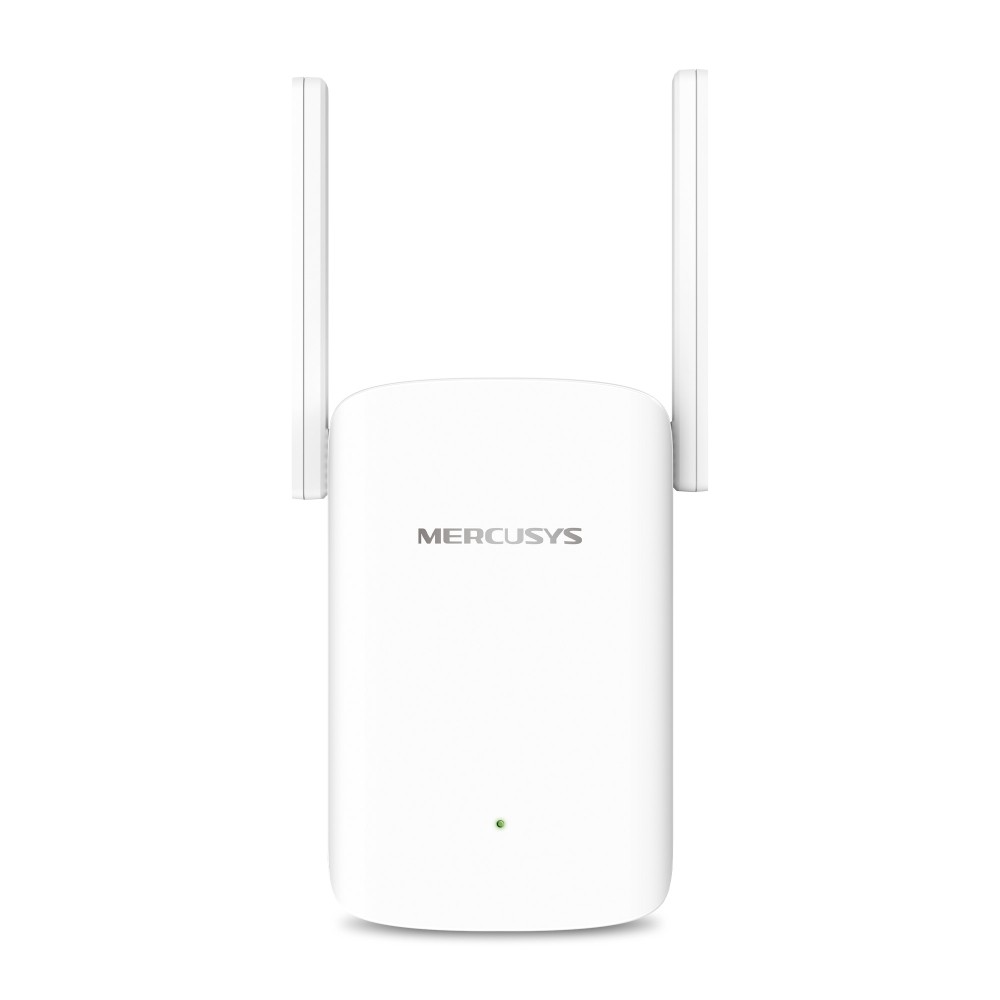
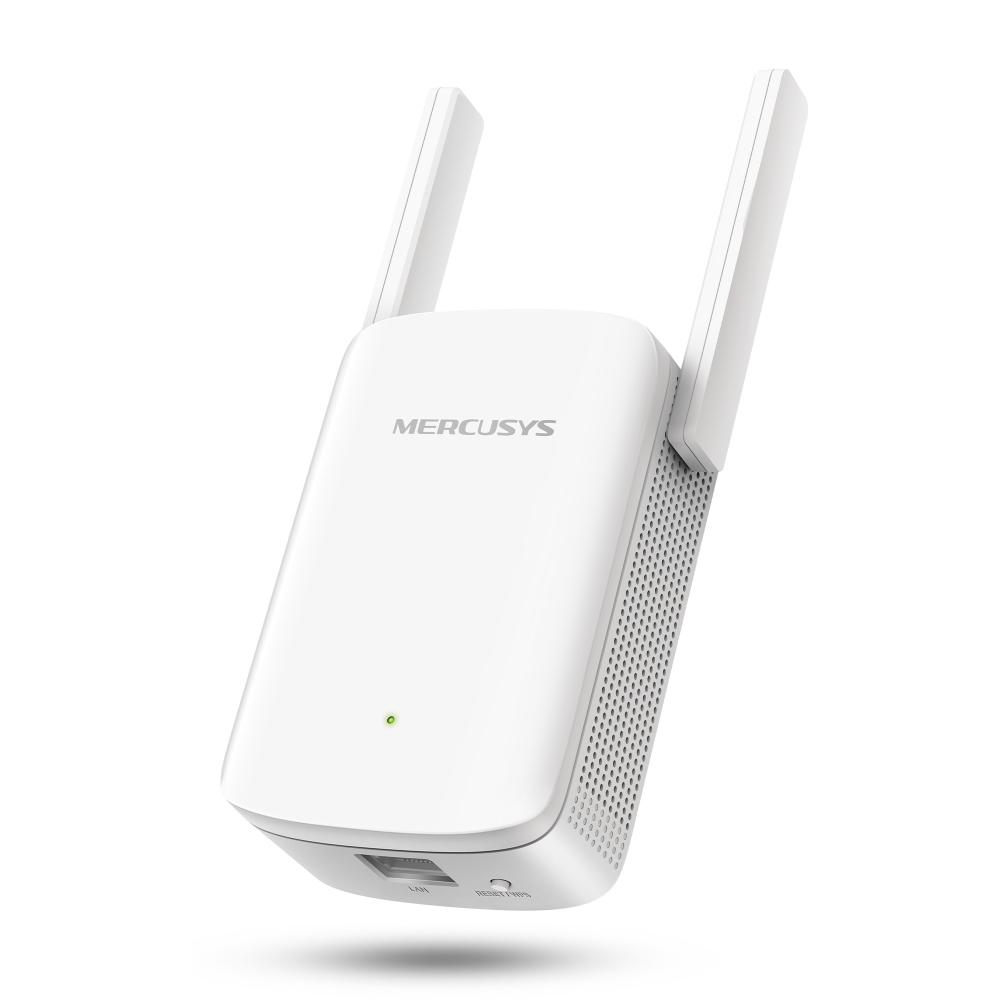
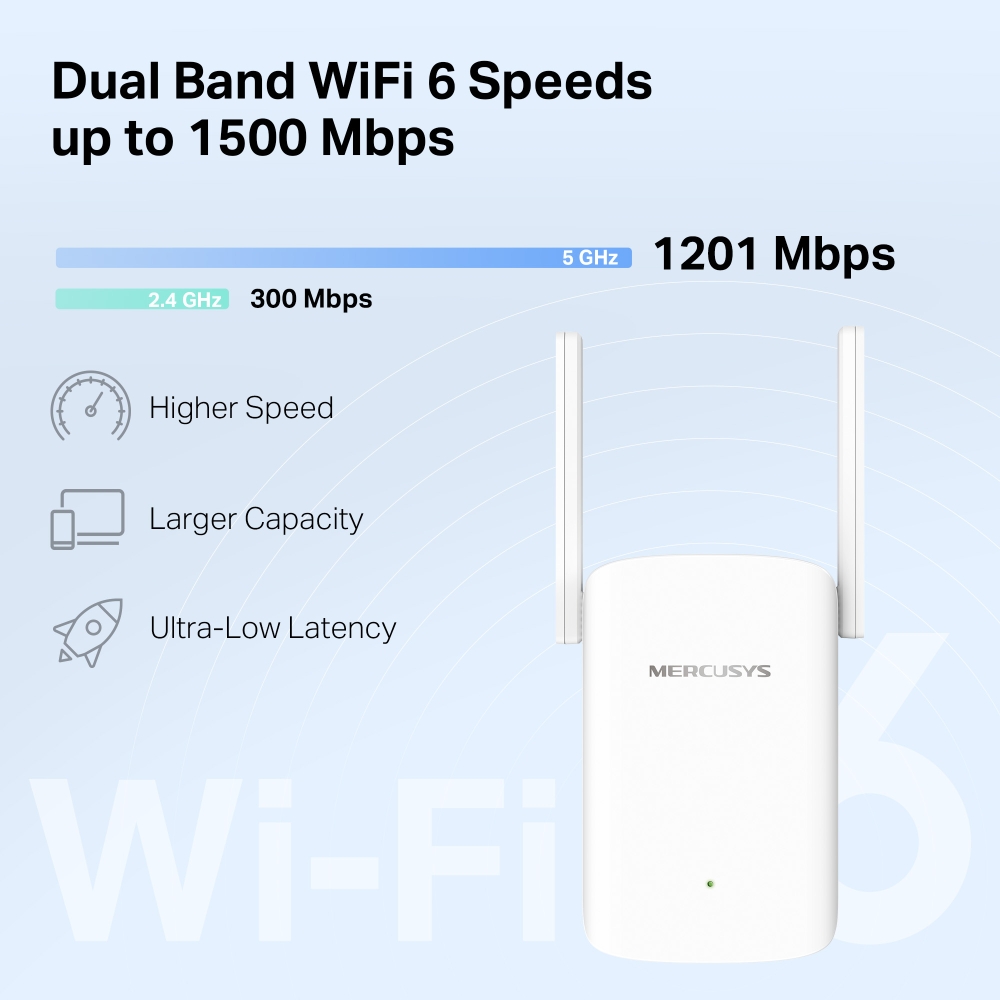
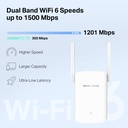
Mercusys ME60X AX1500 Wi-Fi 6 range extender. Dual-band signal rates of 1201 Mbps (5 GHz) and 300 Mbps (2.4 GHz), 1024-QAM, 80 MHz channels and beamforming, two adjustable external high-gain antennas and a gigabit Ethernet port. EasyMesh compatible, with RE and AP modes, Adaptive Path Selection, High Speed Mode, one-touch WPS setup, a smart signal indicator and Mercusys app or web management. WPA, WPA2 and WPA3-PSK security.

$ 74.68 74.68 AUD $ 74.68 incl. GST

Not Available For Sale


  • Brand

This combination does not exist.

  • Stock

    Authorised Australian Reseller | Australian Stock | Genuine Local Warranty

  • Instalment
    Buy Now, Pay Later 
  • [Warranty Information] Warranty
    Manufacturer Warranty 
Estimate delivery
Shipping calculated at checkout
Estimate delivery times: 3-7 business days 
Guaranteed Safe Checkout
Guaranteed Safe Checkout
Accepted payments: Google Pay, Apple Pay, Visa, Mastercard and PayPal
SKU
ME60X
Barcode
6957939002091

The Mercusys ME60X is an AX1500 dual-band Wi-Fi 6 range extender that carries your router's Wi-Fi to areas it cannot reach. Mercusys lists 1201 Mbps on 5 GHz and 300 Mbps on 2.4 GHz, two adjustable external high-gain antennas, one gigabit Ethernet port, EasyMesh compatibility, and range extender and access point modes. Setup is by WPS button, web page or the Mercusys app on iOS or Android.

ME60X overview

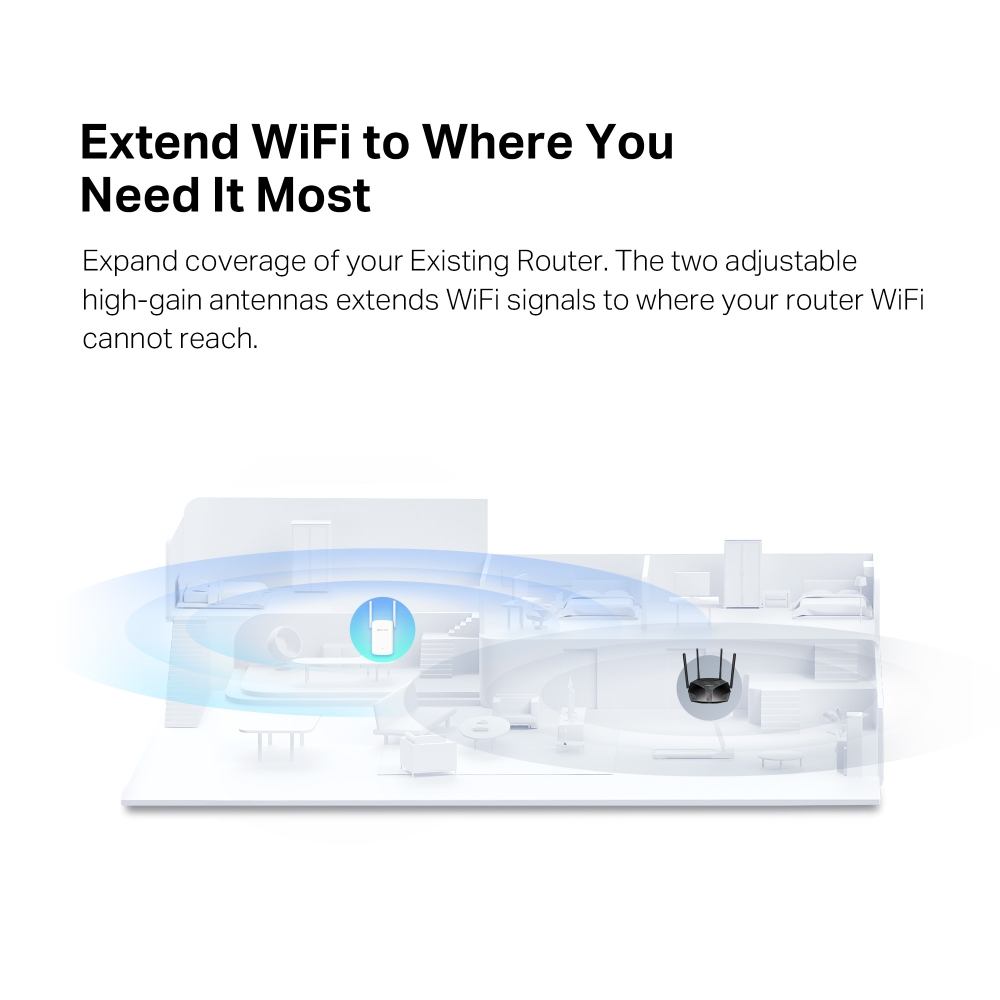
The ME60X is Mercusys's AX1500 Wi-Fi 6 range extender. It picks up your existing router's signal and, through two adjustable high-gain antennas, extends Wi-Fi to the places the router cannot reach. Mercusys says Wi-Fi 6 improves virtually every aspect of the network, namely speed, efficiency and capacity, and lists dual-band signal rates of 1201 Mbps on 5 GHz and 300 Mbps on 2.4 GHz. Specifications show 802.11ax/ac/a/b/g/n support, a maximum channel width of 80 MHz, 1024-QAM modulation and beamforming, and the extender is backward compatible with earlier Wi-Fi generations so it works with your current devices. Those are maximum physical rates from IEEE 802.11; Mercusys does not guarantee throughput, coverage or the number of connected devices, which depend on network conditions, client limitations, building materials, obstacles, traffic and where the clients are.

Mercusys says the ME60X works with any router, with a caveat in the fine print: it may not be compatible with routers or gateways running altered, open-source-based, non-standard or outdated firmware. It is also EasyMesh compatible, so it can form a whole-home mesh network with one Wi-Fi name and password alongside other EasyMesh access points, including those from other vendors, for seamless roaming as you move around. Two performance features are named. Adaptive Path Selection automatically chooses the fastest connection path back to the router, and High Speed Mode uses both Wi-Fi bands for faster connections suited to HD streaming and gaming.

Setup is one-touch: press the WPS button on your router and then on the ME60X to extend coverage in seconds. A smart signal indicator, a multicolour LED, then helps you move the extender to the right spot by showing whether the connection is good or the unit is too far from the host router. Mercusys also offers setup and management through a web browser or the Mercusys app for Android and iOS, from home or away, with cloud features including Mercusys ID, auto update and online update. Plug a wired internet connection into the gigabit Ethernet port and the ME60X becomes a dual-band Wi-Fi access point, and Mercusys also describes the port as a speedy wired connection for PCs and game consoles. Mercusys notes that real network speed can be limited by the Ethernet port rate, the cable, the internet provider and other conditions.

Software features listed for the ME60X include a DHCP server and client list, IPv4 and IPv6, guest networks on both 2.4 GHz and 5 GHz, access control, LED control with a night mode, time settings, firmware upgrade, backup and restore, and a system log. Wireless security is WPA, WPA2 and WPA3-PSK. The hardware has one gigabit Ethernet port, two external antennas, one combined reset/WPS button, a single system LED and a 10 W power supply, and the body measures 84.7 x 39 x 112 mm. It operates between 0 and 40 °C at 10% to 90% non-condensing humidity. The package contains the Wi-Fi Range Extender ME60X and a quick installation guide.

Key features

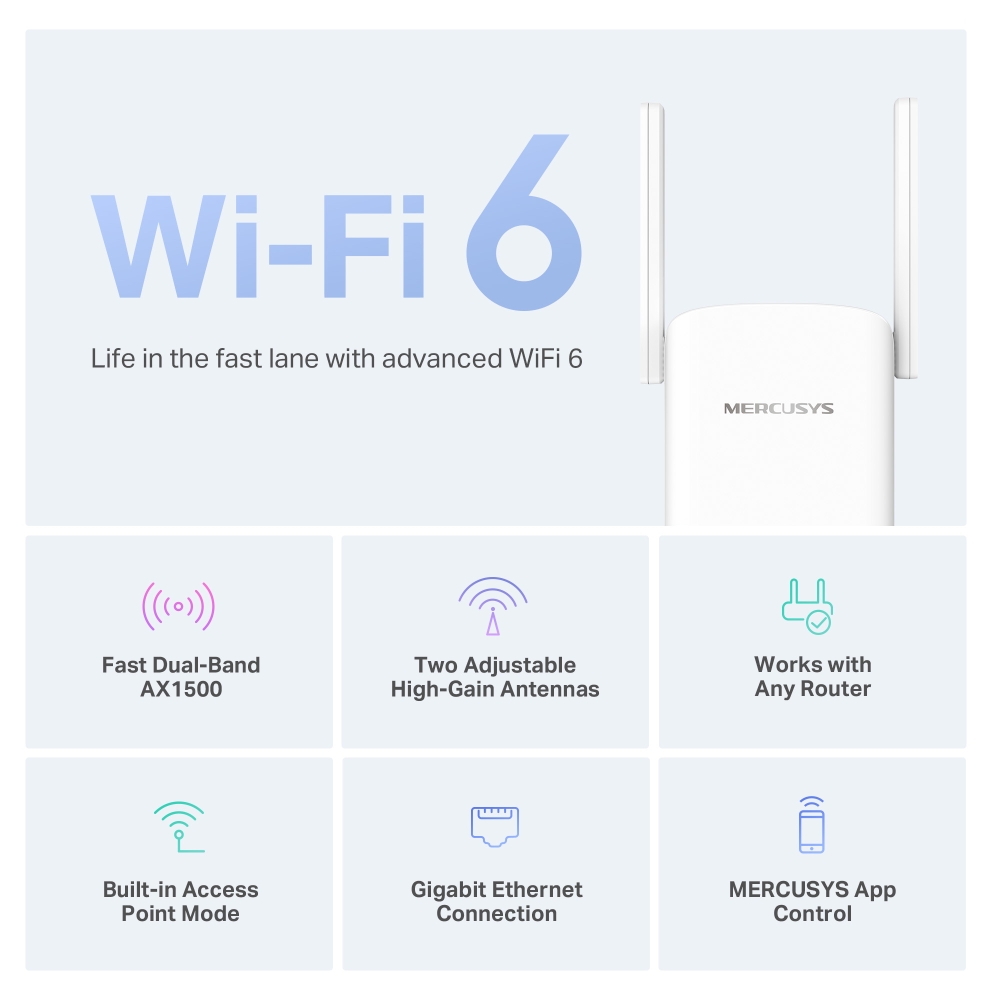
AX1500 dual-band Wi-Fi 6

1201 Mbps on 5 GHz and 300 Mbps on 2.4 GHz.

EasyMesh compatible

Builds a mesh with other EasyMesh access points under one network name.

Two adjustable high-gain antennas

Push Wi-Fi to areas your router cannot reach.

Gigabit Ethernet port

Wired connections for PCs and consoles, or a wired uplink in AP mode.

Range extender and AP modes

Turn a wired connection into a dual-band Wi-Fi access point.

Adaptive Path Selection

Automatically picks the fastest path to the router.

One-touch WPS setup

Smart signal indicator helps find the right location.

Mercusys app and web

Manage from Android or iOS, at home or away.

ME60X specifications

At a glance

AX1500 Wi-Fi 6
1201 Mbps (5 GHz)
300 Mbps (2.4 GHz)
EasyMesh
Gigabit Ethernet
2 adjustable antennas
RE / AP modes
WPA3-PSK
ME60X full specifications
Specifications
Wi-Fi ClassAX1500
Wi-Fi (2.4 GHz)300Mbps
Wi-Fi (5 GHz)1201Mbps
Wireless Standards802.11ax/ac/a/b/g/n
Max Channel Width80MHz
Reception Sensitivity5 GHz:; 11ax HE80 MCS0: -88 dBm; 11ax HE80 MCS11: -58 dBm; 11a 6Mbps: -94 dBm; 11a 54Mbps: -76 dBm; 11ac VHT80 MCS0: -91dBm; 11ac VHT80 MCS9: -63dBm; 2.4 GHz:; 11g 6Mbps: -95 dBm; 11g 54Mbps: -77 dBm; 11n HT40: -72dBm
Max Wi-Fi Modulation1024 QAM
Wireless SecurityWPA, WPA2, WPA3-PSK
Wireless FunctionsEasyMesh; Beamforming
Operation ModesRE/AP
WAN Mode/
DHCPServer; DHCP Client List
NAT Forwarding/
ProtocolsIPv4/IPv6
IPTV/
Guest Network2.4G Guest Network; 5G Guest Network
Parental Controls/
DDNS/
Easy MeshEasyMesh Compatible
QoS/
SecurityAccess Control
ISP Feature/
SystemTime Settings; LED Control; Firmware Upgrade; Backup&Restore; Reboot; Administration; System Log
Diagnostics/
LED ManagementLED Control; Night Mode
Device ManagementMERCUSYS APP; Webpage
CloudMERCUSYS ID; Auto Update; Online Update
LanguageBulgarian; Czech; Danish; German; Greek; English; Spanish; Finnish; French; Hungarian; Indonesian; Italian; Japanese; Korean; Dutch; Norwegian; Polish; Portuguese; Portuguese; Brazil; Romanian; Russian; Slovak; Swedish; Turkish; Ukrainian; Vietnamese; Chinese; Taiwan
Advanced Features/
Dimensions (W X D X H)84.7×39×112 mm
Interfaces1 Gigabit Ethernet Port
Antenna2× External Antennas
Button1× RESET/WPS Button
Power Supply10W
Installation/
LED1× SYS
Network Services Enabled by DefaultWeb Server; Manage and configure device through web (HTTP/HTTPS); Port: 80/443 Protocol: TCP; DHCP Server; IP address assignment (DHCP); Port: 67 Protocol: UDP; App management; Manage and configure device through app; Port: 20001 Protocol: TCP; Port: 20002 Protocol: UDP
EnvironmentOperating Temperature: 0°C~40°C (32°F~104°F); Operating Humidity: 10%~90% Non-Condensing

Source: Mercusys's published specifications for this model (Mercusys Australia product page). throughput figures are Mercusys's lab results. Mercusys may change specifications without notice.

What's in the box

  • Wi-Fi Range Extender ME60X
  • Quick Installation Guide

Source: Mercusys's published package contents.

Who the ME60X is for

Homes with Wi-Fi dead zones

  • Extends an existing router's coverage
  • EasyMesh for one network name
  • Smart signal indicator for placement

Wired devices far from the router

  • Gigabit Ethernet port on the extender
  • Access point mode for a wired uplink
  • High Speed Mode for streaming and gaming

Buy the ME60X from ARC IP Networks

ARC IP Networks supplies Mercusys products from Australian stock at competitive prices, with the full manufacturer's warranty, Australia-wide delivery and trade pricing for installers and MSPs.

  • New Mercusys product from Australian stock.
  • Manufacturer warranty: the full Mercusys manufacturer's warranty for this model.
  • Australia-wide delivery to every state and territory.
  • Trade and project pricing: call 1300 100 440 or email info@arcip.com.au.

Frequently asked questions

Straight answers about the ME60X from the ARC IP Networks team.

Last reviewed October 2026.

It is an AX1500 extender: 1201 Mbps on 5 GHz and 300 Mbps on 2.4 GHz. These are maximum physical rates; real speeds depend on your router, clients and home.

Mercusys says it works with any router, but it may not be compatible with routers or gateways using altered, open-source-based, non-standard or outdated firmware.

Yes. It can join an EasyMesh network with other EasyMesh access points, including other vendors', using one Wi-Fi name and password.

Yes. Connect a wired internet connection to its gigabit Ethernet port to use it as a dual-band Wi-Fi access point.

Press WPS on your router and then on the ME60X, or set it up through a web browser or the Mercusys app on Android or iOS.

Use the smart signal indicator. The multicolour LED shows whether the connection is good or the ME60X is too far from the host router.

Yes, one gigabit Ethernet port. Mercusys notes network speed can be limited by the port rate, cable and internet provider.

Yes. Guest networks are listed for both 2.4 GHz and 5 GHz.

WPA, WPA2 and WPA3-PSK.

The Wi-Fi Range Extender ME60X and a quick installation guide.

Need more than one ME60X for whole-home Wi-Fi coverage?

Ask ARC IP Networks for volume and project pricing on Mercusys products.

Brand Mercusys

Accurate Shipping Costs

Our online shipping calculator is designed to provide a final, accurate shipping cost based on the items in your cart and your delivery postcode. Shipping costs are calculated at checkout based on your order and delivery postcode. The final cost is calculated based on several factors which are automatically accounted for by our system, including:

  • The stock location of the item(s) across our warehouses.
  • Orders with multiple items that may require special packaging.
  • The weight and dimensions of the order (including heavy or oversized items).
  • The delivery courier servicing your specific region.

Delivery Times


Standard Processing


Most orders placed by 2pm AEDT are dispatched for next working day delivery. Larger orders may require 1-2 additional business days for processing. If timing is critical, please contact us to discuss expedited options (additional charges may apply).


Delivery Timeframes


Region

Processing Time

Express Delivery

Standard Delivery

VIC, NSW, SA, QLD Metro, TAS

1-2 business days

1-2 business days

2-4 business days

NT, WA, QLD Rural

1-2 business days

1-2 business days

3-5 business days

New Zealand

1-2 business days

2-3 business days

4-10 business days

Please note: Processing times may extend during peak periods such as Christmas and end of financial year.

Free Warehouse Pickup


Save on shipping costs with free pickup from our ARC IP Networks Blackburn warehouse. Simply place your order online or by phone, and collect during business hours (Monday to Friday). Please allow time for picking and packing. For urgent orders, call 1300 100 440 to confirm your order is ready.

ARC IP Networks Pickup Address: 6 George Street, Blackburn, VIC 3130


Insurance & Tracking


All ARC IP Networks shipments are fully insured and trackable. Once dispatched, you'll receive an email with your tracking number and courier website details. If your item is confirmed lost or damaged by our courier, we'll arrange a replacement in consultation with you.


International Shipping


ARC IP Networks ships to New Zealand. Please note:


  • Import duties and taxes vary by country
  • Buyers are responsible for all customs charges
  • Contact your local customs authority before ordering
  • We'll provide required documentation for smooth customs clearance
  • Buyers cover all shipping costs for returns due to refused duties/taxes


Delivery Requirements


Signature Required


All deliveries must be signed for. If you won't be home, contact our Sales Support team to arrange Authority to Leave. Important: Authority to Leave voids shipping insurance if parcels are lost or stolen.


Delivery Restrictions


We do not deliver to PO Boxes or Parcel Lockers as our couriers cannot access them. Orders sent to these addresses will be returned, incurring redelivery fees.


Shipping Issue Resolution


ARC IP Networks works closely with our shipping partners to resolve any delivery issues quickly and fairly:


  1. Confirmation: We verify expected delivery dates with our shipping partners
  2. Investigation: Issues outside normal timeframes trigger formal investigations
  3. Communication: We keep you updated throughout the resolution process
  4. Resolution: Confirmed lost items are replaced or refunded after investigation completion


Please note: Refunds for lost, missing, or delayed orders cannot be processed until shipping partner investigations are complete. This does not affect your rights under the Australian Consumer Law, and refunds or replacements will be provided where required once loss or damage is confirmed.

Warranty & Faulty Products

ARC IP Networks complies with the Australian Consumer Law (ACL).

If a product is faulty, damaged, not of acceptable quality, or does not perform as advertised, you are entitled to a repair, replacement, or refund in accordance with ACL.

Manufacturer Warranty Returns

For faults developing after 14 days within the warranty period:

  • Contact ARC IP Networks first at info@arcip.com.au or 1300 100 440
  • We will assess the issue and coordinate with manufacturers, authorised service centres, or distributors on your behalf
  • Where required, a manufacturer RMA may be arranged
  • ARC IP Networks manages the return process and next steps

Dead on Arrival (DOA)

Products that arrive faulty or damaged must be reported within 14 days of delivery.

ARC IP Networks will arrange assessment, replacement, or refund as appropriate.

Change of Mind & Non-Faulty Returns

Change-of-mind returns must be requested within 14 days of delivery. For change-of-mind returns, the product must be unused, unopened, in its original packaging, and returned with all accessories and documentation. These conditions apply only to change-of-mind returns and do not limit or exclude your rights under the Australian Consumer Law. Some products are not eligible for change-of-mind returns, including:

  • Ex-demo products
  • Clearance or markdown items
  • Special-order items
  • Products clearly marked “No Change-of-Mind Returns”

Important

This does not affect your rights under Australian Consumer Law.

If a product is faulty, not of acceptable quality, or does not meet advertised specifications, it remains eligible for return regardless of category.

Refunds & Processing Timeframes

  • Approved refunds are processed within 7 business days of receiving returned goods
  • Refunds are issued to the original payment method, unless otherwise agreed
  • Replacement or repair may be offered where appropriate
  • Store credit may be offered only with customer consent

Handling fees and non-returnable service charges may not be refundable where permitted by law.


Restocking Fees

For approved change-of-mind or non-faulty returns, a 15% restocking fee applies.

  • Any applicable restocking fee will be clearly communicated prior to return approval
  • The fee will be deducted from the refund amount
  • Restocking fees do not apply to returns made under the Australian Consumer Law, including faulty, damaged, or misrepresented goods.

Return Shipping Costs

  • Change-of-mind returns: The customer is responsible for return shipping costs.
  • Faulty or defective products: ARC IP Networks covers return shipping under Australian Consumer Law.

Non-Warranty Repairs

For issues not covered by warranty:

  • ARC IP Networks will provide a quote before proceeding
  • Customers are responsible for all shipping and service costs
  • No repairs are undertaken without customer approval

Return Methods

Returns may be made:

  • In-store at ARC IP Networks – 6 George Street, Blackburn VIC 3130
  • Or by shipment as instructed by our support team

Proof of purchase is required for all returns.

Enquire About this Product


Any questions about this product? Fill out the form below, and we'll get back to you soon!