Australian businesses can generally use CCTV for genuine security and safety reasons, provided they follow good practice: tell employees cameras are in use, display clear signage, avoid covert or bathroom and change-room surveillance, be careful with audio, keep footage secure and put a written policy in place. Some states and territories also have specific workplace-surveillance legislation, and the federal Privacy Act can apply. ARC IP Networks is an authorised Hikvision reseller in Australia and can supply signage-ready, business-grade systems.
This article is general information only and is not legal advice. Always check the current workplace-surveillance and privacy laws in your state or territory, and refer to OAIC and Fair Work guidance, before installing or operating workplace cameras.
Setting up workplace CCTV? ARC IP Networks supplies genuine Hikvision cameras and NVRs at competitive prices, with the full Australian manufacturer's warranty, Australia-wide delivery and trade pricing.
Can a business use CCTV to monitor the workplace?
In general, yes. Across Australia, businesses commonly use CCTV to protect people and property — deterring theft, recording break-ins, supporting workplace health and safety investigations, monitoring loading docks and car parks, and resolving disputes. The key principle almost every regulator and law shares is transparency: surveillance should be open, proportionate to a genuine purpose, and something staff are aware of rather than something hidden.
Where businesses run into trouble is usually not the cameras themselves, but how they are used — covert recording, monitoring private areas, capturing audio without care, or holding footage insecurely. Get the good-practice basics right and CCTV becomes a straightforward, defensible part of your security setup. If you are scoping a full system, our best Hikvision CCTV system for business guide is a useful starting point.
What are the workplace surveillance rules in Australia?
There is no single national workplace-CCTV law. Instead, a mix of rules can apply depending on where you operate and what you are doing:
- State and territory surveillance laws. Several states and territories have specific workplace-surveillance or surveillance-devices legislation that sets out notice requirements and limits on covert and private-area recording. The detail varies between jurisdictions.
- The federal Privacy Act. If your organisation is covered by the Privacy Act 1988, the Australian Privacy Principles can apply to how you collect, store, use and disclose footage that identifies people. The OAIC publishes guidance on this.
- Fair Work and employment obligations. How surveillance is introduced and used can intersect with employment law, workplace policies and consultation obligations — Fair Work provides general guidance for employers.
Because these laws differ by state and change over time, treat the points in this article as a general framework, then confirm the current requirements for your jurisdiction. This is general information, not legal advice — check your relevant state or territory workplace-surveillance and privacy laws, and OAIC and Fair Work guidance, for your specific situation.
CCTV good practice for employers
These are widely-recognised good-practice steps that help keep workplace CCTV fair, transparent and defensible. They are practical habits rather than a legal checklist — your specific obligations depend on your jurisdiction.
| Good practice | Why it matters |
|---|---|
| Notify employees | Tell staff that CCTV is in use, where, and why — openness is the foundation of lawful, fair surveillance. |
| Display clear signage | Visible signs at entrances and monitored areas put staff and visitors on notice and reinforce deterrence. |
| Have a genuine purpose | Tie cameras to a real security or safety reason, and site them proportionately to that purpose. |
| Keep footage secure | Restrict who can view or export recordings, use strong passwords, and store the recorder securely. |
| Limit retention | Keep footage only as long as you reasonably need it, then let it overwrite or be deleted. |
| Document a policy | Write down what you record, why, who can access it, and how long you keep it. |
Good hardware makes several of these easier: role-based logins, encrypted access and audit trails on a modern recorder support the “keep footage secure” step. See our Hikvision NVR channels & storage guide for choosing a recorder with the retention you need.
Where should workplace cameras never point?
Some areas are off-limits or need real caution almost everywhere, because they involve a reasonable expectation of privacy:
- Bathrooms, toilets, showers and change rooms. These are the clearest no-go areas for surveillance — don’t point cameras into them.
- Covert or hidden cameras. Secretly recording staff is high-risk and, in many jurisdictions, restricted or prohibited. Favour open, signposted cameras.
- Audio recording. Recording conversations is treated more strictly than video under many listening-device and surveillance laws. Many businesses choose to disable microphones on workplace cameras unless they have specifically checked that audio is permitted and appropriate for the location.
Do I need a CCTV or surveillance policy?
A short written policy is one of the most useful things a business can put in place. It shows your surveillance is planned and purposeful rather than ad hoc, gives staff clarity, and makes access to footage consistent. A simple policy usually covers:
- The purpose of the CCTV (security, safety, loss prevention).
- Where cameras are located and what they capture.
- Who can access footage, and the process to request it.
- How long footage is retained and how it is secured.
- How staff are notified — signage, induction, employee handbook.
Introduce the policy openly, keep it available to employees, and review it if you add cameras or change how footage is used. Retail operators managing shrinkage and staff areas together may also find our Hikvision CCTV for retail loss prevention guide helpful.
Choosing business CCTV that supports good practice
The right equipment makes good practice easier to follow. When selecting a business system, look for:
- Clear, honest coverage. High-resolution cameras that cover the areas you have a genuine reason to monitor — entrances, car parks, stock and cash-handling zones — without overreaching into private spaces.
- Deterrence-friendly features. Cameras with visible presence, colour night vision and active-deterrence strobe/audio support the “be open” principle while discouraging incidents.
- Secure recording. A recorder with user accounts, password protection and controllable retention helps you keep footage secure and time-limited.
- Audio control. The ability to disable microphones where audio isn’t appropriate.
As an authorised Hikvision reseller, ARC IP Networks can help you match cameras and a recorder to your site and good-practice goals. The genuine business-grade options below are a solid foundation — or see where to buy Hikvision cameras in Australia.
Business-grade Hikvision cameras & recorders
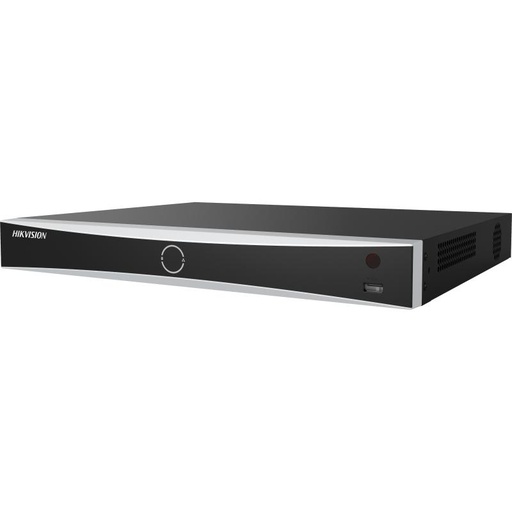
Hikvision DS-7608NXI-I2/8P/VPro 8-Ch AcuSense NVR
8-channel AcuSense NVR with built-in PoE, user accounts and password protection — a secure, business-grade recorder that makes footage retention and access easy to control.
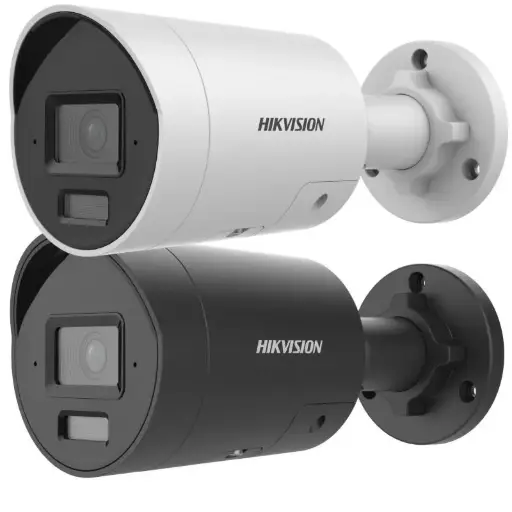
Hikvision DS-2CD2066G2H-I2U/SL 6MP 4mm AcuSense Strobe Light and Audible Warning Fixed Bullet Network Camera
6MP AcuSense bullet with colour night vision plus strobe light and audible warning — an open, deterrence-friendly camera ideal for car parks, loading docks and perimeters.
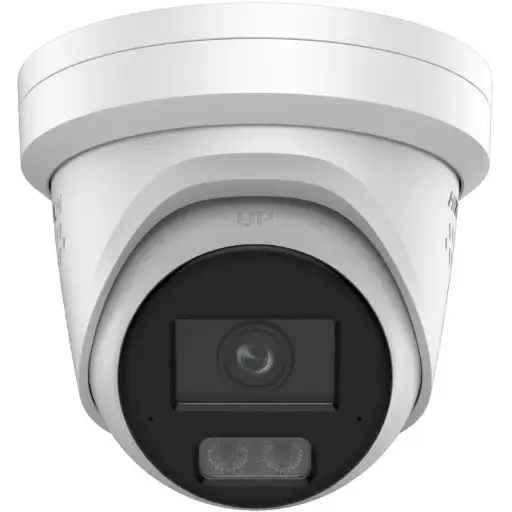
Hikvision DS-2CD2367G3 6MP 2.8mm ColorVu Turret Camera
6MP ColorVu turret delivering full-colour images day and night — well suited to entrances, receptions and interior work zones where clear, honest coverage matters.
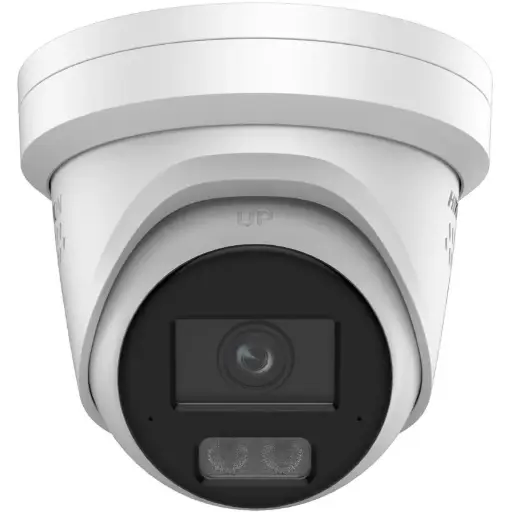
Hikvision DS-2CD2387G3 8MP 4mm ColorVu Turret Camera
8MP ColorVu turret for larger or higher-detail areas — crisp full-colour footage for busy shopfronts, warehouses and open-plan workplaces.
Related Hikvision guides
- Best Hikvision CCTV System for Business in Australia (2026)
- Best Hikvision CCTV for Retail Shops (Loss Prevention)
- Best Hikvision NVR: Channels & Storage Guide (2026)
- Where to Buy Hikvision Cameras in Australia
- CCTV Laws in Australia: What Homeowners Can (and Can't) Do
- CCTV Signage & Privacy: What's Required in Australia?
Ready to buy?
Shop genuine Hikvision at ARC IP Networks



Authorised Hikvision reseller
Hikvision at ARC IP Networks
AcuSense, ColorVu and DeepinView cameras, NVRs and complete systems. Genuine Australian stock with the full manufacturer's warranty, competitive prices and price match available.
Frequently asked questions
Last updated: 2026-07-14 · Written by the ARC IP Networks team, an authorised Hikvision reseller in Australia.
Who we are
About ARC IP Networks
ARC IP Networks is an Australian supplier of security cameras and CCTV systems, based in Blackburn, Melbourne, Victoria. We work with homeowners, installers, integrators and businesses across Australia, supplying Hikvision, Ubiquiti UniFi Protect, Dahua and Jovision CCTV.
We are an authorised reseller for every brand we sell, and the national distributor of Jovision in Australia, so you get genuine Australian stock with the full manufacturer's warranty, never grey imports, at competitive prices. Our team can help you choose the right equipment, and trade customers get trade accounts and project pricing on larger jobs.
- Genuine Australian stock with the full manufacturer's warranty
- Competitive prices, price match available
- Trade accounts for installers, integrators and MSPs
- Australia-wide delivery; showroom in Blackburn, Mon–Fri 9–5 (demos by appointment)
Need help choosing?
Tell the ARC IP Networks team what you are trying to achieve and we will recommend the right equipment and quote it as one order.