For an apartment or unit, the best Hikvision setup is one or two compact cameras aimed at your own entry door and balcony, plus a small 4-channel PoE NVR (or a Wi-Fi camera if cabling is limited), all viewable on your phone via Hik-Connect. ARC IP Networks supplies genuine Australian stock and local advice.
What are the best Hikvision cameras for an apartment or unit?
In a smaller space you don't need a big rooftop system — you need one or two well-placed, compact cameras that cover the spots that matter: your front door and your balcony or window. Discreet turret and mini-dome cameras suit units perfectly because they mount flat, look tidy, and won't dominate a small entryway.
- Front door / hallway: a compact turret such as the DS-2CD2366G2H 6MP with a built-in microphone captures faces and conversations at the entry.
- Balcony or car space: an 8MP mini dome like the DS-2CD2586G2-I gives 4K detail from a low-profile housing.
- Renting or no cabling: the DS-2CV2141G2-IDW Wi-Fi turret connects over your home Wi-Fi with an included power supply — no network cable run required.
For a wider look at the range, see our best Hikvision cameras for home security guide.
Wired PoE or Wi-Fi — which is better for a unit?
Apartments often have limited options for running cable, so the wired-versus-wireless choice really matters. Both work well; it comes down to whether you can (or want to) run a single network cable.
| Consideration | PoE (wired) | Wi-Fi |
|---|---|---|
| Cabling | One Cat6 cable per camera (power + data) | None — uses home Wi-Fi + a nearby power point |
| Recording | Continuous to an NVR | microSD card or NVR if in range |
| Best for | Owners, a tidy permanent install | Renters, quick setup, tricky cable runs |
| Stability | Rock-solid, unaffected by Wi-Fi load | Depends on your Wi-Fi signal |
If you own the unit and can reach a cupboard or media point, a small PoE NVR is the cleanest result. If you rent or can't run cable, a Wi-Fi camera is a genuinely good option. Learn more in our PoE for CCTV guide.
How many cameras does an apartment actually need?
Most units are well covered by one or two cameras. A single camera on the front door handles the majority of what apartment residents care about — who is knocking, deliveries, and anyone at your entry. Add a second on the balcony or window if that's your other access point.
Bigger isn't better in a compact home: two carefully aimed cameras beat four pointed at the wrong angles. If you'd like to think it through room by room, our how many security cameras do I need guide walks through it.
Do I need an NVR in a small space?
An NVR (network video recorder) stores your footage locally and keeps it running around the clock. For a unit, a 4-channel PoE NVR such as the Hikvision DS-7604NI-M1/4P is ideal: it's compact enough to sit in a media cabinet, powers up to four cameras over their network cable, and records continuously to a built-in hard drive.
Prefer to keep it ultra-minimal? A single Wi-Fi camera can record to a microSD card and stream live to your phone without any recorder at all. Either way, an NVR gives you longer, more reliable storage. See our NVR channels & storage guide to size it right, or browse Hikvision NVRs.

Shopping for Hikvision?
Authorised Hikvision reseller: genuine Australian stock, full warranty, competitive prices and price match available.
What about a video doorbell?
If your main concern is the front door, a video doorbell is a popular apartment choice — it lets you see and speak to visitors and couriers from your phone before you open up. It's a neat, single-device answer for renters and owners alike.
Alternatively, a compact turret with a built-in microphone and two-way audio, mounted just above your door, does a similar job and integrates with the rest of your cameras and NVR. Chat to our team about the doorbell option that fits your building — you'll find contact details on our where to buy Hikvision in Australia page.
Apartment, strata and body-corporate courtesy
Cameras in a unit work best when they're pointed at your own property — your door, your balcony, your car space. As a simple courtesy (and good neighbourly practice), aim your cameras so they cover your entry and not shared corridors, other residents' doors, or into neighbouring windows and balconies. Privacy masking on Hikvision cameras lets you grey out any area you don't need to see.
- Point at your own entry and balcony, not shared or common areas.
- If a camera must be mounted on a shared wall, it's courteous to check with your building manager or body corporate first.
- Use privacy masking to exclude neighbouring windows or walkways.
This keeps your setup respectful of everyone in the building while still protecting your home.
Viewing your apartment cameras on your phone
Every camera and NVR here works with Hik-Connect, Hikvision's free app for iOS and Android. Once set up, you get a live view of your door and balcony, playback of recorded events, and instant motion notifications — whether you're on the couch or away for the weekend. Two-way audio models even let you talk to a courier at the door from your phone.
Setup takes just a few minutes by scanning the QR code on the device. Follow our step-by-step Hik-Connect setup & remote viewing guide to get connected.
How to choose the right setup for your unit
Keep it simple and match the setup to your situation:
- Renting or no cabling? Start with a single Wi-Fi turret at the door.
- Own the unit? A 4-channel PoE NVR with one or two cameras is a tidy, permanent install.
- Want the most detail? Choose an 8MP (4K) camera for the entry.
- After-hours clarity? Hikvision's Darkfighter low-light models keep entryways sharp at night.
- Just the door? Consider a video doorbell or a single turret with two-way audio.
Not sure which way to go? ARC IP Networks is an authorised Hikvision reseller and can spec a compact, apartment-friendly kit for you.
Compact Hikvision cameras & a small NVR for apartments
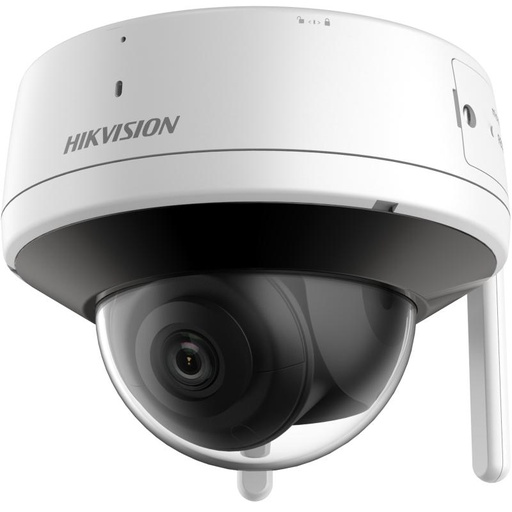
Hikvision DS-2CV2141G2-IDW 4MP Wi-Fi Turret Camera
4MP Wi-Fi turret with two-way audio and an included power supply — the go-to for renters and units where running cable isn't an option.
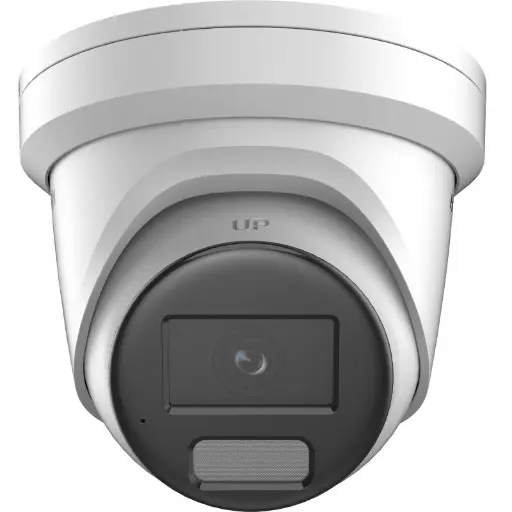
Hikvision DS-2CD2366G2H 6MP 2.8mm Turret IP Camera w/ Mic
Discreet 6MP turret with a built-in microphone and excellent low-light performance — perfect above the front door or entry hallway.
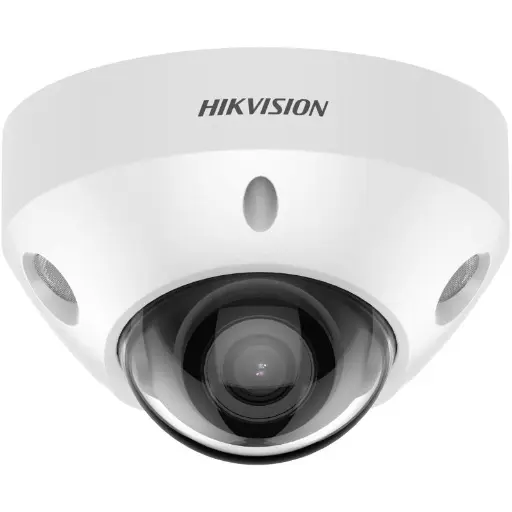
Hikvision DS-2CD2586G2-I 8MP Darkfighter Mini Dome 2.8mm
8MP (4K) Darkfighter mini dome with a built-in mic — a low-profile choice for a balcony, window or car space.
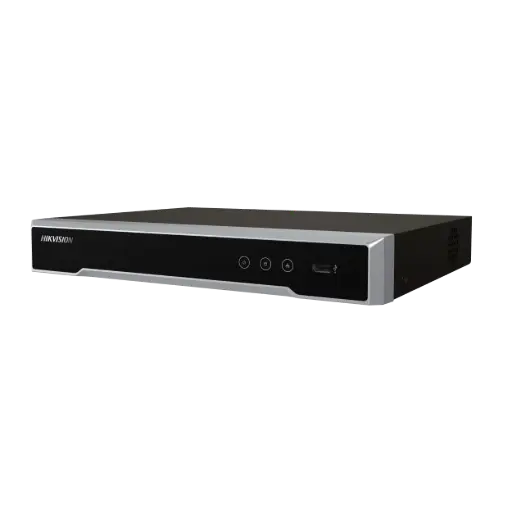
Hikvision DS-7604NI-M1/4P 4-Ch PoE 8K NVR (2TB)
Compact 4-channel PoE NVR with a 2TB drive — powers and records up to four cameras from a single media cabinet.
Ready to buy?
Shop genuine Hikvision at ARC IP Networks


Authorised Hikvision reseller
Hikvision at ARC IP Networks
AcuSense, ColorVu and DeepinView cameras, NVRs and complete systems. Genuine Australian stock with the full manufacturer's warranty, competitive prices and price match available.
Frequently asked questions
Last updated: 2026-07-14 · Written by the ARC IP Networks team, an authorised Hikvision reseller in Australia.
Who we are
About ARC IP Networks
ARC IP Networks is an Australian supplier of security cameras and CCTV systems, based in Blackburn, Melbourne, Victoria. We work with homeowners, installers, integrators and businesses across Australia, supplying Hikvision, Ubiquiti UniFi Protect, Dahua and Jovision CCTV.
We are an authorised reseller for every brand we sell, and the national distributor of Jovision in Australia, so you get genuine Australian stock with the full manufacturer's warranty, never grey imports, at competitive prices. Our team can help you choose the right equipment, and trade customers get trade accounts and project pricing on larger jobs.
- Genuine Australian stock with the full manufacturer's warranty
- Competitive prices, price match available
- Trade accounts for installers, integrators and MSPs
- Australia-wide delivery; showroom in Blackburn, Mon–Fri 9–5 (demos by appointment)
Need help choosing?
Tell the ARC IP Networks team what you are trying to achieve and we will recommend the right equipment and quote it as one order.